
Fashion Photography Services

E-commerce Photography
Slot timing, dress brief, matched lighting, consent and HR-ready files for 20+ employees, planned before anyone sits in front of the camera.
A corporate headshot shoot checklist is the single document that decides whether your team headshot day finishes on time with 20+ matching portraits, or drags into a second session because half the team wore checks and the other half arrived after lunch. HR managers and marketing heads usually own this day, and our corporate photography team sees the same planning gaps repeat: no slot sheet, no dress brief, no agreement on retouching and no file naming plan.
This guide turns that planning into 25 practical steps. It is written from how Ckstudio runs team portrait days inside its studio, and it sits under our commercial photography work for brands, where consistency across many frames matters more than one hero image. Prince, founder and lead photographer at Ckstudio, has shot people and products since 2015, and the checklist below is the same order of work our studio follows: scope, schedule, wardrobe, light, consent, retouch, naming, delivery.
In this guide
Before booking, a corporate headshot shoot checklist should lock four things: the exact headcount, where the photos will be used, one agreed look (background, crop and expression), and a single decision owner. Everything else on the day depends on those four answers.
Start with the final list of names, not an estimate. A team of “around 20” often becomes 27 once interns, new joiners and the two directors who were “maybe” get added. Ask each department head to confirm names and preferred display names in one shared sheet, with a column for designation exactly as it should appear on the website. That same sheet later becomes your file naming source, so build it properly once.
Next, list every place the photos will appear. A website team page usually needs a 4:5 or square crop with space above the head, LinkedIn wants a square that still reads at thumbnail size, and annual reports or press kits may need a wider frame with room for text. If you only plan for one crop, someone will try to stretch it later and the result will look cramped or soft.
Pick two or three reference headshots your leadership likes and share them with the photographer. Decide on the background tone (white, light grey, mid grey or a branded colour), whether people will be seated or standing, framing from mid-chest or tighter, and the expression range from neutral to warm smile. Write these decisions in plain words at the top of the shoot sheet so no one renegotiates the look at 3 pm.
| Where the photo is used | Crop to plan for | What to keep in frame |
|---|---|---|
| Website team page | 4:5 portrait or square | Head and shoulders, even space above the head |
| LinkedIn and email signatures | Square | Face large enough to read at small size |
| ID cards and HR systems | Passport-style portrait | Plain background, neutral expression |
| Annual report, press kit | Wider 3:2 or 16:9 | Extra side space for text or layout |
Shooting slightly wider than the tightest crop is the safest approach, because every crop above can then be cut from the same master file. Finally, name one person from HR or marketing who approves selections and retouching. Committees slow approvals by days; one owner with a clear brief keeps the whole corporate headshot shoot checklist moving.
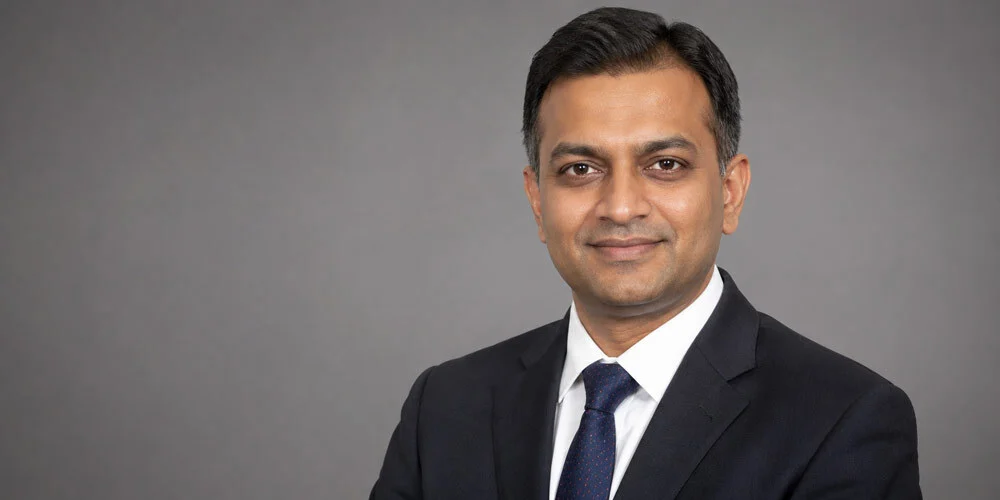
Plan about 8 to 10 minutes per employee for a standard corporate headshot, 15 to 20 minutes for leadership portraits, and a 10-minute buffer after every hour. Group people by department so managers can release their team in batches.
Most of a slot is not spent pressing the shutter. A person walks in, puts down a bag, checks hair in the mirror, gets seated, hears a few posing cues, relaxes after the first ten frames and then gives the expression you actually want. Rushing that to five minutes produces stiff faces. Stretching it to twenty minutes for every employee wastes the day and makes the queue restless.
Share a slot sheet with exact times, not “morning batch” or “afternoon batch”. Put leadership first, while they are fresh and before meetings pile up, then move department by department. Keep the last hour for latecomers, re-shoots and anyone who was travelling. A visible, specific time slot reduces no-shows far more than reminder emails.
Example scenario
Imagine a company planning a studio day for 24 employees, including 4 leaders. Leaders get 15-minute slots from 10:00 to 11:00. The remaining 20 employees get 9-minute slots in four batches of five, with a 10-minute buffer after each batch, which takes roughly 3 hours 40 minutes. Add a 30-minute lunch and a final 45-minute catch-up window, and the day closes by about 4:00 pm. These figures are illustrative; your own numbers depend on outfit changes and how many looks each person needs.
Outfit changes are the hidden time cost. If the brief allows two looks per person, for example a blazer and an open-collar shirt, add 5 minutes to each slot and keep a changing area ready next to the set. If leadership also wants a few standing or environmental portraits, schedule those as separate slots so the main queue is never stuck behind them.
Brief department heads two days in advance with their batch time, and ask them to send people two at a time, not all five together. One person on set and one waiting near the mirror is the rhythm that keeps a team headshot day calm. The person waiting can watch a few frames and understands the posing before sitting down, which saves another minute or two per slot.
Send a one-page dress and grooming brief at least a week before the shoot: solid mid-tone or dark colours, no small checks or thin stripes, clothes ironed or steamed, minimal logos, and natural grooming. Add a short list of what to carry, so nobody has to improvise on the day.
The brief does most of the work for team consistency. If one person wears a white shirt with no jacket against a white background, they disappear; if another wears fine pinstripes, the camera sensor can show a moiré ripple that is hard to remove later. A clear brief prevents both problems before they reach the studio.
Ask everyone to bring a second top in a different colour and a lint roller if they own one. A small kit on set helps too: safety pins, a comb, blotting paper, hair ties, a handheld steamer and a mirror. Ckstudio keeps a steamer and grooming kit on the headshot set because a creased collar or a stray hair is far quicker to fix before the shot than in retouching.
Watching how direction, posture and light shape a portrait makes the brief easier for employees to follow. The short reel below shows our studio approach to people photography, from styling checks to lighting, and the same principles apply to a corporate team day.
Finally, mention the background colour in the brief. When people know the backdrop will be light grey, they naturally avoid a grey shirt that would blend in. A brief written in plain, friendly language, with two example outfits, gets better compliance than a formal circular.
Lock the lighting, camera position and background for the whole day, mark the posing spot on the floor, and shoot tethered so every frame is compared against the first approved headshot. Consistency comes from not moving anything, not from fixing it later.
A team page looks professional when faces are the same size, the background tone matches and the light falls from the same side on every person. That is only possible when the photographer sets up once, tests on a stand-in, gets approval from the decision owner and then treats the set as fixed. Changing the key light for one tall person or one darker outfit breaks the series.
From the studio floor
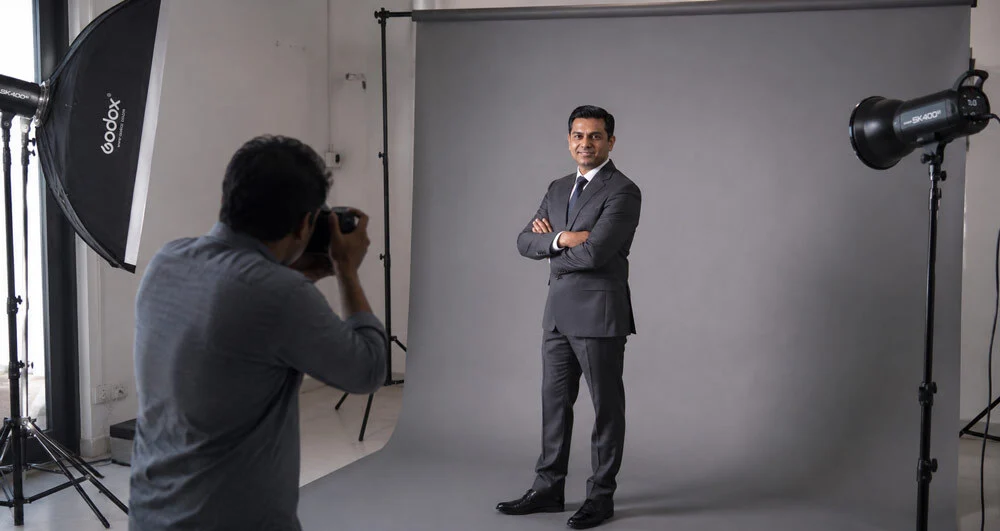
On a Ckstudio headshot set, the key is a large octabox at roughly 45 degrees to one side and slightly above eye level, with a white reflector at waist height to open up shadows under the chin. A strip softbox behind the subject on the opposite side separates hair and shoulders from a mid-grey seamless roll. The camera sits on a tripod at eye level with a short telephoto lens around 85mm, typically at f/5.6 to f/8, 1/160 s and ISO 100, so both eyes and ears stay sharp. A grey card and colour checker shot at the start of every batch keeps skin tones matched across the day.
Tape the stool position and the camera tripod legs on the floor. Use an adjustable stool so taller and shorter people can be brought to roughly the same eye line, instead of raising or lowering the camera. Keeping camera-to-subject distance fixed also keeps facial proportions consistent; moving closer for one person makes their nose and forehead look larger than their colleagues’.
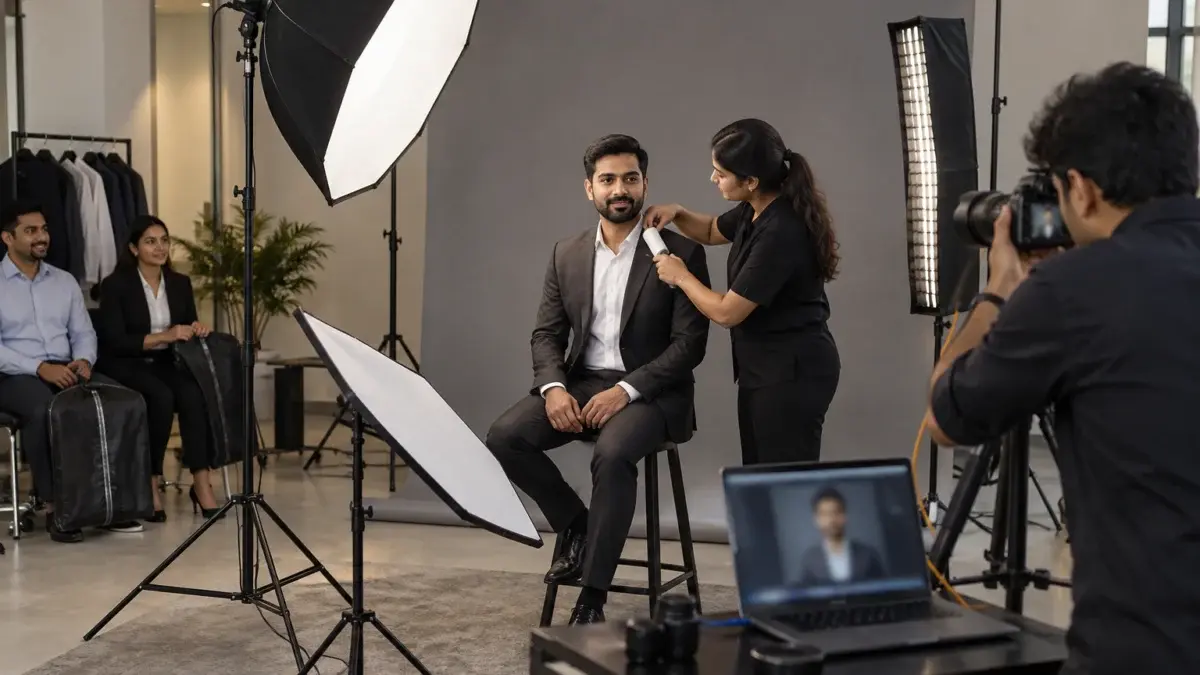
Tethering, meaning the camera feeds each frame straight to a laptop, is what lets the decision owner see results live. Keep the first approved headshot open on one side of the screen and compare every new person against it for face size, background tone and light direction. If something drifts, the photographer catches it in seconds instead of discovering it during editing.
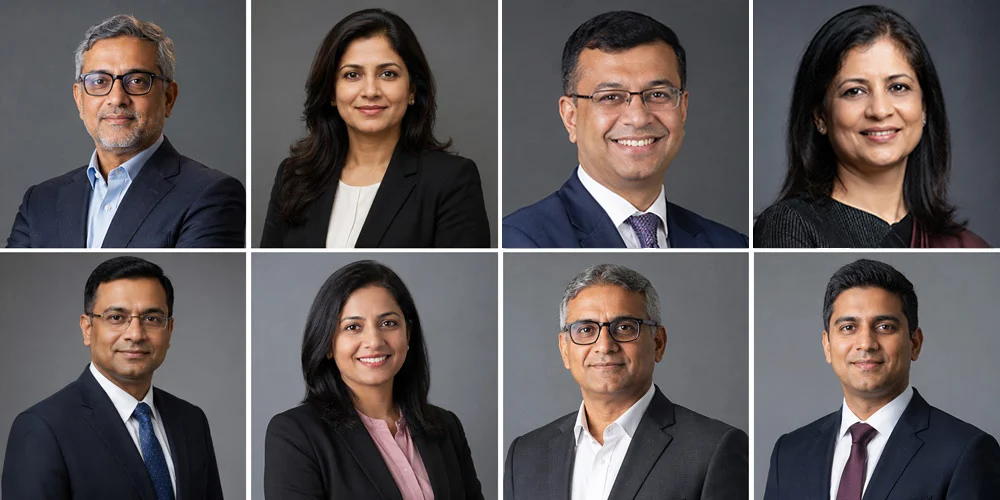
Expression consistency matters as much as light. Agree on one expression range for the series, for example a relaxed closed-mouth smile with one or two open-smile options. The photographer can then coach each person toward that range, and the final team grid will feel like one company rather than 24 separate photos taken on different days.
A studio day gives the most consistent light, a quiet set and zero disruption to office space, while an office set-up saves employee travel time. For 20+ people, the deciding factors are travel time, available floor space and whether your office can give a dedicated room for the full day.
Both options can produce a strong corporate headshot series. The difference lies in control. A studio already has seamless backgrounds, ceiling height, blackout control and space to keep a waiting area separate from the set. An office set-up depends on the room you can spare, its windows, its ceiling lights and how many people walk through it during the day.
| Factor | Studio day | Office set-up |
|---|---|---|
| Lighting control | Full control, no window light changes | Depends on blinds and ceiling lights |
| Background choice | Several seamless colours available | Portable backdrop or office interior |
| Employee time | Travel time for each batch | Minimal, people walk in between meetings |
| Space needed | None at your office | A room of roughly 4 m depth, free all day |
| Best for | Leadership portraits, brand-critical series | Large teams with tight calendars |
If you choose the office, walk the room with the photographer a few days earlier. Check the depth from backdrop to camera, the power points, the window direction and whether a glass wall will show people walking past. A conference room with blinds usually works better than an open-plan corner, even if the corner looks brighter.
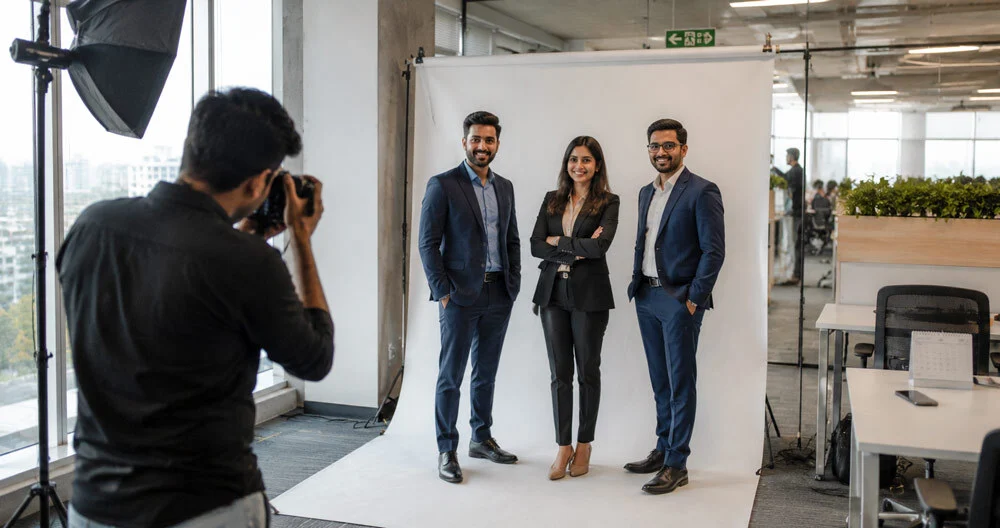
Some companies prefer the office interior itself as a softly blurred background, which ties portraits to the workplace. The tour below shows how a modern corporate interior looks on camera, which helps when judging whether your own space can serve as a backdrop or whether a plain seamless roll is the safer choice.
For mixed needs, a common pattern is to shoot all employee headshots on a seamless background, and then take 30 minutes of environmental portraits of leaders inside the office. That gives you a consistent team grid plus a few warmer images for the About page and press use.
Collect a short written consent from every employee that states where the photo will be used, how long it will be kept and who to contact for removal. Deliver files through a private, access-controlled link to one HR owner, not a public folder or a group chat.
An employee headshot is personal data. India’s Digital Personal Data Protection Act, 2023, administered by the Ministry of Electronics and IT, expects organisations to process personal data for a clear purpose with valid consent or another lawful ground. Your legal or compliance team should confirm the exact wording, but the photo day is the easiest moment to collect consent because every employee is physically present.
On the delivery side, agree in advance on the format of the selection gallery, the number of selects per person, how long employees get to choose, and who gives final approval. Watermarked previews in a private gallery work well: each person picks one or two favourites, HR confirms, and only then do the final retouched files get exported.
Avoid sending full-resolution files over messaging apps; they compress images and remove colour profiles. A shared drive folder with access limited to named HR and marketing users is enough for most teams. Ckstudio’s usual review route mirrors the one on our commercial work: watermarked previews on Google Drive for selection, then high-resolution finals through Google Drive or WeTransfer once approved.
Write down who owns the files after delivery. If a future team member leaves, HR should know which folder holds their originals, which website pages and directories carry their photo, and who removes them. Five minutes of planning here saves an awkward search a year later.
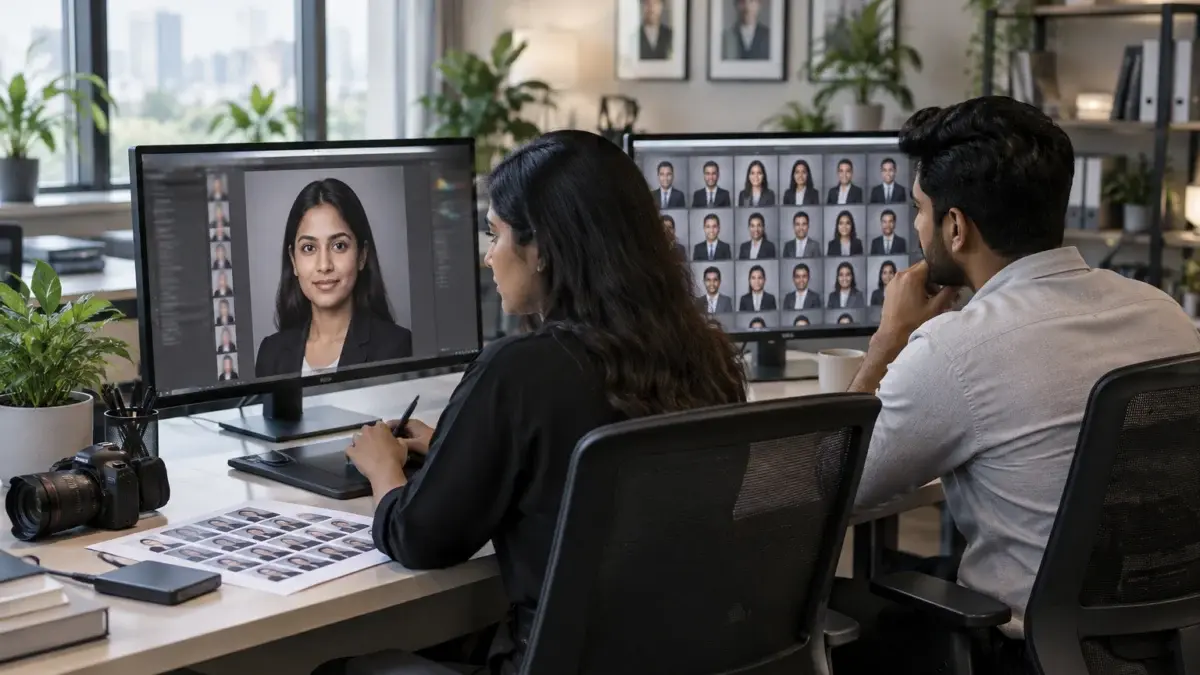
Specify natural, light retouching: remove temporary blemishes, stray hairs, lint and collar creases, balance skin tone and exposure, and never reshape faces or change body features. Write the standard down so every portrait in the series gets the same treatment.
Retouching is where many team series lose consistency. One editor smooths skin heavily on some portraits and lightly on others, or one person asks for extra slimming and suddenly their photo looks different from the rest. A written retouching level in the corporate headshot shoot checklist stops that drift and protects people’s trust in the final images.
| Retouch level | What it includes | When to use it |
|---|---|---|
| Basic | Exposure, colour, crop, background clean-up | ID cards, internal directories |
| Standard | Basic plus temporary blemishes, stray hairs, lint, light under-eye softening | Website team page, LinkedIn |
| Premium | Standard plus fine skin texture work, flyaway control, clothing cleanup | Leadership, press kits, annual reports |
Permanent features such as birthmarks, scars or skin texture should stay unless the person specifically asks otherwise, and even then the request should go through the HR owner. Natural skin texture is what keeps a portrait believable. Over-smoothed faces look artificial on high-resolution screens and on LinkedIn, where people meet you in person later.
From the studio floor
Our editors work on calibrated monitors and start every batch from the colour checker frame shot on set, so all 20 or more faces share one white balance. Background tone is matched by sampling the same grey value across files. Masters are kept as 16-bit TIFF in Adobe RGB for print use, and web exports are converted to sRGB, because an untagged Adobe RGB file shown on a website makes skin look dull and flat.
When retouching volume is high or a leadership set needs extra polish, specialised image retouching services keep every portrait to the same written standard instead of each editor guessing. Whoever does it, share two before-and-after samples with the HR owner early, and only then process the whole team.
Use one naming pattern for every file, such as employee ID, first name, last name, department and crop, and export separate versions for web, LinkedIn and print. Clean names let HR find, replace and remove photos in seconds.
A folder of files called DSC04512.jpg is useless to an HR team six months later. Build the naming pattern from the same name sheet you created in step one, and share it with the photographer before the shoot so files are renamed during export, not by hand afterwards.
| Version | Example file name | Typical export |
|---|---|---|
| Website | emp1042_priya-sharma_finance_web.jpg | sRGB JPG, long edge around 1600 px |
| emp1042_priya-sharma_finance_square.jpg | sRGB square JPG | |
| Print and press | emp1042_priya-sharma_finance_print.tif | Full resolution TIFF |
Use lowercase letters and hyphens, no spaces, and keep the employee ID first so files sort the same way as your HR system. Add a simple folder structure: one folder per department, and inside it web, square and print subfolders. That structure makes bulk uploads to a website CMS or an HR tool straightforward.
From the studio floor
On export we keep the face position identical across the square versions, roughly the same eye line about one third from the top, so the team grid aligns without manual nudging. Web JPGs are saved at quality 80 to 85, which usually keeps a 1600 px headshot under 500 KB, and file names are written from the client’s own name sheet so nobody retypes 24 names.
LinkedIn shows profile photos as a small circle, so a tight square with the face filling most of the frame reads best. LinkedIn’s own LinkedIn Help Centre lists the current profile photo guidance and upload limits, and it is worth checking there before export because those limits change from time to time. Encourage employees to use the same photo on LinkedIn and on internal tools, which builds recognition across clients and colleagues.
Keep a short readme file in the delivery folder that explains the naming pattern, the crops and the colour profile. When a new marketing executive joins next year, they will know exactly which file belongs where without asking anyone.
Print this run sheet and tick it off in order: steps 1 to 10 happen in the weeks before, steps 11 to 18 on the shoot day, and steps 19 to 25 after the shoot. It condenses every section above into one page your HR owner can follow.
If your team needs help planning the day, Ckstudio can review your slot sheet and brief before the shoot. Call or WhatsApp +91-8700258773, or email [email protected] with your headcount, preferred date and where the photos will be used.
With 8 to 10 minute slots and hourly buffers, a single set usually covers 25 to 35 people in a working day. Leadership portraits and outfit changes reduce that number, so plan using your own slot sheet.
Solid mid-tone or dark colours, no small checks or thin stripes, and ironed or steamed clothes. Ask everyone to bring a second top in a different colour in case it clashes with the background.
Light or mid grey suits most teams because it works with both light and dark clothing and fits most brand palettes. White works for a clean, bright website style if the dress brief avoids white shirts without a jacket.
Yes, it is good practice to collect written consent that states where the photo will be used, how long it will be kept and how to request removal. Your corporate headshot shoot checklist should include a step to collect missing forms on the day.
Natural retouching is the norm: remove temporary blemishes, stray hairs and lint, and balance skin tone. Faces and body shapes should not be altered, and the same level should apply to the whole team.
A studio gives the most consistent lighting and backgrounds, while an office set-up saves travel time for large teams. Choose based on travel time, available room depth and how controlled your office light is.
A good team headshot day is mostly decided before the camera is switched on. Use this corporate headshot shoot checklist to fix the scope, publish exact slots, brief people on dress, keep the light locked, collect consent and agree how files are retouched and named. Ckstudio plans team portrait days in exactly this order, and Prince is happy to walk your HR or marketing team through the plan. Call +91-8700258773 or write to [email protected] to discuss your date.
Next step: once the plan is clear, see how headcount, retouch level and location shape the budget in our corporate photography pricing guide for India.
Share your headcount, preferred date and where the photos will appear, and the Ckstudio team will suggest a slot plan and lighting look. Ckstudio also shoots ecommerce catalogues and e-commerce product photography, so one studio can handle your people and product images. WhatsApp +91-8700258773 or call directly.
Call Prince: +91-8700258773