Fashion Photography Services
E-commerce Photography
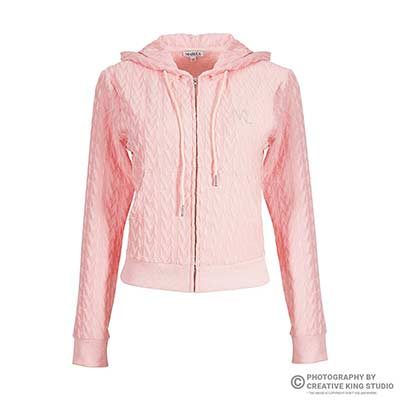
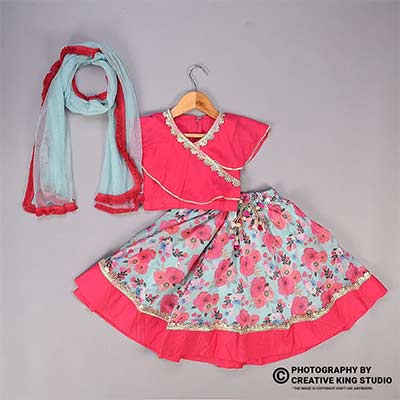
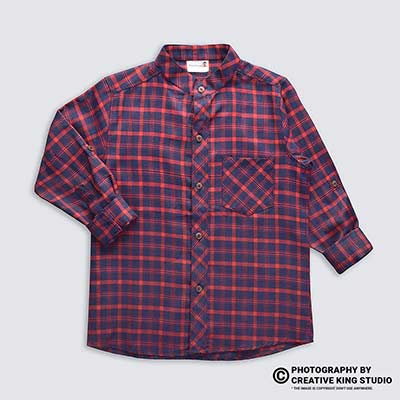
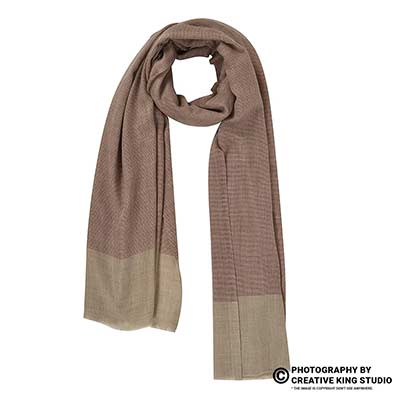
Drape, pleats, pallu, dupatta and detail shots, planned category by category, so your saree and kurta set listings clear review on the first upload.
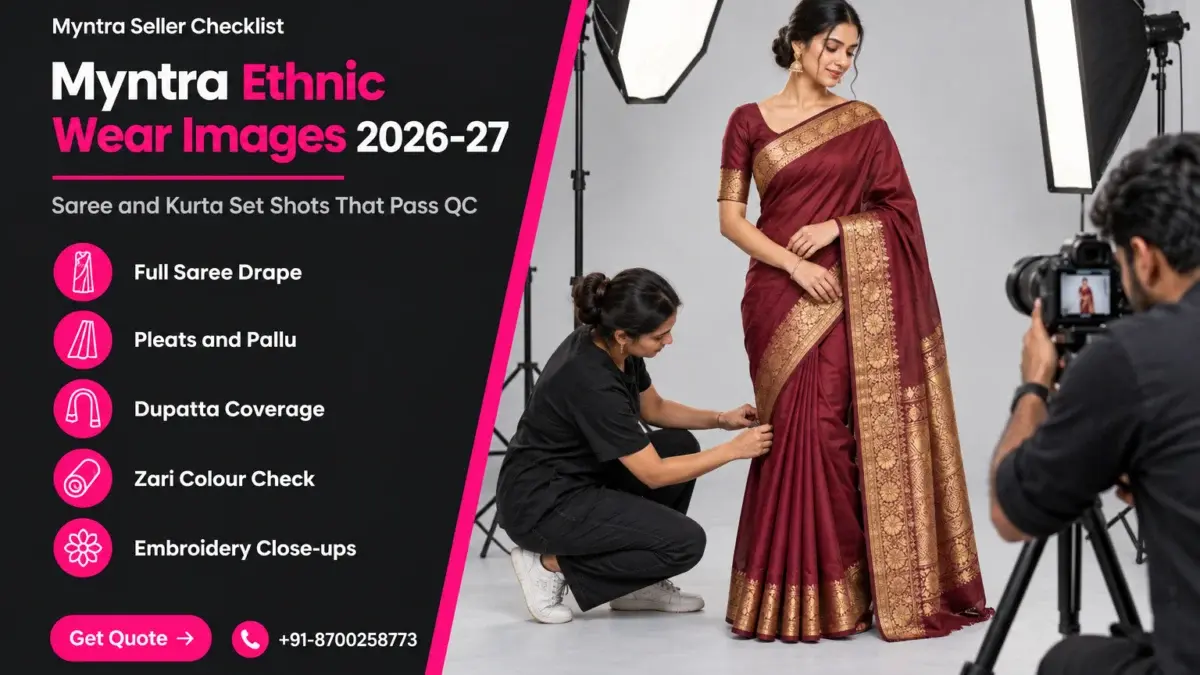
Good Myntra ethnic wear images do one job that a western-wear set never has to: they explain six yards of fabric, a blouse piece, a dupatta and a bottom in a handful of portrait frames. This checklist sits inside our Myntra seller hub, at the stage where your catalogue is ready and you are deciding exactly which shots each saree, kurta set and lehenga-style set must carry.
We are not repeating the general styling advice from our ethnic wear photography guide. This page is narrower: how the Myntra apparel image rules land on drape-heavy garments, which frames reviewers and shoppers look for, and how the Ckstudio team pins, steams and lights ethnic sets so the colour and coverage hold up. Every marketplace number below is something to confirm in the Partner Portal, not a figure we invented. Prince and the studio floor team have built this list from years of ethnic e-commerce shoots for Myntra, Ajio and Flipkart sellers.
In this guide
Myntra ethnic wear images follow the same apparel framework as every other clothing listing: a portrait frame, a consistent background, a minimum resolution and a set number of distinct views. What changes is coverage, because a saree or a three-piece kurta set has more parts to show inside the same image count.
The rules themselves live in the Myntra Partner Portal, under the catalogue and image guidelines for each article type. They are updated without much notice, and sellers often work from a screenshot someone shared two seasons ago. Before you plan a shoot, log in and read the current guideline for Sarees, Kurta Sets and Lehenga Choli separately, because the article types are not always treated identically.
Third-party seller guides, such as the one Streamoid publishes for Myntra sellers, commonly describe a vertical 3:4 portrait frame with a minimum around 1500 × 2000 px for apparel. Treat that as a starting point to verify, not as a rule we are quoting from Myntra. If the portal shows a different number on the day you upload, the portal wins.
| What to check | Why it matters for sarees and kurta sets | Where to verify |
|---|---|---|
| Aspect ratio and minimum size | A full saree drape is tall; framing too tight in-camera leaves no room to crop to the portal ratio without cutting the hem | Partner Portal image guidelines, per article type |
| Image count range | Decides how many of drape, pleats, pallu, border, blouse and dupatta frames you can show | Partner Portal upload screen |
| Background and presentation | Model, mannequin or flat presentation must stay the same inside one set | Partner Portal style guide for the category |
| What the first image must show | For a set, the hero usually needs every included piece visible together | Partner Portal, catalogue guideline for sets |
| File format and colour profile | Zari, maroon and bottle green shift badly if exported outside sRGB | Portal upload notes, plus the sRGB standard |
The table is our verification checklist, not a copy of Myntra’s rule sheet. Ethnic sellers who skip this step usually discover the rule at the worst moment: after thirty SKUs are retouched and cropped. If you would rather have the whole set planned to the current portal rules before a single frame is shot, Myntra product photography and model shoot planning at Ckstudio starts with exactly this check, article type by article type.
One more ethnic-specific point: “included in the set” must match the images. If the listing says kurta, pant and dupatta, every one of those three should be visible in the hero or the next frame. A missing dupatta is one of the quietest reasons a kurta set listing is held.
A saree set needs a full-length drape on the hero, a back or side view, a pleat frame, a pallu frame and a border or blouse-piece close-up. Each frame answers a separate buyer question, so none of them can be a crop of another.
Shoppers buying a saree online cannot touch it, unfold it or hold it against themselves. The image set has to do that work. The full drape shows the overall look and the colour family; the pleats show how the fabric falls and whether it is soft or stiff; the pallu shows the most decorated part of the weave; the border shows the zari or embroidery quality; and the blouse piece answers whether a blouse is included and what it looks like unstitched or stitched.
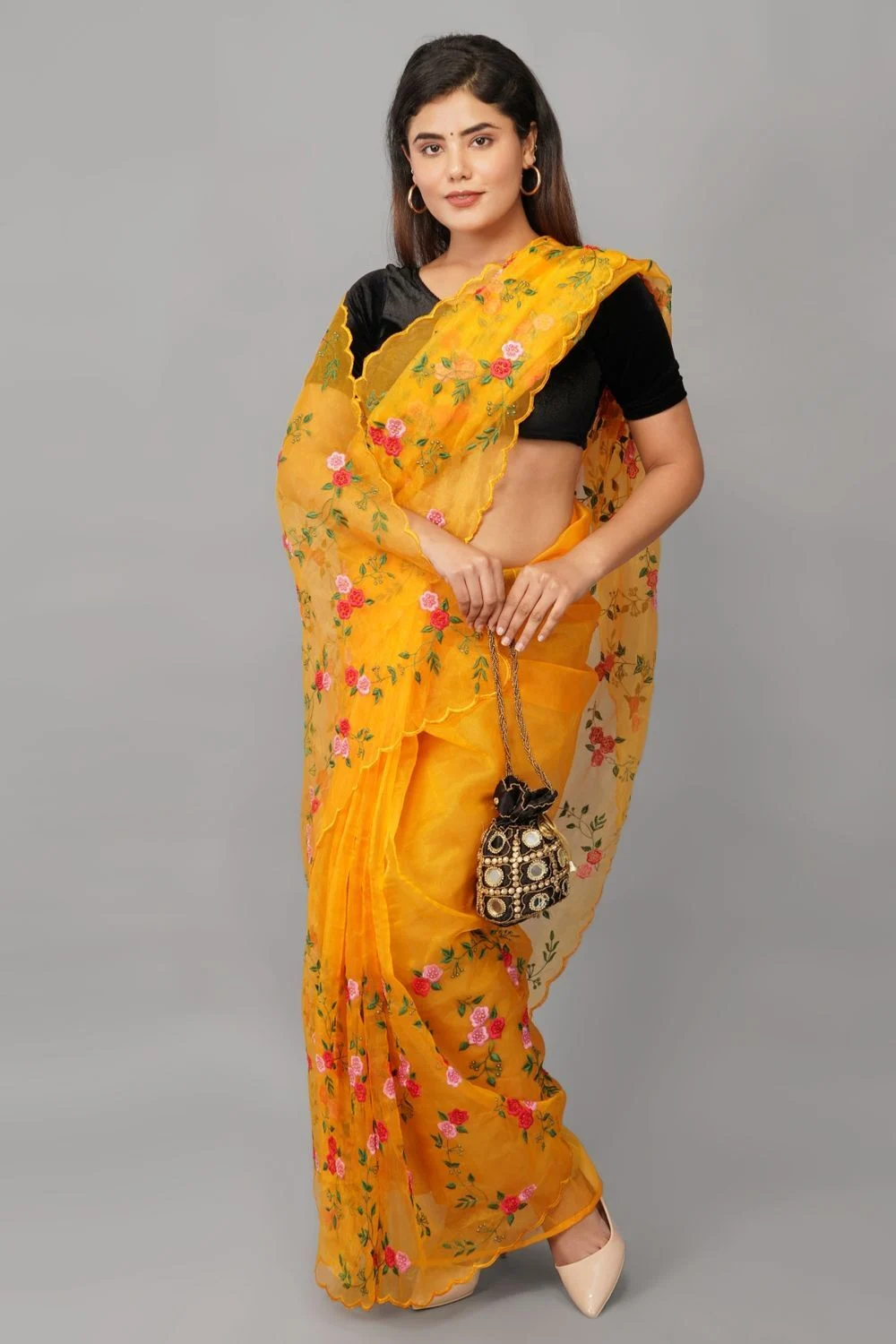
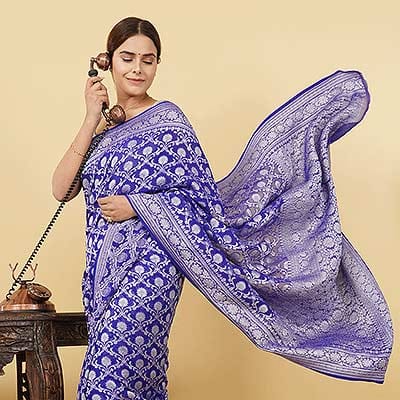
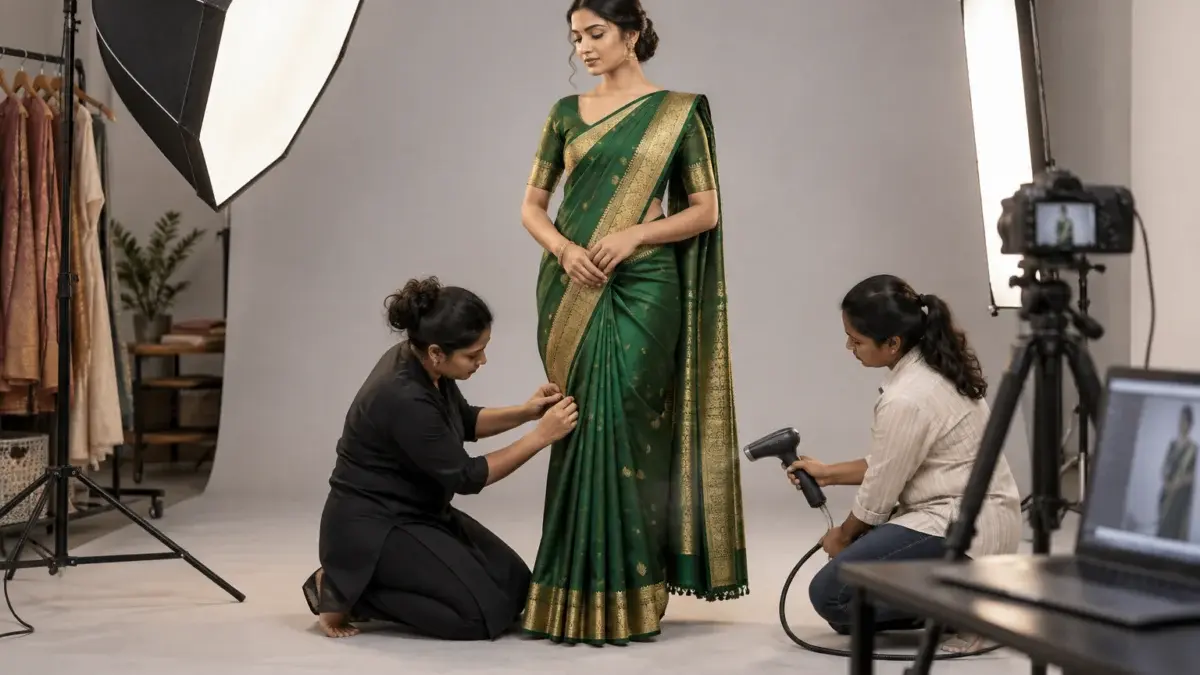
The pleat frame is shot at hip-to-floor height with the camera lowered to roughly waist level, so the pleats read as parallel folds rather than a fan. The pallu frame is shot with the pallu either spread across the arm or pinned flat on the shoulder and allowed to fall, depending on the weave. A Banarasi or Kanjeevaram pallu with a heavy motif deserves a spread frame; a light georgette or organza pallu usually looks better falling naturally.
From the studio floor
On a saree day at Ckstudio, pleats are set before the model steps on the seamless. We fold 5 to 7 pleats of 4 to 5 inches each, pin them at the waist with two flat safety pins hidden inside the fold, and run a handheld steamer from waist to hem for about 20 seconds per side. The pallu is pinned at the shoulder with one pin under the blouse seam, never through the border. The camera sits on a tripod at about 1.1 m height with a 50mm lens, so every saree in the batch is framed at the same scale.
The border close-up is where zari quality is judged, so it is shot separately, not cropped from the hero. Lay a section of the border flat or let it fall vertically against the model, light it at a low angle and fill the frame. If the saree comes with an unstitched blouse piece, show it folded beside or on top of the saree in a dedicated frame; if it is a stitched blouse, the model already wears it and a back view proves the cut.
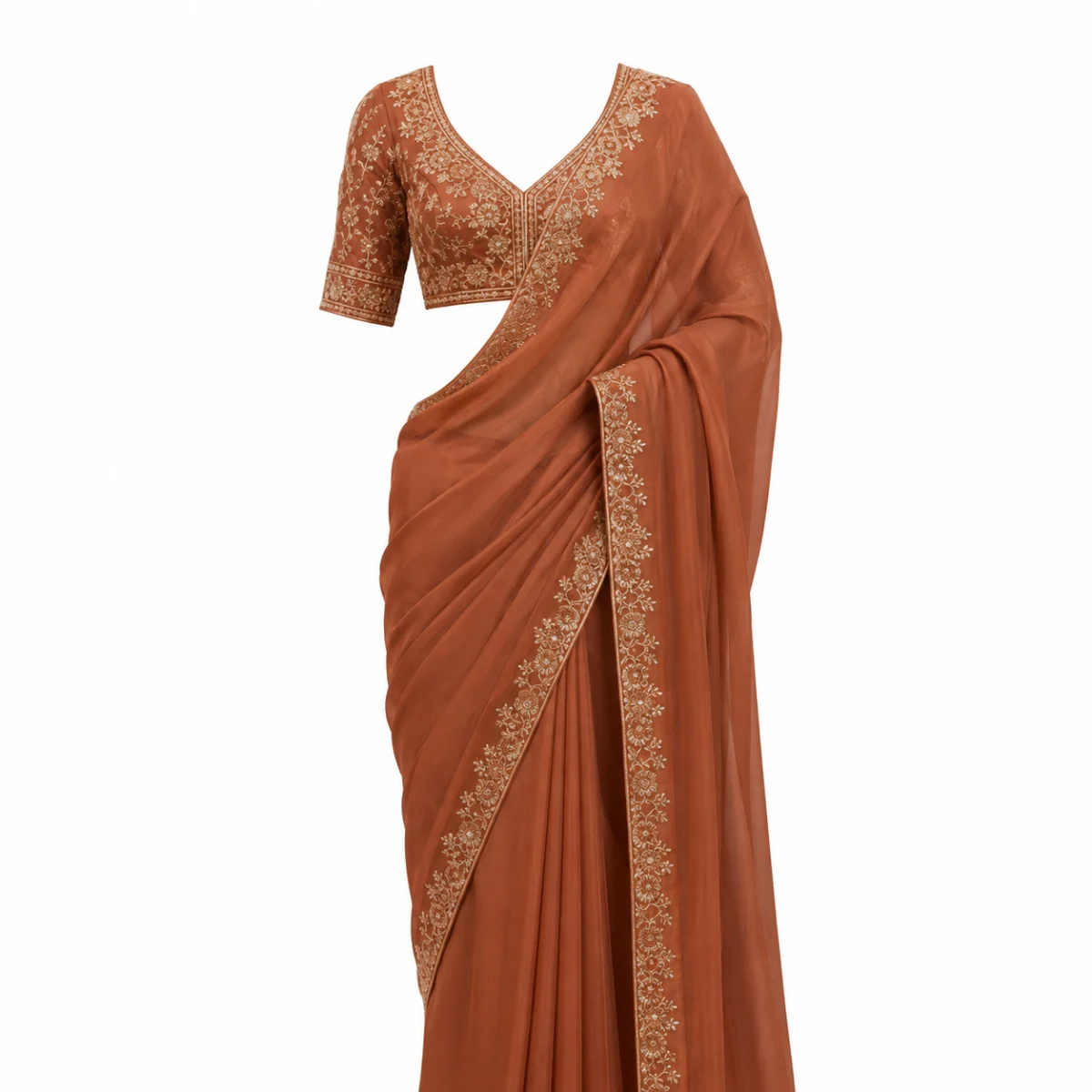
For sellers who want to see the motion of a drape before planning their own set, this fashion shoot reel shows how fabric behaves on a model under studio light, which is exactly what your still pleat and pallu frames need to capture.
Myntra kurta set photos should open with every included piece visible together, then show the dupatta drape, the back, a side profile and a close-up of the bottom. The buyer is paying for a set, so the hero has to prove the set is complete.
The most common kurta set error is treating the set like a kurta. The model stands in the kurta and pant, the dupatta is folded on a chair off-camera, and it appears only in image five as a flat lay. Reviewers comparing the listing title against the hero see two pieces where the title promises three. Shoppers see the same gap and either skip the listing or return the order when the dupatta looks different from what they imagined.
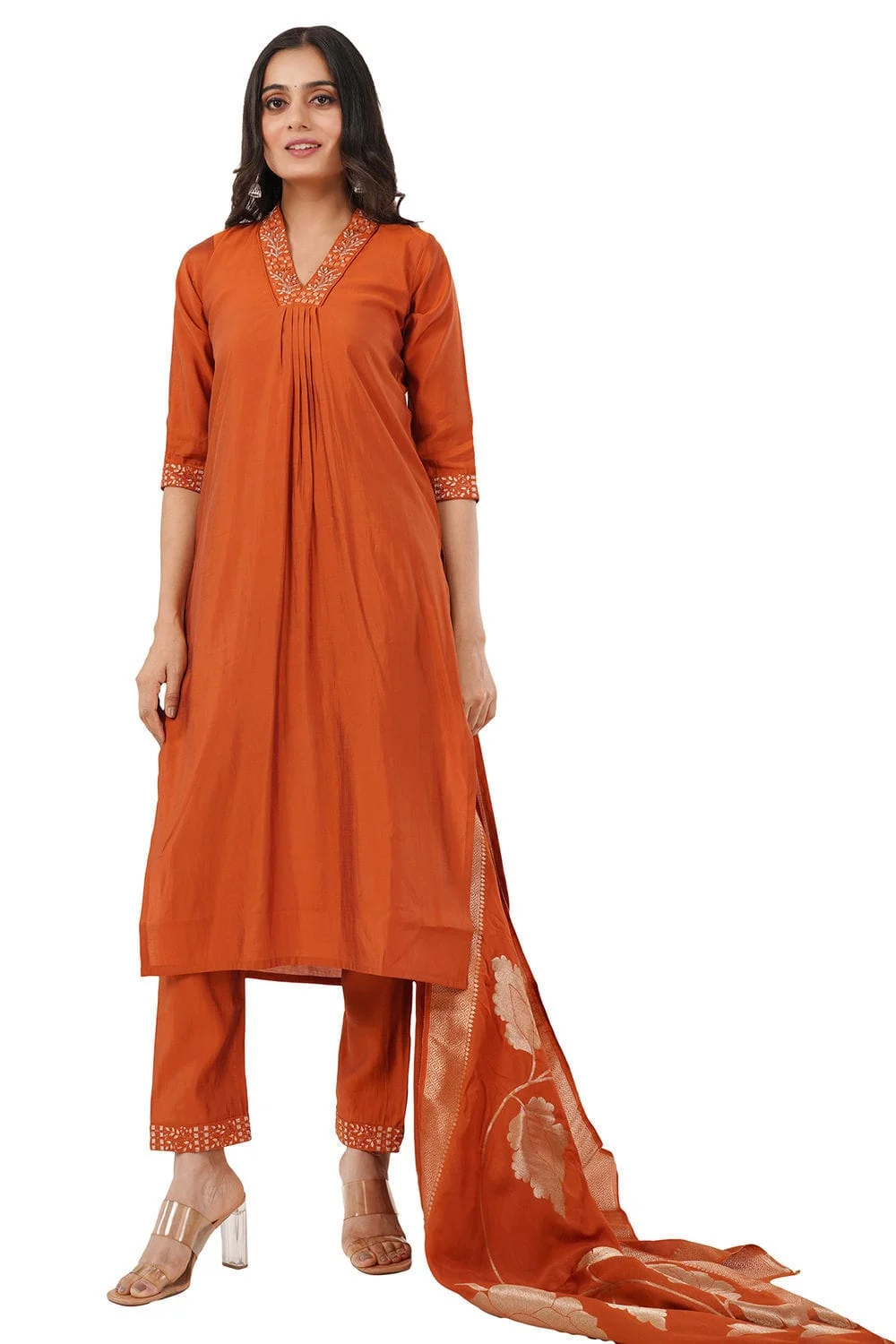
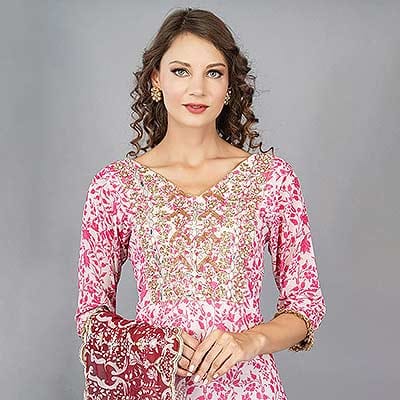
A dupatta can hide the very kurta you are selling. We use three drapes, chosen by the kurta’s design. For a kurta with neckline embroidery, the dupatta goes over one forearm and falls to the side, leaving the yoke clear. For a plain kurta with a heavy dupatta, the dupatta goes across both shoulders like a stole. For a long Anarkali, one shoulder drape with the dupatta falling behind keeps the flare visible. Whichever you pick, keep it the same across every colour of that style.
The bottom is usually the least photographed piece and the one most likely to cause a fit return. Add one frame from knee to floor showing the hem width, any lace or embroidery at the cuff and the fall of the fabric. If the bottom has an elastic waist or a drawstring, a waistband detail settles the question before the shopper has to ask it.
Kurta sets look their best on a real model with direction on posture and hand placement. If your catalogue has dozens of sets and you need consistent poses across colours, an on-model ethnic wear photoshoot planned with a fixed pose list saves a reshoot later. The marketplace-ready apparel video below shows how a fixed set of turns and poses keeps every variant comparable.
| Article type | Hero | Must-have frames | Optional extra |
|---|---|---|---|
| Saree | Full-length drape, front | Back or side, pleats, pallu, border close-up | Blouse piece flat, fabric texture |
| Kurta set (3 piece) | All three pieces worn together | Back, side profile, dupatta drape, bottom hem | Neckline embroidery, waistband |
| Kurta set (2 piece) | Kurta and bottom together | Back, side profile, bottom hem | Print or fabric close-up |
| Lehenga-style set | Full set with dupatta | Back, skirt flare, blouse detail, dupatta border | Walking frame for flare |
Shoot one true close-up per decorative element the listing mentions, such as chikankari, zari border, mirror work or a block print. A close-up is a separate exposure taken near the fabric with raking light, never a zoom crop of the hero.
In ecommerce, ethnic wear is sold on surface detail more than western wear is. A shopper comparing two cotton kurta sets at a similar price will choose the one whose embroidery looks hand-finished and whose print looks crisp. If the close-up is soft, flat or blown out, the more expensive piece looks cheaper than it is. The right close-up also protects you from “item not as described” returns, because the buyer saw the real texture before ordering.
From the studio floor
For embroidery and zari close-ups we switch to a 100mm macro lens at f/8 to f/11, about 30 to 40 cm from the fabric. One strip softbox sits at roughly 20 degrees to the fabric surface for raking light, with a white card on the opposite side to stop shadows going black. Every close-up batch starts with a frame of a grey colour checker, and files are exported in sRGB at the portal’s required size after retouching.
Prints need a different approach from embroidery. A block print or a digital print should be shown at a scale where one full repeat of the pattern fits in the frame; too close and the buyer cannot judge the pattern, too far and it blurs into a colour. For chikankari on white or pastel cotton, add a little exposure and keep the light soft, otherwise the white thread disappears into the white fabric.
Control reflections on zari with large diffused light and a polariser where needed, expose for the darkest fabric without clipping the metal, and export every file in the sRGB colour space. Then compare the screen to the physical garment under daylight before upload.
Colour is the biggest single reason ethnic orders come back. Maroon turns into brick red, bottle green turns into teal, navy turns black, and gold zari goes either brassy yellow or grey. Sellers often blame the phone screen of the buyer, but most of the shift happens earlier: mixed light on set, an auto white balance that drifts between frames, or an export that leaves the file in a wide-gamut profile. Browsers and phones display web images assuming the sRGB colour space, so a file exported in another profile can look flat or oversaturated once it is live.
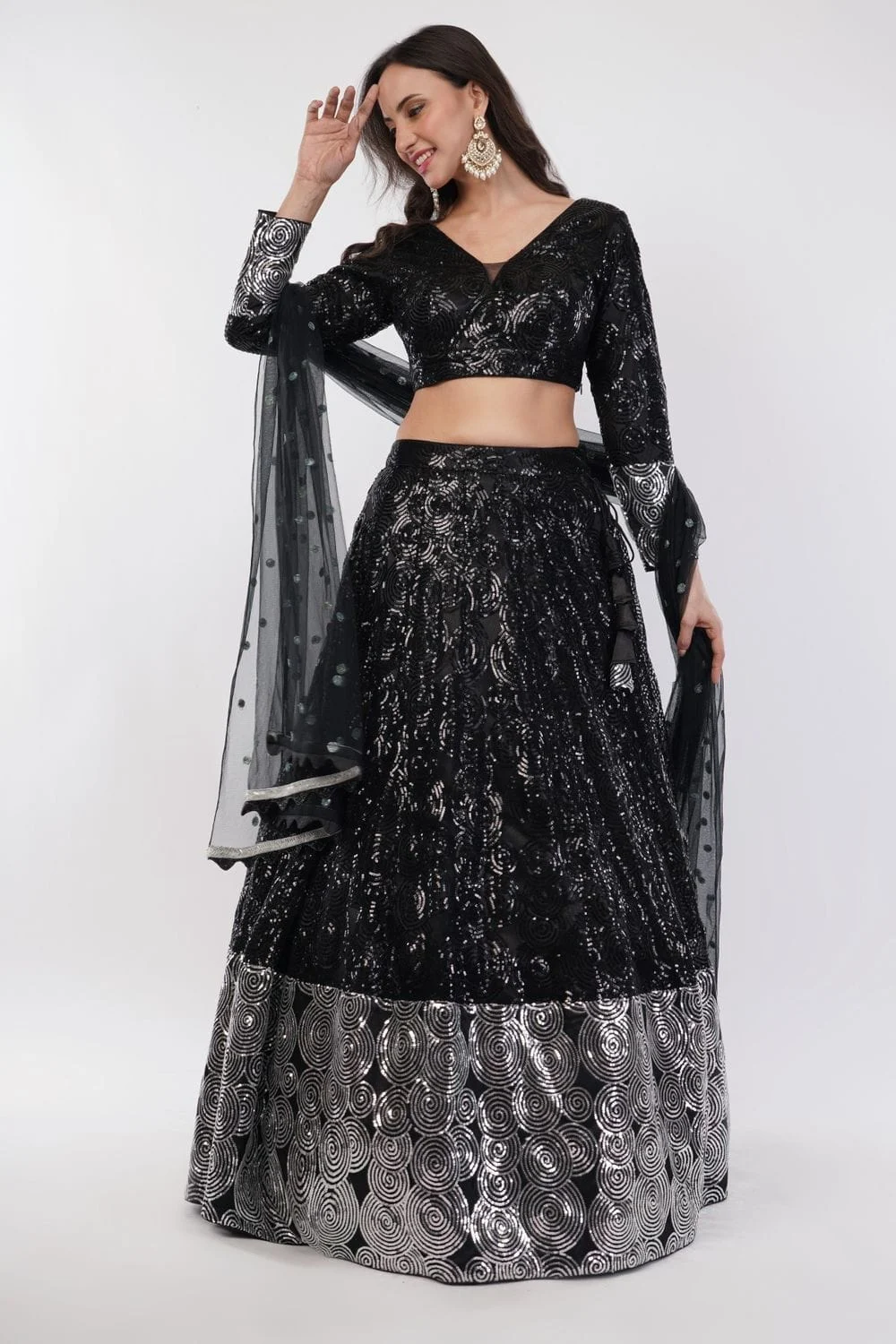
Dark ethnic fabrics swallow detail. Light them a little brighter than a pastel, and add a rim light from behind so the silhouette separates from a grey or white background. In retouching, lift the shadows only enough to show texture; pushing them too far adds grey noise that reviewers and shoppers both read as low quality.
Metallic threads reflect the light source itself. A bare flash creates hot white spots on zari; a large octabox turns those spots into soft gold highlights. Rotate the garment or the light by a few degrees until the zari shows its pattern rather than a single glare. For mirror work, a black flag just outside the frame often stops the mirrors reflecting the studio ceiling.
From the studio floor
For dark and zari-heavy sets, Ckstudio locks white balance with a custom reading off a grey card at the start of every colour batch rather than trusting auto. Exposure is set so the brightest zari highlight sits just below clipping on the tethered histogram. Each final file is checked against the physical garment under a 5000K viewing lamp before it is exported as sRGB, and a second person on the team signs off on the colour.
If a style comes in several colours, shoot every colour under the same light without moving stands between variants. Colour mismatch between variants is a separate review problem from colour accuracy, and it is avoidable simply by not touching the set until the last colour is done.
Most holds on ethnic listings come from missing set pieces, inconsistent presentation inside one set, repeated crops counted as views, colour mismatch across variants and hems or pallus cut off by the frame. Each one has a simple, shoot-stage fix.
Our longer Myntra QC rejection checklist covers holds across all apparel. The list below only covers the mistakes we see repeatedly on sarees, kurta sets and lehenga-style sets.
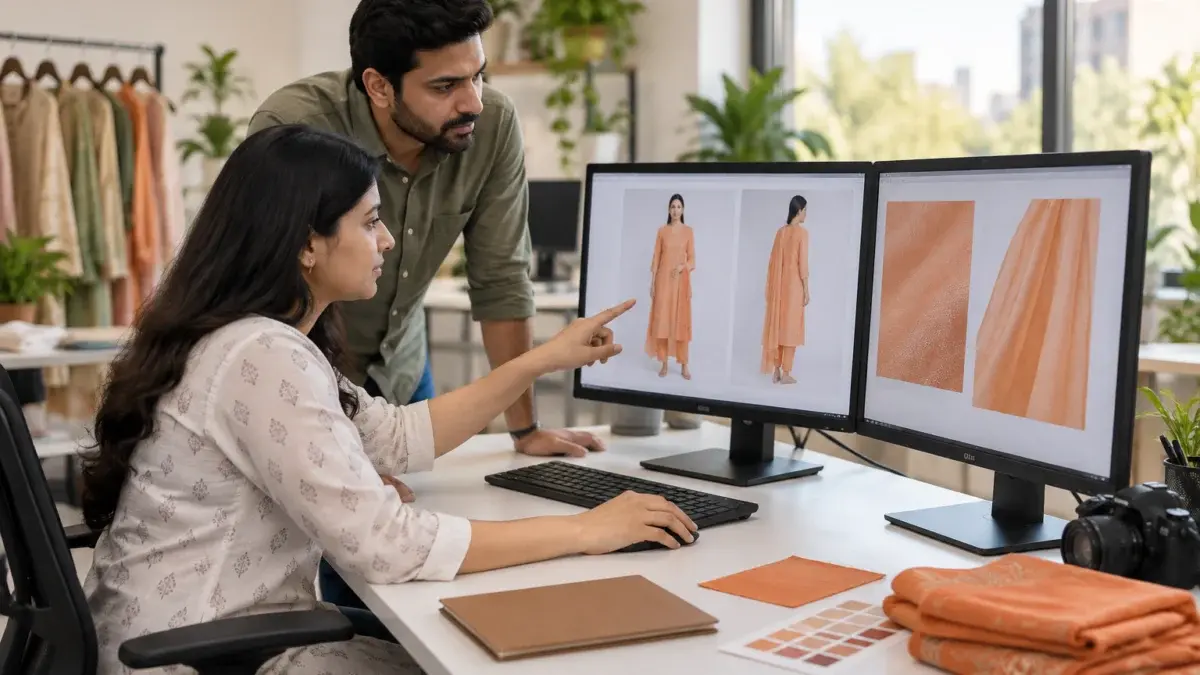
A useful habit is an internal QC pass before the files ever reach the portal. One person lays out the full set of each SKU on screen in upload order and asks three questions: does the hero show every piece in the title, does every image answer a different question, and does the colour on screen match the swatch on the desk. That two-minute check per SKU removes most holds before they happen.
If you are already sitting on held listings, write down the exact reason shown in the listing status report for each one before reshooting. A reshoot that fixes the wrong problem costs a full day and still comes back on hold.
Split the checklist into before the shoot, on set and before upload. Eight checks in each stage cover rules, coverage, styling, colour and export, and they work for sarees, kurta sets and lehenga-style sets alike.
Example scenario
Example: a seller arrives with a 40-SKU ethnic batch, 16 sarees and 24 three-piece kurta sets in 8 styles with 3 colours each. Planned with this checklist, each saree carries 6 frames (hero, back, pleats, pallu, border, blouse piece) and each kurta set carries 6 (hero with dupatta, back, side, dupatta drape, bottom hem, embroidery close-up). That is 240 planned frames, and because the 24 kurta sets are shot style by style without moving lights, the 3 colours of each style match. The numbers here are illustrative, not a real client job.
| Presentation | Best for | Watch out for |
|---|---|---|
| On-model | Sarees, Anarkali and flared kurta sets, lehenga-style sets | Pose consistency across colours; dupatta hiding the yoke |
| Ghost mannequin | Structured kurtas, blouse and saree combinations, catalogue refreshes | Saree drape looks stiff without a body |
| Flat lay | Blouse pieces, dupatta borders, unstitched suit material | Never as the only presentation for a worn set |
Most ethnic catalogues end up mixing presentations across the catalogue but not within a single SKU. That is the line to hold: one presentation per set, chosen for the garment.
Check the current image count range for sarees in the Myntra Partner Portal, then fill it with distinct views: full drape, back or side, pleats, pallu, border close-up and the blouse piece. Six distinct frames usually describe a saree better than eight frames with repeated crops.
A ghost mannequin works well for a saree and blouse combination or a catalogue refresh, but drape looks stiffer than on a model. For premium silks where the fall of the fabric sells the piece, on-model Myntra ethnic wear images usually convert better.
Not every image, but it must appear in the hero or the second frame, and it needs its own drape frame. The remaining views can show the kurta and bottom without the dupatta so the yoke and fit stay visible.
Usually because of a small hard light source, a drifting auto white balance or an export outside sRGB. Use a large diffused light, a custom white balance from a grey card and an sRGB export, then compare the screen with the garment in daylight.
Use the background the Partner Portal guideline specifies for the article type on the day you upload, and keep it identical across every image in a set. A light neutral seamless with a soft rim light keeps dark ethnic fabrics separated from the background.
Yes. Each colour variant needs its own complete set, shot under the same light and pose list as the other colours. Reusing one colour’s back view for another colour is a common cause of a colour mismatch hold.
Ethnic wear rewards planning more than any other apparel category. When the shot list names every piece, every drape and every close-up before the camera is switched on, your Myntra ethnic wear images explain the garment the way a shop assistant would in a store. If you want the Ckstudio team to plan or shoot your next saree or kurta set batch, call +91-8700258773, message us on WhatsApp at +91-8700258773 or email [email protected] with your SKU list. We reply between 10 am and 7 pm.
Next step: once your ethnic coverage is planned, confirm the full view order for every apparel category with our guide to the seven Myntra image angles sellers skip.
Ckstudio has shot product and fashion catalogues since 2015 for brands selling on Myntra, Ajio, Amazon and Flipkart. Share your SKU count and article types on WhatsApp at +91-8700258773 or by email at [email protected], and we will send back a shot plan for your ethnic e commerce catalogue.
Call Prince: +91-8700258773