





Fashion Photography Services





E-commerce Photography




A practical 2026 playbook for Indian sellers deciding what to shoot, what Amazon accepts, what production should cost, and how listing video and Premium A+ video should work together on the same detail page.
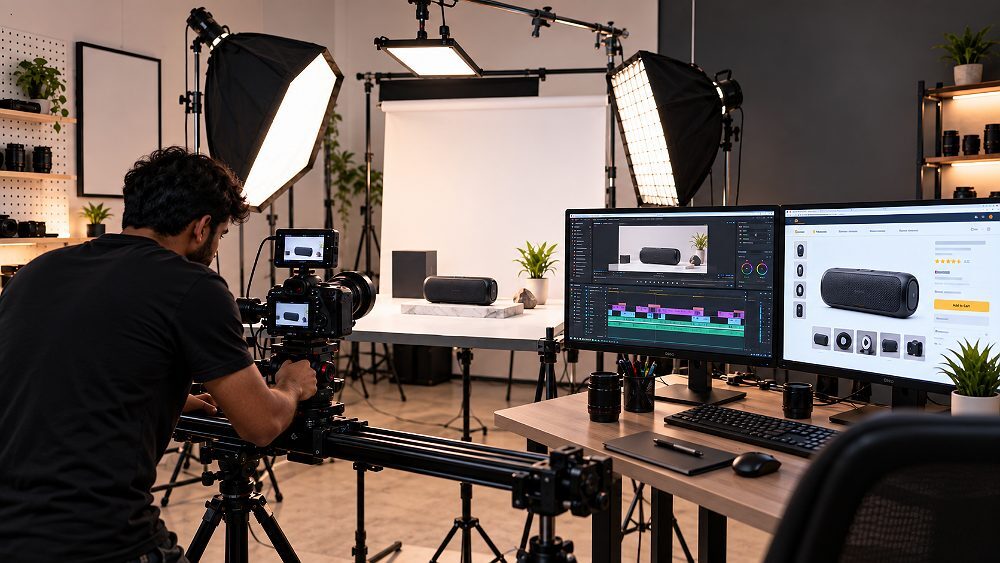
The Amazon product video is no longer optional. In 2026, listings that fail to demonstrate scale, use and buyer benefit inside the first 5–10 seconds simply lose the click to a competitor who did. This 2026 guide is built for Indian sellers, D2C brands and marketplace catalogue teams who want a clear framework for what to shoot, what Amazon actually accepts, and what a professional Amazon product video should cost.
At Ckstudio, our production floor sees the same pattern every week — beautiful footage that never answers the buyer’s real question, or brand films uploaded to a listing that should have carried a 45-second product demo instead. Prince and the team have shaped this guide around the exact production decisions that separate a scroll-past video from one that converts, including specifications, video types, shot lists, pricing bands, and how listing video should work alongside Premium A+ Content.
An Amazon product video is a short shoppable or A+ video attached to an ASIN that demonstrates the product in action, shows its scale and features, and answers key pre-purchase objections. An effective Amazon product video gets to the strongest buyer benefit in the first 5–10 seconds and is executed to fit either the listing media block or Premium A+ Content module.
Every conversation about an Amazon product video should begin with what Amazon actually accepts before touching a camera. Sellers upload video assets through Seller Central, and the same video file can behave differently depending on whether it is being placed in the main listing media block, inside a shoppable video slot, or embedded inside Premium A+ Content. Eligibility and available upload options can vary by marketplace and account, so always confirm current behaviour inside your own Seller Central dashboard.
Amazon has publicly stated that product detail pages with shoppable videos have seen an average 23.8% lift in sales compared with pages that do not carry video, based on Amazon’s own 2024 internal data. That single stat is why we treat listing video as a conversion asset — not a marketing extra — for every Amazon product video project at Ckstudio. For deeper marketplace context, our team also cross-references the Amazon product photography sellers guide when planning combined image and video shoots.
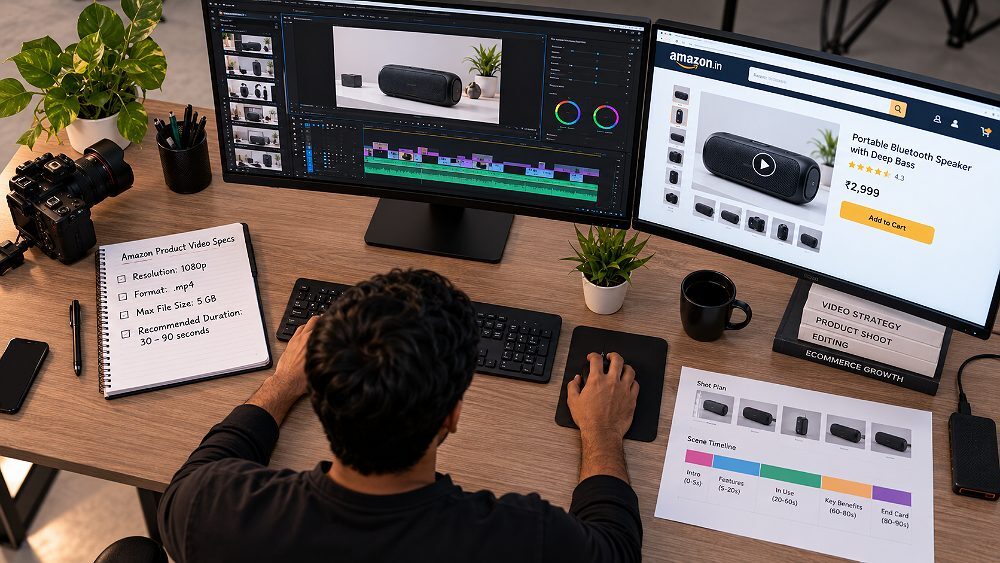
The single biggest planning mistake we see at Ckstudio is sellers treating Amazon listing video and Amazon A+ video as the same asset. They are not. A listing or shoppable video sits within the primary product detail media area and its job is to remove friction — it should show what the product does, how big it is, and how it is used, quickly enough that a shopper does not need to scroll for answers.
An Amazon A+ video, on the other hand, appears within enhanced A+ or Premium A+ Content modules further down the detail page. It is a consideration-stage asset. It carries the brand story, deeper feature narrative, product ecosystem and lifestyle context. Trying to make one video do both jobs almost always produces a compromised cut that under-serves both audiences.
| Feature | Listing / Shoppable Video | A+ Video |
|---|---|---|
| Primary placement | Product detail page media block | Inside A+ / Premium A+ modules |
| Primary objective | Remove buyer objections, drive add-to-cart | Brand storytelling, deeper consideration |
| Best content | Product demo, scale, features, use | Brand story, ecosystem, lifestyle context |
| Buyer stage | Ready to compare / decide | Still evaluating, needs reassurance |
| Brand Registry relevance | Helpful but not always required | Typically requires Brand Registry |
| Typical creative style | Direct, product-first, sound-off friendly | Cinematic, narrative, brand-led |
| Ideal duration | 30–90 seconds | 45 seconds – 2 minutes |
| Recommended production | Tabletop + demo + close-up | Multi-scene, lifestyle, art-directed |
These are the working specifications we build against for every Amazon product video at Ckstudio. Treat these as the compliance floor — the creative brief should always be tighter than what Amazon allows.
Recommended upload formats are .mov or .mp4, with resolution supported up to 1080p. The maximum file size is 5 GB and Amazon accepts a duration of 1–12 minutes. That upper limit is a technical ceiling, not a target. In practice, we shoot most product-focused videos to run between 30 and 90 seconds, and we structure the edit so the strongest buyer benefit lands inside the first 5–10 seconds. For shoppable videos, up to four can currently be associated with a single ASIN.
The table below is what we hand to clients on every Amazon product video project. It separates Amazon’s technical requirement from the recommended creative practice — so nobody confuses “allowed” with “advisable”.
| Requirement | Current Amazon Guidance | Ckstudio Production Recommendation | Why It Matters |
|---|---|---|---|
| File format | .mov or .mp4 | .mp4 (H.264) | Fastest upload & broad compatibility |
| Resolution | Up to 1080p | 1920 × 1080 delivered | Sharp render across desktop & mobile |
| Maximum file size | 5 GB | Under 500 MB where possible | Faster upload & smoother playback |
| Allowed duration | 1–12 minutes | 30–90 seconds | Retention drops sharply after 60s |
| Opening hook | Not specified | Key benefit within first 5–10 sec | Beats scroll-away behaviour |
| Thumbnail | Custom thumbnail supported | Product-forward, high-contrast frame | Higher play rate |
| Videos per ASIN | Up to 4 shoppable videos | Cover 4 different buyer questions | Avoid duplicated messaging |
| Review / approval | Amazon review post-upload | Self-audit before submission | Prevent avoidable rejections |
| Main media placement | Varies by category / eligibility | Confirm inside Seller Central | Features change per marketplace |
Access to Amazon product video uploads generally requires an active Professional Seller account, with additional creative surfaces such as Premium A+ Content usually gated behind Amazon Brand Registry. Once uploaded, videos are associated to an ASIN and appear within the product detail media area, and — depending on eligibility — as suggested videos in supported placements.
Availability and eligibility can vary by marketplace, seller account and Amazon programme. Always check the Video and A+ Content options currently visible in your own Seller Central dashboard. For the wider imaging playbook that sits around the video asset, our team refers sellers to our Amazon product photography services hub for consistent hero images, alt-swatch shots and infographic support built to the same brief.
Amazon reviews uploaded videos against a set of content policies that can lead to rejection or delayed publishing. We run every Amazon product video against this internal audit at Ckstudio before submission — one round of self-audit is usually faster than one round of Amazon rejection.
Not every Amazon product video should look the same, because not every product answers the same buyer question. The seven formats below cover almost every category we handle at Ckstudio — from marketplace tabletop shoots to full Premium A+ brand films. Some of these are creative production styles rather than Amazon’s official upload-category names, but they map directly onto the buyer questions each product needs to answer inside its listing.
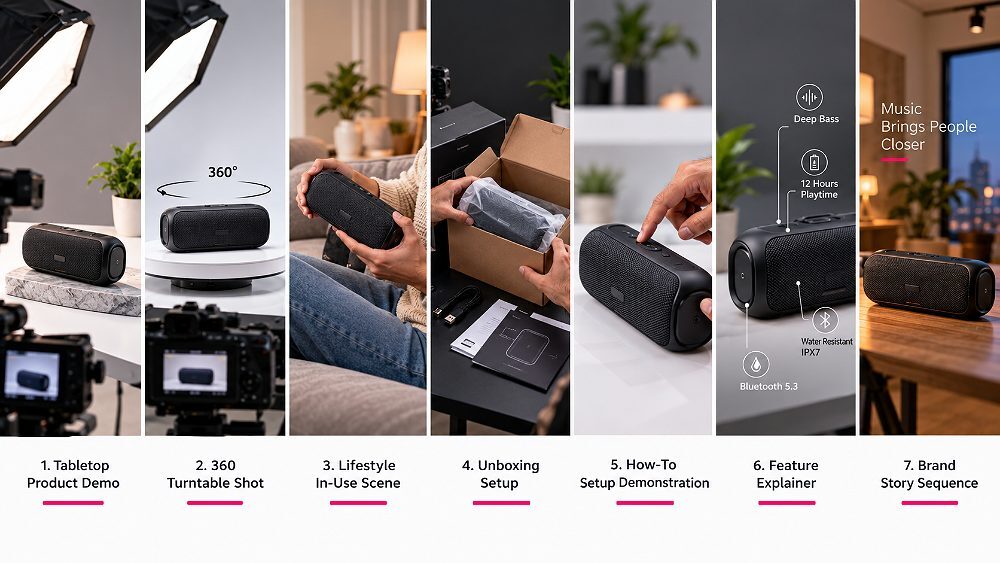
The product demo is the safest default Amazon product video when a seller can only afford one asset. It combines the hero view, the size cue, a clear demonstration of the primary feature, and the end result. In roughly 45–60 seconds it can carry an entire listing’s video responsibility.
At Ckstudio we build most first-time Amazon product video projects on this format because it is the format Amazon shoppers instinctively expect from the media block. It also plays nicely alongside a professional Amazon product photography set because the hero image, alt shots and video share the same styling brief.
A 360° turntable-style rotation is ideal when product shape, silhouette or finish is a purchase driver — think footwear, bags, jewellery, small electronics, home décor and finished tools. It answers the “what does it look like from every side” question that photography alone struggles to solve.
Note that a 360° rotation is a production style, not always an official Amazon upload category. In practice it can be delivered either as a shoppable listing video or as a supporting asset on the product photography set — a workflow we cover in our 360° product photography services.
Lifestyle video answers “what does this look like in my hands, my kitchen, my bag, my life”. It is the strongest format for beauty, home, kitchen, fashion accessories, fitness and premium D2C. Model hands, a real environment and honest scale cues do more for conversion than any voiceover.
For fashion and accessories sellers we often pair a lifestyle Amazon product video with a coordinated lifestyle product photography set so the Amazon listing, the A+ modules and the D2C site all speak the same visual language.
An unboxing video shows exactly what the buyer receives — packaging, inserts, accessories, instructions, the works. It is powerful for gift products, electronics, subscription kits, multi-piece bundles and anything with premium packaging where the “in-the-box” question drives hesitation.
Unboxing works especially well for high-consideration categories where reviews frequently flag “less than expected” complaints. A 45-second unboxing solves that objection before it becomes a return.
How-to and setup videos are non-negotiable for products with any assembly, installation or first-use learning curve. Electronics, appliances, tools, furniture, kitchen equipment and fitness gear all benefit. The goal is to reduce cognitive load — if the buyer can see themselves setting it up in under a minute, they buy.
How-to content also reduces post-sale support tickets and negative reviews. We often combine it with electronic product photography for tech sellers where component-level clarity matters.
Feature explainer videos take one high-value or frequently-misunderstood feature and walk through it in detail. They use factual text overlays, visual proof and short close-ups to remove doubt. This is the format to reach for when the listing keeps attracting the same negative review or the same pre-purchase question.
For product categories where compatibility, capacity or spec is a repeated buyer concern, one 60-second explainer Amazon product video can outperform a beautifully shot lifestyle piece.
The brand story video is the flagship asset for Brand Registry sellers, premium products, high-AOV categories and multi-product D2C houses. It carries the “why we exist” narrative, materials, craftsmanship, product ecosystem and the emotional benefit that a shoppable demo cannot deliver.
Because a brand story video works hardest inside Premium A+ Content modules, it should be planned alongside — not instead of — the listing demo. We treat it as part of a wider content stack that includes hero images, feature infographics, an Amazon A+ Content plan and coordinated Amazon product infographic design.
For most sellers creating their first Amazon product video, the recommendation is simple — start with a concise product-demo video that shows the item, its scale, its primary feature and one real-world use. The decision table below is the framework we use with clients at Ckstudio to move past that default when the product warrants it.
| Product Situation | Best Video Type | Ideal Length | Key Shots | Primary Buyer Question |
|---|---|---|---|---|
| Simple physical product | Product Demo | 30–45 sec | Hero, scale, in-use | What is it and how big? |
| Complex product | Feature Explainer | 60–90 sec | Feature close-ups, overlays | How does it actually work? |
| Technical product | How-To / Setup | 60–90 sec | Assembly, first use | Can I set it up easily? |
| Fashion / accessory | Lifestyle | 30–45 sec | Model in scene, detail | Will it look good on me? |
| Beauty / skincare | Lifestyle + Demo | 45–60 sec | Application, texture, result | Will it work on my skin? |
| Home / kitchen | Lifestyle Demo | 45–60 sec | In-use in real kitchen | Does it fit my life? |
| Premium product | Brand Story + Demo | 60–90 sec | Craftsmanship, hero shots | Is it worth the price? |
| Gift / bundle | Unboxing | 45–60 sec | Reveal, components | What is in the box? |
| High-return product | Explainer + How-To | 60–90 sec | Correct use, sizing cues | How do I use it right? |
| New brand launch | Brand Story | 60–90 sec | Origin, product ecosystem | Why should I trust you? |
The strongest Amazon product video is not the one with the most cuts — it is the one where every shot earns its place by answering a real pre-purchase question. Over the last several years at Ckstudio, Prince has refined a repeatable eight-shot framework that fits inside a 45–90 second listing video and works across almost every product category.
Each shot in this framework is tied to a specific buyer objection. When a product does not need one of them, we cut it — the framework is a checklist, not a rigid template. Use it to storyboard before the shoot day so no critical angle is missed and every clip has a job.
The first 10 seconds decide whether a shopper watches or scrolls. That means no long logo intros, no black-frame fades and no slow establishing shots. Show the product immediately, demonstrate its strongest buyer benefit within 5–10 seconds and make the meaning obvious on mute — because most Amazon shoppers watch with sound off.
Use short factual text overlays, keep motion visible in every frame, and never rely on voiceover to carry critical information. If the buyer benefit only lands with sound on, the video has failed for the majority of the audience.
Design every Amazon product video for sound-off viewing first, then treat sound as a bonus. Use simple typography, readable font sizes on mobile, subtitles wherever narration exists and copyright-cleared music only. Text overlays should carry specifications, benefit language and any measurement the buyer needs — never marketing fluff.
Sound effects can be used sparingly to accent mechanical action — a click, a snap, a whir — but keep the mix quiet enough that the video does not embarrass someone browsing in public.
Amazon has publicly stated that basic A+ Content can lift sales by up to 8%, and well-implemented Premium A+ Content can lift sales by up to 20%. Those numbers only hold when the Amazon A+ video is genuinely additive to the listing video — not a longer version of the same asset. The strategy below is how Ckstudio plans the pairing so each video does a different job on the same detail page.
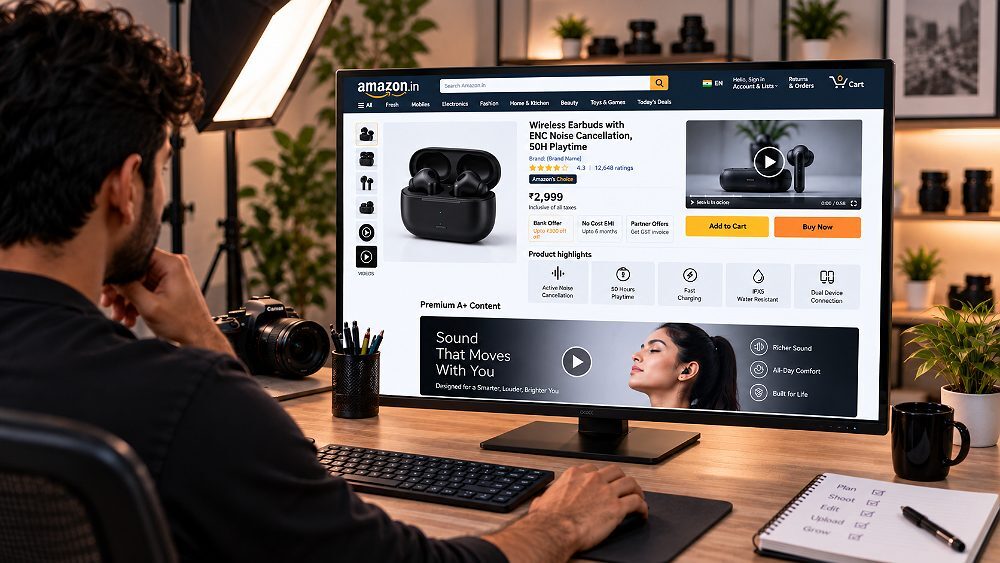
Use the Amazon listing video to answer the five questions every shopper has at the media block: what is it, how big is it, what does it do, how does it work, and what exactly will I receive. Keep the cut tight, product-first and sound-off friendly. This is the shopper’s fastest path to add-to-cart.
Use the Amazon A+ video to expand the story — why this product exists, the material and design decisions behind it, additional usage scenarios, how it fits into a broader product ecosystem, and how it differs from cheaper alternatives. This is where cinematic language, brand voiceover and mood earn their place.
The most effective Amazon listings we produce follow a layered content stack rather than treating each asset in isolation. Each layer answers a different buyer question — and no layer duplicates the message of the layer above it.
Sellers who plan the stack together at brief stage — instead of commissioning each asset one by one — end up with a listing that reads coherently and a production budget that actually stretches across the whole detail page. That planning discipline is a big part of what we cover in the ecommerce photography services complete guide.
The honest answer to “how much does an Amazon product video cost in India” is — it depends on production complexity, not duration. The pricing bands below reflect indicative 2026 Indian market ranges, not a fixed Ckstudio quote. Actual pricing on a project depends on SKU count, category, styling requirement, models, props, motion graphics, voiceover and the number of revision rounds required. For a wider view of studio pricing structure, our product photography pricing guide and ecommerce photography pricing guide both apply the same complexity-based logic.
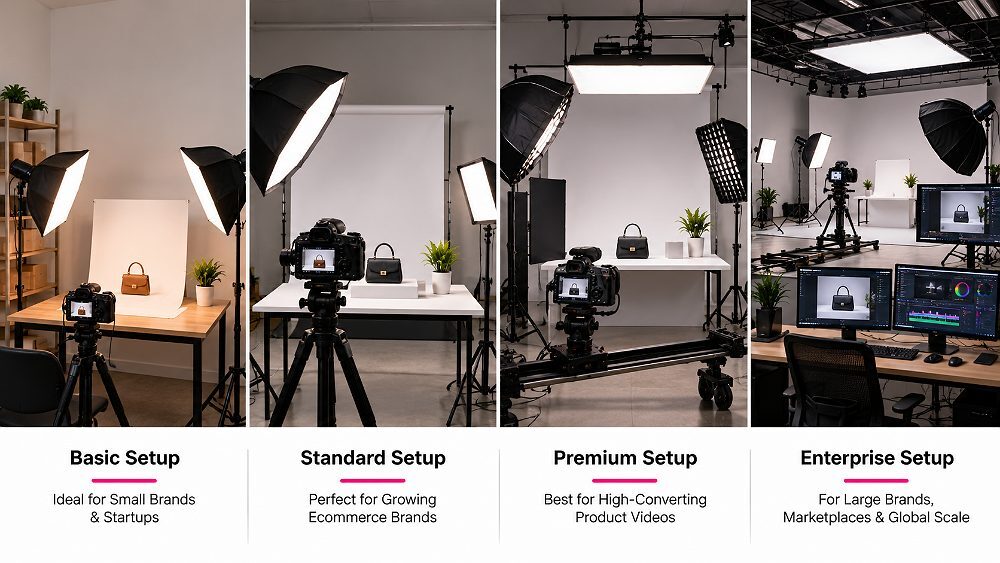
The four tiers below cover roughly 95% of the Amazon product video projects that come through Ckstudio. Match the tier to the product value, category expectation and the buyer question the video must answer — over-producing a low-AOV SKU is just as wasteful as under-producing a hero listing.
Best for: Simple tabletop, rotation or basic demonstration
Best for: Professional Amazon listing video
Best for: High-value D2C & marketplace hero products
Best for: National brands & campaign-level production
Indicative market range for 2026. Actual project pricing depends on shoot day count, revision rounds and deliverable scope.
The final quote on an Amazon product video project is shaped by a fairly consistent set of variables. Understanding these helps sellers brief accurately and avoid mid-project scope creep. For a related pricing view see our product photography cost in Delhi and product photography cost in Mumbai guides.
No. A 30-second Amazon product video with two models, a styled kitchen set and motion graphics can cost significantly more than a 60-second tabletop demonstration shot in a controlled studio. Pricing scales with shoot day complexity, talent, props and post-production — not runtime.
For most Indian ecommerce brands, yes. Producing Amazon listing photography and video in the same session is one of the highest-leverage decisions a seller can make. At Ckstudio we routinely run a single shoot day that delivers hero images, alt angles, infographic assets and a listing-length Amazon product video — because the styling, lighting and product handling all overlap.
The efficiency comes from reusing setup rather than cutting corners. A shared studio setup, the same product styling, the same props, the same model or hand model, the same lighting plan and the same creative direction all carry over between stills and video. That means less product shipping and handling, one approval workflow and — most importantly — consistent colour and brand presentation across every asset on the listing.
The trade-off is planning discipline. Bundled shoots only work if the photography shot list and the video shot list are locked before the shoot day. Otherwise you end up switching contexts too often and losing the efficiency you were meant to gain. For a wider view of that planning workflow see the ecommerce photography workflow.
The deliverable bundle below is what we typically scope for a single Amazon product video and photography launch. It is not a fixed package — think of it as the deliverable checklist to negotiate against for your own SKU range.
Sellers who prefer a photography-first approach can start with our Amazon product photography services and layer video into a second phase — the underlying styling brief remains reusable across both phases.
The workflow below is how Ckstudio takes an Amazon product video from a client brief to a Seller Central upload. Follow it in order — most video production failures happen because a step is skipped or run out of sequence.
Before anyone touches a camera, decide what pre-purchase question this video must answer. That single question shapes the video type, the length and the shot list.
Pick from demo, 360°, lifestyle, unboxing, how-to, explainer or brand story. Use the decision table above to match the format to the product situation.
Storyboard against the Ckstudio 8-Shot Amazon Video Framework. Cut shots that do not answer a real buyer question — every clip earns its runtime.
Clean, assemble, unwrap labels, check packaging accessories and confirm colour accuracy against a reference sample so the on-camera product matches what ships.
Lock lighting for accurate colour, controlled reflection and clean composition. This is where the studio investment shows on camera.
Capture action, scale, movement, features and close-ups. Shoot more coverage than you think you need — an edit is only as flexible as the coverage.
Fast opening, clean cuts, readable text overlays, sound-off friendly, brand-consistent and factually accurate claims only. No off-Amazon CTAs.
Export at the correct format, resolution and file size. Create a product-forward custom thumbnail, assign the correct ASIN and submit through Seller Central.
These are the recurring mistakes we see on Amazon product video uploads that either get rejected at review or quietly under-perform on the listing. Most are cheap to fix at planning stage and expensive to fix after a shoot has wrapped.
Sellers who want to reduce return rates alongside better video should also review our guide on reducing marketplace returns through better product imagery.
Professional production earns its cost when the product is high value, requires demonstration, is reflective or optically difficult, needs lifestyle footage, needs models or hands, spans multiple SKUs that must look consistent, is being launched alongside A+ Content, or must serve Amazon, D2C site and social channels from the same shoot. If any two of those apply, in-house production usually costs more in reshoots and lost sales than a professional shoot would have cost upfront.
Ckstudio has produced Amazon product video and photography assets for marketplace sellers, D2C brands and manufacturers across categories including fashion, beauty, jewellery, home, kitchen, electronics, industrial and FMCG. Products ship in to our studio from clients across India, and Prince personally reviews every listing-content brief before it enters production.
To scope a project, reach out to Prince directly on +91-8700258773 or WhatsApp +91-8700258773. Email briefs, SKU lists and product references can be sent to [email protected].
A tight brief turns into a tight quote. The checklist below is what our team needs to price and schedule an Amazon product video shoot accurately.
Send your SKU count, category, Amazon marketplace and required deliverables to Ckstudio for a custom photography and video production quote.
Five of the most common questions Prince and the team at Ckstudio hear from Indian sellers when they are planning their first — or their fiftieth — Amazon product video project.
Amazon’s current shoppable video guidance recommends .mov or .mp4 files, resolution up to 1080p, maximum file size of 5 GB and accepted duration of 1–12 minutes. Sellers should verify current requirements inside their own Seller Central account, because availability and specifications can vary by marketplace and can change over time.
Although Amazon’s upload limits allow up to 12 minutes, most product-focused videos should be much shorter. A 30–90 second cut is usually enough to demonstrate the product, show its main benefit and answer the buyer’s most important questions without adding unnecessary introductions or filler footage.
An Amazon listing or shoppable video primarily demonstrates the product around the main purchasing experience, while an A+ video supports deeper product and brand storytelling inside A+ Content modules. The two formats should answer different buyer questions rather than duplicate the same messaging on the same detail page.
Simple ecommerce product videos in India can start around ₹2,000–₹5,000 per SKU. Styled studio videos typically range from ₹5,000–₹15,000, while premium productions with models, sets, locations or advanced editing can range from ₹15,000 to ₹1,00,000 or more depending on shoot day complexity and deliverable scope.
For most ecommerce brands, yes. Shooting photography and video together allows the same studio setup, styling, props, products and creative direction to be reused, keeping listing visuals consistent. It is especially useful when producing product images, listing video and A+ Content assets for the same launch.
Print this out or paste it into your project brief. Every completed Amazon product video project at Ckstudio gets audited against a version of this list before it is uploaded to Seller Central.
The best Amazon product video is not necessarily the most cinematic one. It is the one that makes the product easier to understand and easier to buy in the first 30–60 seconds a shopper watches. Get the buyer question right, and every other production decision — video type, shot list, length, budget — falls into place. Get it wrong, and no amount of gear or motion graphics will rescue the conversion.
If you are planning an Amazon launch, take the shot-list framework above and use it to draft your own Amazon product video brief before you approach any studio. If you would like Ckstudio to produce the photography, listing video and A+ Content together — reach out to Prince on +91-8700258773, WhatsApp +91-8700258773 or email [email protected]. Share the brief, and the team will scope the shoot around your SKUs and marketplace.

