Fashion Photography Services
E-commerce Photography
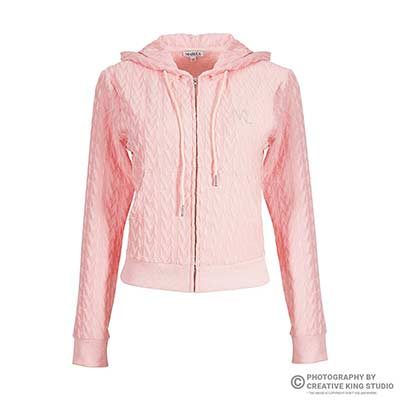
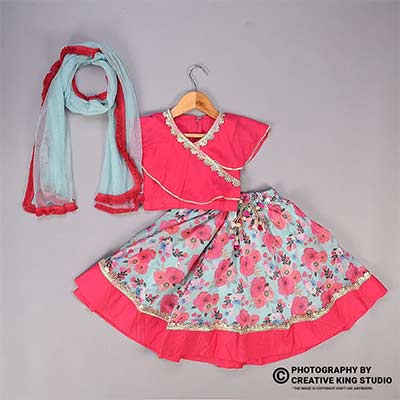
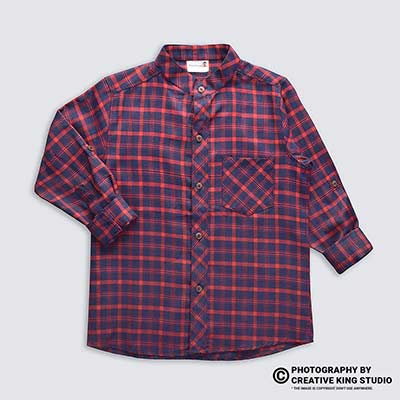
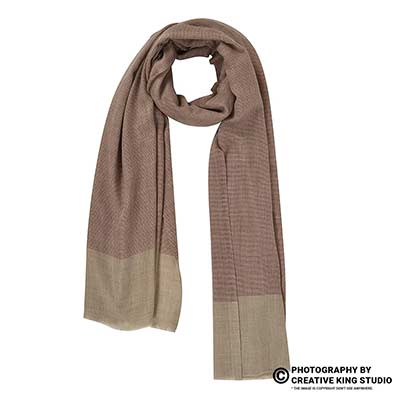
How to plan in-use photos that answer buyer doubts, stay inside Amazon’s image rules and still look like the product in your main image.
Amazon lifestyle images are the in-use photos that sit after your white-background main image, and on Amazon India they decide whether a shopper understands size, setting and use before reading a single bullet. This guide is part of the Amazon seller hub, where we keep every chapter on fees, main images, A+ and catalogue rules in one place.
At Ckstudio we build these scenes on set every week, and the pattern is always the same: the seller has a clean main image, then four or five secondary slots filled with whatever looked nice. Below, Prince breaks down what each of slots 3-7 should do, how many props are too many, when a model helps, which settings suit which category, and the brief we use before a single light is switched on. You can call +91-8700258773 if you want a second opinion on your current gallery.
In this guide
Amazon keeps its strictest rules for the main image: pure white background, only the product that is sold, no text. Secondary images, which is where amazon lifestyle images live, may show the product in a setting, with props and with people, as long as the buyer can still tell exactly what is in the box.
The official reference is the product image requirements page in Seller Central India. It sets the technical floor for every image, not just the main one. An Amazon moderator post in the Listings Lounge thread on product image requirements, which lists India among the covered stores, adds that sellers should aim for at least six images and a video.
| Rule | Main image (slot 1) | Lifestyle and other images | Source |
|---|---|---|---|
| Background | Pure white, RGB 255, 255, 255 | Any setting, including real rooms and outdoor scenes | Seller Central image requirements |
| Props | Only what is sold | Allowed if they do not confuse what is included | Seller Central image requirements |
| Text and graphics | Not allowed | Allowed, though a lifestyle frame works best with none | Seller Central image requirements |
| Size | 500 to 10,000 px on the longest side; 1,000 px or more enables zoom | Same | Listings Lounge post |
| Format | JPEG, TIFF, PNG or non-animated GIF | Same | Listings Lounge post |
| Kids’ clothing | Off-model only | Check the category style guide before using child models | Seller Central image requirements |
Two practical readings follow from this table. First, a lifestyle frame is never a replacement for the main image; a lifestyle main image is only accepted in a few furniture-type categories, and even there sellers often lose the white-background thumbnail advantage. Second, freedom in secondary slots is not permission to clutter. The phrase “do not confuse what is included” is the rule most lifestyle shots quietly break, which is why the next six sections are mostly about restraint.
Yes. Shoppers zoom on secondary images too, and a room scene with a small product needs even more pixels than a tight pack shot. We deliver every lifestyle frame at 2,000 px on the long edge in sRGB, so the product still holds detail when the buyer pinches into it on a phone.
Because a buyer swipes through the gallery in a few seconds, and every slot that repeats the same message is a slot that failed to answer a different doubt. Give each image one question to answer, and your amazon lifestyle images start working like a sales conversation instead of a mood board.
We treat slot 2 as the second pack shot or the key infographic, and slots 3-7 as the lifestyle and proof zone. The detailed order logic lives in our 7-photo sequence guide; this post covers only what goes inside the lifestyle frames themselves. The table below is the default plan we start from, then adjust by category.
| Slot | Job | Buyer doubt it answers | Typical frame |
|---|---|---|---|
| 3 | Hero in-use | What does it look like in my life? | Product in its natural setting, used by a hand or person |
| 4 | Scale | How big is it really? | Product beside a hand, a body or a known object |
| 5 | Feature in action | Does the claimed feature work? | Close-up of the lid sealing, the fabric stretching, the strap adjusting |
| 6 | Context or occasion | Is it right for my use case? | Office desk, gym bag, festive table, travel |
| 7 | Variant or set | What else comes with it or in which colours? | All colours in one styled scene, or the full pack contents in use |
Not every product needs all five. A phone case may need two lifestyle frames and three detail shots; a dinner set may need four lifestyle frames because the buyer is really buying the look of a table. The rule is simple: if you cannot write the buyer doubt in one sentence, the slot does not need a lifestyle image.
This is also where Amazon product photography planned as a full gallery saves money: when the shot list is built slot by slot, the studio shoots only the frames that answer a doubt, and nothing has to be reshot after the listing goes live. For brand-registered sellers, the same frames can be cropped later for A+ modules, so plan a little extra headroom around the product.
For most home, kitchen, fashion accessory and beauty listings, two to four lifestyle frames inside slots 3-7 is the working range. Fewer than two usually leaves scale or use unanswered; more than four starts pushing out detail and feature shots that buyers also need.
Far more than most sellers expect: one to three props per frame, each with a reason to be there. A prop should explain use, scale or setting; anything else competes with the product and risks a buyer thinking it is included.
The classic failure looks like this: a bottle on a counter with a fruit bowl, two plants, a cutting board, a book, a candle and a mug. The buyer cannot tell whether the mug ships with the bottle, the thumbnail reads as a kitchen rather than a product, and the product itself shrinks to 15 percent of the frame. Amazon’s rule about props not confusing what is included is aimed at exactly this.
We sort every prop into three groups before the shoot:
One prop from each group is the ceiling. If a prop belongs to none of the groups, it stays off the set. Colours matter as much as count: props should sit in neutral or muted tones so the product carries the only strong colour in the frame.
From the studio floor
Our prop rule is a physical one: every set starts with a 60 x 90 cm tabletop and a trolley holding about a dozen neutral props. The stylist places the product first, shoots a test frame at 50mm, and only then adds props one at a time, re-checking the tethered preview after each. If the product drops below roughly a third of the frame width, the last prop goes back on the trolley. It sounds slow, but it takes about ten minutes per set and saves reshoots.
Ckstudio also keeps a short “never” list for marketplace sets: no third-party branded items, no food that could be read as included in a kitchen product, no second product of the same type, and no prop that suggests a feature the product does not have, such as a hot drink near a bottle that is not insulated.
The video below shows how a marketplace accessory set is built with the same restraint: one product, a controlled surface, and lights doing the work instead of props.
A scale cue is anything in the frame whose size the buyer already knows, placed close enough to the product to compare. Hands, bodies, standard mugs and phones are the most reliable cues, and one honest scale frame prevents more “smaller than expected” returns than any dimension line.
Size complaints are among the most common reasons for returns in home, kitchen and accessory categories, and they usually come from lifestyle frames that cheat. A wide lens close to a small product makes it look large; a model standing far behind a bag makes the bag look oversized. Our rule is that the scale frame is shot at a normal focal length, 50mm or longer on full-frame, with the product and the cue on the same plane.
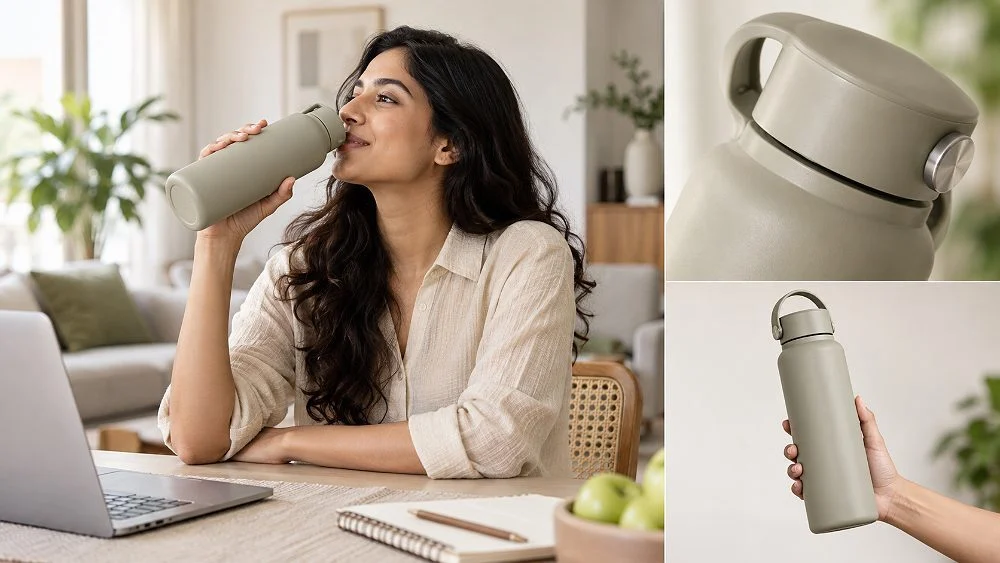
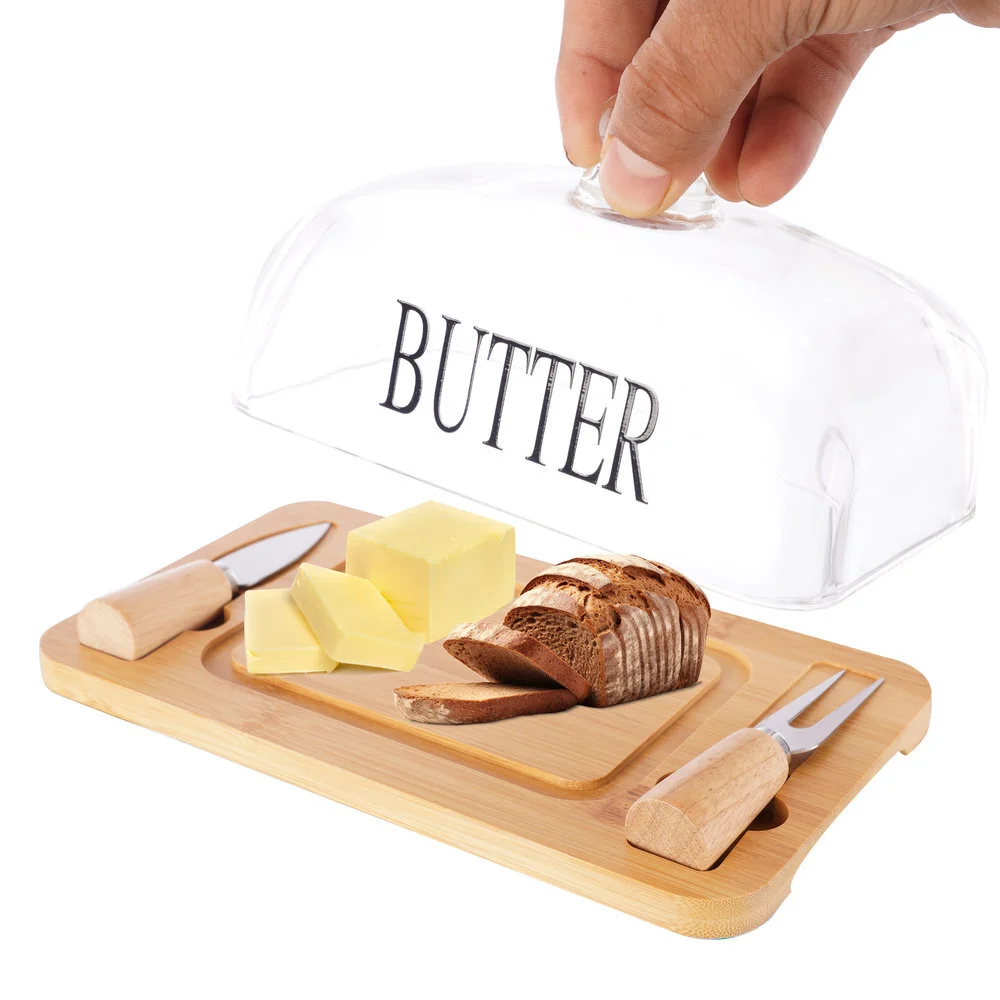
Notice that the butter dish frame is still on white. A scale cue does not always need a full room; for kitchenware, a hand plus the product in use is often clearer than a styled counter. Save the full setting for slot 6, where context is the job.
Example scenario
Example: a seller lists a 24-SKU kitchenware range of six container sizes in four colours. Instead of shooting 24 lifestyle frames, the plan uses one shared scale frame per size with a hand and a standard 250 ml mug (six frames), one colour-set frame showing all four colours in a pantry shelf (one frame), and one in-use frame per size with rice, dal or snacks inside (six frames). Thirteen frames cover every listing, and each size page gets an honest scale answer. The numbers here are illustrative, not from a real client.
Use a model when the buyer’s doubt is about fit, comfort, how it is worn or how it is handled. Skip the model when the doubt is about the product’s look in a room, its finish or its capacity, because a face pulls attention away from the product.
A model adds cost, casting time and styling decisions, so the choice should come from the product, not from what competitors happen to show. The decision table below is the one we use with sellers at the planning call.
| Product type | Model? | Why | Framing |
|---|---|---|---|
| Apparel, bags, watches, eyewear | Yes | Fit, drape and size on a body are the main doubts | Full or three-quarter body, face optional |
| Beauty and personal care | Often | Application and texture on skin build trust | Hands, face crop, or group for a range |
| Kitchen and dining | Hands only | Hands show use and scale without stealing focus | Counter-height, hands entering the frame |
| Home decor and furnishing | Rarely | The room is the story; a person can show scale for large items | Wide room vignette, person soft or absent |
| Electronics and accessories | Hands or partial | Ports, grip and size in hand matter most | Tight crop on hands and device |

Amazon has been tightening its stance on synthetic people, and our Amazon hub tracks the labelling change for photorealistic AI models. The practical risk is bigger than policy: AI bodies routinely get garment fit, strap length and hand size wrong, which is precisely the information a lifestyle frame exists to show. For fit-critical categories we shoot real models.

Group frames like this suit slot 7 for a beauty range: they show the full set and the audience together. They do not replace a single-product in-use frame, because a buyer on one listing should never wonder which tube they are actually buying.
Pick the setting where the buyer will actually use the product, then simplify it to a vignette: one surface, one wall, one light direction. Indian homes, offices and kitchens look different from Western stock imagery, and buyers notice.
| Category | Setting that works | Good props | Avoid |
|---|---|---|---|
| Kitchen and dining | Granite or wooden counter, tiled backsplash | Steel tumbler, cloth napkin, one herb pot | Food that looks included, branded jars |
| Home furnishing | Bed or sofa corner, soft window light | One throw, one book, a side table | Full rooms where the cushion is a speck |
| Bottles and drinkware | Office desk, gym bag, car cup holder | Laptop, towel, keys | Hot drinks near non-insulated bottles |
| Bags and luggage | Doorway, metro platform style wall, travel | Jacket, passport cover | Busy streets that hide the bag |
| Beauty | Bathroom shelf, dressing table | Towel, mirror edge, small tray | Competing bottles, glossy clutter |
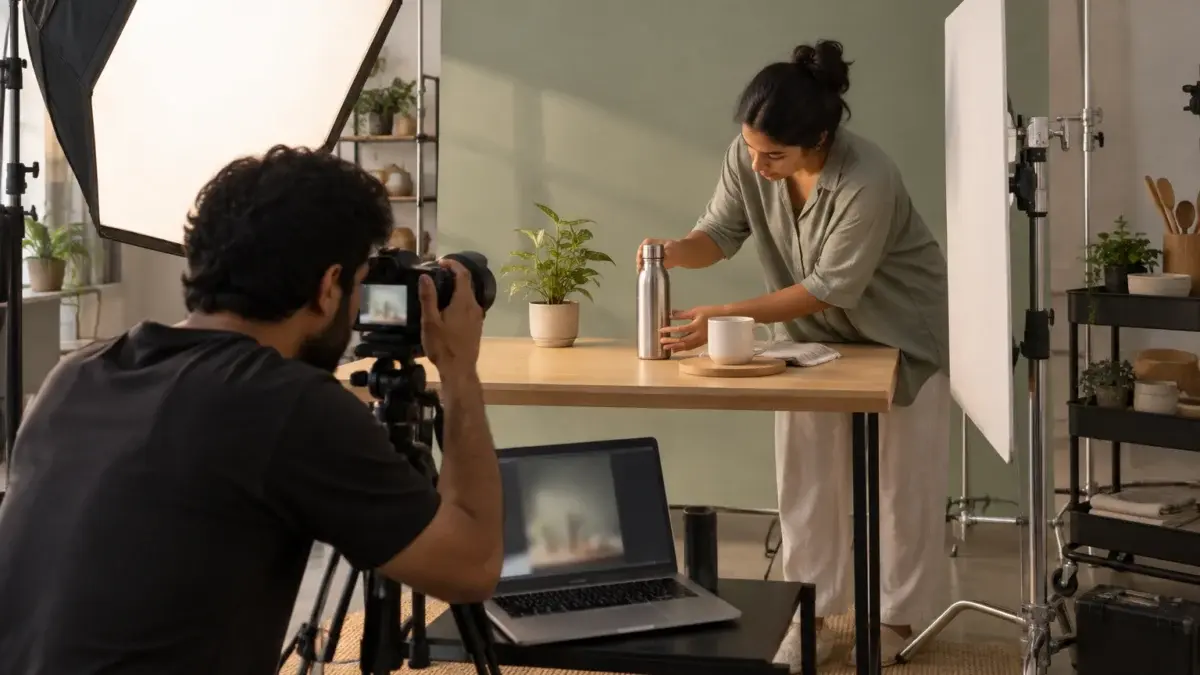
For most of these, a studio-built vignette beats a rented home. A real flat brings mixed light, ceiling bounce in odd colours and very little control over shadows. A built set gives a repeatable look that can be matched next season when new SKUs launch, which is the whole point of lifestyle product photography done for a catalogue rather than for one hero shot. It is also how Ckstudio approaches every e-commerce lifestyle set it builds.
From the studio floor
Our standard lifestyle set is a 1.2 m wall flat painted in a muted tone, a tabletop at 90 cm counter height and one key light: a 120 cm octabox on a Godox SK400II placed 45 degrees to the left and slightly high, imitating a kitchen window. A white bounce card on the right lifts shadows by about one stop. We shoot at f/5.6 to f/8 on a 50mm lens so the product is fully sharp and the wall softens just enough, then lock white balance with a grey card at the start of every set.
Home products show this most clearly. The video below is a home-product commercial for Amazon, where the setting is reduced to a bed, soft light and the product doing its job.
Match three things across the gallery: product colour, product angle family and variant. If the bottle is sage in the main image, it must read sage in every lifestyle frame, under every light, or the buyer assumes they are looking at two products.
Colour drift is the quiet killer. Warm “cosy” grading makes a cream cushion look yellow; a cool office scene turns navy into black. The main image is shot under neutral studio light, so any lifestyle grade must be checked against it side by side. Our main image requirements checklist covers the white-background side; this section is about carrying that same product truth into the scenes.
From the studio floor
Every Ckstudio lifestyle batch goes through a colour QC pass: the main image and each lifestyle frame are opened side by side in Capture One, and we sample the product in three spots. If any frame drifts more than about 3 points on the RGB readout from the reference, it gets a local correction on the product only. Files go out as sRGB JPEGs at 2,000 px on the long edge, usually between 500 KB and 1.5 MB.
Match the category’s clarity, not its look. If every competitor uses dark moody kitchens, a bright, honest counter often stands out in the gallery. What should match category norms is information: if buyers in your category expect a scale frame, do not skip it to look different.
Policy problems come from confusing what is included, third-party branding, misleading claims and inappropriate model content. Quality problems come from low resolution, colour drift, heavy compositing and products too small to see. Both lead to suppressed images, returns or poor conversion.
Most rejections we see on seller accounts are not exotic. They are the same handful of mistakes repeated across SKUs. Here is the list we run before upload, with the fix for each.
Sellers with a big catalogue often find that the fastest fix is not editing old frames but reshooting the lifestyle set for the whole range at once. That is where planned ecommerce photography services pay back: one set, one light, one grade, used across every SKU on Amazon and reused on Flipkart and your own D2C store. Write to [email protected] with five sample listing links and we will mark which frames to keep.
Amazon allows text on secondary images, but we keep lifestyle frames clean and put callouts on a separate infographic slot. A scene with arrows and labels stops reading as real life, and the infographic does that job better with more space.
A good brief is one page per product family: the buyer doubts, the slot plan, the setting, the props, the model decision and the colour reference. Filling it before the shoot removes most on-set debate and nearly all reshoots.

Here is the template we send to sellers. Copy it into a sheet, one row per product family.
From the studio floor
On the shoot day, the brief is printed and taped beside the tether station. The photographer ticks each slot as the frame is approved on the 27-inch monitor, and the stylist keeps the “must not appear” list in hand. For a ten-product family, this usually means four sets, about 40 lifestyle frames shot, and a final selection of 20 to 30 delivered after QC.
If your team cannot fill rows 2 and 3, start with your returns report and the customer questions section. Those two sources tell you, in buyers’ own words, what the gallery is failing to show. Prince reviews briefs on WhatsApp at +91-8700258773 during working hours, 10 am to 7 pm.
Only in a few furniture-type categories such as sofas, beds and rugs. For almost every other category the main image must be on pure white with only the product that is sold, so amazon lifestyle images go in the secondary slots.
Two to four within slots 3-7 suits most home, kitchen, beauty and accessory listings. Fewer often leaves scale or use unanswered, and more pushes out the detail and feature images buyers also need.
Yes, as long as they do not confuse the buyer about what is included. Keep props unbranded, limited to one to three per frame, and clearly secondary to the product.
Use a model for apparel, bags, watches, eyewear and beauty, where fit or application is the doubt. For kitchen, home and electronics, hands or no person usually keep the focus on the product.
Amazon accepts 500 to 10,000 px on the longest side, and 1,000 px or more enables zoom. We deliver amazon lifestyle images at 2,000 px in sRGB so small products stay sharp when buyers zoom.
A studio-built vignette gives controlled light, accurate colour and a look you can repeat for new SKUs. Real homes work for large furniture, but mixed light and clutter make colour matching to the main image harder.
Amazon lifestyle images earn their slots when each one answers a single buyer doubt, carries only the props that explain use or size, and shows the same product colour as the main image. Plan the brief first, build a simple set, and check the whole gallery at thumbnail size before upload. For help on a full catalogue, Ckstudio can be reached on +91-8700258773 or [email protected].
Next step: once your lifestyle frames are planned, give slot 2 a clear feature callout with Amazon product infographic design that complements the scenes.
Send your listing links and we will map slots 3-7, props and settings for your range. Call Prince on +91-8700258773 or message on WhatsApp +91-8700258773.
Call Prince: +91-8700258773