A practical India-focused production guide for planning Amazon A+ Content photography, listing images, module-specific crops, compliance and conversion-focused visual storytelling.
By Prince4 October 20268:45 PM ISTApprox. 22–26 min read
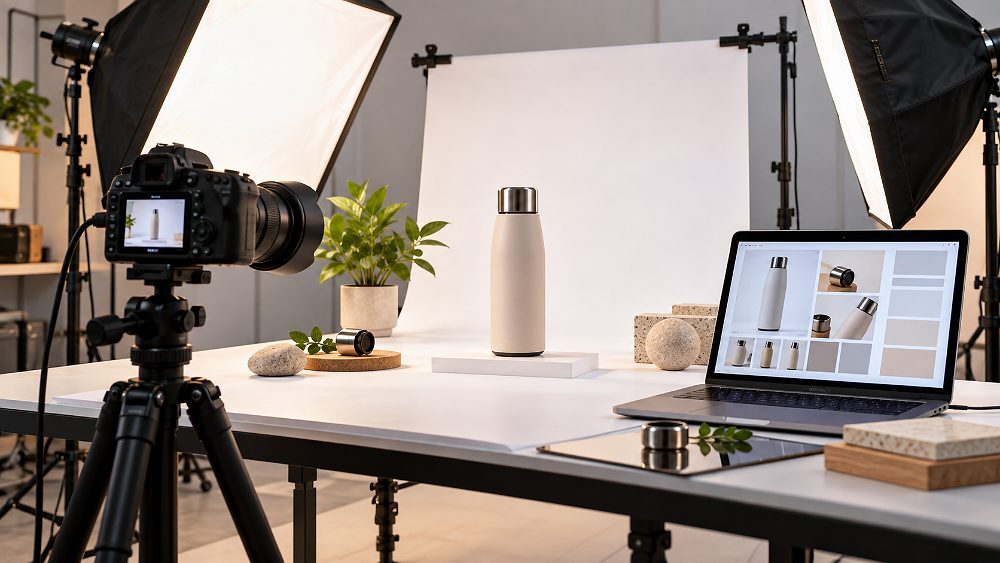
Plan A+ photographs around the modules, buyer questions and crop requirements before the camera starts shooting.
Amazon A+ photography is not simply a collection of attractive product photos. It is a planned system of product, detail, scale and lifestyle visuals created for specific Amazon A+ Content modules so a brand can explain product benefits, reduce uncertainty and strengthen the buying journey on a product detail page.
This guide is written for Amazon Brand Registry sellers, D2C and private-label brands, ecommerce managers, catalogue teams and creative departments that need to coordinate photographers, designers and Amazon catalogue operations. It directly addresses common problems such as choosing modules too late, reusing the same product image gallery everywhere, inconsistent colour accuracy, weak feature callouts, unreadable mobile crops and A+ submissions that need rework.
For brands building a broader Amazon visual system, Ckstudio’s Amazon product photography services can be combined with the practical planning in the Amazon product photography guide. The objective is the same: create marketplace photography that answers a buyer question before it becomes a reason to leave the listing.
Plan modules first.A+ module selection determines what should be photographed and how much crop-safe space is needed.
Do not duplicate the gallery.A+ Content should add new information through detail photography, scale photography, lifestyle proof and product comparison.
Design for mobile early.Mobile optimization affects visual hierarchy, image cropping, embedded text size and where the product sits in the frame.
Protect product truth.Colour accuracy, texture, dimensions and realistic retouching matter as much as visual polish.
01
What Is Amazon A+ Photography?
Amazon A+ photography is product, feature, detail and lifestyle photography planned for A+ Content rather than created as isolated catalogue images. Each photograph is assigned to a module, product benefit or buyer objection before production begins.
Normal Amazon photography services usually begin with a compliant main image and secondary gallery visuals. A+ Content goes deeper. It can use an enhanced product description, Brand Story, product comparison, technical specification content and richer visual sequences that continue the explanation after the buyer has already seen the primary gallery.
The production mindset should therefore move from “What photos look good?” to “What job does this image perform?” A hero photograph can identify the product, a macro image can prove material quality, a scale photograph can remove size uncertainty, and a lifestyle scene can demonstrate intended use. This approach keeps Amazon A+ Content photography connected to real buying decisions.
Every module and photograph should perform at least one of these seven jobs. If an image does none of them, it is probably decoration rather than useful A+ Content.
Production note from Prince:
Give the photographer the planned A+ module sequence before the shoot. A wide banner, a square feature crop, a hotspot module and an image carousel need different negative space and subject placement. Planning early reduces reshoots and increases the number of usable final compositions.
02
Amazon Product Listing Images vs A+ Content Images
Amazon product listing images work closest to the buying area and must communicate product identity quickly. Amazon A+ images support deeper education, brand storytelling, comparisons and visual proof farther down the product detail page.
Use the listing gallery for fast identification and A+ modules for deeper explanation, evidence and brand context.
Feature
Listing Gallery
Basic A+
Premium A+
Primary purpose
Identify and explain product quickly
Structured feature and benefit education
Richer interactive storytelling
Hero photography
Essential
Useful as a supporting banner or feature image
Useful in larger visual modules
Lifestyle photography
Common secondary image
Strong use-case support
High-impact use in larger modules/carousels
Comparison chart
Usually graphic-led secondary image
Available for same-brand product comparison
Enhanced comparison experiences
Video / hotspot module
Separate listing video tools may apply
Not the core Basic format
Supported in eligible Premium experiences
Best use
Fast purchase-area clarity
Feature explanation and structured brand content
Immersive education and richer product stories
Quick decision rule: listing image or A+ image?
If the buyer needs immediate identification, place the message in the product image gallery. If the buyer needs a deeper feature explanation, material proof, product comparison or Brand Story, A+ is often the better destination. The strongest listings let the two areas work together instead of repeating identical assets.
03
Amazon Brand Registry and A+ Content Eligibility in 2026–27
A+ Content is closely connected with Amazon’s brand-building ecosystem. Before commissioning module-specific visuals, confirm the exact A+ access and content types available in the seller’s marketplace and account.
For brand owners, Amazon Brand Registry is the key starting point for brand protection and brand-building tools. Inside Seller Central, A+ Content Manager is where eligible sellers select content types, choose modules, add images and text, assign ASINs and submit content for review.
Amazon’s current A+ documentation describes Basic A+, Premium A+ and Brand Story as distinct content experiences. Amazon also states that Basic A+ Content can increase sales by up to 8% and well-implemented Premium A+ Content can increase sales by up to 20%; these are Amazon-reported figures, not a guarantee for any individual listing. See the official A+ Content overview for the current wording and eligibility context.
Amazon Basic A+ Content vs Amazon Premium A+ Content
Basic A+ uses structured image-and-text modules, comparison content and specifications. Premium A+ adds richer visual real estate and eligible interactive formats such as larger imagery, video, hotspot modules, carousels, enhanced comparisons and Q&A experiences.
Premium A+ planning often needs wider, more interactive and more crop-flexible source photography than a simple Basic A+ layout.
Planning factor
Amazon Basic A+ Content
Amazon Premium A+ Content
Photography style
Clean product, feature, lifestyle and comparison assets
All Basic assets plus wider interactive compositions
Module thinking
Image + text, multiple image layouts, comparison and technical specification
Large visuals, image carousel, hotspot module, video and richer comparison
Crop flexibility
Important
Critical because one shoot may feed several module types
Production priority
Clear feature hierarchy
Feature hierarchy plus deeper visual storytelling
Do not assume that Premium A+ automatically makes weak photography persuasive. Larger modules expose weak lighting, inconsistent perspective and poor product retouching more clearly. Premium production works best when the source photographs were captured with the final module behavior in mind.
Marketplace production example
See a Real Marketplace Product Shoot Workflow
For a practical look at how marketplace products are handled under controlled commercial lighting, this behind-the-scenes example shows the kind of camera, styling and review workflow that supports consistent ecommerce assets. The exact product differs from an A+ project, but the production discipline—controlled reflections, repeatable angles and on-set review—is directly relevant.
05
Amazon A+ Content Modules: Which Visual Assets Should You Create?
Choose Amazon A+ modules before production, then build a shot list around the exact visual jobs each module must perform. This prevents the common problem of forcing one finished image into incompatible dimensions and messages.
Core Basic A+ modules for product photography
Basic A+ Content can support image headers, single image-and-text layouts, multi-image arrangements, comparison charts and technical specification content. A clean product hero can introduce the product; a feature close-up can support a short benefit explanation; a lifestyle composition can demonstrate context; and a product-range photograph can support same-brand comparison.
The best Amazon A+ Content design uses photography and native text together. Keep essential searchable information in text fields where possible, while using imagery to prove material, scale, use and construction. This also helps avoid cramming too much copy inside graphics.
Best photography assets for Basic A+ Content
Clean hero shotStrong recognition with flexible negative space.
Feature detailMacro or close detail showing a meaningful construction point.
Lifestyle/use caseShows how and where the product fits into real use.
Material/textureSupports quality claims with visual evidence.
Scale/dimensionHelps reduce size and proportion uncertainty.
Packaging/contentsClarifies exactly what the customer receives.
Product familySupports same-brand product comparison and range storytelling.
Premium A+ modules for high-impact creative content
Amazon Premium A+ Content can include larger creative areas, multiple video modules, image carousel formats, interactive hotspot modules, enhanced comparison and Q&A experiences. These layouts reward master images that are sharp, high resolution and composed with extra space for alternate crops. A photographer who only captures tight catalogue framing may leave the designer with no room for mobile-safe adaptation.
Amazon Brand Story content
Brand Story should feel related to the product without becoming another feature panel. It can introduce the brand’s values, collection, product family or origin narrative using a consistent visual language. When the article’s “A+ Visual Conversion Stack” reaches Reassure and Differentiate, Brand Story is often where the photography can add emotional context while the product modules stay focused on evidence.
Module / content type
Best visual
Main goal
Photography requirement
Mobile priority
Hero / banner
Wide product or lifestyle composition
Identify + position
High-resolution, crop-safe negative space
Keep key subject near safe centre
Image + text
Feature or use-case photograph
Explain
Clear single message
Avoid tiny embedded text
Multiple image grid
Detail, material, scale
Demonstrate
Consistent angles and lighting
Strong subject separation
Comparison chart
Same-brand product family
Compare
Consistent product scale
Readable product differences
Technical detail
Clean product/detail asset
Explain specs
Accurate visual proof
Use native text for dense data
Carousel / hotspot
Wide interactive composition
Demonstrate + differentiate
Multiple focal-safe frames
Critical
06
Amazon A+ Image Guidelines and Technical Requirements
Amazon A+ image dimensions are module-specific. Build to the dimensions displayed in A+ Content Manager, preserve aspect ratio, retain high-resolution master files and export each selected module separately.
Do not stretch a single master graphic into every slot. A wide banner, multi-image grid and Premium hotspot module each need different image cropping and subject placement. Keep essential product details away from uncertain crop edges and maintain enough clean space to adapt for desktop and mobile optimization.
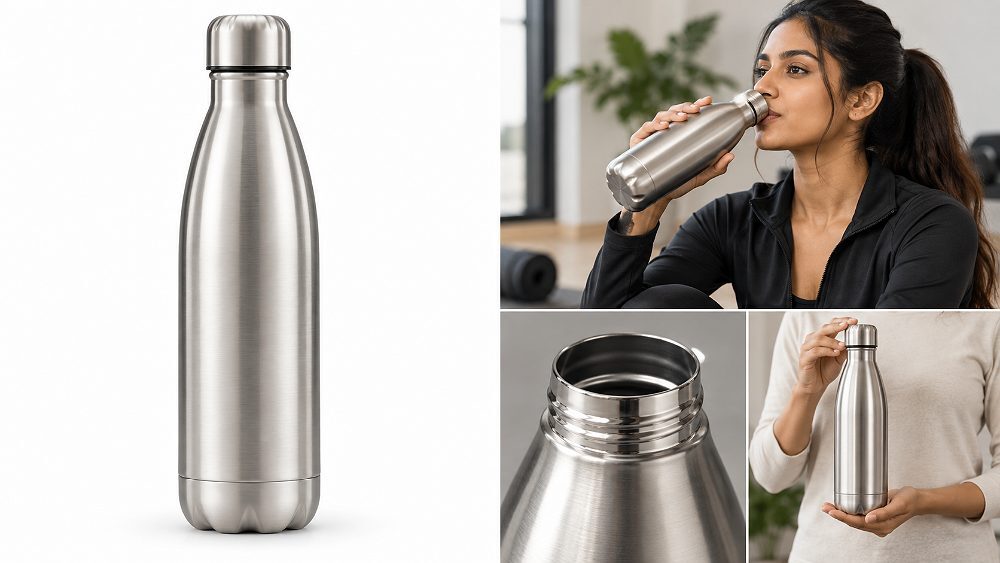
Mobile-safe A+ composition keeps the product and critical feature evidence readable after responsive cropping.
File format, resolution and export workflow
Use a controlled RGB colour space workflow and preserve high-resolution masters before generating marketplace exports. Amazon A+ Content image requirements can vary by module and marketplace, so verify supported formats, file-size limits and slot dimensions inside the current interface before upload. Blurry imagery, watermarks, compressed edges and unreadably small embedded copy weaken both compliance and user experience.
Image alt text should describe the visual meaningfully rather than repeat keywords. For A+ itself, Amazon recommends descriptive image keywords/alt text; for this article, the detailed alt descriptions are also production briefs so future replacement images can match the intended scene.
Mobile-safe composition
Use a strong central focal point, generous breathing room and limited overlay copy. Keep feature callout graphics away from crop edges, test whether the product remains identifiable at a narrow width, and preserve contrast between subject and background. The visual hierarchy should still make sense when a desktop banner becomes a much smaller mobile experience.
For broader Amazon creative rules and marketplace-ready composition, the Amazon A+ Content guide and Amazon product infographic design service page provide additional context for combining photography with concise feature communication.
07
Amazon Product Image Guidelines for the Listing Gallery
The listing gallery and A+ Content should be planned together but not treated as the same thing. The main image prioritizes compliant product identification; secondary images explain additional angles, use, scale and features; A+ then continues the education.
For the main image, accurate product representation, clean framing, high image resolution and category-specific compliance are more important than decorative creativity. Where a white background is required, white background photography should be clean and believable, with the product filling an appropriate amount of the frame and no misleading props.
A strong secondary gallery often combines alternate angles, detail photography, lifestyle photography, scale photography, a dimension graphic, a feature image and a packaging/contents view. Capture substantially larger than the final delivery size, preserve master files and export marketplace-ready versions separately. The Amazon product photography guide covers this gallery workflow in more depth.
If the existing listing is already suppressed or repeatedly rejected, solve the listing problem before adding more creative layers. Use the suppressed ASIN troubleshooting guide to separate catalogue issues from A+ production decisions.
08
Amazon A+ Photography Shot List: 9 Essential Assets to Capture
The best images for Amazon A+ Content are not random lifestyle extras. They are a deliberate set of product, feature, scale and context images that answer the questions a buyer is most likely to ask after seeing the listing gallery.
A module-first shot list helps one production day capture flexible assets for the listing gallery, Basic A+ and eligible Premium A+ formats.
1
Clean Product Hero Shot
Capture a polished, instantly understandable product view with crop flexibility. The goal is strong recognition and premium presentation, not a duplicate of the main image. Leave enough negative space for a banner or short module headline.
2
Product Feature Close-Up
Use detail photography to prove construction, finish, mechanism or material quality. A macro or tighter crop is most useful when it supports a specific product benefit rather than showing texture only because it looks attractive.
3
Product-in-Use Lifestyle Photograph
Show intended context, human scale or the problem being solved. Amazon lifestyle photography should remain believable and product-led, with styling that supports the use case instead of overwhelming it.
4
Scale and Proportion Image
Place the product beside a familiar object, hand or relevant environment when permitted and truthful. The purpose is to reduce uncertainty about height, width, capacity or fit before the customer reaches the purchase decision.
5
Material and Texture Detail
Use controlled lighting to show fabric weave, metal finish, cosmetic texture, stitching, coating or surface quality. Keep colour accuracy and contrast realistic so the evidence supports the actual delivered product.
6
Feature Demonstration Image
Demonstrate how a functional feature works. If a bag has an expandable compartment or a tool has a specific control, show the feature in action with a composition that communicates the point even before the viewer reads the copy.
7
Packaging and What’s-Included Shot
Photograph the product and included components in a clean, organized arrangement. This can reduce expectation gaps and support a technical or “what you get” module without relying on dense text.
8
Product Range / Variant Shot
Capture the same-brand range with consistent lighting, camera height and product scale. This makes a product comparison or comparison chart clearer and avoids the impression that one variant has been artificially enlarged.
9
Brand Lifestyle / Story Image
Create one broader scene that connects product use to the brand’s positioning. This image can support Brand Story or a closing reassurance module while the earlier visuals remain focused on features and proof.
09
Creative Guidelines for High-Converting Amazon A+ Images
Give every module one clear job. Photography should communicate the idea first, while native text or short overlays clarify the feature without forcing the customer to decode a busy graphic.
Give each module one clear job
Use the A+ Visual Conversion Stack in sequence: Identify → Explain → Demonstrate → Differentiate → Reassure → Compare → Convert. Not every listing needs every stage in exactly this order, but the framework prevents a page from becoming a series of repeated banners with no information progression.
Build a consistent visual system
Keep camera angle, lighting direction, white balance, product scale, typography and graphic treatment consistent. This is where professional ecommerce photography becomes more valuable than one-off images: the buyer sees a coherent system rather than unrelated assets. For multi-SKU brands, consistency also speeds product retouching and later catalogue updates.
Show benefits through visual evidence
A waterproof claim should be supported by a believable use scenario when appropriate; fabric quality should be supported by texture detail; storage capacity should be shown through an interior or use composition; jewellery craftsmanship benefits from controlled macro lighting; and apparel fit is clearer through model or lifestyle photography. Evidence is more persuasive than decorative copy.
Brands comparing generated visuals with real capture can review AI Amazon photography vs studio photography. For products where fit, texture, colour or scale drives the purchase decision, accurate real photography remains the safest visual source.
10
Amazon A+ Content Compliance: Creative Claims and Content to Avoid
A+ Content must be visually strong without becoming misleading or promotional in ways Amazon does not allow. Review current Seller Central guidance before upload because requirements can change by marketplace and content type.
Common rejection risks include blurry or low-quality assets, watermarks, unreadably small text, unsupported claims, prohibited warranty or guarantee wording, external contact details, aggressive purchase instructions and unlicensed visual material. Comparison content should follow Amazon’s current rules and avoid creating unsupported competitor claims.
Amazon’s official A+ Content guidelines also advise using unique A+ images rather than simply reusing the same gallery assets. That reinforces the central production principle in this guide: A+ should add information.
AI-generated people and creative assets in 2026–27
If generative AI is used for photorealistic people, backgrounds or composite creative assets, check the current marketplace disclosure and content requirements before publishing. Never use generative edits that materially change product size, colour, included components, fit or performance. Synthetic polish should not replace product truth.
11
Amazon A+ Photography Workflow: From Creative Brief to Published Content
The most reliable workflow starts with the existing listing and ends with testing—not with the camera. This eight-step process connects product photography, design, compliance and Amazon catalogue operations.
1
Audit the existing Amazon listing
Review the current product image gallery, bullet points, reviews, buyer objections and visual gaps. Identify what customers still cannot understand after seeing the existing images. This creates the content brief for the enhanced product description and A+ modules.
2
Select A+ modules before the shoot
Open A+ Content Manager, confirm available module types and map each planned message to a real slot. Decide whether a feature belongs in an image + text layout, comparison chart, technical specification, image carousel or Premium hotspot module.
3
Create the photography shot list
Assign every frame to a feature, benefit, module or buyer question. Note desired orientation, negative space, model/prop requirements and alternate crops. This is where product managers, photographers and designers should agree on the same visual hierarchy.
4
Shoot product, detail and lifestyle assets
Capture clean hero photography, feature close-ups, lifestyle scenes and scale evidence with consistent lighting and camera geometry. Keep compositions flexible enough for the listing gallery, A+ Content images and future campaign use where appropriate.
5
Retouch for accuracy and consistency
Correct dust, exposure and background issues while maintaining authentic product shape, texture and colour accuracy. Work in an appropriate RGB colour space, compare products across the SKU range and avoid retouching that makes the delivered product materially different.
6
Design module-specific creatives
Create separate crops and graphic compositions for the selected modules. Keep overlay copy short, use native text fields when practical and preserve enough contrast for mobile viewing. Do not force one master artwork into every slot.
7
Review mobile layout and compliance
Preview crop safety, text readability, product clarity, claims and image quality on narrow screens. Re-check the current Amazon A+ Content requirements, licensing and category-specific rules before submission.
8
Upload, review and test
Publish through A+ Content Manager, review the live product detail page and fix unexpected crops or hierarchy problems. Where the account is eligible, Manage Your Experiments can test versions of listing and A+ content rather than relying only on subjective design preference.
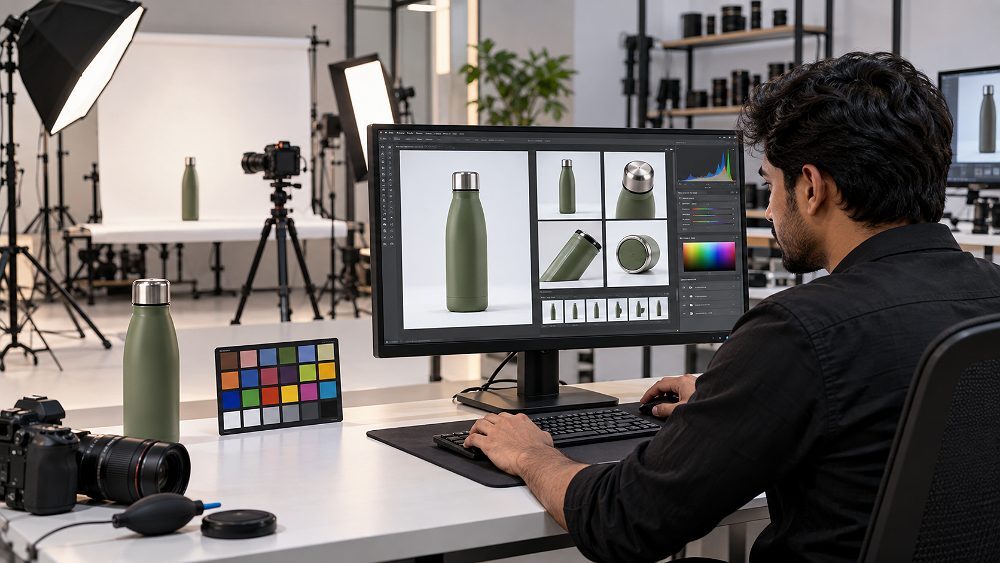
Colour-managed retouching protects catalogue consistency before A+ module-specific crops and graphics are exported.
For teams producing many ASINs, the same discipline applies at scale. Combine the workflow with ecommerce photography services, product retouching and image editing, and a controlled asset naming system so the catalogue team always knows which file belongs to which module and SKU.
12
9 Common Amazon A+ Photography Mistakes to Avoid
Shooting before planning modules. The fix is to select module types first and brief the photographer around required orientations and crops.
Reusing identical listing-gallery imagery everywhere. A+ should add new evidence, context or comparison instead of repeating the same product angle.
Designing only for desktop. Preview the mobile experience while the composition is still editable.
Using too much text inside images. Let photography carry the message and use native module text for detail.
Inconsistent product colour. Lock lighting, white balance and colour-management decisions across the entire SKU range.
Weak feature close-ups. Capture the exact texture, mechanism or construction point that supports the benefit claim.
Missing scale or context. Add believable reference points when size, fit or capacity could cause buyer uncertainty.
Making unsupported visual claims. Do not manipulate the product or scene in a way that exaggerates performance.
Exporting one crop for every module. Create module-specific versions so the main subject, product benefits and visual hierarchy survive responsive image cropping.
13
Amazon A+ Photography Cost in India
Amazon A+ photography cost in India depends on the number of products and ASINs, required modules, product complexity, lifestyle or model production, props, retouching, graphic design, video and Premium A+ requirements.
The table below uses the blueprint’s indicative starting project bands. Treat them as planning placeholders rather than fixed public rates; the final quotation should reflect the actual module map, shot list and deliverables.
For a broader benchmark outside A+ specifically, see Ckstudio’s product photography pricing guide for India. The quote should always separate capture, retouching, design and video so the brand knows which part of the production is driving cost.
14
Professional Amazon A+ Photography for Brands
Ckstudio plans Amazon A+ photography around real module requirements rather than treating A+ as an afterthought. A typical brief can combine clean Amazon product photography, lifestyle production, feature/detail frames, marketplace-ready retouching, A+ creative asset preparation and consistent multi-SKU output from a professional product photography studio in Delhi.
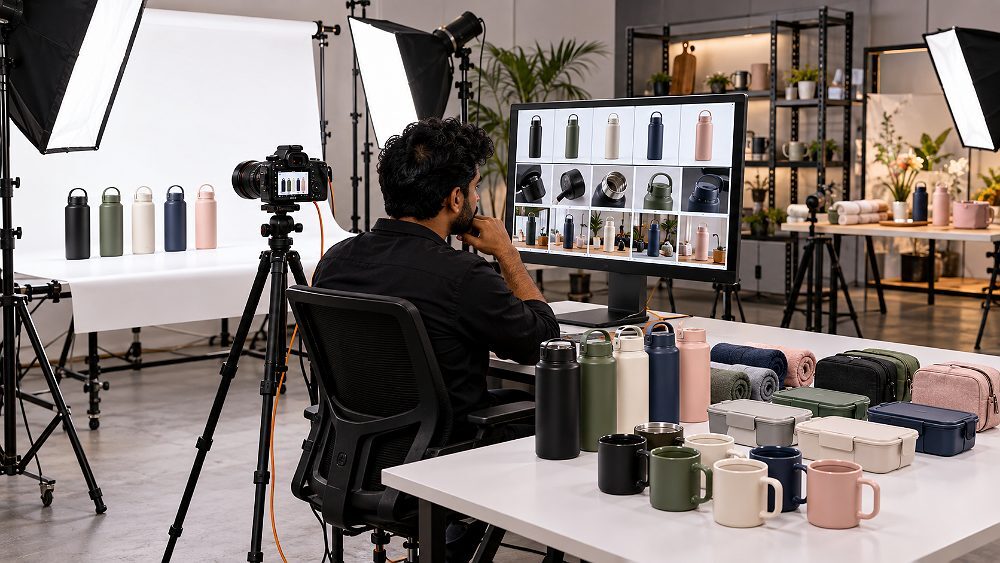
Multi-SKU quality control keeps camera geometry, lighting and retouching consistent across a growing Amazon catalogue.
Anonymized production example
D2C brand with 12 SKUs
Problem: the existing catalogue had clean product photographs, but most frames were too tight or too repetitive to support feature-specific A+ modules.
Process: module planning → new shot list → feature/detail and lifestyle photography → consistent product retouching → module-specific exports.
Outcome: the brand received a more flexible asset library for its listing and A+ production. No unverified sales result is claimed; the measurable operational gain was a clearer module-to-asset workflow with fewer missing compositions.
15
Amazon A+ Photography FAQs
Amazon A+ photography is product, detail and lifestyle photography planned specifically for Amazon A+ Content modules. The purpose is to explain product benefits, use cases, construction, scale and brand positioning beyond the standard product image gallery while keeping the visuals consistent with the product detail page.
Amazon A+ image dimensions are module-specific. Build each asset to the slot specifications shown in A+ Content Manager, preserve the required aspect ratio, keep high-resolution master files, and export separate crops rather than stretching one graphic across every module.
Brand Registry is Amazon’s primary route to brand-building tools and is the standard path for brand owners using A+ Content. Access can differ by account, role, marketplace and content type, so confirm eligibility in Seller Central before commissioning module-specific photography.
Amazon product listing images sit near the buying area and focus on product identification, clarity and fast feature communication. Amazon A+ images appear in structured content modules lower on the product detail page and support deeper education, comparison, Brand Story and benefit-led visual storytelling.
Amazon A+ photography cost in India depends on the number of products and ASINs, shot types, lifestyle production, models, props, retouching, design requirements and whether Premium A+ media is required. Multi-SKU projects normally need a tailored quotation because the same module plan may require several final crops and creative assets.
16
Amazon A+ Photography Checklist for 2026–27
Before publishing, compare the final module plan with the official Amazon A+ Content documentation. Current marketplace rules should always take priority over an older brief or reused template.
Final takeaway
Build A+ Content Around the Buying Decision
Strong Amazon A+ photography should not merely make a page look more attractive. Every photograph should answer a buyer question, demonstrate a product benefit, prove quality, clarify scale or strengthen brand confidence. When the listing gallery, A+ Content photography and module design are planned as one system, the final page becomes easier to understand and easier for the creative team to maintain.
Need Amazon A+ photography for a new or existing product range? Ckstudio can plan photography around the listing gallery and A+ Content requirements, then create consistent marketplace-ready assets for individual products or larger catalogues.