





Fashion Photography Services





E-commerce Photography




A practical Myntra Catalogue Prep workflow for fashion brands that want cleaner SKUs, stronger product attributes, accurate size charts, better image mapping and fewer avoidable catalogue QC problems.
Plan the catalogue before the shoot so product information, inventory, visual files and team approvals stay connected.
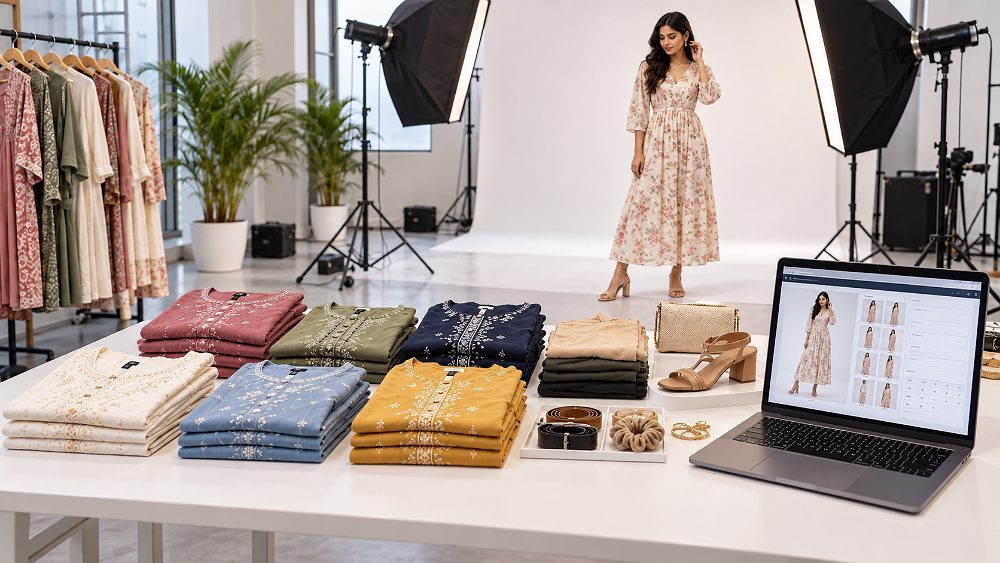
Myntra Catalogue Prep is not only about uploading good photographs. It is the operational system that connects a product style, every sellable SKU, all Myntra product attributes, the correct Myntra size chart, image folders and final catalogue QC before submission. When this work is done early, the catalogue team does not have to guess which colour variant belongs to which image or which size chart belongs to which product.
For fashion brands, apparel manufacturers and D2C sellers, the best workflow is simple: SKU → Product Data → Attributes → Size → Images → QC → Submission. This guide turns that flow into a practical pre-upload checklist. Readers should still verify the latest category template, attribute sheet and seller/account requirements inside their current Myntra access because marketplace requirements may vary by category and can change.
Before upload, a Myntra seller catalogue should have finalized style codes, unique SKU variants, completed product attributes, verified size data, matched catalogue images, current template checks and a documented QC approval. This Myntra Catalogue Prep system reduces rework across merchandising, photography, inventory and catalogue teams.
Myntra Catalogue Prep is the process of organizing product identifiers, variants, product attributes, sizing information, catalogue images and quality-control data before products are submitted for listing. It creates one operational source of truth for the Myntra product catalogue so the catalogue executive, photographer, merchandiser and inventory team are not working from different versions.
A strong Myntra catalogue preparation file should include product taxonomy, style ID, article number, product title, colour, fabric, fit, pattern, occasion, size mapping, image mapping and current upload-template references. Sellers working on Myntra seller registration and brand setup approval can treat this catalogue file as the practical bridge between onboarding and the first product upload.
The first mistake many sellers make is treating a style and a SKU as the same thing. A style ID can represent one product design, while the Stock Keeping Unit identifies a specific sellable product variant. For example, one black kurta design may have separate SKUs for S, M, L and XL. If the same style also comes in navy, the colour variant needs its own SKU-level mapping.
Clean Myntra SKU listing starts with consistent naming across inventory, product data and image folders. A simple internal convention can look like CK-KUR-101-BLK-M, but this is only an illustrative internal format, not an official Myntra-required syntax. Before final upload, sellers should follow the current marketplace template and their account-specific catalogue workflow.

A practical SKU planning system should keep parent style information separate from SKU-level details. The parent style may hold broad information such as product category, collection, fabric family and design direction. SKU-level rows should hold exact size, colour, inventory count, image folder, attribute status, photography status and QC status. This separation is especially useful for large fashion collections where 50 styles × 4 sizes × 3 colours can create hundreds of SKU-level records.
| Style Code | Product Name | Colour | Size | SKU | Image Folder | Size Chart | Attribute Status | Photo Status | QC Status |
|---|---|---|---|---|---|---|---|---|---|
| CK-KUR-101 | Cotton Kurta | Black | S | CK-KUR-101-BLK-S | /BLK/ | Kurta-Women | Checked | Pending | Pending |
| CK-KUR-101 | Cotton Kurta | Black | M | CK-KUR-101-BLK-M | /BLK/ | Kurta-Women | Checked | Pending | Pending |
| CK-KUR-101 | Cotton Kurta | Navy | S | CK-KUR-101-NVY-S | /NVY/ | Kurta-Women | Review | Pending | Pending |
Keep size variants, colour variants and product information management in one master sheet. Each colour variant should have its own image group, and each size variant should connect to the right inventory data and size chart row. This keeps Myntra product listing work organised even when multiple teams are handling sampling, steaming, model coordination, image editing and catalogue upload.
Myntra product attributes help structure the product listing so buyers can discover, filter and understand the item. For fashion ecommerce, planning fields may include product type, brand, colour, fabric, fit, pattern, sleeve, neck, length, occasion, care information and size. These examples are for preparation; the actual mandatory cells should always come from the current category template available to the seller.
A master attribute sheet should be completed before moving data into the marketplace template. Sellers can also compare their image strategy with Myntra product photography requirements and the broader ecommerce product photography service page, because imagery and attributes need to describe the same product truth.

| Attribute | Product Value | Source of Information | Required for Category? | Checked? | Notes |
|---|---|---|---|---|---|
| Product Type | Kurta | Merchandising sheet | Verify | Yes | Match current taxonomy |
| Colour | Black | Approved sample | Verify | Yes | Match image folder |
| Fabric | Cotton blend | Production data | Verify | Review | Do not guess composition |
| Fit | Regular | Pattern/sample team | Verify | Yes | Check all sizes |
| Care | Machine wash | Label copy | Verify | Review | Match packaging label |
Structured product attributes should contain standardized facts, while marketing copy can explain benefits, styling context and use cases. A product title, feature copy and catalogue image can be persuasive, but they should not contradict the structured product data. If the data says cotton blend but the description says pure cotton, the product listing becomes harder to trust and harder to QC.
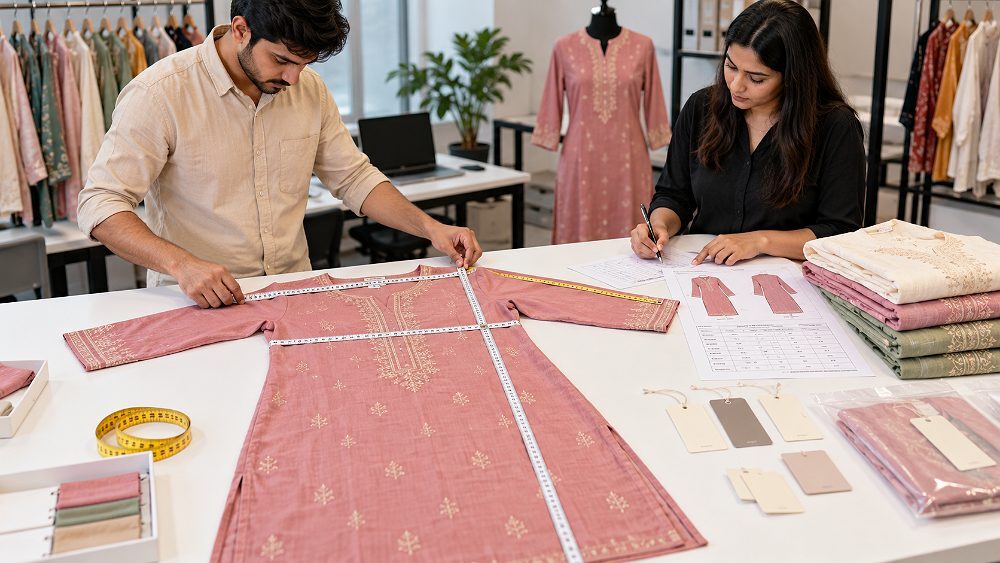
A Myntra size chart should be prepared from approved product samples and clear measurement methodology. Sellers should decide whether the chart is based on garment measurements, body measurements or both. The unit system must remain consistent, and the sizes shown in the chart should match actual sellable SKUs in inventory.
Generic charts copied across unrelated products can create returns, customer confusion and catalogue rework. This is why Myntra clothing size chart preparation should happen after final samples are available and before photography begins. For clothing categories, sellers can pair this workflow with Myntra clothing photoshoot planning and garment photoshoot preparation.
| Brand Size | Body / To-Fit Measurement | Garment Measurement | Length | Additional Category Measurement | Unit |
|---|---|---|---|---|---|
| S | 34 | 36 | 42 | Shoulder 14 | Inches |
| M | 36 | 38 | 42.5 | Shoulder 14.5 | Inches |
| L | 38 | 40 | 43 | Shoulder 15 | Inches |
| XL | 40 | 42 | 43.5 | Shoulder 15.5 | Inches |
Illustrative values only. Replace with actual approved product measurements before publishing or uploading.
Myntra catalogue requirements should be treated as category-specific. Women’s clothing, men’s apparel, kidswear, footwear and fashion accessories may need different product attributes, sizing logic, angle planning and QC checks. Sellers should verify the current category template instead of assuming one apparel checklist applies everywhere.

| Category | Critical Attributes | Sizing Data | Photography Planning | Common QC Risk |
|---|---|---|---|---|
| Women’s Clothing | Fabric, fit, neck, sleeve, length, pattern | Bust, shoulder, length, sleeve | Front, side, back, detail and model where relevant | Garment/body measurement confusion |
| Men’s Clothing | Fit, collar, sleeve, pattern, fabric | Chest, shoulder, waist or inseam | Consistent model or mannequin angles | Wrong fit and size mapping |
| Kidswear | Age group, set components, fabric, construction | Age/size and physical measurements | Clear set-component imagery | Age-size mismatch |
| Footwear | Material, colour, style, sole details | UK/India size mapping | Side, top, outsole and detail angles | Incomplete angle set |
| Accessories | Material, dimensions, hardware, colour | Product dimensions where relevant | Front, side, detail and scale views | Missing product components |
Myntra catalogue photography should start after styles, colour variants and shot lists are finalized. Product samples should arrive with style codes, colour labels, size references and image folder names. This helps the photographer capture the correct product while the catalogue team receives files that already match the master product data.
Ckstudio handles professional ecommerce product photography with a catalogue-first approach for fashion sellers. The team can plan image production around approved style lists, model or mannequin choices, colour variants and editing requirements. For sellers comparing marketplace needs, the Myntra model photoshoot shot list, ghost mannequin photography and image editing workflow pages are useful next reads.
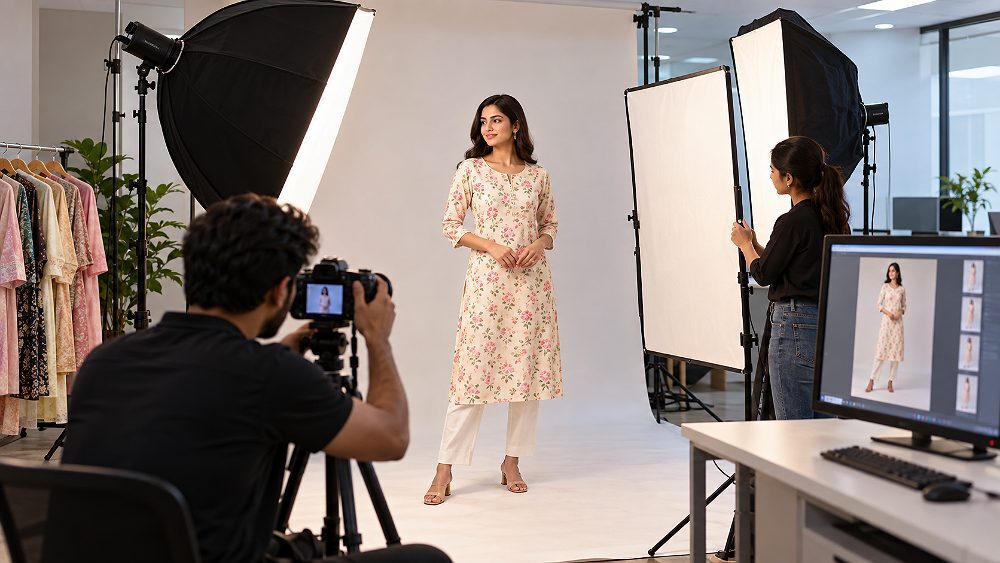
Image mapping should show which primary image, secondary image, detail image and edited file belongs to each style code and colour variant. This is especially important when collections are shot in batches. If black and navy products are photographed on the same day, file names and folders must prevent accidental image swaps during catalogue upload.
Catalogue QC should compare the physical product, master product data, current marketplace template, size information and imagery before submission. The goal is not to predict every marketplace review decision; the goal is to remove obvious errors such as missing attributes, inconsistent colour names, wrong size mapping, duplicated SKU information or image-product mismatch.
For sellers studying specific image rejection risks, the Myntra QC rejection checklist can support this section. For broader commercial planning after listing, the Myntra growth and returns guide helps connect catalogue quality with post-launch performance.

| QC Check | Pass Condition | Problem Found | Required Action |
|---|---|---|---|
| SKU | Every sellable variant has one unique SKU | Duplicate or missing SKU | Correct master sheet before upload |
| Attributes | Values match physical product | Incorrect fabric, fit or colour | Reconfirm with sample and merchandising team |
| Size Chart | Sizes match inventory and product labels | Wrong unit or missing size | Re-measure approved sample |
| Images | Image group matches style and colour | Image folder mismatch | Rename and remap files |
| Template | Latest applicable template used | Old sheet or missing columns | Download current template from seller access |
A reliable Myntra catalogue preparation workflow gives every team the same sequence. Finalize the product assortment, assign style codes, create SKU variants, build master product data, complete category attributes, measure products, plan catalogue photography, map images, run QC and archive the final approved catalogue file.
/Myntra-Catalogue/
  /01-Master-SKU-Data/
  /02-Attributes/
  /03-Size-Charts/
  /04-Product-Images/
    /STYLE-001/
    /STYLE-002/
  /05-QC/
  /06-Final-Upload/
  /07-Approved-Archive/
This folder structure keeps Myntra catalogue photography, SKU management, attribute sheets and QC documents in one predictable place. It also helps when a seller later updates inventory, prepares a reshoot or expands a style group with new colour variants.
The following marketplace and apparel production videos are included to show how controlled studio visuals support catalogue-ready product content. Use them as visual references for planning shot consistency, lighting, product handling and file preparation around a structured Myntra Catalogue Prep workflow.
Apparel marketplace video reference for fashion catalogue consistency.
Behind-the-scenes marketplace production reference for lighting and QC discipline.
Professional Myntra catalogue photography becomes useful when a brand has large SKU volumes, frequent collections, multiple colour variants, tight deadlines and a need for consistent product imagery. Ckstudio can coordinate catalogue images around approved style lists supplied by the client, helping the catalogue team receive organized image folders instead of random files.
Prince recommends preparing the style count, sample availability, colour variants, size spread and required shot list before requesting a quote. Sellers can call +91-8700258773, WhatsApp +91-8700258773 or email [email protected] with the expected SKU volume and timeline.
Myntra Catalogue Prep is the process of organizing product SKUs, attributes, size information, images and quality-control data before products are submitted for catalogue listing. It keeps the Myntra seller catalogue consistent across teams.
Use a consistent internal SKU structure that clearly distinguishes each sellable size and colour variant while keeping the parent style easy to identify across inventory, catalogue images and product data sheets.
Measure approved product samples consistently, map measurements to each listed size, identify whether measurements are garment or body measurements, and cross-check the chart against SKU and inventory data.
Common reasons include missing attributes, incorrect category data, size mismatches, image mapping errors, duplicate SKU information, outdated templates or product information that conflicts across files.
Yes. Apparel, footwear, accessories and other categories can require different attributes, size data and image planning. Sellers should verify the latest category template available to their seller/account before upload.
Professional photography is useful when consistency, colour accuracy, variant mapping and bulk image delivery matter. Ckstudio can plan Myntra catalogue photography around approved styles, colour variants and shot lists.
Myntra Catalogue Prep works best when every team follows one final action sequence: style, SKU, attributes, size data, photography, image mapping, QC and final upload file. Good catalogue preparation reduces avoidable rework and gives merchandising, photography, inventory and catalogue teams one reliable source of product information.
Need consistent ecommerce catalogue images for an upcoming fashion collection? Send Ckstudio your style count, product category, colour variants and expected shoot volume. Call +91-8700258773, WhatsApp +91-8700258773 or email [email protected] to plan a catalogue-ready photography workflow.

