
















Read the Rejection
Record the exact Myntra QC failed note, SKU, product variant, category and image slot. Keep the rejection evidence with the job so the correction is tied to the actual failure rather than assumptions.
A diagnostic guide for sellers whose catalogue images failed quality control: identify the exact problem, fix what can genuinely be fixed, reshoot only what was never captured correctly, and re-upload with a cleaner pre-upload QC process.
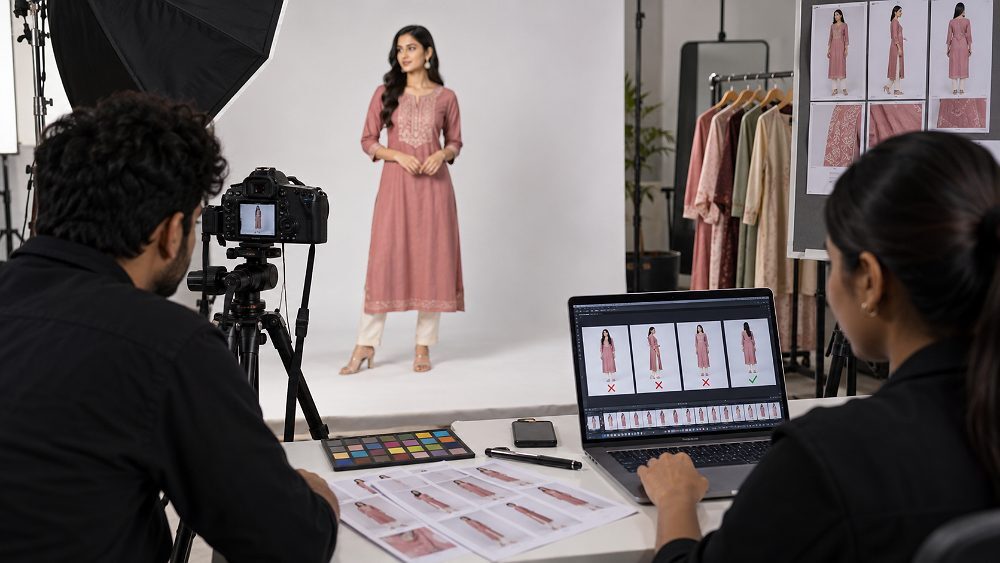
Myntra QC Rejection means one or more catalogue assets have failed a marketplace quality or compliance check. The fastest response is not to reshoot every SKU. First identify the affected product, image slot and rejection note; then separate editable problems such as export, safe recropping or background cleanup from capture problems such as missing angles, real blur, wrong product variants or styling that hides the garment.
This guide is designed for existing sellers, fashion and apparel brands, catalogue managers, agencies, D2C teams and manufacturers preparing rejected SKUs for another submission. For production support, the linked professional Myntra product photography page explains Ckstudio’s relevant service workflow, while this article focuses first on diagnosis and prevention.
Myntra image rejected? Identify the exact QC issue before editing. Fixable export, crop or background problems may not need another shoot, but missing angles, unusable blur, wrong SKU or incorrect capture usually require new photography. Always confirm live category requirements in the Myntra Partner Portal before relying on a hard numeric specification.
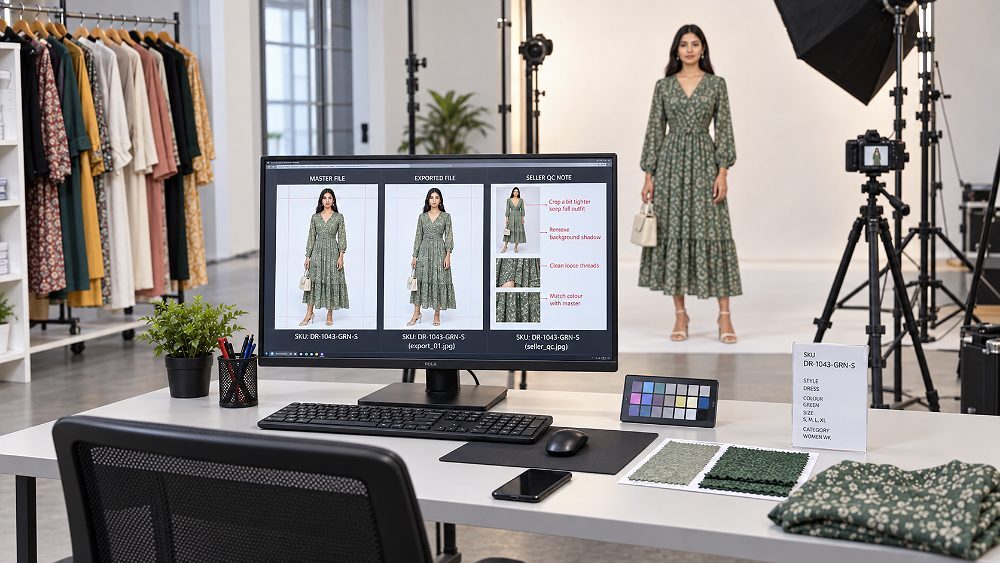
When Myntra catalogue QC fails, treat the rejection as a diagnostic event. Do not immediately send every product back to the set. Start with the seller dashboard message, affected SKU, image slot, category and submission date. Then compare the exported file with the original master. This separates a true product image compliance problem from a catalogue/content mapping problem or a file/upload problem.
Ckstudio’s practical QC note is simple: the rejection message should drive the next action. An image export error can be solved in minutes when the master is healthy; a missing back view needs a new photograph. That distinction prevents unnecessary reshoots and reduces the repeated upload → rejection → correction cycle that delays catalogue launches.
| Failure type | Typical symptom | First action |
|---|---|---|
| Image QC | Blur, colour mismatch, poor crop, background, missing angle or styling issue | Compare the master and current category requirement; decide edit vs reshoot |
| Catalogue/content issue | Wrong SKU, wrong product variant, incorrect sequence or mismatched content | Audit product mapping and the complete image set |
| File/upload issue | Export, naming, file corruption or unexpected rendering | Rebuild the file from the master and inspect the final upload preview |
Most Myntra photo rejection reasons fall into five practical groups: technical file/export errors, background/crop/composition errors, angle/model/styling errors, product-accuracy problems, and image-set consistency problems. The table below gives the short decision; the detailed cards explain when editing is legitimate and when new product photography is the more reliable choice.
| QC error | Likely problem | Editing fix? | Reshoot? | Prevention |
|---|---|---|---|---|
| Wrong crop | Canvas/framing mismatch | Yes, if master has full product | If product was cut in camera | Use safe framing and master shot list |
| Low resolution | Small source or bad export | If high-res master exists | If detail never existed | Capture and retain full-resolution masters |
| Blur | Compression or focus/motion | Compression only | For true capture blur | 100% focus check before SKU change |
| Background issue | Dirty/uneven/masked badly | Often | If contamination affects subject | Controlled set + careful masking |
| Colour mismatch | WB/light/variant/export | When measured correction is possible | When capture is unreliable | Colour-managed capture and reference |
| Missing angle | Coverage gap | No | Yes | Category shot list |
| Wrong SKU | Product mapping error | No | Use correct SKU | SKU log at set |
| Model obstruction | Pose hides garment | Rarely | Usually | Pose review while product remains on set |
| Export problem | Output mismatch | Yes | No, if master is sound | Inspect final files after export |
| Poor cut-out | Halos/edge damage | Usually | Only if edge detail is unusable | 100% edge QC |
| Missing detail | Texture/trim not resolved | If source contains it | If capture lacks it | Detail checks during shoot |
| Set inconsistency | Lighting/crop/model/colour drift | Minor normalisation | For major mismatch | Standardised marketplace photography workflow |
A canvas that does not match the current category expectation can create an avoidable Myntra listing issue. Check the original master before changing image dimensions: if the product is fully captured, a compliant re-crop or image export may solve the problem. If the orientation hides required product information, capture a new frame rather than stretching or fabricating content.
Decision: Edit first when the master contains enough frame area.
Low image resolution is different from a simple export-size mistake. If a high-resolution master exists, rebuild the output from that source. If the only file is genuinely small, heavily enlarged or missing fabric detail, upscaling cannot restore authentic information. A reshoot is safer when customers would see invented or smeared texture.
Decision: Use the original high-resolution master; reshoot if detail was never captured.
Compression artefacts may be repaired by creating a cleaner export from the master, but camera-focus or motion blur usually cannot. Review the frame at 100% before deciding. Stitching, embroidery, labels and construction lines should remain visibly credible, especially in fashion ecommerce where texture and fit support purchase decisions.
Decision: Re-export compression problems; reshoot true focus blur.
A correct edit can still fail after a bad image export. Check the delivered file rather than trusting the layered master. Compare colour, tonal range and sharpness after conversion, and use a consistent colour-managed workflow. The International Color Consortium explains how profile-based colour management improves consistency between devices and files.
Decision: Re-export from the master after checking colour management.
Uneven tone, dirty sweeps, distracting texture and aggressive masking can create catalogue rejection risk. Background cleanup is normally editable when product edges are clean and the original subject is intact. Confirm current category instructions in the Myntra Partner Portal before applying any universal background rule.
Decision: Edit a clean master; reshoot when the environment contaminates the product edges or colour.
Retouching can introduce bright halos around hair, garments, transparent materials or footwear. Borders and artificial padding can also make the product look inconsistent across the image set. These are usually post-production problems, so refine the mask and inspect the final exported file at full size rather than reshooting a good capture.
Decision: Usually an editing fix.
A bad image crop is fixable only when the missing sleeve, hem, shoe or accessory still exists outside the current crop in the master file. If the camera never captured the full product, widening the canvas does not create genuine detail. Use marketplace-safe spacing and keep important construction features visible.
Decision: Recrop when the master allows it; reshoot when product information is missing.
Catalogue photography and promotional artwork serve different purposes. Unintended text, badges, watermarks, borders or offer graphics can cause Myntra catalogue image rejection when they conflict with the active category rules. Keep marketplace compliance assets separate from campaign creatives and rebuild the listing image from a clean master.
Decision: Remove unintended graphics in editing when permitted by current requirements.
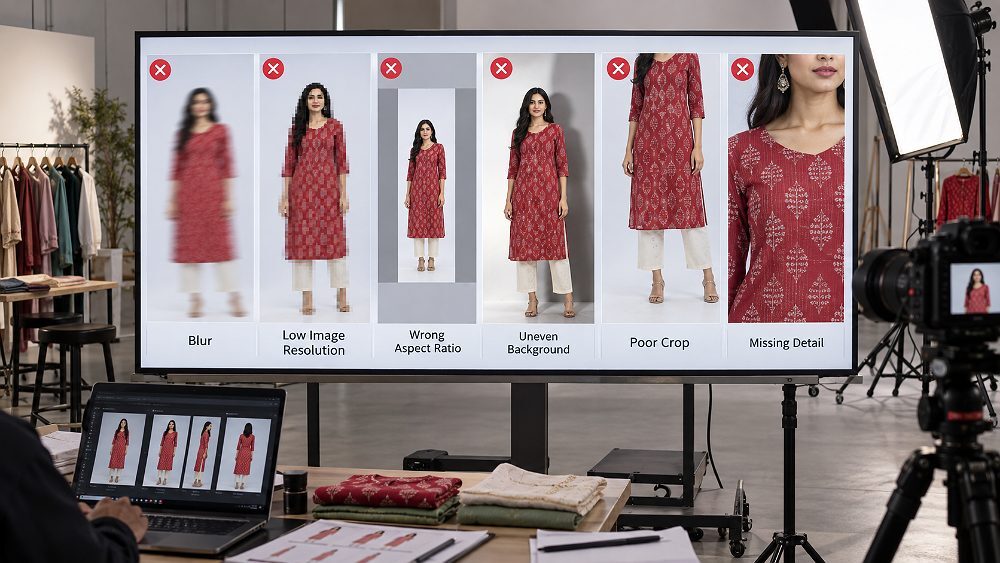
A missing angle is one of the clearest reshoot conditions because another photograph cannot reliably show information that was never captured. Compare the image sequence against current category expectations and the product shot list. If a side, back, sole, detail or construction view is required, photograph that view properly.
Decision: Reshoot the missing view.
In model photography, hands, hair, accessories or body position can obscure garment construction. Garment styling must support the product listing rather than compete with it. Minor obstructions may be editable only when the hidden area exists elsewhere in the same frame; otherwise the pose needs to be captured again.
Decision: Reshoot when the pose hides essential product information.
Model framing can sometimes be corrected from a wider master. Check whether the source contains enough space around the garment and whether the corrected image crop remains natural. If the original frame already cuts through important product areas, enlarging the canvas or synthesising body/product detail creates a misleading result.
Decision: Edit only from a wider authentic master; otherwise reshoot.
Light wrinkles and dust can often be corrected with careful retouching, but severe folding, poor fit or distorted drape is a capture problem. Steaming, pinning and fit checks should happen before the shutter is pressed. Over-retouching should never redesign the garment or change how it will actually arrive to the customer.
Decision: Retouch minor defects; reshoot fit, drape and styling failures.
Colour accuracy is a product-accuracy issue, not a beauty-grade preference. White balance, contaminated lighting, over-grading, incorrect product variant selection and monitor/export inconsistency can all shift colour. Moderate colour correction is useful when a calibrated reference supports it, but editing must never create a shade customers will not receive.
Decision: Correct measured colour carefully; reshoot when capture lighting destroyed recoverable colour.
If embroidery, stitching, print scale, buttons, trims or material texture disappear, the image may no longer represent the product faithfully. Check focus, lighting direction, compression and sharpening. Product detail photography should preserve real surface information; do not invent texture with aggressive AI sharpening or synthetic reconstruction.
Decision: Re-export or retouch when detail exists; reshoot when it was not captured.
A wrong SKU, mismatched product variant or incorrect included accessory is a catalogue accuracy problem. Editing labels or recolouring one product into another is not a reliable fix. Use SKU organisation at capture, maintain a shot log and verify product identity before each set is photographed.
Decision: Use the correct product and reshoot.
A catalogue set can appear inconsistent when lighting, model, crop, background, colour, product styling or scale changes between frames. Review the complete set together rather than judging each image alone. Consistency is especially important in catalogue photography because shoppers read the sequence as one visual description of the same item.
Decision: Normalise minor differences; reshoot frames that cannot match authentically.
The final Myntra product photo QC should audit the whole image sequence. Check for accidental duplicates, missing required views, wrong ordering, mixed variants and inconsistent exports. A correct primary image does not compensate for a broken set. Map each file to its SKU and slot before the final seller dashboard upload.
Decision: Rebuild the sequence or reshoot only the genuinely missing view.
The safest decision is based on recoverable information. If the correct product, angle, edges, texture and usable framing exist in the original file, editing can often solve a Myntra image rejection fix without another shoot. If the information was never captured—wrong SKU, missing angle, real blur, severe crop, hidden construction or incorrect styling—new capture is more honest and usually faster than trying to manufacture detail.
| Problem | Edit existing file | Reshoot recommended | Decision reason |
|---|---|---|---|
| Minor background cleanup | Yes | No | Product information is intact |
| Safe recrop | Yes | No | Master contains full product |
| Export error | Yes | No | Rebuild output from master |
| Minor white-balance issue | Often | Sometimes | Only if accurate reference supports correction |
| Focus blur | No | Yes | Real detail was not recorded |
| Missing angle | No | Yes | Required information does not exist |
| Wrong SKU/product variant | No | Yes | Product identity is wrong |
| Severe product crop | No | Yes | Missing edge/detail cannot be restored authentically |
| Incorrect pose/fit | Rarely | Usually | Styling changes product presentation |
Minor background cleanup, dust and spot removal, safe recropping from a wider master, restrained exposure correction, measured white-balance adjustment, border removal and corrected image export are reasonable editing tasks. Ckstudio’s ecommerce image editing workflow is relevant when the source photography is already technically sound. The editor should inspect the exported result at 100%, not just the layered retouching file.
True out-of-focus capture, a missing view, severe in-camera crop, wrong product, wrong colour variant, a model pose hiding garment details, incorrect fit or missing construction detail normally require a reshoot. The same applies when lighting makes accurate colour recovery unreliable. For garment-heavy catalogues, a controlled garment photoshoot and a consistent ecommerce model photoshoot can prevent repeated capture-level failures.
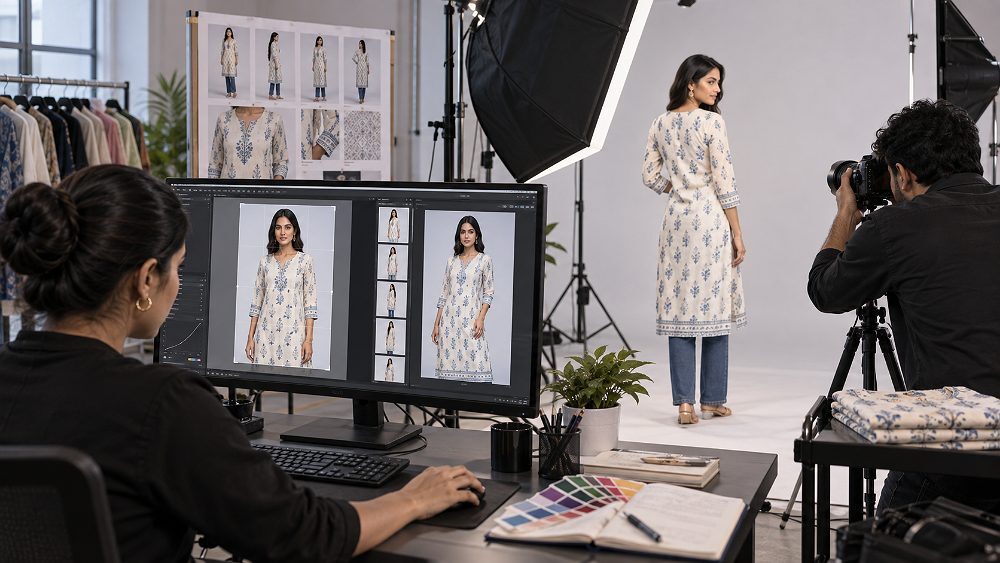
The 4R QC Rescue Framework turns an unclear rejection into a repeatable workflow: Read → Review → Repair or Reshoot → Re-verify. It is intentionally simple so a catalogue manager, photographer, retoucher and upload team can work from the same diagnosis instead of making disconnected changes.
Record the exact Myntra QC failed note, SKU, product variant, category and image slot. Keep the rejection evidence with the job so the correction is tied to the actual failure rather than assumptions.
Inspect the whole catalogue set together. Compare colour, crop, lighting, product identity, sequence and image quality. A single rejected file may expose a wider consistency issue across the product listing.
Use the edit-vs-reshoot matrix. Retouch only what can be corrected without changing the real product. Reshoot when missing or incorrect capture information makes an authentic edit impossible.
Complete technical, visual and sequence checks on the exported files. Confirm marketplace compliance against the current category documentation and preview the final files before submission.
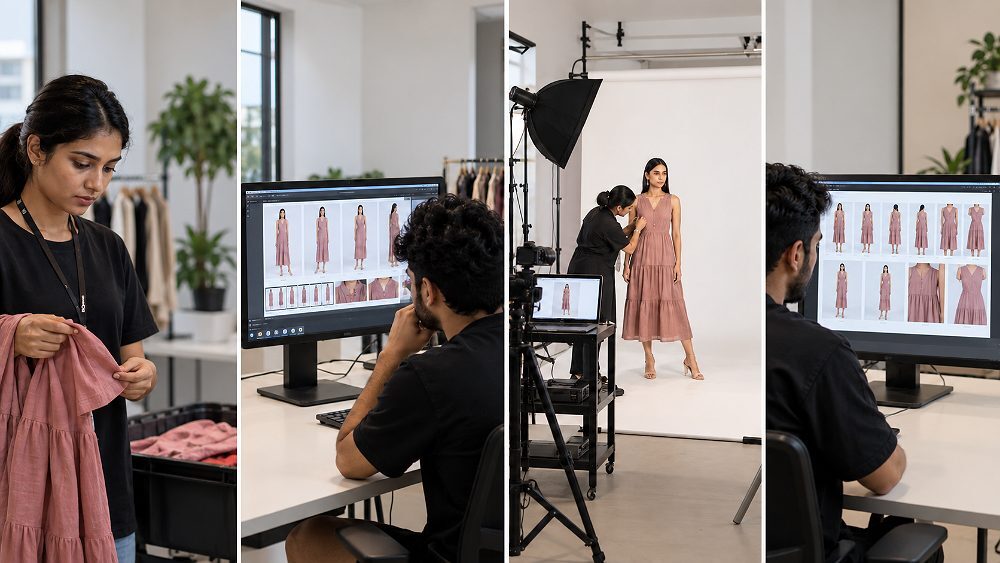
For a practical look at controlled marketplace production, this behind-the-scenes Ckstudio video shows a real studio workflow for products intended for Amazon, Flipkart, Myntra and Meesho. It complements the 4R process by showing the capture environment that supports repeatable catalogue assets.
A good reshoot brief prevents the same Myntra product image rejection from returning. The goal is not only to capture attractive images; it is to create a complete, accurate and consistent marketplace set with the right product identity, required coverage and controlled technical quality. Confirm any category-specific limits in current seller documentation before the session.
There is no single visual rule that behaves identically across every fashion category. That is why a troubleshooting guide should not publish one universal set of hard numeric limits. Use the current Myntra catalogue image guidelines for the exact category, then apply the category-specific capture checks below.
Prioritise fit, drape, front/back coverage, product visibility, colour and fabric detail. In fashion ecommerce, model photography should show the garment clearly rather than creating a pose-led editorial image that hides sleeves, hems, closures or construction.
Confirm the correct pieces, blouse or dupatta components, embroidery, print, drape and variant consistency. If the listing represents a set, the visual coverage must not create ambiguity about which pieces are included.
Check the correct pair, profile, top, heel and sole/detail coverage where required. Shape, stitching, surface cleanup and consistent angles matter. The dedicated footwear product photography workflow can be useful for repeatable marketplace sets.
Watch scale, hardware, texture, reflections, colour and included accessories. For reflective small products, controlled highlights and detail visibility are critical; jewellery product photography requires a different lighting logic from soft garments.
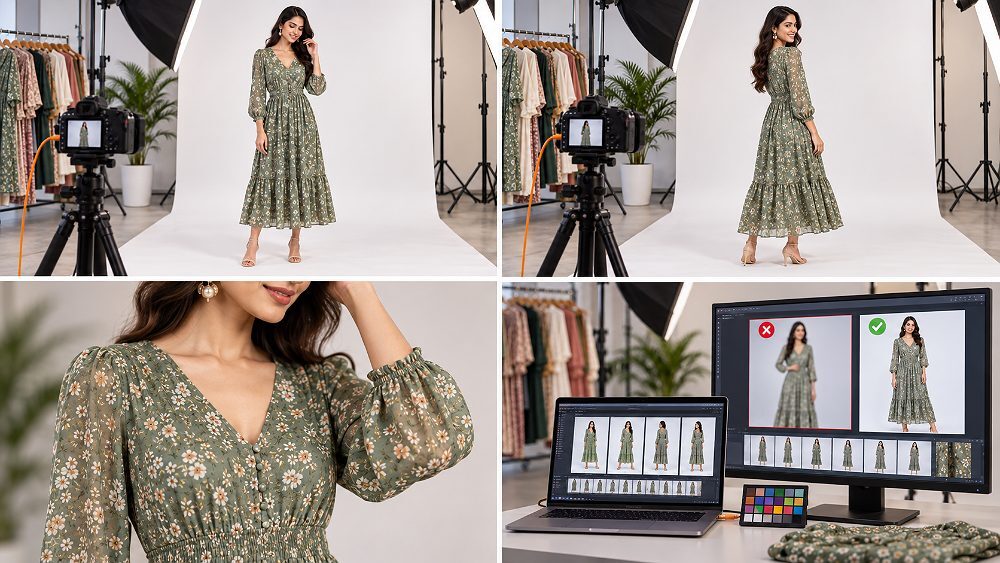
Prevention starts before capture, not after a Myntra listing rejected message arrives. Build a category-specific master shot list, keep a high-resolution master file, create marketplace-specific exports, and make one person accountable for the final quality control pass. This creates a repeatable system across photography, retouching, naming, sequence and upload.
The shot list should connect each SKU to every planned view, product variant and detail frame. It should also define the intended orientation and safe composition so the capture team is not improvising image dimensions or product coverage later. For clothing, the garment preparation guide is a useful companion because steaming, fit and styling errors are cheaper to prevent than retouch.
Keep a clean, high-resolution master that preserves real product colour, texture and frame area. Generate marketplace-specific outputs from that source rather than repeatedly editing already-compressed derivatives. A structured ecommerce photography workflow also helps teams separate capture, retouching, image export and delivery responsibilities.
The strongest time to detect missing angles, focus errors, wrong SKU or poor garment styling is while the product is still available to shoot. Prince’s operating principle is to review focus, colour, required coverage and product identity before the set is broken down. That prevents a preventable second logistics cycle and gives post-production a reliable source file.
For broader production planning, Ckstudio’s ecommerce photography services and the guide to catalogue consistency at scale show how repeatable capture standards support large SKU batches.
One rejected image does not automatically justify outsourcing. Repeated failures across dozens or hundreds of SKUs, however, usually indicate a workflow problem rather than a single editing mistake. High-volume catalogue teams benefit from standardised capture, garment preparation, model direction, colour management, retouching and pre-upload QC.
Professional reshooting is most valuable when the source photography itself is unusable. If missing angles, wrong products, severe blur or incorrect styling are recurring, link the corrective work to a consistent Myntra product photography process instead of patching each rejected file independently. For broader marketplace requirements, the ecommerce product photography standards guide provides useful cross-platform context.
A common fashion-catalogue rescue pattern is a mixed batch: some exports have background or crop issues, while other SKUs have missing views, wrong variants or capture blur. The efficient response is to re-export the genuinely fixable files, build a focused reshoot list for the affected SKUs/angles, and run a new pre-upload QC pass. This example describes the workflow only; it does not claim a fabricated approval percentage, revenue lift or rejection-rate reduction.
Send the rejected image set and QC notes so Ckstudio can separate repairable files from capture-level problems.
Myntra product images can fail QC because of technical, visual, product-accuracy or category-specific issues. Check the exact rejection message, affected SKU and current category requirements before deciding whether to edit or reshoot. Common Myntra photo rejection reasons include blur, crop, background, colour, missing views and incorrect product identity.
Start by identifying the exact QC issue. Export, safe crop, border or background problems may be editable, while missing angles, severe blur, wrong products, unusable crops or inaccurate capture may require a reshoot. Use the original master file whenever possible.
No. A reshoot is usually unnecessary when the required information already exists in a good master image and the issue can be corrected safely during editing or image export. Reshoot when authentic product information is missing or was captured incorrectly.
Use a category-specific shot list, maintain consistent capture and colour, check product identity at the set, inspect exported files, verify every SKU and image slot, and complete a final pre-upload QC checklist before submitting the catalogue again.
Check SKU and colour accuracy, image sequence, focus, crop, background, product visibility, required views, set consistency and final export quality against the current category requirements. Preview the exact uploaded file rather than relying only on the retouched master.
Before the next catalogue approval attempt, run this final pass against the current category documentation. It is intentionally short enough to use as the last gate before upload.
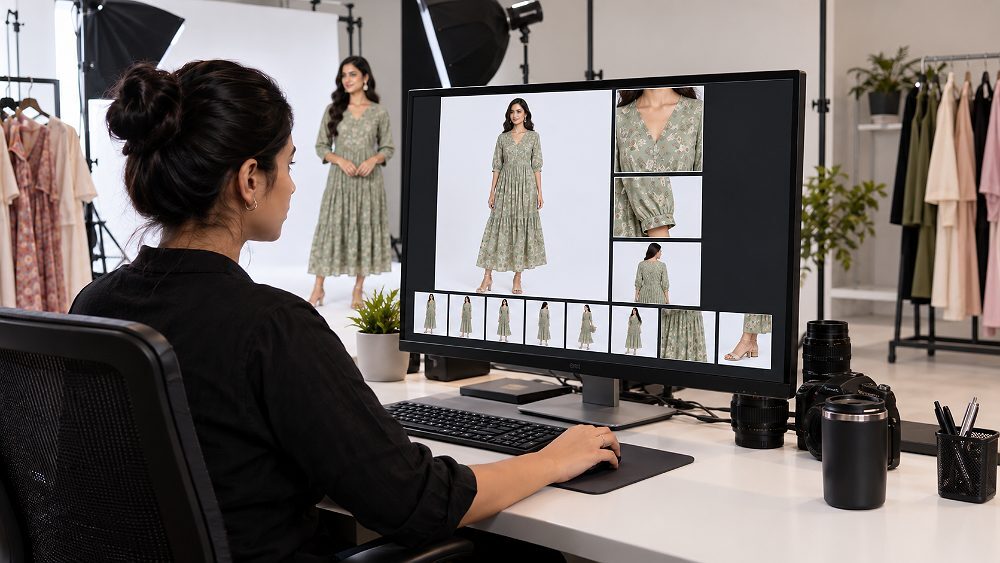
For colour-critical workflows, the International Color Consortium is a useful technical authority on profile-based colour management. For marketplace-specific acceptance, however, always prioritise the latest Myntra Partner Portal documentation for the exact seller category.
Still seeing Myntra QC Rejection after editing? Send Ckstudio the rejected image set and QC notes so the team can identify which images may be repairable and which genuinely need a professional reshoot. For service details, visit the Myntra product photography service page, call +91-8700258773, WhatsApp +91-8700258773, or email [email protected].