





Fashion Photography Services





E-commerce Photography




A practical 2026–27 Myntra Photography Guidelines guide for Indian fashion sellers — covering image size, background rules, model requirements, required views, editing standards, catalogue QC and a pre-upload checklist that reduces rejection cycles.
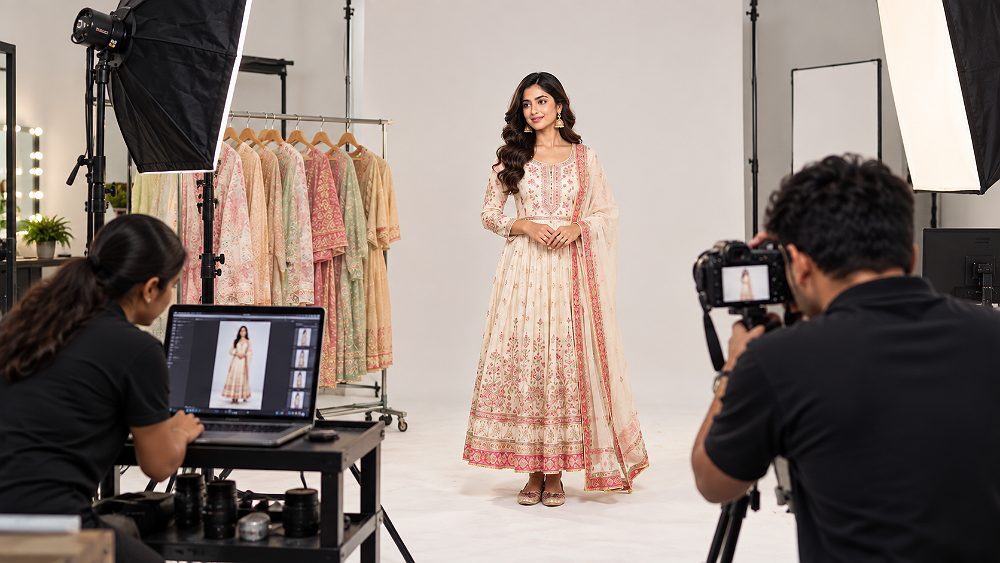
If you sell fashion, apparel, footwear, jewellery or beauty products on Myntra, your catalogue photography does much more than fill a listing — it decides whether QC approves your product, how buyers judge fit and quality, and how quickly your new collection actually goes live. This guide brings the current Myntra Photography Guidelines together in one place, written for Indian sellers, D2C brands and catalogue teams who upload SKUs at scale and want fewer rejections in the loop.
In the sections below, we cover Myntra image size, aspect ratio, background rules, Myntra product photography requirements, model photo guidelines for apparel, category-specific rules, editing standards, common catalogue QC rejection reasons and a pre-upload checklist you can save. At Ckstudio, our team has produced Myntra-ready model and product catalogues for fashion brands across Delhi, and Prince has kept the practical approach used for that catalogue work at the centre of this article.
Myntra’s exact category specifications — image dimensions, image count, background value, model rules and file settings — can change through Partner Portal updates. This guide teaches the production-safe workflow that consistently passes QC across categories, but sellers should always verify the current specification inside their live Myntra catalogue template before final production and upload. Last reviewed: 21 September 2026.
The Myntra Photography Guidelines cover image dimensions, portrait orientation, background rules, model presentation, required product views, colour accuracy, retouching limits and catalogue QC. Exact specifications vary by product category, so sellers should always confirm the current requirement in their live Myntra Partner Portal catalogue template before production and upload.
Even though Myntra is a fashion-first marketplace, its photography rules are surprisingly close to what serious ecommerce catalogue work already demands — high-resolution portrait images, a clean neutral background on the primary shot, accurate colour, a full set of views and consistent framing across every variant of one SKU. Where sellers most often go wrong is not the shoot itself, but the missing pre-upload check that would have caught the issue before Myntra’s QC did. Prince has seen this pattern repeat across dozens of catalogue projects at Ckstudio — technically clean images that still fail because one SKU in the set breaks the visual pattern the rest of the catalogue follows.
Before the first frame is captured, an SKU-heavy Myntra shoot should pass a short readiness check. This is the shortcut Ckstudio uses on every new fashion catalogue we produce, and it is the fastest way to protect the shoot from rework:
The Myntra image size question is where most seller queries begin — and where the highest number of avoidable QC rejections happen. Because Myntra is a mobile-first fashion marketplace, catalogue images are almost always portrait, high-resolution and colour-accurate. The safer path for any brand is to shoot at a high master resolution, then export to the current Myntra catalogue specification. That way, if the platform updates dimensions or Partner Portal rules shift for a category, you still have a clean, print-grade master to re-export from without a reshoot.
Publicly available Myntra image size requirements in 2026 show some variation depending on the category and catalogue tool a seller uses. As a production-safe rule, the most common approach for Indian fashion sellers is to capture in a full-frame portrait crop at studio resolution, retouch on a wide-gamut display and export to the exact dimension the current Partner Portal template asks for. Prince’s team at Ckstudio typically retains master files at a much higher resolution than any single upload spec — this protects the brand for future Myntra updates and for cross-channel use on Flipkart, Amazon and D2C storefronts.
Do not treat any single image dimension you see in a third-party blog as a permanent Myntra rule. Before final export, download the current catalogue template for your specific category from the Myntra Partner Portal, or ask your Myntra category manager for the current specification in writing.
Beyond raw dimensions, four production choices decide whether a Myntra image looks retail-grade on a mobile screen. First, portrait orientation is the standard — fashion catalogue images are consumed vertically. Second, the aspect ratio stays consistent across every SKU in a set; a mixed catalogue with some 3:4 and some 4:5 images breaks visual rhythm on the product listing page. Third, files are exported as JPEG with quality tuned high enough to preserve fabric weave and print detail — avoid the temptation to over-compress just to make files smaller. And fourth, the whole workflow — camera, monitor and export — should run on sRGB, which is what Myntra’s front-end will render.
For sellers scaling up from 50 to 500 SKUs, this consistency matters even more. If you want a deeper read on scaling catalogue production without losing quality, our guide on scaling product photography from 50 to 500 SKUs walks through the actual workflow shift required, and the checklist inside our ecommerce catalog photography consistency guide is the same one used inside Ckstudio’s own studio operations.
Keeping a high-resolution master file per SKU is the single best insurance policy against future Myntra spec changes. A brand that shot at studio-master resolution in 2024 could re-export the same catalogue for the current 2026 upload specs — without booking the model, garment or studio again. Ckstudio archives every catalogue master this way, so seller partners can re-cut for new marketplaces or D2C launches later.
The background is the single strongest visual signal that a catalogue image belongs on Myntra. Whether the product is a saree, a men’s sneaker or a lipstick, buyers scanning the listing grid form an impression in the first second — and that impression is heavily shaped by how clean, neutral and consistent the background looks across every image in the set. This is one of the three most common areas where Myntra catalogue QC pushes back on new sellers.
For most Myntra fashion categories, the primary image sits on a clean studio background — either pure white or a very light neutral, depending on category and product colour. The rule of thumb Prince follows at Ckstudio is simple: the background should never compete with the garment. That means no visible shadows creeping across the frame, no colour cast bleeding into the fabric, no dust or wrinkles on the paper roll, and no gradient that shifts from image to image within one SKU. For darker or heavily embellished garments, a slightly cooler neutral separates the product from the backdrop more cleanly than a stark white ever will.
Category still matters here — a beauty product on white behaves very differently from a womenswear kurta on the same background. If you are running an apparel-first catalogue, the same discipline covered inside our background selection guide for fashion ecommerce photography applies directly to Myntra, and for footwear the crop and platform tone shift again — reasoning we explored in our footwear photography service page.
Consistent framing across every image in a single SKU is what separates a professional Myntra catalogue from an amateur one. This is what Ckstudio locks in during a shoot before the first frame is captured: same crop, same headroom or product padding, same horizon level and same vertical alignment across variants. A saree shot slightly off-centre next to a saree shot perfectly centred looks careless on a Myntra listing page — even if the individual photos are technically sharp. When we plan a shoot for a fashion seller, we build a physical frame reference right on the studio monitor so the photographer and the stylist stay aligned across a 30, 100 or 500-SKU set.
Model photography is where Myntra genuinely separates itself from other Indian marketplaces. Because Myntra is fashion-first, the model image communicates fit, fall, length and styling context in a way a flat lay or ghost mannequin simply cannot. Sellers producing apparel for Myntra should treat the on-model image as the anchor of the SKU story — everything else supports it. For a deeper working knowledge of how a professional model shoot for Myntra is planned, our team’s model photoshoot service in Delhi India page covers the operational side end to end.
Fashion and apparel categories on Myntra almost always benefit from on-model images. Buyers browsing kurta sets, dresses, jeans, shirts, activewear and ethnic wear specifically look for how the garment sits on a real body — length at the hip, break at the ankle, drape at the shoulder. However, model requirements can differ by category, and some accessory-heavy or beauty categories may not require model imagery at all. As with everything on Myntra, verify the live category specification before you book the model calendar. Prince’s teams at Ckstudio always keep a category-mapped shot brief that lists what is mandatory vs recommended for the shoot day.
A Myntra model pose has one job — show the garment cleanly. That means the front view keeps the entire piece visible, the back view is shot from a comparable framing, and any side or three-quarter view captures how the fabric moves off the body. Natural, upright posture works far better than heavily editorial fashion poses; Myntra is a commerce marketplace, not a magazine editorial, and buyers need to see the product first. Consistent styling within one SKU is non-negotiable — same model, same hair, same shoes, same lighting across the front, back and side of one product.
If you are preparing garments for an upcoming shoot, our operational guide on how to prepare garments for an ecommerce model photoshoot covers steaming, tagging and pre-shoot styling in detail. For sellers evaluating whether to invest in professional model photography vs freelance UGC, our comparison on studio-backed UGC vs freelance creator UGC ROI reflects the same catalogue economics that apply to model work.
A well-lit shoot can still fail Myntra QC if styling hides the product. The recurring issues we see: hair covering the neckline of a top, hands hiding a pocket or embroidery detail, jewellery accidentally competing with a garment print, incorrect layering that alters the intended silhouette, visible wrinkles the retoucher did not fully clean, wrong footwear that changes the outfit’s length reading, or a distracting accessory that draws the eye away from the actual SKU being sold.
Every Myntra SKU needs a full set of images that together tell a complete product story. The exact count varies by category, but the underlying logic stays the same — buyers should never have to guess what the front, back or fabric texture looks like. Below is the standard sequence Prince’s team uses at Ckstudio across most fashion catalogue projects, with the understanding that final image count and order should match your live Partner Portal template.
The primary image is the seller’s shopfront on Myntra. It’s the image that appears in search results, in category grids and in “Similar Products” widgets — so it has to be perfectly framed, cleanly lit, and true to the product colour. For apparel this is almost always a straight front-on model shot; for accessories or beauty, it’s a centred product shot on a clean background. Every other image supports the story this one starts.
The back and side views validate the primary image. Buyers use them to confirm the cut, the length, the hemline, the seam construction and how the garment reads from every angle. For men’s shirts and women’s kurtas especially, a strong back view showing yoke placement and stitching is often the difference between a sold SKU and one abandoned mid-scroll.
Detail shots are what Myntra buyers open when they zoom in — so they need to hold up to close inspection. This includes fabric weave, print sharpness, embroidery precision, zipper hardware, button quality and stitch tightness. For jewellery listings, this is where macro photography earns its place; for premium menswear, it’s often the collar and cuff detail. Ckstudio uses macro-capable lenses for these shots specifically because they preserve texture information a compressed cropped image would lose.
Styled or lifestyle views round out the sequence — the model interacting with the environment, a full-length walking shot, or a three-quarter view that shows drape. These are the images that let buyers imagine themselves in the outfit, and they’re where premium fashion sellers on Myntra genuinely outpace budget catalogues. Our lookbook photography workflow is designed exactly for this kind of catalogue tail, and for brands building longer stories, our lookbook photography for fashion brands guide walks through the visual planning.
The exact image count and sequence Myntra expects can differ by category. Womenswear, menswear, footwear, accessories, jewellery and beauty each carry their own image template. Always check your live Partner Portal category template for the current mandatory sequence before finalising the shoot list.
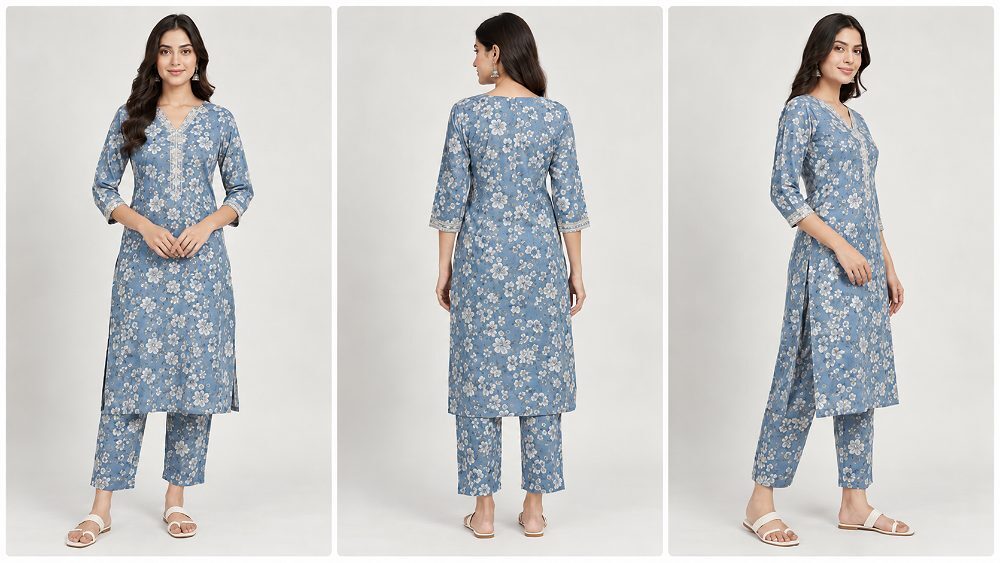
One of the biggest mistakes new Myntra sellers make is assuming that apparel rules automatically apply to footwear, accessories, jewellery or beauty. They don’t. Each vertical carries its own catalogue template, its own required views and its own visual language. Below is a working category matrix Prince uses at Ckstudio when planning a new Myntra shoot, alongside the confirmation step every category still needs.
Womenswear on Myntra typically expects strong model imagery — front, back and a movement or styled shot that shows drape. Ethnic wear, especially sarees, kurta sets and lehengas, requires that the dupatta, pallu and border embroidery all remain visible in the primary image. For deeper category work, our ethnic wear photography guide covers styling, pinning and lighting in detail.
Menswear leans heavily on precise fit imagery. Shirts, trousers and denim need clean front and back views, a hem-level detail for length and construction, and — for premium ranges — a collar and cuff macro. Model selection matters more than sellers often realise; wrong body type on a menswear shoot can mis-communicate the fit to the entire buyer segment.
Kidswear catalogues need natural, unstyled child model photography — over-styling reads awkward and misrepresents the product. Colour accuracy matters even more here because parents shopping kidswear on Myntra decide primarily on colour, cut and comfort cues in the image.
Footwear needs a consistent three-quarter angle, sole view and detail crop of the upper. Accessories like bags and handbags, watches and eyewear each carry their own view template. Jewellery is the most technical of all — macro focus, controlled specular highlights and a background that reads true to the metal tone. Our jewellery photography work and the deeper complete jewellery photography guide for ecommerce both apply directly.
| Category | Model Requirement | Key Views | Critical QC Sensitivity |
|---|---|---|---|
| Womenswear | On-model, front + back + styled | Full-length, back, three-quarter, fabric detail | Colour accuracy, drape, fit |
| Menswear | On-model, front + back | Front, back, collar/cuff detail | Fit reading, construction visibility |
| Ethnic Wear | On-model, styled | Front, back, embroidery macro, drape | Border, pallu, dupatta visibility |
| Kidswear | On-model, natural pose | Front, back, detail | Colour, comfort read |
| Footwear | Product-only or on-model | Three-quarter, sole, upper detail | Consistent angle across variants |
| Accessories & Bags | Product-only or lifestyle | Front, back, interior, hardware detail | Scale reference, texture |
| Jewellery | Product-only + optional model | Front, side, macro of setting | Metal tone, stone clarity, specular control |
| Beauty & Cosmetics | Product-only | Front label, ingredient panel, application swatch | Label legibility, texture accuracy |
Retouching is where a technically clean shoot either becomes a professional Myntra catalogue — or gets flagged in QC for altering the product. Myntra’s QC team is specifically trained to catch images where retouching has changed how the product actually looks. The goal is to clean the image, not redesign the product. This is the discipline every editor at Ckstudio is trained on before they ever touch a client’s catalogue set.
Colour accuracy is the single most common Myntra QC issue we see with newer sellers. Buyers who receive a garment that doesn’t match the catalogue image return the product — and Myntra tracks that. The workflow that keeps colour honest is a calibrated retouching monitor, correct white balance set on the day of the shoot, a physical garment reference kept next to the retoucher, and independent variant handling so a red kurta doesn’t accidentally get colour-graded like the navy one shot two hours earlier. Our deeper piece on reducing returns through better product images covers the same colour discipline applied to marketplace returns generally.
Legitimate retouching for Myntra removes dust particles, lint, temporary imperfections on garments, minor tape or pin marks and unwanted background wrinkles. It does not redraw prints, artificially reshape the garment, alter embroidery, smooth out real fabric texture into plastic, or change hardware like buttons and zippers. If the retouch would change what the physical product looks like in the buyer’s hand, it should not happen. Our editorial-grade image editing services team works to this exact standard on every Myntra project.
Over-retouching almost always shows itself as unnatural skin texture on the model, plastic-looking fabric, or embroidery that reads flatter than the physical garment. Myntra QC picks up these tells quickly, and even when a listing passes, buyer trust erodes when the delivered product feels different from the image. Under-promise, over-deliver is the correct direction for Myntra retouching — not the other way around.
Before the retoucher signs off on the final catalogue export, put the physical garment side-by-side with the retouched image on a calibrated monitor. If the buyer would be surprised comparing the two, the retouch has gone too far. This one habit alone eliminates a large share of QC issues on Myntra catalogue projects at Ckstudio.
Understanding why Myntra rejects images is the fastest way to stop it happening again. Below is the working breakdown Ckstudio uses when a seller comes to us mid-project with a rejected catalogue set. The problems almost always fall into one of three groups — technical, photographic or editing — and each group has a repeatable fix.
Technical rejections are the easiest to fix and the most annoying to receive. The recurring causes are incorrect dimensions or aspect ratio for the category template, unsupported file format or export setting, over-compression that visibly softens the image, resolution below the current threshold, corrupted files that failed to write cleanly out of Photoshop, or the wrong image landing in the wrong SKU sequence slot. A clean file-naming convention and one final technical QC pass before upload eliminates most of these.
Photography rejections are where the shoot itself needs revisiting. Recurring issues include soft focus on the primary image, poor lighting balance across the SKU set, accidental clipping at the edge of the frame, uneven backdrop shading, backgrounds that shift tone across images in one SKU, inconsistent framing between variants and — most costly — garment details that are simply not visible in any of the images. These usually require a partial reshoot rather than a re-edit.
Editing rejections are where the retoucher has drifted from the physical product. Myntra QC flags images where the catalogue colour doesn’t match a reference, where texture has been over-smoothed, where prints have been artificially cleaned up, where variant images no longer look like consistent SKUs, or where a swapped-in background reads artificial. The fix is disciplined retouching and a physical-garment comparison at the sign-off step. For sellers dealing with edit-heavy issues, real photography vs AI-generated product images is directly relevant — AI-generated fashion images tend to fail Myntra QC precisely on these accuracy checkpoints.
If Myntra rejects an image, the recovery process is short and predictable — but only if you follow it in order. First, read the QC feedback carefully and identify whether it’s a technical, photography or editing issue. Second, compare the rejected image against the current category catalogue template downloaded from your Partner Portal. Third, correct the master file rather than the exported JPEG so the fix carries forward. Fourth, run an internal QC pass on the corrected image. Fifth, only then re-upload. Sellers who skip step four keep getting rejected on the same image.
| QC Problem | Likely Cause | Recommended Fix | Pre-Upload Check |
|---|---|---|---|
| Wrong image size | Export mismatch with category template | Re-export from master to correct spec | Verify current template dimension |
| Wrong aspect ratio | Inconsistent crop across SKU | Standardise crop guide | Check ratio consistency |
| Blurry image | Focus miss on primary image | Reshoot with locked focus point | 100% zoom on primary before export |
| Colour mismatch | Wrong white balance or over-grading | Recalibrate and compare to physical | Physical garment sign-off |
| Poor background | Dust, wrinkles, shifted tone | Retouch or reshoot backdrop | Background tone check |
| Incorrect crop | Product clipped or off-centre | Re-frame using master file | Frame consistency review |
| Garment hidden | Model pose or styling blocking detail | Reshoot with adjusted pose | View coverage checklist |
| Wrong SKU image | File naming error | Rename against SKU master sheet | SKU-file cross-check |
| Excessive retouching | Over-smoothing texture | Rework with lighter retouch pass | Physical vs retouched compare |
| Print/texture mismatch | Print altered in edit | Rework using untouched master | Zoom-in print check |
| Inconsistent model images | Different pose or styling across SKU | Reshoot missing frames | Full-SKU visual review |
| Incorrect image order | Upload sequence wrong | Reorder per template | Match Partner Portal sequence |
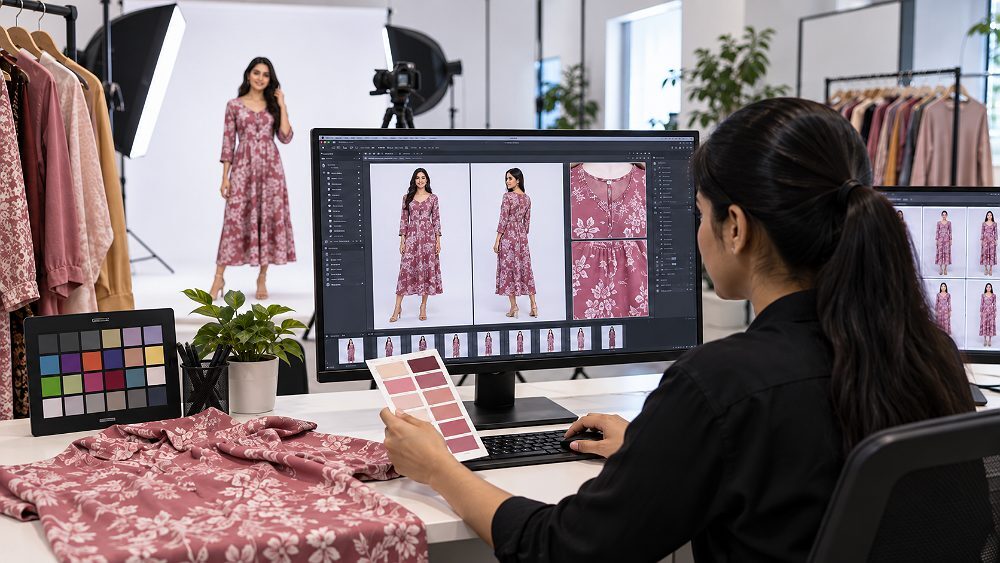
This is the checklist the operations team at Ckstudio runs before any Myntra catalogue leaves the studio. Save it, print it, hand it to your retoucher — most Myntra QC rejections we see could have been caught by this list before upload.
Sellers listing across multiple marketplaces often try to reuse one catalogue everywhere — and Myntra is where that shortcut usually breaks. Myntra’s fashion-first orientation makes its rules meaningfully different from Amazon India and Flipkart, especially around backgrounds and model imagery. Understanding the differences at a glance saves a lot of reshoot cost. For a deeper Amazon-side breakdown, see our Amazon photography services guide 2026, and for Flipkart specifically our Flipkart product photography guide 2026–27 covers the platform-side detail.
| Requirement | Myntra | Amazon India | Flipkart | Seller Action |
|---|---|---|---|---|
| Orientation | Portrait (fashion-first) | Square recommended | Square / portrait mix | Shoot portrait masters, crop per platform |
| Primary image style | On-model for apparel | Product-only on pure white | Product-only on pure white | Shoot both on-model and pure-white variants |
| Model photography | Expected in fashion | Optional, secondary images | Optional, secondary images | Prioritise for Myntra fashion catalogues |
| Background | Clean neutral studio | Pure white on primary | Pure white on primary | Match to each platform’s primary rule |
| Number of views | Full sequence expected | Category-based | Category-based | Check each platform’s template |
| Lifestyle images | Encouraged | A+ content zone | Rich-media zone | Produce, use in appropriate slot |
| Colour accuracy | Very high — return-sensitive | High | High | Calibrated retouching workflow |
| QC sensitivity | High for fashion detail | Moderate | Moderate | Full pre-upload QC pass |
If your brand is building A+ or rich content across marketplaces, keep the Myntra shoot as the master — its portrait fashion imagery generally reworks well downstream into Amazon A+ content and Flipkart A+ content. Going the other direction rarely works.
Individual rules matter — but only a repeatable workflow keeps a growing fashion brand producing Myntra-ready catalogues month after month. Here’s the five-step workflow Prince has refined at Ckstudio for fashion sellers producing 50+ SKUs per collection.
Log in to the Myntra Partner Portal and download the current catalogue template for the exact category you’re shooting. Screenshot it, share it with the photographer, retoucher and QC lead so everyone works off the same spec. Never trust a spec you read in a blog post — always verify against the live portal.
Every SKU in the shoot gets its own row in a shot list — required views, model requirement, styling notes, colour reference and any special detail crops. This document becomes the single source of truth for the shoot day and prevents the recurring problem of one variant accidentally being shot differently from the rest.
Lock the lighting, the camera settings, the framing and the model pose reference before the first SKU is shot. Ckstudio uses a physical frame reference on the studio monitor so every SKU comes off the wall at the same crop. Consistency here saves hours in retouching later.
Retouch every image to catalogue standard — clean but not over-processed — and keep a high-resolution master file per SKU. Then export a Myntra-ready file to the current portal specification. If Myntra updates the spec later, you re-export from master, not reshoot from scratch.
The full pre-upload checklist above runs on every SKU before it ever hits the Partner Portal. Technical export check, visual review check, model and garment check. Only after all three pass does the catalogue upload. This is how our fashion clients cut Myntra QC rejection cycles to near zero.
Not every seller needs a full professional catalogue partner from day one — but at certain thresholds, professional Myntra photography becomes the cheaper path. If your SKU count crosses roughly 50 per collection, if you’re onboarding a new marketplace, if you’re facing repeat QC failures, if your product colour is fabric-sensitive, or if your catalogue reads inconsistent across variants — that’s the point where a studio-led workflow saves more than it costs. Our clients typically see fewer reshoots, faster listing go-live and better colour retention against physical inventory.
At Ckstudio, Prince and the team run Myntra catalogue shoots end-to-end from our Delhi studio — category planning, SKU shot lists, model coordination, product-only shots, retouching to Myntra spec and internal QC before delivery. We work with D2C fashion brands, apparel manufacturers and multi-marketplace sellers, and our workflow is built specifically around reducing catalogue rejection cycles on Myntra. If you’d like to discuss your upcoming shoot, +91-8700258773 reaches Prince directly, or email [email protected] to plan the collection.
Myntra Photography Guidelines cover image dimensions, orientation, background, model presentation, required product views, colour accuracy, editing and catalogue QC. Exact specifications can vary by product category, so sellers should confirm their current Myntra catalogue requirements before production and upload.
Myntra catalogue images are generally prepared as high-resolution portrait images, but the exact accepted dimensions and upload specifications can vary by category and current seller workflow. Confirm the latest image-size requirement in your Myntra catalogue template or Partner Portal before exporting final files.
Model imagery is important for many Myntra fashion and apparel categories because it communicates fit, silhouette, length and styling. However, model requirements and image sequences may differ by product type, so sellers should check the current category-specific catalogue instructions.
Common problems include incorrect image specifications, poor focus, inaccurate colour, inconsistent cropping, unsuitable backgrounds, excessive retouching, hidden product details, incorrect SKU images and failure to follow category-specific catalogue requirements.
Confirm category rules before shooting, create an SKU-wise shot list, maintain consistent lighting and framing, preserve accurate product colour and texture, export files to the required specifications and run an internal QC checklist before uploading the catalogue.
Learn more from Myntra’s official Partner Portal for the current live seller specifications, and see the Government of India’s Startup India ecommerce resources for related compliance and seller support in the Indian ecommerce ecosystem.

