



















What is an AJIO seller?
An AJIO seller is a brand or authorised supplier that lists fashion, footwear, accessories, beauty or home products on AJIO, the online fashion store run by Reliance Retail. Sellers onboard through the Reliance supplier portal, clear a brand evaluation and add styles with category templates in AJIO Seller Central. Every upload passes an automated check and a manual review, and images are inspected in both before a style goes live.
Because AJIO curates its catalogue, the bar for presentation sits closer to a fashion label’s own website than to a general marketplace. If this is your first marketplace catalogue, our ecommerce photography services page shows how a full catalogue shoot is planned.
Why sell on AJIO in 2026-27
AJIO shoppers browse for style rather than search for a part number, so a listing wins on drape, fit and finish. Reliance has also been building fast delivery on top of its store network, and the numbers so far favour the sellers who qualify for it.
- cities covered by AJIO Rush four-hour delivery by the end of March 2026
- 600+
- higher conversion on Rush orders than the platform average
- 17%
- fewer returns on Rush orders, in basis points
- 500
- higher average selling price on Rush orders
- 16%
Figures reported by Inc42 from Reliance’s quarterly results: Q4 FY26 and Q2 FY26.
Where your styles can appear
- AJIO
- The main store, covering menswear, womenswear, kidswear, footwear, accessories, beauty and home.
- AJIO Luxe
- A separate storefront for premium and luxury labels, with tighter brand checks and presentation standards.
- AJIOGRAM
- A content-led showcase for homegrown Indian D2C fashion brands.
- AJIO Rush
- Four-hour delivery on eligible styles in covered cities, fulfilled through Reliance’s store network.
Catalog upload and QC on AJIO
Listings are created in bulk. In Seller Central, open Products, then Catalog, and download the template for each category you sell. Fill every starred column, upload the sheet and follow its progress under Upload History.
Plan for around five days of Auto QC and a further five business days of Manual QC. Rejected rows come back with reasons, so correct only those rows and upload them again instead of resending the whole sheet. The AJIO cataloging guide walks through the template steps.
Four habits that save a QC round
- Share image links only from Amazon S3, Google Drive or Dropbox, never password-protected, or upload a zip where the template asks for one.
- Keep style codes to 18 characters or fewer.
- Fill the EAN column for every size.
- Pick attributes from the dropdowns instead of pasting values.
Source: AJIO error resolution sheet
Catalog QC readiness
0/7Shooting hundreds of styles? Our notes on keeping a catalogue consistent at scale and preparing garments for a model shoot cover the habits that keep every file passing.
AJIO rich content: the A+ equivalent
Sellers on AJIO don’t get an A+ module builder. The product page is assembled from the catalog data you submit, so your attributes, image angles, swatch and size data are the rich content. Brand pages and campaign placements are arranged through your AJIO account manager.
| Element | Where shoppers meet it | What to prepare |
|---|---|---|
| Attributes | Filters, search and the product details panel | Fabric, fit, pattern, sleeve and occasion, all from template dropdowns |
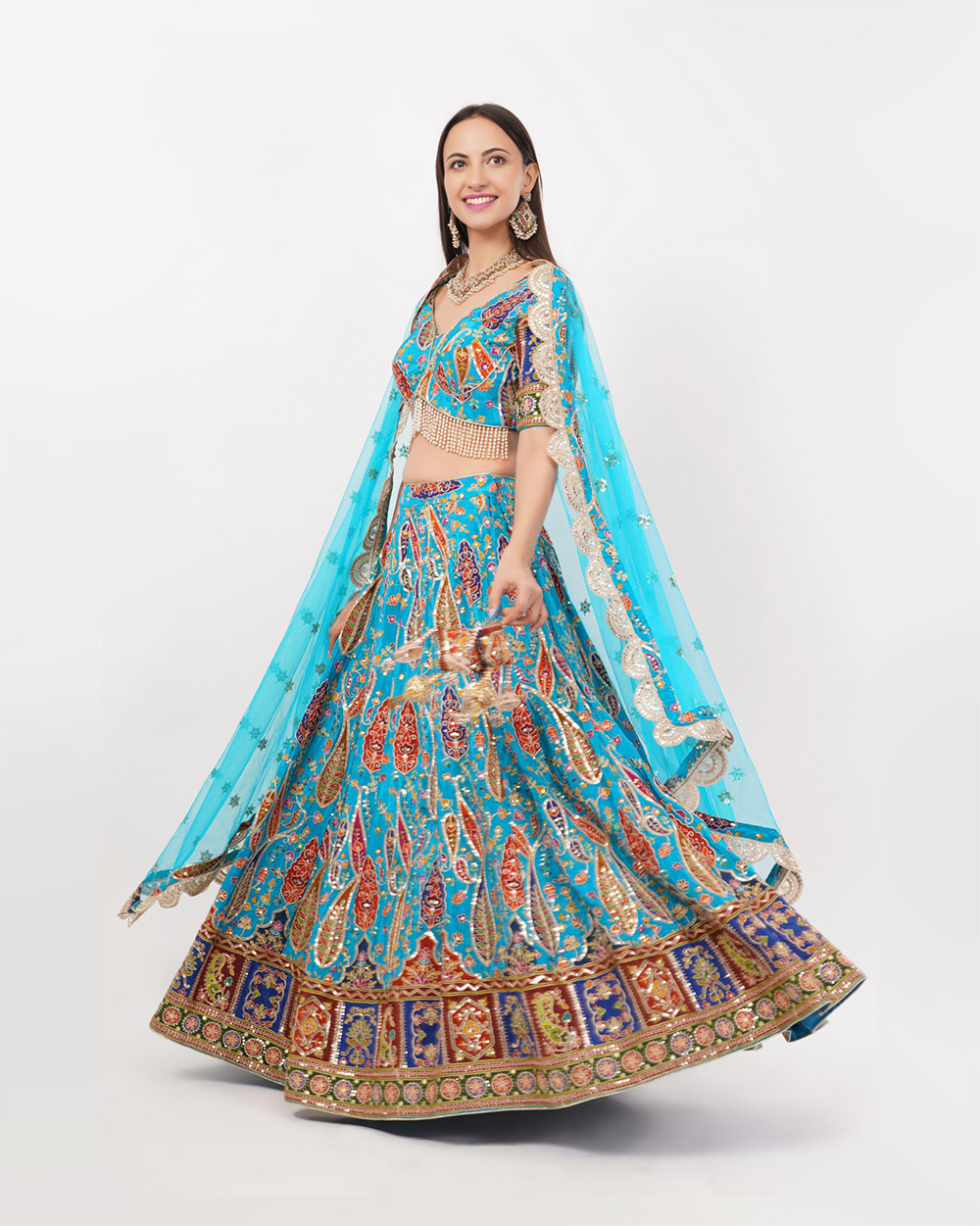
| Image angles | Gallery and zoom | Front, side, back and detail at 1:1.25 |
| Swatch | Colour selector | A true-colour fabric crop in the SWATCH field |
| Size chart | Size buttons and the size chart | Measured garment sizes entered in the template |
| Listing video | The gallery’s video slot | A short fit, fabric or movement clip, where enabled |
| Brand page and campaigns | Brand discovery and sale events | Lifestyle and banner frames from the same shoot |
Why AJIO images get rejected
- Promotional text, price tags, brand URLs or watermarks on the image.
- A mannequin, ghost mannequin or pack shot in the first position.
- Creased garments, or one image repeated across several angles.
- Files off the 1:1.25 ratio, under 1000 px, or outside 200 KB–1 MB.
- Images you don’t own or license, including celebrity images without authorisation.
How many frames is enough? Our guide to photos per listing breaks it down by category, and real photography vs AI-generated images covers the image-rights questions sellers now face.
Listing video on AJIO
Video shows what a still can’t: how fabric falls and how a fit moves when someone walks. On AJIO it sits inside the image gallery, as the listing preview above shows. Confirm the upload specs for your category with your account manager before the shoot.
The clip below is one of our marketplace apparel commercials: short, model-led and lit to match the catalogue stills it sits beside.
We plan listing videos in the same session as the stills, so colour and styling match across the gallery. See our video production work, or UGC video creation for ecommerce if you also need creator-style clips.
AJIO seller fees and payouts
Commission on AJIO depends on your category and business model, and it is fixed in your seller agreement. Percentages quoted on third-party sites vary too widely to price from, so build your margins from your own terms sheet.
- Commission
- A share of the selling price, set per category and model.
- Shipping
- Forward logistics on marketplace orders, by weight and zone.
- Returns
- Reverse pickup and restocking. In fashion this is usually the largest leak.
- Collection charges
- Payment or collection fees, where your agreement applies them.
- GST and promotions
- GST on fees, plus any sale-event funding or ads you commit to.
True colour, a measured size chart and an honest fabric close-up are the cheapest ways to cut returns. More on that in how better product images reduce returns.
Marketplace, sale-or-return or outright
Your business model decides who owns the stock, who carries unsold risk and when cash arrives. Which models are open to you depends on AJIO’s evaluation of your brand.
Marketplace
You hold the stock
- Who ships
- You pack; pickup as per your agreement
- How you’re paid
- Selling price minus commission and fees, each payout cycle
- Unsold stock
- Stays with you
- Suits
- New and growing brands running their own warehouse
Sale or return
Stock placed with AJIO
- Who ships
- AJIO
- How you’re paid
- For units sold, as per your agreement
- Unsold stock
- Returned to you as per terms
- Suits
- Brands with proven sell-through
Outright
AJIO buys the stock
- Who ships
- AJIO
- How you’re paid
- On purchase, at a negotiated margin
- Unsold stock
- AJIO’s risk, as per terms
- Suits
- Established labels AJIO buys for
Weighing AJIO against other platforms? Compare all marketplaces in the Ckstudio marketplace seller hub.
We also shoot catalogues for Myntra, Amazon and Flipkart, and one planned shoot can be exported to each platform’s spec.
Growth checklist for AJIO brands
- Launch a focused range you can dispatch on time, then widen it.
- Hold depth in your fastest sizes so styles stay eligible for faster-delivery programmes.
- Book sale-event slots with your account manager ahead of festive peaks.
- Refresh first images before each season; the crop is what earns the click.
- Read return reasons every month and fix the listing, not just the stock.
- Keep every attribute complete so styles surface in filters and search.
- Running a premium label? Build the case for AJIO Luxe with lookbook-grade imagery.
AJIO seller FAQs
How do I register as a seller on AJIO?
Apply through the Reliance supplier portal at supplierregistration.ril.com with your GST, PAN, bank and brand documents. Once your brand is approved, you manage listings, orders and payments in AJIO Seller Central.
Is GST mandatory to sell on AJIO?
Yes. A valid GSTIN is required, along with PAN, bank details, address proof, a brand logo and either a trademark certificate or an authorisation letter from the brand owner.
What size should AJIO product images be?
Use a 1:1.25 portrait ratio with more than 1000 px on both sides; 1600 × 2000 px is a safe target. Save at 72 dpi as JPEG or PNG, between 200 KB and 1 MB per file.
Can a ghost mannequin image be the first image on AJIO?
No. Mannequin, ghost mannequin and pack images can’t lead an apparel listing. Start with a cropped on-model front view and place mannequin frames later in the gallery.
Which image angles does AJIO require for apparel?
Front, side, back and detail are mandatory. The first image goes in the MODEL field, extra images in MODEL2, MODEL3 and onwards, and the colour swatch in its own SWATCH field.
How long does AJIO take to approve a catalog?
Plan for around 5 days of Auto QC and a further 5 business days of Manual QC after upload. Rejected rows come back with reasons and can be fixed and uploaded again.
Does AJIO offer A+ Content?
No A+ module builder is available to AJIO sellers. Your product page is built from catalog data, meaning attributes, image angles, swatch, size chart and video where enabled, and brand pages are arranged through your account manager.
Does Ckstudio shoot AJIO-ready catalogues?
Yes. Ckstudio shoots on-model, flat lay, ghost mannequin, detail and video content to AJIO’s 1:1.25 frame, with files named and foldered by style code so they drop straight into the catalog template.

