





Fashion Photography Services





E-commerce Photography




A practical, fabric-by-fabric and marketplace-by-marketplace way to choose the right clothing photo style before you book a single shoot day.
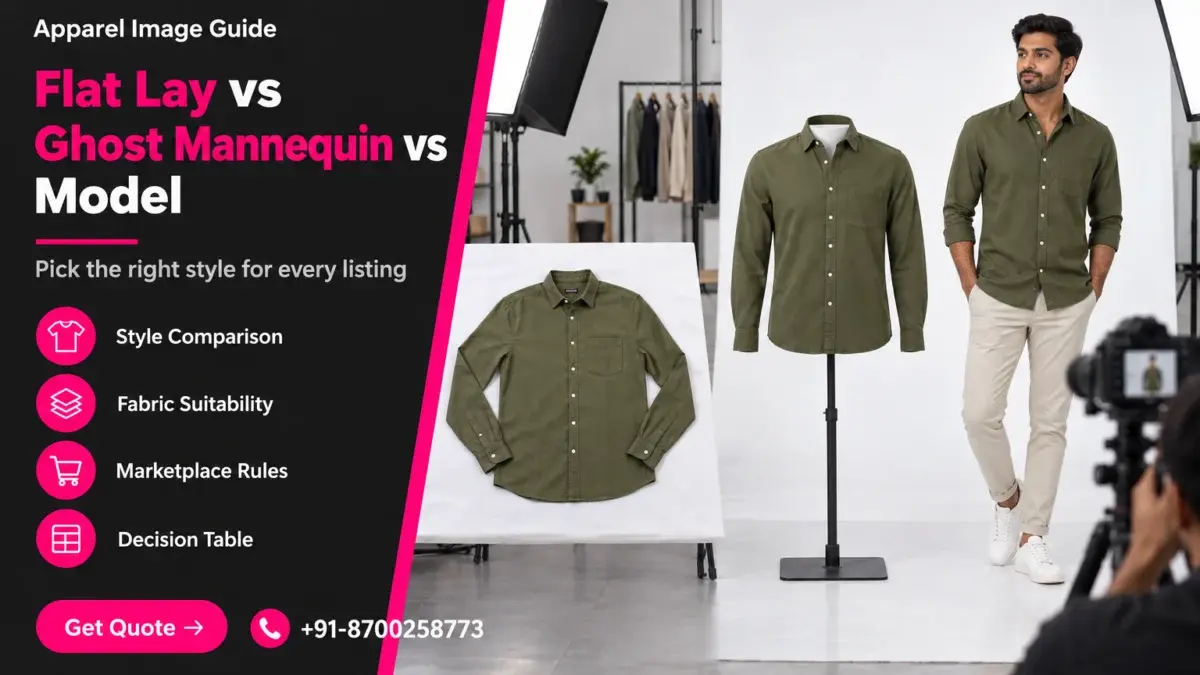
The flat lay vs ghost mannequin question, with on-model shots as the third option, is the first real decision every apparel seller makes before a catalogue shoot, and getting it wrong costs reshoots, rejected listings and wasted model hours. If you already know overhead garment shots are part of your plan, our flat lay photography page explains how Ckstudio runs that format in the studio; this guide steps back and compares all three styles side by side.
You will learn what each style shows best, which fabrics behave well in each, what Amazon, Flipkart and Myntra actually expect, what pushes the cost up or down, and how to mix styles inside one listing. Prince and the Ckstudio team have shot apparel catalogues since 2015, so the advice below comes from real shoot-floor decisions rather than theory. Where a marketplace rule is quoted, the official source is linked so you can confirm it for your category.
In this guide
Flat lay shows the full garment outline, print and colour with zero distortion; ghost mannequin shows three-dimensional fit and drape without a person; on-model shots show scale, movement and how the piece looks when worn. Each answers a different shopper question, so the right choice depends on which question your buyer asks first.
A flat lay is a garment laid on a white or neutral surface and shot from directly above. It is honest about shape: the hem length, sleeve length, print placement and pocket positions are all visible in one frame, and nothing bends the fabric out of proportion. That makes it ideal for kidswear, t-shirts, pyjama sets, dupattas, scarves and multipacks, where the shopper mainly wants to check the print and the colour.
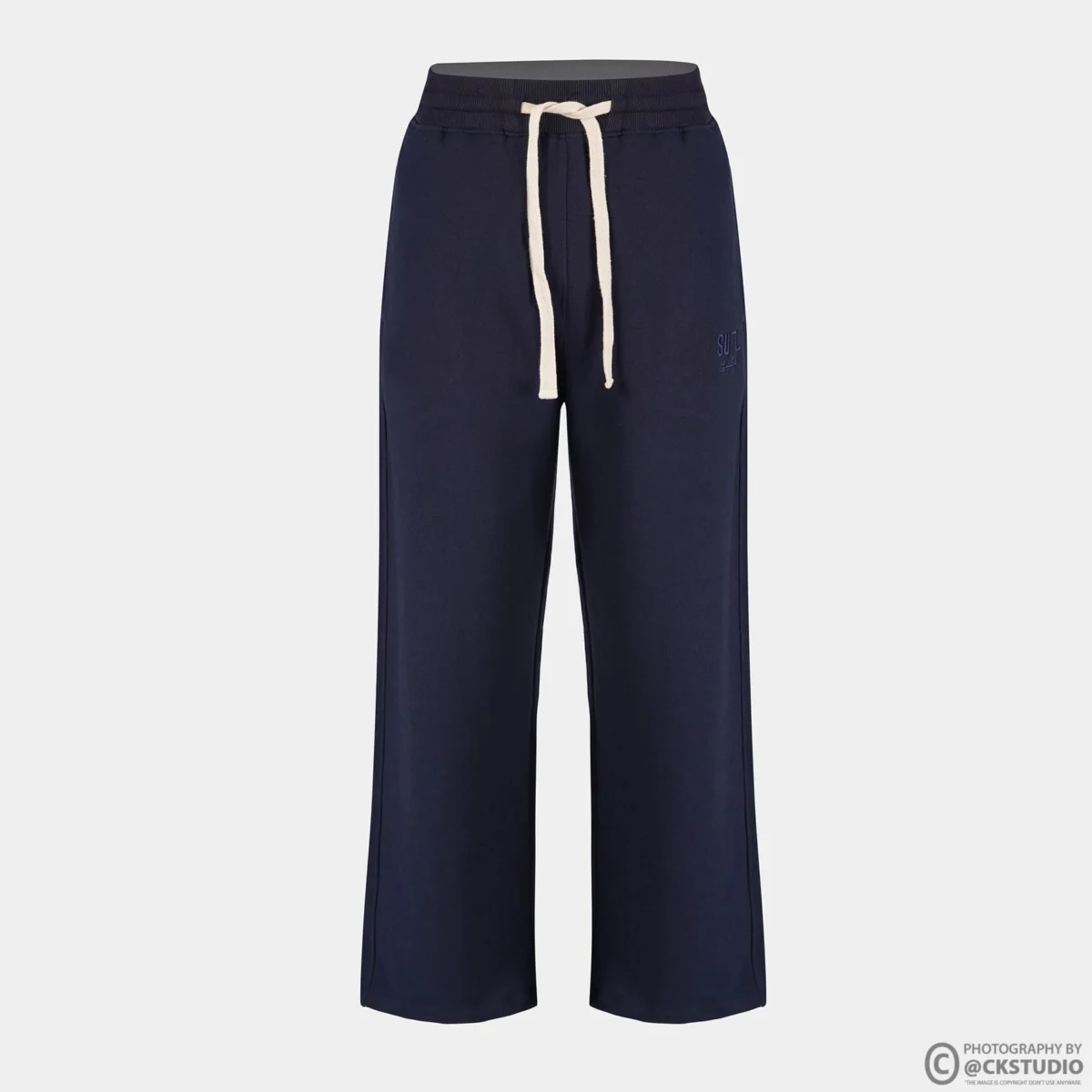
A ghost mannequin image is shot on a mannequin, then the mannequin is removed in post-production so the garment appears to float with a natural chest, waist and neckline. It answers the fit question that a flat lay cannot: how does the collar sit, how does the shirt fall from the shoulder, where does the waistband land. Sellers whose returns come from “looked different on me” complaints usually lean on ghost mannequin photography to show structure without paying for a model on every SKU.
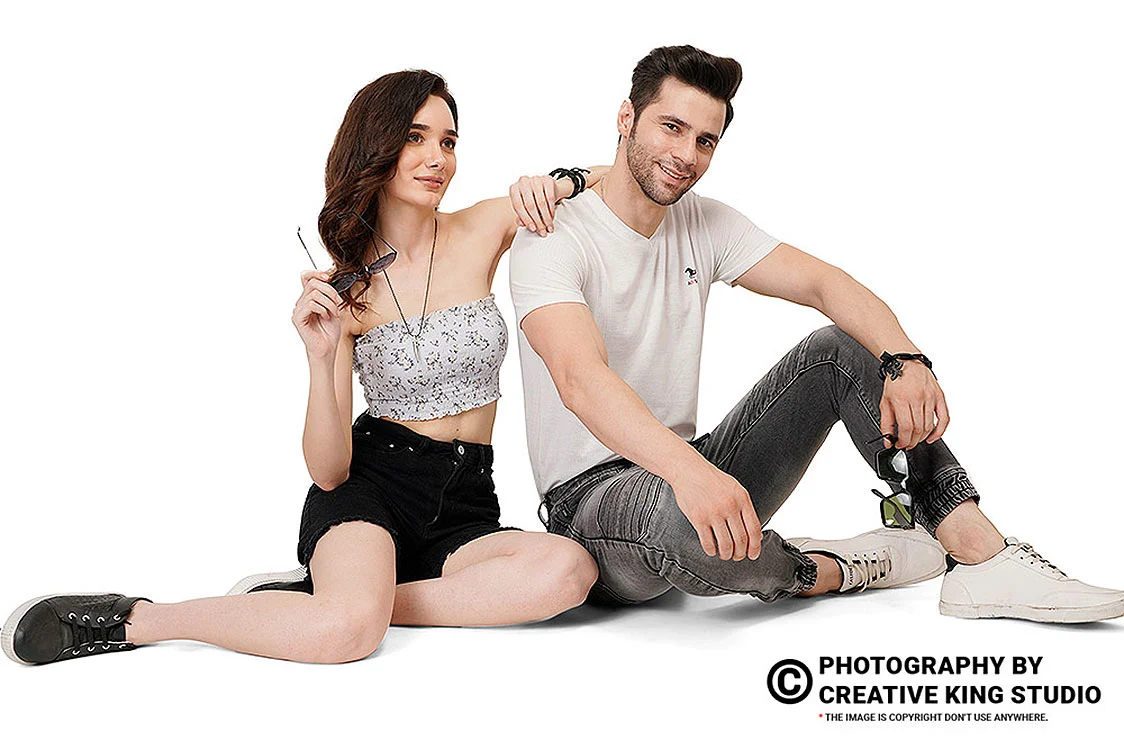
An on-model image puts the garment on a real person. It is the only style that shows scale against a body, how the fabric moves when someone walks or turns, and how the outfit is meant to be styled. For western dresses, kurtas, co-ord sets, sarees and premium menswear, the model shot is usually the image that sells the mood, while the other two styles carry the technical detail.
Both styles keep the focus entirely on the garment and both sit comfortably on a white background, which is why sellers often treat them as interchangeable. They are not. Flat lay flattens volume, so a structured blazer or a padded jacket looks lifeless; ghost mannequin adds volume, so a loose kaftan or a stretchy legging can look oddly stiff. The practical rule we use at Ckstudio: if the garment has a defined shoulder, collar or waist, the invisible form wins; if it is soft, printed or sold as a set, the overhead shot wins.
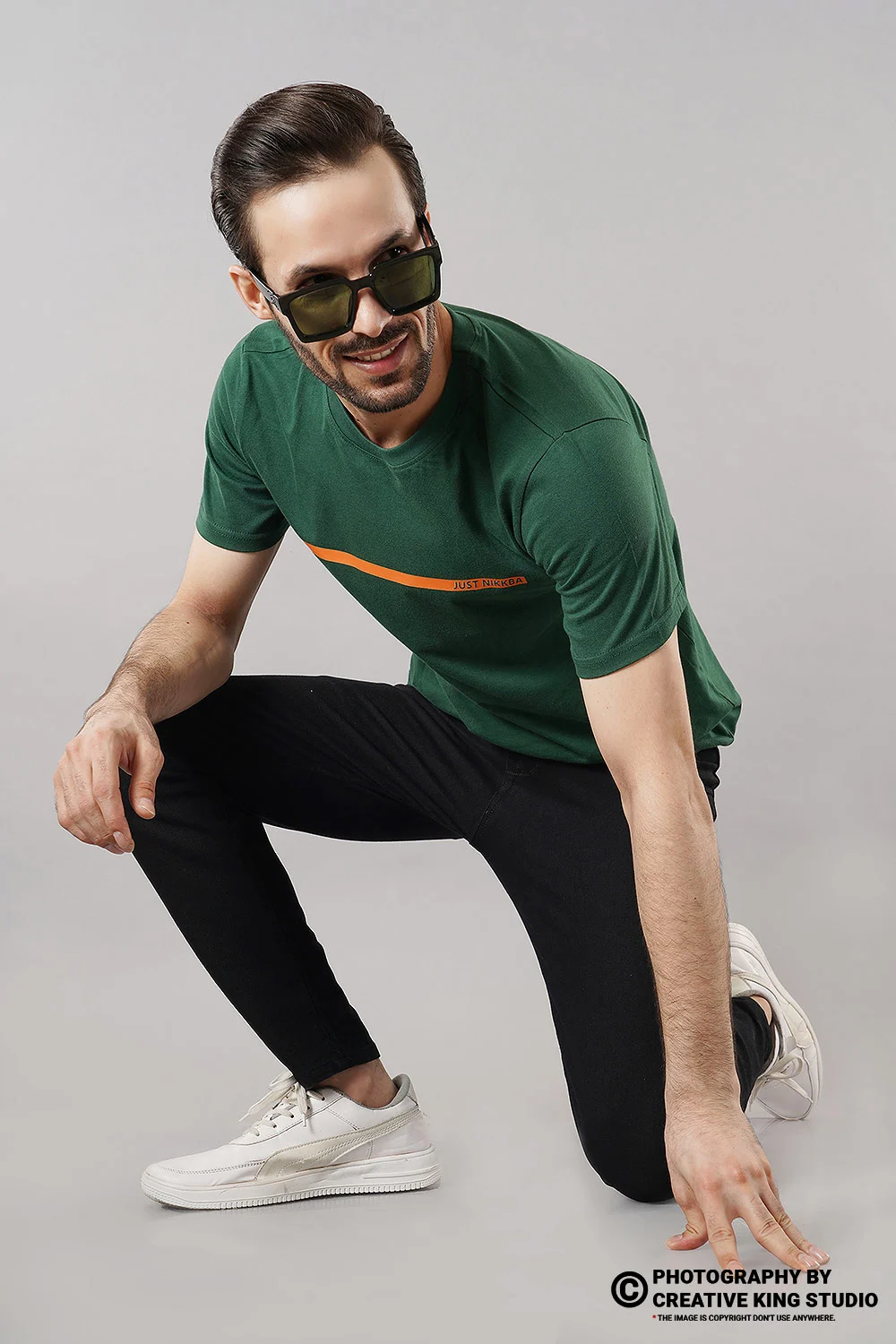
The short video below shows how a marketplace t-shirt shoot moves between angles on a model, which is useful context before you compare costs later in this guide.
Flat lay needs an overhead camera rig and even, shadow-free top light; ghost mannequin needs a modular mannequin, a fixed camera height and a compositing step; model shoots need a seamless backdrop, a stylist, a model and more frames per SKU. The setup decides how many SKUs fit in a day.
The equipment list looks similar on paper because all three use the same camera body and strobes, but the way the set is built changes everything about speed and consistency. Understanding the flat lay vs ghost mannequin setup difference helps you plan which garments to group on the same shoot day, so the crew is not constantly rebuilding lights.
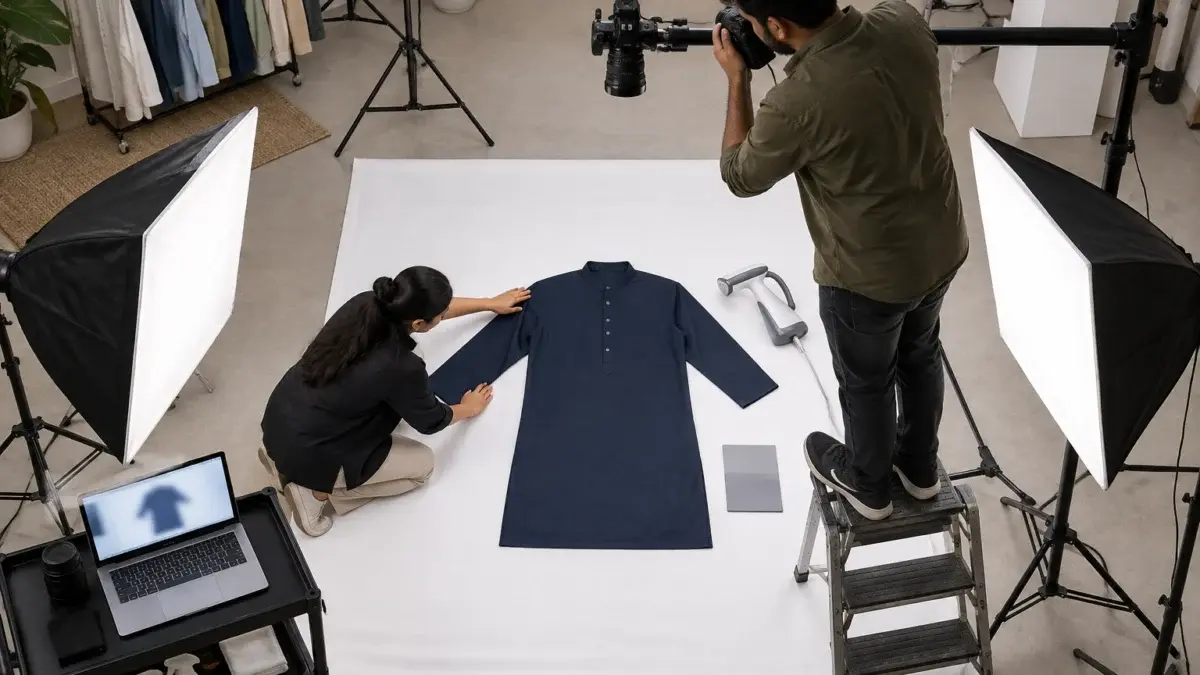
For flat lay we work with the camera on a boom arm pointing straight down, the sensor parallel to the floor, and the garment on a white seamless sheet. Two large softboxes sit at roughly 45 degrees on either side so the fabric texture shows without hard shadows. The stylist steams the piece first, then squares the shoulders and side seams to a taped guide on the floor so every SKU in a batch lands in the same position and scale.
From the studio floor
Our overhead rig keeps the camera at a fixed height of about 2.2 metres with a 50mm lens on a full-frame body, so a size M shirt fills roughly the same share of every frame. We mark the collar point and both shoulder tips with low-tack tape, steam for 60 to 90 seconds per side, then square the shoulders with a ruler before each frame. Sleeves are folded at a consistent angle, and the first frame of every batch includes a grey card for colour reference.
Ghost mannequin needs a mannequin with removable neck, chest and arm panels, mounted at a fixed height in front of the camera. Each garment is shot at least twice: once on the form for the outside view, and once inside-out or with the front panel removed to capture the back neck label area. The two frames are then composited so the neckline looks hollow and natural. You can see finished results in our invisible mannequin examples gallery post.
Model shoots use a seamless white or light grey backdrop, a key light with a large octabox, fill from the opposite side and often a strip light behind for edge separation. A stylist pins and clips the garment to fit the model, and the photographer takes front, back, side and a walking or detail frame. Changing garments takes far longer than swapping a flat lay, so fewer SKUs fit in a day.
Soft, printed and kids’ garments look best flat; structured and fitted garments look best on an invisible form; flowing, draped and premium occasion wear usually need a model. Fabric weight, stretch and structure matter more than the product category name.
Sellers often ask for one style across a whole catalogue to keep things simple. That works when the catalogue is uniform, but a mixed range of cotton tees, linen shirts and georgette kurtas will look uneven if forced into one style. The table below is the fabric map we use when planning a mixed apparel batch.
| Fabric / garment type | Flat lay | Ghost mannequin | On-model |
|---|---|---|---|
| Cotton t-shirts, polos | Good for prints and packs | Best for collar and fit | Good for hero image |
| Kidswear sets, rompers | Best | Rarely needed | Optional lifestyle frame |
| Formal shirts, blazers | Weak, looks flat | Best | Good for styling |
| Georgette, chiffon, sarees | Weak, loses drape | Weak, looks stiff | Best |
| Denim, trousers, joggers | Good for wash detail | Best for waist and leg shape | Good for fit check |
| Innerwear multipacks | Best for packs | Good for single pieces | Category dependent |
| Knitwear, sweaters | Good for pattern | Best for volume | Good for texture in motion |
Notice that the best style changes even inside one category. A cotton kurta photographs well flat because its print is the selling point, while a georgette anarkali loses everything that makes it beautiful once it is laid on the floor. If your range covers both, plan the shoot as two batches rather than compromising on one look.
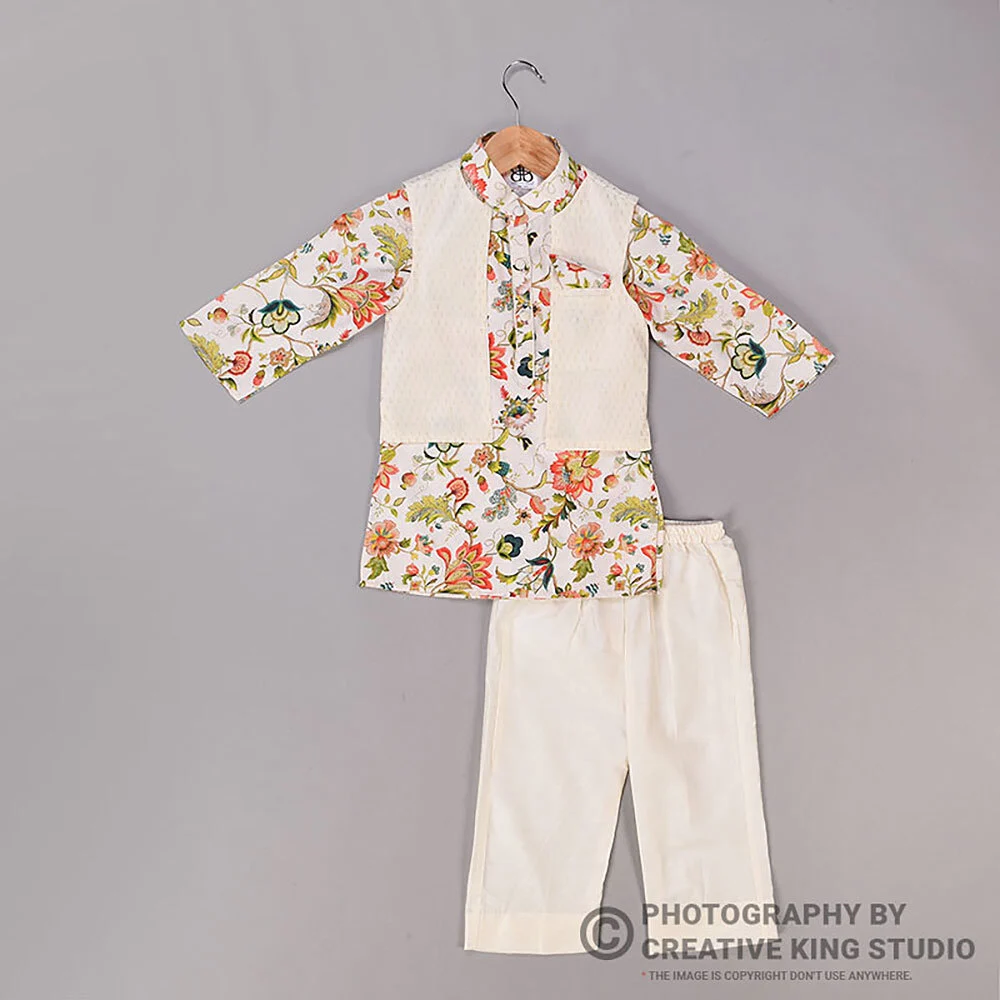
Flat lay struggles with three things: heavy structure, transparent fabrics and anything longer than the shooting surface. Structured jackets collapse; sheer dupattas show the floor through the fabric unless a second white layer sits underneath; and floor-length gowns either need a much larger set or get folded in a way that hides the length. For these pieces, plan apparel photography on a form or a model instead, and keep the flat frame for detail or pack shots only.
Preparation matters as much as style. A crushed garment looks cheap in every format, and models cannot hide creases that were never steamed out. Our step-by-step on preparing garments before a model shoot covers steaming, tagging and pinning in detail.
Amazon publishes clear main-image rules, including a pure white background and no added text, and its clothing guidance limits how mannequins and poses appear. Flipkart and Myntra publish their own catalogue guidelines inside their seller portals, and these vary by category, so verify before you shoot.
Marketplace rules are where sellers lose the most money, because a non-compliant main image can suppress a listing or delay its approval. The table below summarises what we confirm with every client before an ecommerce apparel shoot. Rules change, so always check the current version in your own seller account.
| Marketplace | Main image expectation | Style implication | Source to verify |
|---|---|---|---|
| Amazon | Pure white background (RGB 255, 255, 255), product fills about 85% of the frame, no text, logos or watermarks; 1,000 px or larger on the longest side enables zoom | Flat lay and on-model frames on white are the safe main-image choices; check your clothing style guide before using a mannequin-based main image | Amazon Seller Central product image requirements |
| Flipkart | Category-specific catalogue guidelines in the Seller Hub; apparel listings typically lead with a clean, front-facing garment image | All three styles are used; consistency across a listing matters | Flipkart Seller Hub catalogue guidelines |
| Myntra | Partner Portal image guidelines, usually a portrait frame with front, back and side views for apparel | On-model is the norm for most adult fashion; confirm per category | Myntra Partner Portal (seller login) |
For Amazon, the official Amazon product image requirements on Seller Central set the white background, frame fill and no-text rules for main images. Amazon’s clothing style guidance goes further: children’s and baby clothing is generally expected to be photographed flat, adult apparel on a model or flat, and visible mannequin parts in main images are a common reason for suppression. That is why we treat ghost mannequin as a secondary image on Amazon unless your category guide clearly allows it as the main image.
Flipkart publishes catalogue and image guidance for sellers through the Flipkart Seller Hub, and the details differ between categories, so we ask clients to share the current guideline from their dashboard. Myntra’s Partner Portal guidelines are only visible after login; in practice most adult fashion listings there lead with on-model images, while ghost mannequin and flat frames fill the detail and back-view slots.
On Amazon, the safer default for adult clothing is an on-model main image, with a flat frame as the backup and ghost mannequin in the secondary slots. For kidswear and multipacks, flat is the expected format. If you are unsure, shoot both formats for the first five SKUs, upload them, and confirm the listing goes live before scaling the batch.
Cost is driven by setup time per SKU, the number of frames per garment, retouching complexity and whether a model and stylist are needed. Flat lay is usually the lightest, ghost mannequin adds compositing work, and on-model adds talent, styling and more frames.
In any flat lay vs ghost mannequin vs model budget, every style has the same fixed costs: studio time, camera crew and colour-managed editing. The variable costs are what separate them. For flat lay, the main time cost is steaming and squaring each garment. For ghost mannequin, it is the second inside frame and the neckline composite in post-production. For model shoots, it is model fees, styling, hair and make-up, and the extra frames needed to cover front, back, side and movement.
Here are the approved Ckstudio rates for the two formats that are priced per image or per angle. Model shoots are quoted per brief because model category, number of looks and usage vary too much for a fixed figure.
| Shoot type | Images | Turnaround | Price |
|---|---|---|---|
| Ghost mannequin | 1 angle | 3–4 days | ₹200–300 |
| Flat lay | 2–3 angles | 6 days | ₹99–133 / angle (₹300–400 / per sku) |
Final quotes depend on SKU count, angles and retouching — call or WhatsApp +91-8700258773. You can also send your SKU list on +91-8700258773 and we will suggest the cheapest style mix that still meets your marketplace rules.
Example scenario
Example: a seller has 60 SKUs, made up of 30 printed cotton kurtas, 20 kids’ sets and 10 structured linen shirts. Shooting everything on a model means 60 looks and a long model day. A mixed plan puts the 20 kids’ sets in flat lay, the 10 linen shirts on the ghost mannequin, and the 30 kurtas on a model for the main image plus one flat detail frame. The numbers are illustrative, but the logic of matching style to garment usually cuts model hours sharply without weakening any listing.
Turnaround follows the same pattern. Flat lay batches are quick to shoot but take longer to clean, because lint, threads and floor shadows need careful retouching. Ghost mannequin needs compositing time. Model shoots are slower on the floor but the retouching per frame is often lighter.
Choose by asking three questions in order: what does the marketplace allow as the main image, what does the fabric need to look right, and what does your budget allow per SKU. The table below combines those answers into a starting recommendation.
Use this flat lay vs ghost mannequin vs model table as a planning starting point, not a rulebook. A premium brand may still choose on-model for every SKU because its brand image demands it, and a budget seller may choose flat for everything and accept a softer look on structured pieces.
| Product type | Amazon main | Flipkart main | Myntra main | Secondary images |
|---|---|---|---|---|
| Basic t-shirts and polos | Model or flat | Model or flat | Model | Ghost mannequin back, fabric close-up |
| Kidswear sets | Flat | Flat | Flat or model (check) | Detail frames, set pieces |
| Formal shirts | Model | Model or ghost mannequin | Model | Ghost mannequin collar, cuff detail |
| Kurtas and ethnic wear | Model | Model | Model | Flat print detail, dupatta flat |
| Multipacks and innerwear packs | Flat | Flat | Check category | Single-piece ghost mannequin |
| Jackets and blazers | Model | Ghost mannequin or model | Model | Ghost mannequin front and back |
There is no single answer, and anyone quoting one universal conversion number is guessing. What we see repeatedly is that listings perform best when the style answers the shopper’s main doubt: fit for structured clothing, print and colour for kidswear and casual wear, and look and drape for occasion wear. A consistent style across all SKUs in one listing family also matters, because a mix of mismatched styles makes a catalogue look less trustworthy.
If you have under 20 SKUs and a tight budget, start with flat lay for everything plus one on-model hero image per collection for your brand store and social media. As individual SKUs prove themselves, upgrade the best sellers to model main images. This staged approach keeps your first catalogue shoot affordable while still giving you a path to stronger images.
A strong apparel listing combines styles in a fixed order: a compliant main image, a fit or back view, a detail frame, a styled or scale frame and a size or care frame. Mixing styles is normal; mixing them randomly is the mistake.
Most e-commerce marketplaces allow several images per listing, and the order matters because shoppers swipe in sequence. The process below is the order we recommend for a mixed flat lay vs ghost mannequin vs model catalogue.
Sequence planning happens before the shoot, not after. Our catalogue team plans the frame list per SKU and checks it against the marketplace before the crew starts, which is why reshoots stay rare.
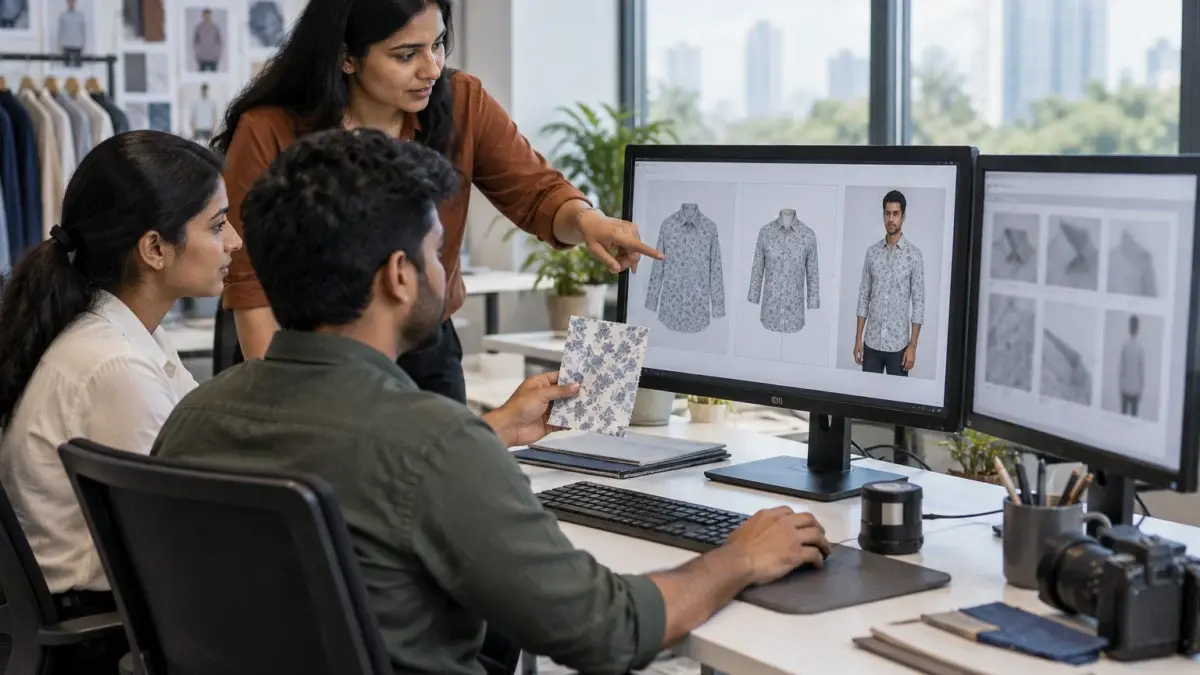
The short behind-the-scenes clip below shows how a marketplace catalogue shoot moves from setup to final frames, which is useful when you plan a mixed sequence for your own products.
From the studio floor
For ghost mannequin we shoot two frames per garment from a fixed tripod position: the outside view on the form and the inside back neck with the front panel removed. Both frames share the same exposure and white balance, so the composite lines up without colour shifts. We check the neckline join at 200% zoom before export, because a visible seam is the most common sign of a rushed invisible mannequin edit.
The most expensive mistakes are choosing a style the marketplace rejects as the main image, forcing one style onto every fabric, and letting colour drift between styles. Each has a simple fix if you plan before shooting.
From the studio floor
Colour accuracy is where mixed-style catalogues fall apart. We photograph an X-Rite style grey card at the start of every setup change, set white balance from it, edit on calibrated monitors and export every file in sRGB at 2,000 px or more on the long side. Final QC compares the flat, form and model frames of each SKU side by side against the physical garment under 5,000 K daylight lamps before delivery.
One more flat lay vs ghost mannequin mistake is underestimating preparation. Lint, loose threads and fold lines show more clearly in flat frames than in any other style, because the camera looks straight at the fabric. Budget time for lint rolling, thread trimming and steaming, or the retouching cost will grow instead.
Key takeaways
For plain and printed t-shirts, flat lay vs ghost mannequin comes down to what you sell: flat lay is best for prints and multipacks, while ghost mannequin shows collar shape and fit better. Many sellers use flat for the pack image and ghost mannequin for the single-piece fit view.
Check your clothing category style guide in Seller Central first. Amazon’s main-image rules require a pure white background, and its apparel guidance commonly flags visible mannequins, so most adult clothing sellers keep on-model or flat as the main image and use ghost mannequin for secondary images.
Flat lay is usually the lightest per SKU because there is no model or compositing step. At Ckstudio, approved flat lay rates are ₹99–133 per angle and ghost mannequin is ₹200–300 per image; model shoots are quoted per brief.
Most adult fashion listings on Myntra lead with on-model images, but the exact requirement depends on the category guideline in the Partner Portal. Confirm it from your seller login before you plan the shoot.
Yes, a planned mix is normal: a compliant main image, a back view, a fabric close-up and a styled frame. Keep the background tone and colour identical across styles so the listing looks consistent.
Shoot a grey card at every setup change, set white balance from it, edit on calibrated monitors and export in sRGB. Then compare all frames of a SKU side by side against the real garment before upload.
The right style is the one that answers your shopper’s biggest doubt and passes your marketplace’s main-image rule. If you want a second opinion on your SKU list, email [email protected] or message Prince on WhatsApp at +91-8700258773 between 10 am and 7 pm, and the Ckstudio team will suggest a style mix for each garment.
Next step: once your style mix is decided, plan how many frames each listing needs with our 8-image ecommerce listing framework.
Share your SKU list and marketplace with Ckstudio, and we will map flat lay, ghost mannequin and on-model frames for every garment before the shoot. Write to [email protected] or call directly.
Call Prince: +91-8700258773
