





Fashion Photography Services





E-commerce Photography




What is officially documented, what is only reported, and how to shoot hero, shade, swatch, label and texture images that survive catalogue QC and still look true to the product.
Nykaa product image requirements are the set of size, file, framing and content rules a beauty brand has to meet before its listings go live on India’s biggest beauty marketplace. The catch for 2026-27 is that Nykaa does not publish one public image spec page, so most figures that circulate online come from integration partners and seller guides. This guide sits in the Ckstudio marketplace seller hub and separates what is documented from what is only reported, then shows you how to shoot each frame so it passes QC and sells.
Cosmetics are harder to photograph than most e-commerce categories because the buyer is judging colour, finish and ingredients from a phone screen. A lipstick that renders two shades warmer, a serum label that is unreadable, or a swatch shot under mixed light all turn into returns. If your catalogue is mostly lipsticks, serums, creams and fragrances, beauty and cosmetic product photography done to a shade-accurate workflow solves most of these problems before the files ever reach the seller panel. Below, Prince and the Ckstudio catalogue team walk through the nine checks we run on every beauty SKU.
In this guide
The most widely cited Nykaa product image requirements are a minimum of 1500 × 2000 pixels, a file under roughly 2 MB, JPEG or PNG format, and a product that is fully visible and not cropped. None of these figures appears on a public Nykaa policy page, so treat them as reported specs and confirm them inside your own seller panel before a bulk shoot.
That distinction matters more than it sounds. Amazon publishes its image policy openly and Flipkart shares guidelines with sellers during onboarding, but for Nykaa the numbers sellers quote usually trace back to integration-partner documentation and catalogue-tool guides. They are consistent with each other, which is a good sign, yet consistency is not the same as an official rule. A brand that shoots 200 SKUs to an assumed spec and then discovers a different ratio in its category template has to re-export or, worse, reshoot.
What is official for every cosmetic sold in India is the label itself. The Cosmetics Rules, 2020 published by CDSCO set out the declarations a cosmetic label must carry, and the Legal Metrology (Packaged Commodities) Rules, 2011 add declarations such as net quantity and MRP. Your images do not replace those labels, but a buyer and a marketplace QC reviewer will both expect to see them clearly in at least one frame.
| Requirement | Status | Where it comes from | What to do |
|---|---|---|---|
| Minimum 1500 × 2000 px (3:4 portrait) | Reported | Integration-partner and catalogue-tool documentation | Shoot masters at 4000 px or more on the long side; export 1500 × 2000 after confirming in the panel |
| File size under about 2 MB | Reported | Same third-party sources | Export JPEG at quality 80–85 and check each file |
| JPEG or PNG | Reported | Same third-party sources | Use sRGB JPEG unless your template asks for PNG |
| Product fully in frame, not cropped | Reported | Seller and tool guides | Leave margin around caps, droppers and pumps |
| White or neutral background on the hero | Common practice, not confirmed | Seller guides disagree | Use clean white for the hero; keep colour sets for secondary frames |
| Label declarations on the pack | Official (pack, not image) | Cosmetics Rules 2020, Legal Metrology Rules 2011 | Show the back label legibly in one frame |
Read the table as a planning tool rather than a promise. The safest workflow is to shoot larger than any reported minimum, keep layered master files, and generate marketplace exports at the end. That way, if your category template on Nykaa asks for a different crop, nothing on set has to change. It is the same approach we recommend for Myntra’s portrait catalogues, and it keeps one set of masters usable across marketplaces.
Nykaa runs beauty and Nykaa Fashion as separate storefronts, and seller guides describe slightly different expectations. Fashion leans on model-led portrait frames similar to Myntra. Beauty leans on clean pack shots, swatches and claim visuals. If you sell both, plan two shot lists rather than one generic list, because a kurta and a kajal fail QC for very different reasons.
The hero image should show the full, unopened product upright on a clean white or very light background, filling most of the frame with a little breathing room around caps and pumps. It should be sharp edge to edge, colour-accurate, and free of props, text overlays and watermarks.
The hero is the frame that appears in search results, so it is the one most likely to be checked against a reviewer’s mental template. Think of it as a passport photo for the SKU: one product, one angle, one clean background. Seller guides commonly describe a fill of roughly 70–85 percent of the frame. That range is reported rather than official, but it lines up with what converts on a small grid tile, where a tiny product on a vast white canvas simply looks like a cheaper item.
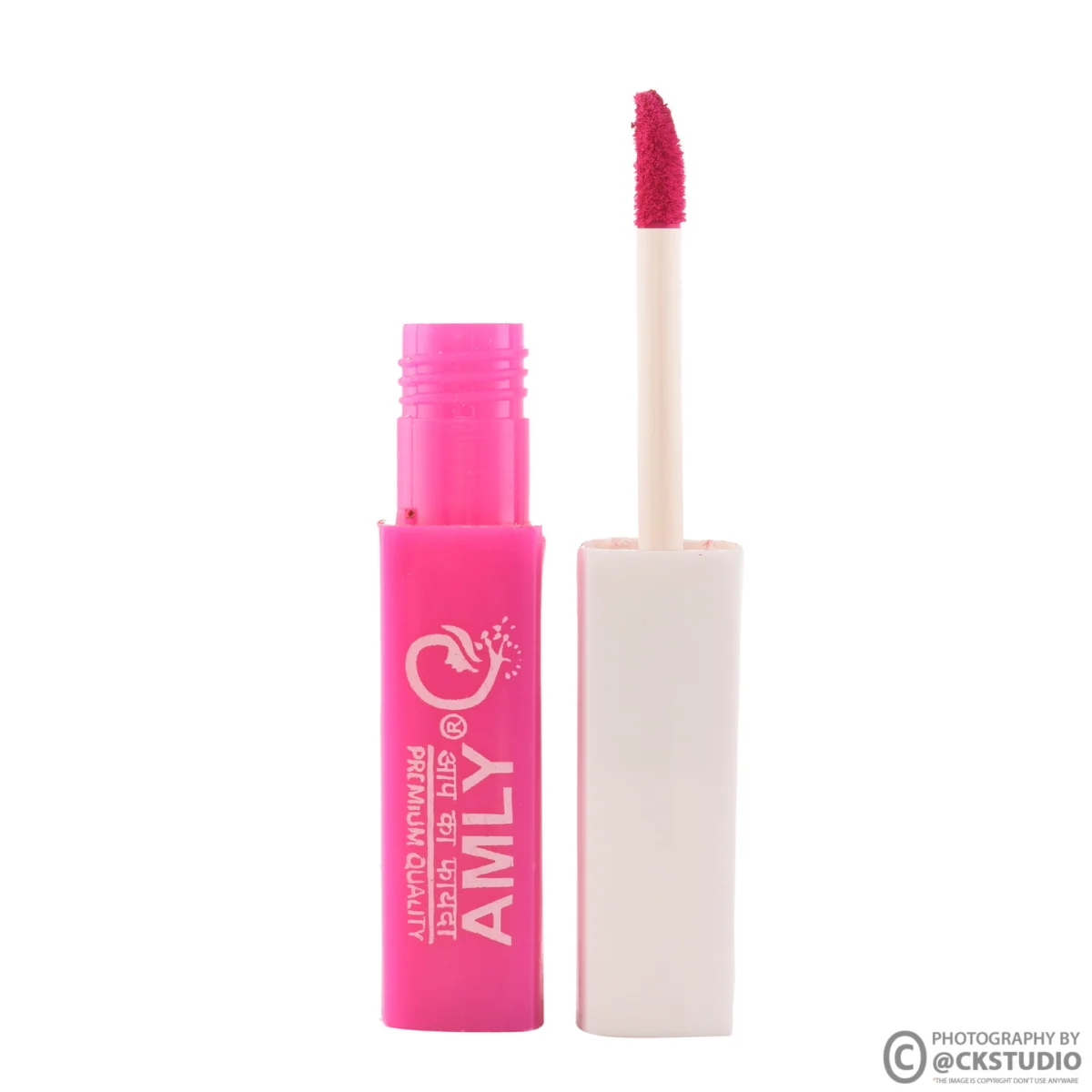
For kits and gift sets, the hero should show every item in the set and nothing that is not in the box. Buyers on Nykaa compare sets closely, and a hero that implies a free pouch or brush the customer does not receive is an easy return. If the set has a carton, a common pattern is to show the carton slightly behind the products so the buyer understands both the packaging and the contents.
From the studio floor
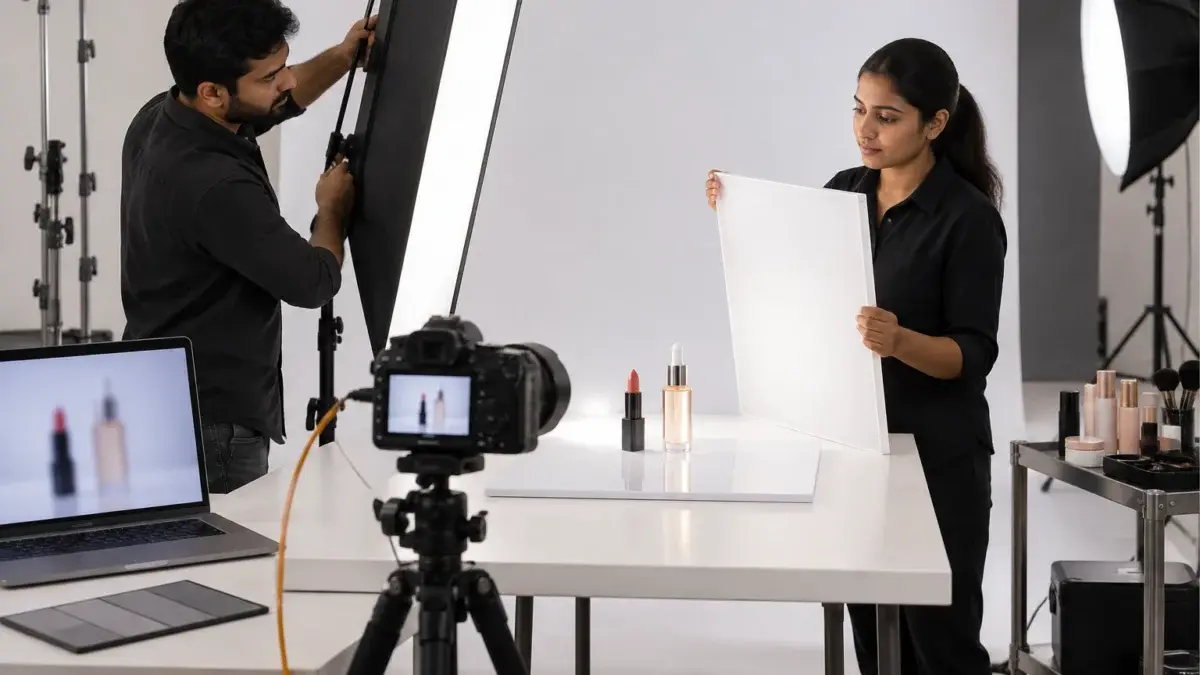
For a cosmetic hero we shoot on a 100mm macro at f/11, ISO 100, with the product on white acrylic. Two strip softboxes sit just behind the product at roughly 45 degrees on each side to draw clean vertical highlights down the bottle, and a large octabox above-front lights the label. We clean every pack with a microfibre cloth and an air blower before the first frame, because dust on a black lipstick case is invisible on set and very visible at 2000 pixels.
One practical point on reflections: glossy black caps mirror everything in the room, including the photographer. Ckstudio handles this with black flags just outside the frame to define edges and white cards to fill the front, rather than trying to remove reflections in retouching later. The result looks like a real product because it is a real product, lit properly, which is also why we steer sellers away from fully AI-generated hero images for cosmetics.
Shoot swatches on a neutral matte card under a single daylight-balanced light source, include a colour-check target in a reference frame, and correct the whole batch from that reference rather than adjusting each image by eye. Then compare the final file against the physical product on a calibrated screen before export.
Shade accuracy is where cosmetic listings win or lose. A buyer choosing between “Rosewood” and “Mauve Pink” has nothing but your image to go on, and a shade that renders even slightly warm or cool on screen becomes a “colour not as shown” return. Of all the Nykaa product image requirements a seller can control, colour truth is the one that most directly affects return rates, even though no spec sheet lists it.
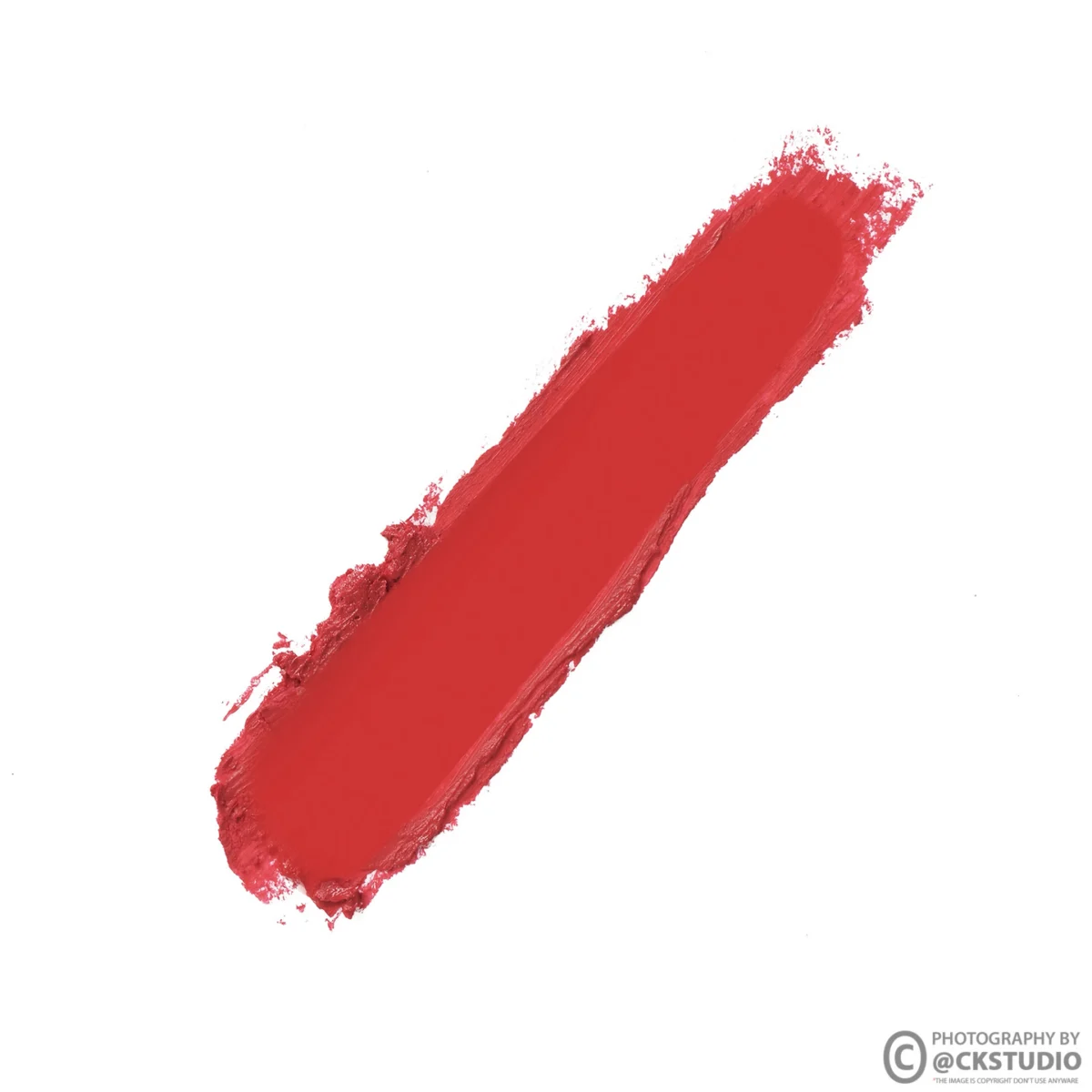
Retouching is where many swatch images go wrong. Heavy skin smoothing on an arm swatch can shift the shade, and “brightening” a batch to look fresher often pushes reds towards orange. Shade-safe product image retouching works the other way round: dust, lint and edge clean-up only, with colour locked to the reference target. If a retoucher is touching the hue slider on a swatch, something is wrong upstream in the lighting.
From the studio floor
Our swatch set-up is a single large softbox at 5500K, flash only, with ambient lights switched off so nothing mixes in. Every batch opens with a frame of the swatch card next to an X-Rite ColorChecker; we build a camera profile from that frame and apply it to every image in the set. Files are edited in Adobe RGB and exported to sRGB at the end, because marketplace apps and phone screens assume sRGB, and an untagged wide-gamut file can look oversaturated on a buyer’s phone.
Skin swatches deserve their own care. If a brand sells foundations or concealers in 20 shades, a single model cannot represent the range honestly. A better pattern is three skin tones — fair, medium and deep — each showing a stripe of the nearest shades. It costs a little more on shoot day but answers the question a buyer actually has: “Will this match me?”
Ingredient and label shots let buyers check actives, allergens, net quantity and expiry before they order, and they show reviewers that the product carries the declarations Indian rules require. A legible back-label frame builds trust and cuts “not as described” complaints.
Beauty buyers on Nykaa read ingredient lists more than buyers in almost any other category. Someone avoiding fragrance, or looking for niacinamide at a specific percentage, will zoom into the back label before adding to cart. If that label is blurred, angled or glared out, the buyer either leaves or orders and returns. Neither outcome helps the listing.
Under the Cosmetics Rules 2020, labels for cosmetics sold in India must carry declarations such as the product name, manufacturer or importer details, net contents, batch number, manufacturing date and expiry or use-before date, along with the ingredient information the rules require. Rule numbers and schedules get amended, so read the current text from CDSCO rather than relying on a summary. Your job as a photographer is narrower: make sure whatever is printed is readable in the image.
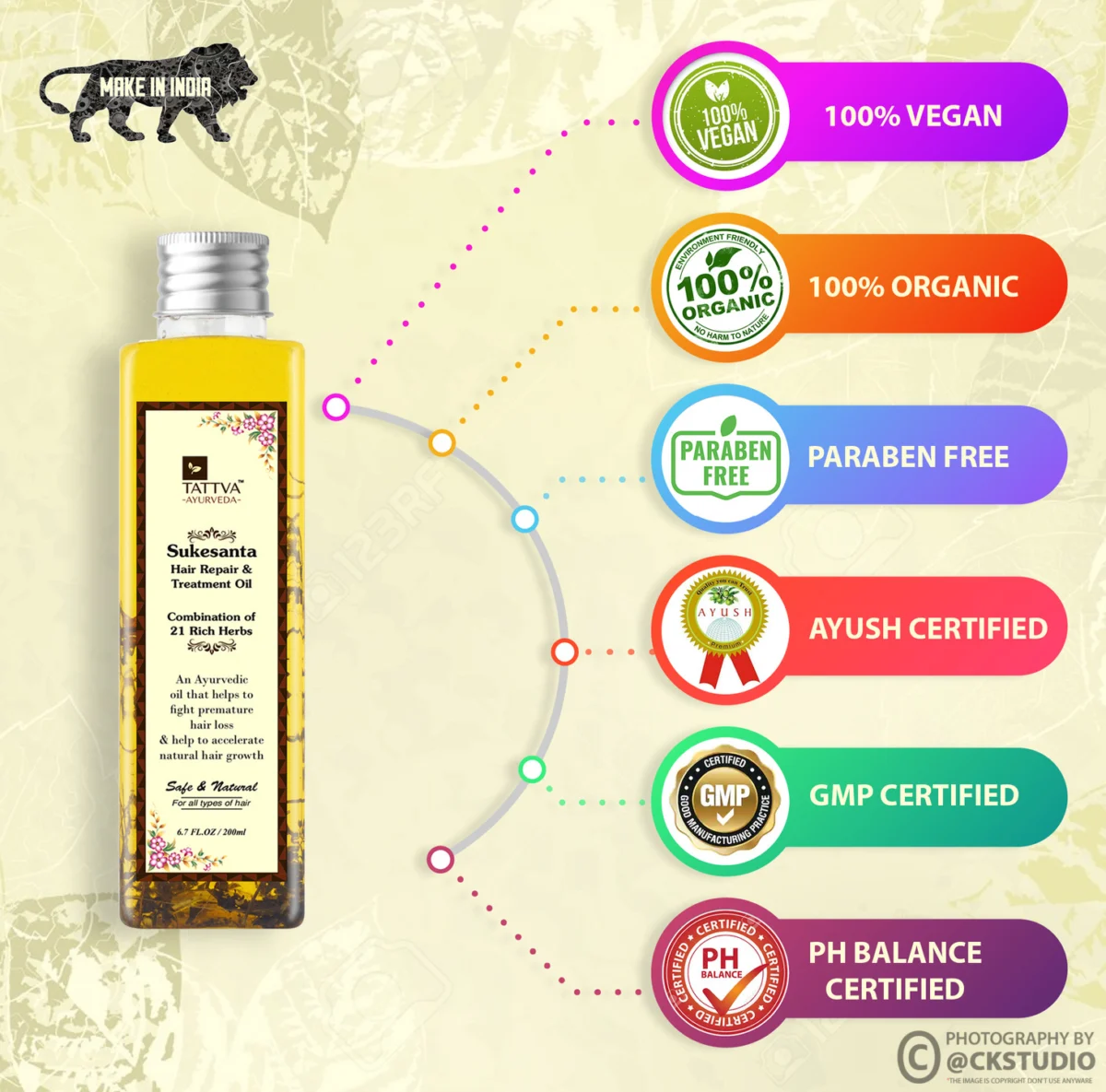
A note on claims: secondary images often carry badges such as “paraben free”, “vegan” or “dermatologically tested”. Each claim needs to be something the brand can substantiate, and it should match the pack. Marketplace QC teams increasingly compare image claims with the label, and a mismatch is a quick way to have a listing paused. If a claim is not on the pack, think hard before putting it in the image.
Ckstudio’s team checks every claim visual against the physical product during the shoot rather than in post. It is a five-minute step that saves a relisting cycle. If you want a second pair of eyes on a label frame, email [email protected] with a sample and we will tell you whether it reads at marketplace zoom.
Show texture with a macro shot of the actual formula — a dollop of cream, a drop of serum, a crushed pressed powder — lit from the side so the surface reads. Keep it real product, unretouched in colour and consistency, so what the buyer sees matches what arrives.
Texture images answer the “how does it feel” question a screen otherwise cannot. A gel moisturiser and a rich night cream can sit in identical jars; a texture frame tells the buyer which is which in a second. For serums, a single drop on a glass slide or falling from the dropper shows viscosity. For powders and eyeshadows, a pressed pan with one corner broken shows grain and shimmer.
The honesty rule matters here. It is tempting to swap a thin serum for something thicker that “photographs better”, or to boost shimmer in retouching. Both are short-term wins that become reviews saying the product looks nothing like the photo. Shoot the real formula, control it with light and angle, and leave its colour alone in post.
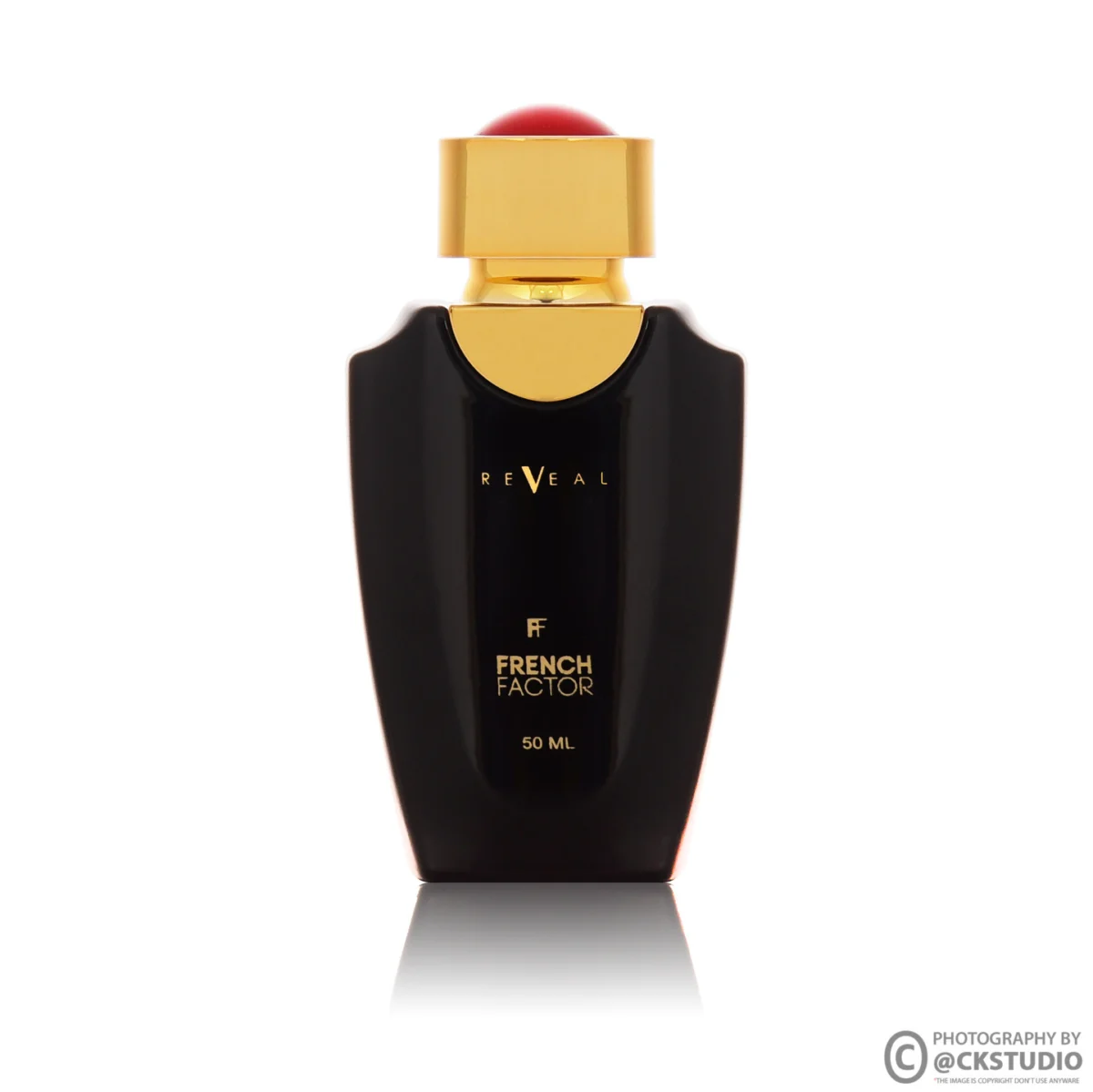
Perfume bottles, metallic compacts and clear serum bottles are the hardest packs in beauty. Transparent glass needs a light source behind it or a white card behind and to the side, so the liquid glows and the edges stay defined. Metallic caps need large, soft sources — a small light becomes a hard white dot on the metal. Mirror-finish compacts need the room around them controlled, because they reflect everything.
The short video below shows a cosmetic product shoot from the studio side: how products are placed, how lights are moved between frames, and how reflections are checked on the tethered screen before the next SKU.
From the studio floor
For texture frames we switch to a single strip softbox at a low side angle, about 20 degrees above the table, so every ridge in a cream swirl throws a small shadow. A 100mm macro at f/8 keeps the dollop sharp while the jar behind it falls soft. We shoot three or four dollops and keep the most natural one; a perfectly piped swirl tends to look fake on a beauty listing. For serums we use a clean glass slide on white acrylic and shoot one drop at a time.
Lock the camera height, lens, light positions and product marks for the whole shade range, shoot every variant in one session, and run a side-by-side grid check before export. Consistency makes a range look like one brand and makes shade differences, not lighting differences, the only thing that changes.
Nykaa listings often group shades and sizes under one parent product. When a buyer taps from shade 01 to shade 08, the image should change colour and nothing else. If shade 05 sits lower in the frame, is shot two days later under a slightly different set-up, or has a tighter crop, the range looks careless and the shade comparison stops being trustworthy.

Example scenario
Imagine a brand with 12 lipstick shades, each needing a hero, a bullet close-up, a card swatch, a skin swatch and a back-label frame: that is 60 final images. Shot across three separate days, small drifts in light and position would show up in the grid. Shot in one session with a fixed set-up, the same 60 images line up so closely that a buyer flicking through shades sees only the colour change. These numbers are illustrative, but the arithmetic is why we plan ranges as one block.
Pack sizes follow the same logic. A 30 ml and a 100 ml bottle should be shot at the same camera distance so the size difference is visible, or with a clear scale reference in a secondary frame. Scaling both bottles to fill the frame makes them look identical and invites “smaller than expected” returns. For brands that want this handled end to end — planning, shooting and export across a full catalogue — Ckstudio’s ecommerce photography workflow is built around exactly this kind of batch consistency.
Brands typically apply through Nykaa’s brand partnership process, get seller panel access after approval, and then upload catalogue data and images through the panel or a bulk template. Image specs should be confirmed inside that panel at the moment you upload, because category templates can differ.
Third-party guides describe Nykaa onboarding as approval-led rather than open sign-up: a brand shares its category, documents and product details, Nykaa reviews quality and genuineness, and seller panel access follows. Exact steps differ between sources, so we will not pretend to give you an official sequence. What matters for images is simpler: do not finalise exports until you have seen the image fields in your own category template.
If your exports land slightly above the reported 2 MB limit, the free image compressor on our site can bring them down without visible loss for a quick test upload. For a large catalogue, though, compression is better done in the export step with a fixed quality setting, so every file in the range is handled the same way.
Sellers who are also on Ajio or Myntra will recognise this pattern. Portrait marketplaces tend to share a 3:4 logic, and our Ajio seller image guidelines walk through the fashion side of that. For beauty, the extra layer on Nykaa is the label and swatch content buyers expect. A single shoot can feed all three marketplaces if the masters are large and the shot list includes every frame each platform needs.
Need help mapping your shot list to a Nykaa template before you book? WhatsApp the Ckstudio team at +91-8700258773 with your category and SKU count, and we will suggest a frame plan.
Most Nykaa listing problems come from a short list of fixable mistakes: cropped caps, shade drift, unreadable labels, props in the hero, and texture shots that do not match the formula. Each has a simple fix on set or in export.
| Mistake | What the buyer or reviewer sees | Fix |
|---|---|---|
| Cap or pump cropped at the frame edge | An incomplete product; a reported rejection reason | Leave margin above the tallest part of the pack |
| Shade shot under mixed light | A shade that differs from the product in hand | Flash only, ambient off, ColorChecker reference |
| Glare across the back label | Ingredients and expiry cannot be read | Polariser, flatter angle, stitched frames on round packs |
| Props or offer text in the hero | A cluttered search tile | Plain white hero; props only in lifestyle frames |
| Retouched texture or colour | “Looks different from the photo” reviews | Clean-up only; colour locked to reference |
| Variants shot on different days | A range that does not line up | One session, fixed marks, grid check |
Run this list on one test SKU, then on the full range. It takes less time than a rejected upload, and it gives you a repeatable standard the next time you launch shades. In our experience at Ckstudio, brands that adopt a written checklist stop arguing about images and start comparing them against a standard, which is a much healthier conversation for a catalogue team.
Looking ahead to 2026-27, expect beauty marketplaces to lean harder on short product videos, skin-tone inclusive swatches and claim verification. None of that changes the basics above; it simply raises the cost of skipping them. A brand with a clean, honest image set is already most of the way to whatever comes next.
The most widely cited figure is a minimum of 1500 × 2000 pixels in a 3:4 portrait ratio, under roughly 2 MB. It comes from third-party documentation rather than a public Nykaa page, so confirm it in your category template before exporting.
A white or very light background is the common practice for beauty hero images and the safest choice, but seller guides disagree on whether it is a strict rule. Keep the hero white and use coloured sets in secondary frames.
Plan at least a hero, a swatch or texture frame, a back-label frame and one usage or lifestyle frame. Colour products benefit from both a card swatch and a skin swatch, so five to seven images per shade is a sensible target.
AI images are risky for cosmetics because shade, texture and label text must match the real product exactly. Use real photography for the hero, swatches and labels; AI can help with mood backgrounds in non-product frames at most.
Shoot under flash only with ambient lights off, include a colour-check target in a reference frame, apply one profile to the whole batch, export in sRGB and compare the final files against the physical product before upload.
Nykaa’s image rules are not published, but buyers expect to read ingredients, and the pack itself must carry the declarations Indian rules require. A legible back-label frame is the simplest way to answer both needs.
Nykaa product image requirements reward the same habits that work everywhere: large masters, honest colour, readable labels and a consistent range. The difference on a beauty marketplace is that buyers inspect those details closely, so small lapses cost more. If you would rather hand the whole shade range to a team that shoots cosmetics every week, call Prince on +91-8700258773 or message +91-8700258773 on WhatsApp.
Next step: once your images meet the spec, see how better product images reduce marketplace returns.
Ckstudio shoots hero, swatch, label and texture frames for beauty brands from its Delhi NCR studio, with colour-checked workflows built for marketplace upload. Share your SKU list at [email protected] or see our cosmetic photography work.
Call Prince: +91-8700258773
