Amazon Seller Registration Guide 2026–27: 9 Easy Steps for Seller Central, GST/PAN & Bank Verification
A practical India-specific walkthrough for creating a seller account, completing GST or PAN checks, setting payout and pickup details, and getting the first listing ready to launch.
By PrincePublished 2 October 2026 · 08:36 PM IST18 min read
9registration checkpoints
Seller Central → GST/PAN → bank → listing → launch
Amazon seller onboarding becomes easier when tax, banking, pickup and catalogue inputs are prepared before Seller Central registration starts.
Amazon seller registration is the process of creating and configuring an Amazon.in seller account through Seller Central so a business can list eligible products and receive orders. For Indian sellers, the practical work is not just creating a login: it includes contact and OTP verification, applicable GSTIN or PAN details, pickup and shipping setup, an active bank account, tax configuration and at least one valid product listing before store launch.
This 2026–27 guide separates those checkpoints so first-time sellers do not mix account creation with tax verification or listing readiness. It is focused on domestic Amazon.in seller onboarding, not Amazon Global Selling. Requirements can differ by product tax status and business situation, so Amazon-specific rules are linked to official Amazon resources and tax-specific decisions should be confirmed against the GST Portal or a qualified tax professional.
Updated for 2026–27Reviewed 2 October 2026India · Amazon.in Seller Central
Quick answer
Before starting Amazon seller registration, keep your business and contact details, applicable GST or PAN information, an active bank account, pickup address, store-name idea and basic product information ready. Amazon’s current registration flow also requires a first product listing before you can launch the store.
Taxable goods generally require GST details; Amazon provides a PAN route for sellers dealing only in GST-exempt products.
Match information
Keep the legal or business identity consistent across GST, PAN, bank and Seller Central fields to reduce verification friction.
Plan the launch
Registration readiness and catalogue readiness are separate. Product data and images should be prepared while verification is underway.
01
Amazon Seller Registration Requirements in India for 2026–27
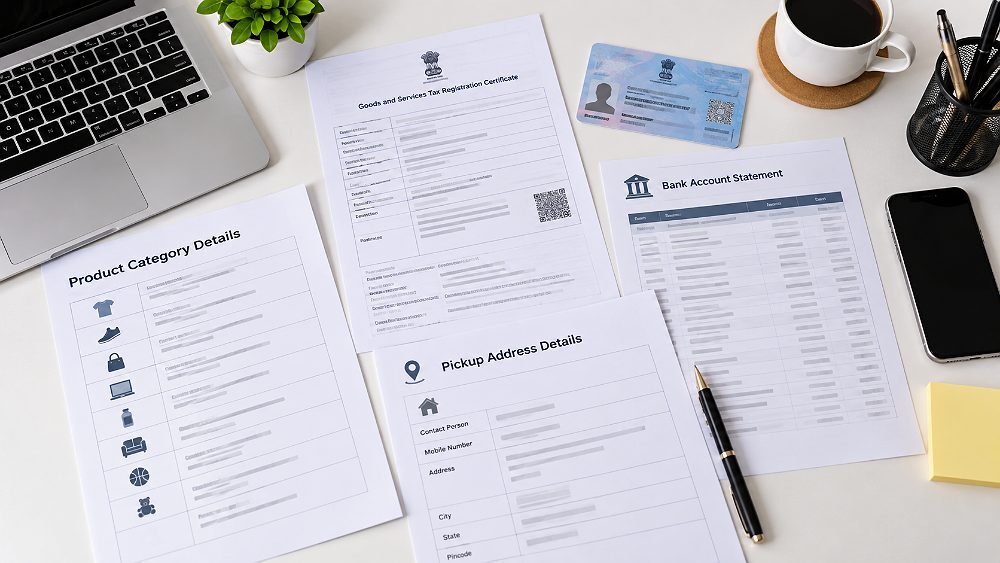
The minimum preparation for Amazon seller registration India is straightforward: an accessible email address and mobile number, business details, tax details, bank details, a usable pickup address, a store name and initial product information. The registration path is completed inside Seller Central, Amazon’s seller dashboard for listing products, managing inventory, pricing, orders, account health and support.
Think of seller onboarding as four connected layers. First comes the seller account and OTP verification. Second comes tax registration information such as GSTIN, Goods and Services Tax status, PAN or business PAN where applicable, and a GST certificate if Amazon asks for documentation. Third comes operational setup: business bank account, account holder name, pickup address, shipping method and settlement details. Fourth comes the ecommerce marketplace launch layer: Product Tax Code, tax rate, product listing, inventory and the first product listing that enables the Amazon store launch.
This separation matters because account verification is not the same as catalogue approval. A marketplace seller may have a valid Seller Central login while GST verification is pending, or complete tax details while still lacking a launch-ready listing. Keeping these stages distinct helps diagnose where an Amazon seller verification issue actually sits instead of resubmitting unrelated information.
What You Need Before Opening Seller Central
Active email ID and mobile number for OTP verification.
Business entity and legal/business name information.
GSTIN for taxable goods, or the applicable PAN route for GST-exempt products.
GST certificate / REG-06 ready if document verification is requested.
Active bank account appropriate for the registering business.
Operational pickup address and preferred shipping method.
Store name ideas and basic product/category data.
GST and PAN Details to Keep Ready
Amazon’s current seller guidance says GST details are mandatory when listing taxable goods. If you sell only GST-exempt products, Amazon provides a route that uses PAN details instead of a GSTIN. PAN should therefore not be treated as a blanket replacement for GST; it applies to the exempt-product situation described by Amazon. Sellers should verify product tax treatment before registration rather than selecting a tax path based on convenience.
If you already have a GST registration, keep the GSTIN and legal identity consistent with the business information entered in Amazon Seller Central. The official guide states that, when verification fails, Amazon may ask for the GSTIN certificate in REG-06 format with annexures. For business-specific interpretation, check the official GST Portal rather than relying on a generic seller forum.
Bank Account and Business Payment Details
Prepare an active bank account used for the business and enter the account holder name and banking information carefully. Amazon says online-sales proceeds are transferred to the bank account registered in Seller Central. This is why the Amazon bank account verification stage should be treated as a payout setup checkpoint, not an afterthought. A typo in payment details can create a settlement problem even when the seller account itself has been approved.
Prepare identity, tax, banking, pickup and product information before opening the registration flow.02
Amazon Seller Registration Documents Checklist
A clean document pack reduces back-and-forth during Amazon seller account registration. Not every seller will upload every item at the same moment, but the underlying information should be ready before starting. Amazon’s FAQ lists business details, contact details, PAN and GST information for applicable products; its beginner guide also highlights an active bank account.
Amazon Seller Documents by Registration Checkpoint
Registration checkpoint
Information / document
When needed
Important check
Seller account
Email + mobile
Registration start
Keep both accessible for OTP
Business details
Legal/business information
Account setup
Keep naming consistent
Tax setup
GSTIN
Taxable goods
Use valid applicable GST details
Tax-exempt scenario
PAN details
Where Amazon permits PAN route
Confirm product tax status
GST verification
GST certificate / REG-06
If document upload is requested
Details should match Seller Central
Pickup setup
Pickup address
Registration
Check state alignment for Easy Ship
Bank setup
Active bank account
Registration
Enter accurate business payment details
Listing setup
Product information
Before launch
At least one listing is required
For Amazon’s current list of registration information and GST conditions, read the Amazon seller FAQ. It is a better reference for seller-registration rules than an old third-party checklist because Amazon can update Seller Central onboarding over time.
03
Amazon Seller Registration Step-by-Step in Seller Central
The core Amazon seller registration process can be understood as nine practical steps. Amazon’s current guide moves from login and tax information through store name, pickup, shipping, bank details, product listing and launch. Complete each checkpoint with the same business identity and keep a record of what has already been accepted.
1
Step 1: Start Amazon Seller Account Registration
Open Amazon’s seller-registration flow and sign in. If an eligible Amazon customer account already exists, Amazon says the same email and password can be used to begin creating a seller account; otherwise create a new account with the requested name, mobile number, email and password. Complete the mobile OTP verification when prompted. This customer login is only the access point—the Seller Central setup that follows creates the selling account used to manage Amazon.in activity.
2
Step 2: Enter Your GST or Applicable PAN Details
For taxable goods, enter the GSTIN connected to the relevant business entity. If the catalogue consists only of GST-exempt products, Amazon’s registration guide provides an exempt-product option and its FAQ explains that PAN details can be used for that route. Recheck the legal name and tax details before continuing. Amazon PAN requirements should be interpreted in the context of the exempt-product route, not as permission to sell taxable goods without GST.
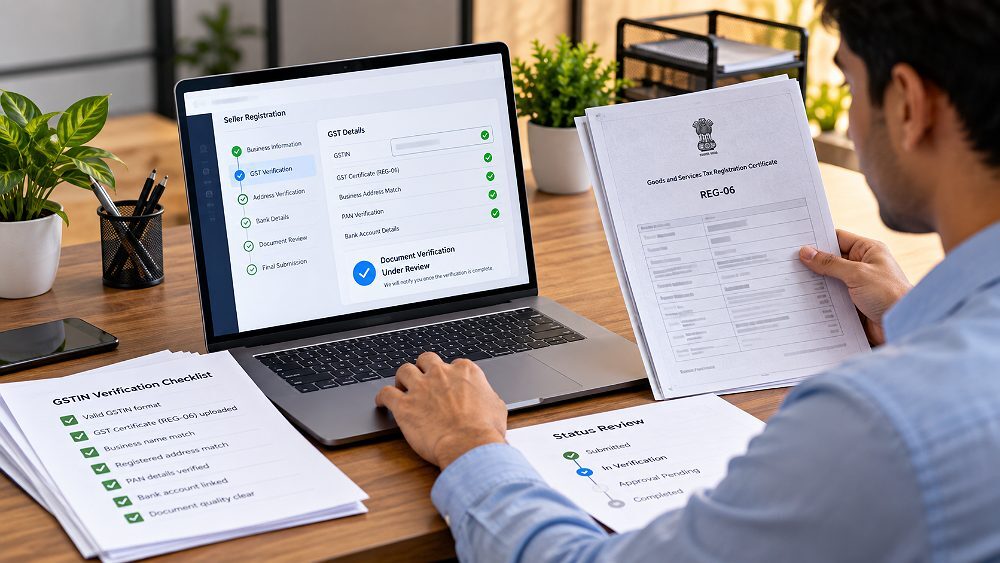
After the GST number is entered, submit it for verification. Amazon’s current registration guide states that GST verification can take up to 72 hours and that sellers can continue other registration steps while documents are under review. If automated verification fails, Seller Central can provide a GST document-upload route. Amazon specifically references the GSTIN certificate in REG-06 format with Annexure A and Annexure B. Keep the uploaded file clear, current and unaltered.
What to Do If Amazon GST Verification Fails
First recheck the GSTIN, legal business spelling and GST status. Compare the Seller Central fields with the official GST certificate rather than repeatedly changing details. If Amazon requests a document, upload the requested certificate in the supported format and follow the dashboard instructions. When Amazon GST verification failed remains unresolved after correct documents are supplied, use Seller Support for the account-specific case.
Treat GST verification as a separate checkpoint from the rest of Seller Central setup.
4
Step 4: Choose Your Amazon Store Name
Choose a store name that is clear, available and appropriate for the products you plan to sell. Amazon describes it as the display name that represents the business to customers on Amazon.in. It can differ in purpose from the legal business name used for tax and banking. Avoid forcing a clever name if it creates confusion; the important point is that the store name is unique enough for Seller Central to accept it.
5
Step 5: Add the Correct Pickup Address
Enter a pickup address that can actually handle order collections and returns-related logistics. Amazon says the GST address appears as an option and a different pickup location can be added in Seller Central. Its current guide also says the pickup address must be in the same state as the GST registration, and the pickup FAQ specifically applies that condition to Easy Ship. Do not enter a convenient mailing address that is operationally unusable for parcels.
6
Step 6: Select Easy Ship or Self Ship
Easy Ship means the seller stores and packs orders while Amazon picks them up and handles supported deliveries. Self Ship means the seller manages storage, packing and shipping directly or through a third-party courier. Choose the shipping method that matches operational capability; this guide keeps fulfilment strategy brief because the immediate goal is correct Amazon Seller Central registration, not a full logistics comparison.
Pickup location and shipping preference should reflect how the business will actually process Amazon orders.
7
Step 7: Add Your Bank Account Details
Add the active bank account used for the registering business and double-check the account holder name and banking information before submission. Amazon states that the money earned from Amazon.in sales is transferred to this registered account. The Amazon Seller Central bank account setup should therefore be reviewed with the same care as tax details. Bank information can be managed later in Seller Central, but starting with accurate details helps avoid payout delays.
8
Step 8: Select the Product Tax Code and Create Your First Listing
Amazon describes the default GST rate or Product Tax Code (PTC) as the tax setting used on listings where a specific code is not selected. Review the correct tax rate for the category rather than guessing. Then add the first product listing with accurate title, attributes, description, price, stock and compliant images. Amazon says at least one listing must be completed before the store can launch. For listing media, the Amazon product photography guide gives a useful next-step workflow.
9
Step 9: Launch Your Amazon Store
Before clicking Start Selling, review every completed checkpoint: contact verification, GST or PAN route, store name, pickup address, shipping method, bank details, Product Tax Code and the first listing. Amazon store launch is the end of registration, not the end of account setup. After launch, the seller dashboard still needs inventory, pricing, account-health and listing-quality attention. Sellers planning a broader catalogue can also review the Amazon catalogue listing workflow.
04
GST vs PAN for Amazon Seller Registration: Which Do You Need?
Direct answer: For most sellers listing taxable goods on Amazon.in, applicable GST details are required. Amazon’s current guidance provides a PAN-based route for sellers dealing only in GST-exempt products. PAN is not a blanket substitute for GST on taxable goods.
The safest way to approach Amazon GST registration is to begin with the product’s tax status. If a product is taxable, the seller should use the applicable GSTIN and complete GST verification. If the seller deals exclusively in exempt categories, Amazon says the account can use PAN details for that scenario. If a business later expands from exempt items into taxable products, tax compliance should be updated before those products are listed.
For proprietorships, companies, manufacturers and D2C brands, the same practical principle applies: keep the business entity, PAN identity and GST records internally consistent. Do not use a mismatch to “get through” registration. Amazon can compare submitted tax information, and future invoices, settlements or account checks depend on accurate source data.
Seller situation
GST requirement
PAN role
Registration note
Selling taxable goods
Generally required
Relevant tax identity
Follow Amazon and GST requirements
Selling only GST-exempt goods
May not require GSTIN
Used for Amazon’s exempt route
Confirm product/category tax status
Already GST registered
Provide GSTIN
Keep PAN/business identity consistent
Complete GST verification
Moving into taxable products later
May become required
PAN alone is insufficient
Update compliance before listing
This article explains Amazon’s onboarding workflow, not personalised tax advice. For official registration status, certificate access and tax-registration services, use the Goods and Services Tax Portal.
05
Amazon Bank Account Verification and Payment Setup
Amazon asks for an active bank account because seller proceeds need a destination. In the current registration guide, Amazon instructs sellers to provide the bank account used for the business and states that Amazon.in sales money will be transferred there. For Amazon seller bank account verification India, accuracy matters more than complexity: the account should be active, the entered bank details should be correct and the account holder information should correspond appropriately to the registering entity.
A banking issue should also be separated from general seller verification. A typo in the bank account can disrupt payment setup without meaning that GST verification or the Seller Central account itself has failed. If banking information changes later, review the payment settings inside Seller Central and update it through the authorised account workflow rather than opening a new seller account simply to change payout information.
Bank Account Checklist Before Submission
Account is active and can receive business settlements.
Bank details are entered exactly as required.
Account holder name is accurate.
Account corresponds appropriately to the registering business entity.
Seller Central payment settings are reviewed after registration.
Bank setup is a payout checkpoint: verify details carefully without mixing it up with GST or listing approval.06
Common Amazon Seller Verification Problems and How to Fix Them
Most registration problems become easier to resolve when the seller identifies the failing checkpoint first. An Amazon seller verification message can involve GST, PAN/business identity, bank information or pickup-state rules. Treating every error as a full-account rejection wastes time and can create new inconsistencies.
GST Verification Is Pending or Failed
Amazon says GST verification may take up to 72 hours. During that window, continue the remaining setup. If it fails, recheck the GSTIN, legal name and GST status, then use the requested document-upload route. A clear GST certificate is more useful than repeatedly editing correct information.
Business or PAN Details Do Not Match
Check spelling, punctuation and entity type across PAN, GST and Seller Central. Correct the source record or the Seller Central field that is genuinely wrong; do not alternate between different legal identities. Consistent Amazon seller documents reduce avoidable account verification loops.
Bank Details Are Incorrect
Recheck the account number, account holder name and the business bank account used for settlements. A payment configuration issue is not automatically a tax-registration failure. Update authorised payment information through Seller Central when necessary.
Pickup Address Does Not Match Your GST State
For Easy Ship, Amazon’s current guide says the pickup address should be in the state where the GST is registered. Verify the selected GST registration and operational address before changing logistics settings. Keep tax-address and courier-capability issues separate.
Problem
Likely cause
What to check
Next step
GST pending
Verification in progress
Status + submitted GSTIN
Wait within stated window; continue other steps
GST failed
Mismatch or document issue
GSTIN, business name, certificate
Upload requested GST document
PAN/business mismatch
Identity inconsistency
Legal name and entity
Correct the inconsistent field
Bank issue
Incorrect payment details
Account and holder details
Update Seller Central payment settings
Pickup-state issue
GST state and pickup differ
GST registration + pickup location
Use compliant operational address
07
What to Do After Amazon Seller Registration Is Complete
Completion of Amazon seller registration means the account can move into normal Seller Central operations; it does not mean every listing and business setting is finished. Review the seller dashboard methodically before scaling the catalogue. This is the point where tax, operations and content need to work together.
Review Seller Central account information and business details.
Check tax settings, GST status and default Product Tax Codes.
Confirm payment information and business bank account.
Confirm pickup address and shipping method.
Complete or verify the first product listing.
Check restricted-category requirements where applicable.
Prepare compliant primary, detail and lifestyle images.
Prepare Your First Amazon Listing After Registration
Registration alone does not make a product listing conversion-ready. Before launch, confirm the category, tax code, title, key attributes, description, price, stock and image set. Amazon’s own guide says product details such as photos, descriptions and price help customers evaluate the item. For a new marketplace seller, this is where account setup turns into a customer-facing catalogue.
Ckstudio’s marketplace-production experience shows a common timing gap: sellers often focus entirely on account approval and postpone catalogue assets until Seller Central is ready. Preparing product data, SKU organisation and marketplace-ready photography in parallel can shorten the path from approval to a publishable catalogue. That is why registration readiness and listing readiness are two different stages.
Prepare SKU data and marketplace-ready images while account verification is in progress to reduce launch delay.
Marketplace production example
For a practical look at how marketplace products are handled under controlled studio lighting, this behind-the-scenes example shows the type of production workflow that can support Amazon, Flipkart and Myntra catalogue assets after seller onboarding is complete.
Prince’s production note
When the first listing is being prepared, build a reusable SKU system from day one: product code, category, tax status, colour/size variants, image filenames and final listing assets should refer to the same product identity. That simple discipline makes later catalogue expansion, retouching and ASIN work much easier than fixing inconsistent files after dozens of products are live.
09
Amazon Seller Registration Checklist Before You Click Start Selling
Use this final Amazon seller registration checklist before launch. The aim is not to create more paperwork; it is to make sure each Seller Central checkpoint is complete and consistent before customers can see the first listing.
If the catalogue will use videos as well as still images, the Amazon product video guide explains where video fits into the visual stack. If a listing later becomes suppressed or rejected, use the suppressed ASIN and listing-rejection guide rather than assuming registration itself has failed.
10
Amazon Seller Registration FAQs
Amazon seller registration generally requires business and contact information, applicable GST or PAN details, an active bank account, pickup-address information and product details. If GST verification needs a document, Amazon may request the GST registration certificate. Exact tax-document requirements depend on the products and business situation.
Amazon’s current India guidance requires GST details for taxable goods. Sellers dealing exclusively in GST-exempt products may use Amazon’s applicable PAN-based registration route. Confirm the tax treatment of the product before selecting the route; PAN should not be treated as a blanket replacement for GST on taxable goods.
Amazon’s seller-registration guide states that GST verification can take up to 72 hours. Sellers receive an email about the outcome and can continue completing other registration steps while GST documents are under review.
Use an active bank account appropriate for the business being registered and enter the details accurately. Amazon says proceeds from online sales on Amazon.in are transferred to the bank account added during Seller Central setup.
Amazon’s current registration FAQ says pickup-address and bank-account details can be managed through Seller Central. Any updated information should remain accurate and comply with applicable tax and shipping requirements, including the pickup-state condition Amazon describes for Easy Ship.
No. Amazon’s seller FAQ states that a separate website is not required to start selling on Amazon.in. After registration, sellers use Seller Central to create listings and manage marketplace activity.
Next step
Complete Your Amazon Seller Registration and Get Ready to Launch
A reliable Amazon seller registration workflow is simple when the checkpoints are handled in order: verify the account, use the correct GST or PAN route, confirm pickup and shipping settings, add accurate bank details, review the Product Tax Code and prepare the first listing. Recheck source documents before editing Seller Central fields repeatedly, and separate tax, banking and listing problems when troubleshooting.
Founder, Ckstudio · 9+ years professional product photographer and Amazon imaging specialist. This guide was reviewed and updated on 2 October 2026 to align registration content with current Amazon.in seller guidance and practical marketplace catalogue preparation.