
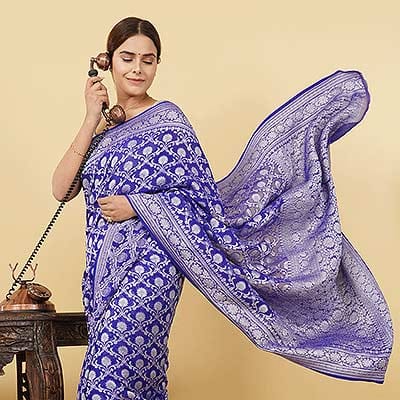
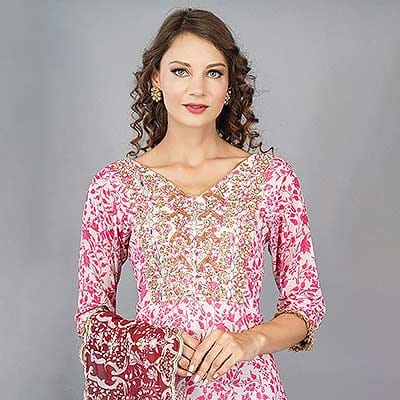


If you’re an Ajio seller struggling to get your product listings approved — or if your images keep getting rejected — you’re not alone. Ajio’s image guidelines in 2026 are stricter and more detailed than ever, and for good reason: the platform’s premium positioning demands visuals that match that standard. This guide walks you through every critical requirement, from pixel dimensions and file formats to model shoot specifications and category-specific rules.
Whether you’re listing apparel, footwear, accessories, or home products, understanding Ajio’s seller image guidelines is the single most impactful thing you can do to improve your listing approval rate and conversion rate simultaneously. The good news? Once you know the rules, following them is straightforward — and the results speak for themselves.
- Ajio requires a minimum image resolution of 1000×1000px — uploading at 2000×2000px or higher is strongly recommended.
- Main product images must have a white or very light background with the product covering at least 85% of the frame.
- Apparel categories mandate model shots or ghost mannequin photography for the primary image in most cases.
- File formats accepted: JPEG and PNG only; file size must be under 10MB per image.
- You can upload up to 6 images per listing — using all 6 slots significantly improves conversion.
Understanding Ajio as a Platform — Why Image Quality Matters
Ajio is one of India’s fastest-growing fashion and lifestyle e-commerce platforms, operated by Reliance Retail. Unlike general marketplaces, Ajio has always positioned itself as a curated, premium destination — which means its bar for visual quality is considerably higher than Flipkart or Meesho. Sellers who treat Ajio listings the same way they’d treat their Meesho catalogue often find themselves dealing with repeated rejections.
The platform serves fashion-forward shoppers who are comparing your product against hundreds of competitor listings in the same scroll. In this environment, image quality isn’t just about compliance — it’s your primary sales tool. Listings with professional, guideline-compliant images consistently outperform those with DIY or non-compliant visuals by a significant margin in Ajio’s search algorithm ranking.
Ajio’s internal quality scoring affects listing visibility. Listings with high-quality, compliant images get more prominent placement in category pages and search results — directly impacting your organic reach without any additional spend.
Core Ajio Image Specifications 2026
Let’s get into the precise technical requirements. These are the non-negotiables — any image that doesn’t meet these specs will be rejected during the Ajio catalogue upload review process.
| Specification | Requirement | Recommended |
|---|---|---|
| Minimum Resolution | 1000 × 1000 px | 2000 × 2000 px or higher |
| Aspect Ratio | 3:4 (portrait) for apparel | 3:4 consistent across all images |
| File Format | JPEG / PNG | JPEG (smaller file, faster load) |
| Max File Size | 10 MB per image | Under 3 MB for fast loading |
| Background (Main Image) | White or light grey | Pure white (#FFFFFF) |
| Product Coverage | Minimum 85% of frame | 90–95% of frame |
| Images Per Listing | Minimum 1, Maximum 6 | Use all 6 slots |
| Colour Mode | RGB | sRGB colour profile |
Images with watermarks, logos, promotional text overlays, borders, or collages in the main product image slot are automatically rejected by Ajio’s catalogue team. Keep your primary image clean and free of all overlaid elements.
Background & Lighting Requirements

The background requirement for Ajio’s main image is clear: white or very light, distraction-free background. The product must be the focal point, with no props, shadow distractions, or busy backdrops competing for attention. For e-commerce photography, achieving a true white background requires more than just pointing a product at a white wall.
Achieving a Clean White Background
- Use a white seamless paper backdrop (minimum 2.7m wide) — not fabric or cardboard, which show texture and creases.
- Light the background separately from the product using at least 2 background lights to eliminate shadow spill.
- Expose the background to be slightly overexposed (+1/3 to +2/3 stop) compared to the product — this makes clean background removal easier in post.
- For garment photoshoots, use a 4-light setup: 2 for the subject, 2 for the background to ensure even, shadow-free illumination.
Apparel & Model Image Guidelines
Ajio is primarily a fashion platform, and apparel is its largest category. For clothing, the image guidelines are the most detailed — and the most strictly enforced. If you’re selling any form of wearable product on Ajio, understanding these rules is critical.

Model Photography Requirements
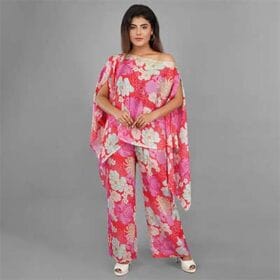
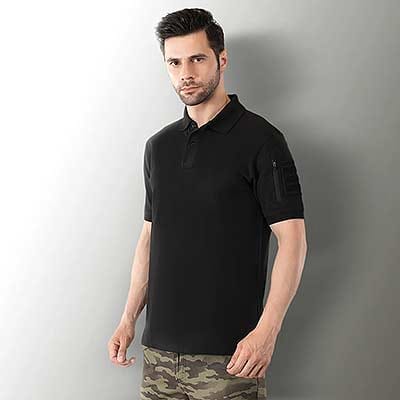
- Full-length shot mandatory for most apparel: head to toe, with the complete garment visible.
- Model must be in a natural, upright standing pose — no extreme fashion poses for the main image.
- Skin tone and complexion should be natural and unedited — heavy skin retouching or artificial filters are not permitted.
- Model’s face should ideally be visible and forward-facing for the main image.
- No visible jewellery or accessories in the main shot unless they are part of the listed product.
Ghost Mannequin (Invisible Mannequin) Option
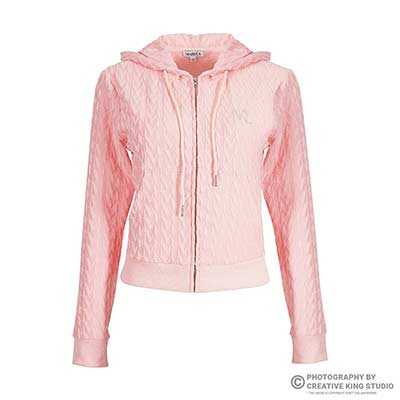
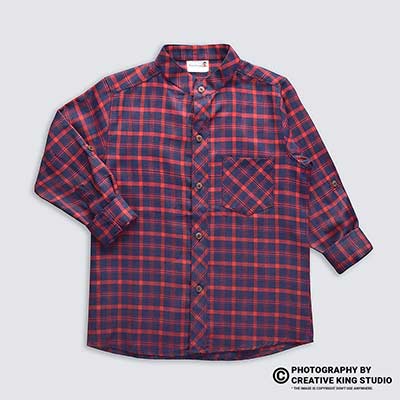
For brands that prefer not to use live models for budget or logistical reasons, ghost mannequin photography is an accepted alternative on Ajio. This technique creates the illusion of an invisible mannequin — the garment appears to float in a 3D, wearable shape without a model. It works particularly well for t-shirts, kurtas, jackets, and formal wear.
Ghost mannequin images must still comply with the white background rule and the product-coverage minimum. The final composite image should show the full garment including the interior neckline and hem finish.
Category-Specific Notes
| Category | Primary Image Format | Notes |
|---|---|---|
| Tops / Kurtas / T-shirts | Model or Ghost Mannequin | Full length preferred; front view mandatory |
| Bottoms / Trousers / Leggings | Model (full length) | Show complete garment including hem |
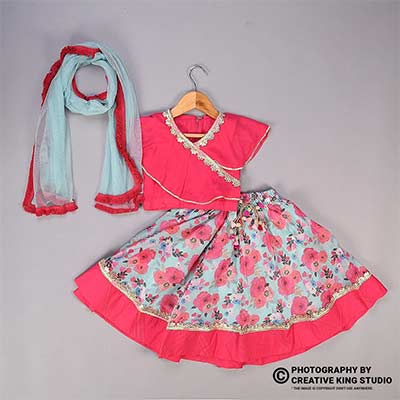
| Ethnic Wear / Sarees | Model (full length) | Show drape and fall; include styling shot |
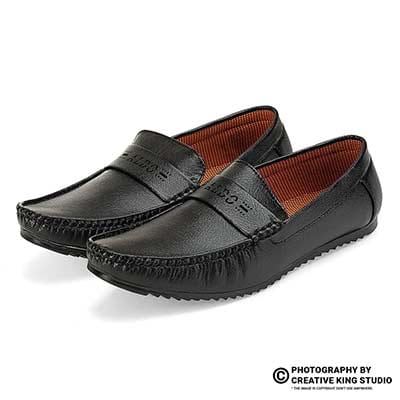
| Footwear | Flat lay or angled product | Show both shoes; pair shot preferred |
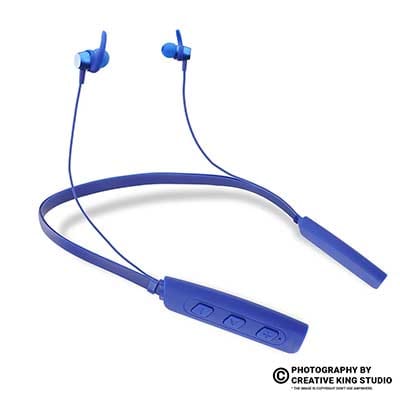
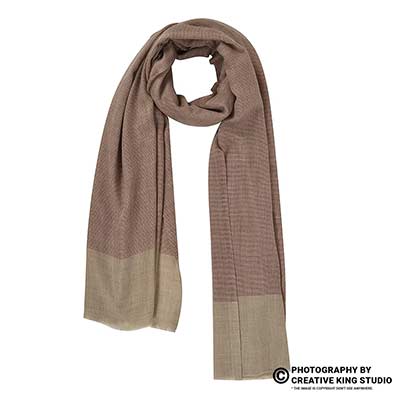
| Accessories / Bags | Product on white background | Multiple angles; show interior if applicable |
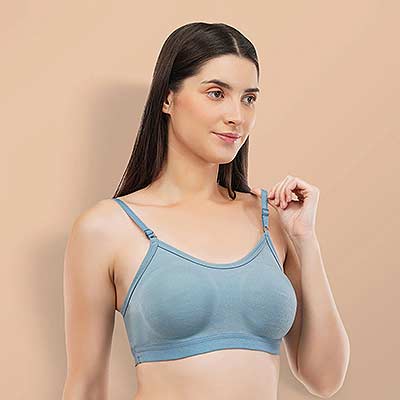
| Innerwear / Lingerie | Ghost Mannequin or Flat Lay | Live model optional; keep visuals clean |
Real Professional Photography vs AI-Generated Images: What Ajio Allows
With the rise of AI image generation tools, many sellers have been tempted to use AI-generated product visuals for their listings. It’s worth being very clear on this: Ajio does not permit AI-generated images that do not accurately represent the actual product.
- Accurately represents fabric texture, colour, and fit
- Fully compliant with Ajio’s image authenticity policy
- Builds genuine buyer trust and reduces returns
- Higher conversion rates — shoppers buy what they see
- Eligible for Ajio’s quality-score ranking boost
- Consistent colour accuracy across devices
- Does not represent the actual product accurately
- Risk of listing rejection or permanent seller account action
- Buyers receive a different product — high return rate
- Cannot replicate real fabric drape, sheen, or texture
- Unnatural skin tones and model proportions
- Zero accountability if buyer raises authenticity dispute
The bottom line: for Ajio listings, there is no substitute for real professional photography. A quality shoot is an investment that pays back multiple times in better ranking, higher conversions, and fewer returns. Professional fashion photography ensures your garments are presented exactly as they look in real life — which is ultimately what builds long-term buyer trust.
Step-by-Step: How to Prepare Your Images for Ajio
Map out all 6 image slots: (1) Main compliance shot, (2) Front angle with model, (3) Back view, (4) Detail/close-up of fabric or print, (5) Flat lay or lifestyle contextual, (6) Size chart or scale reference. Planning this before the shoot prevents reshoots and gaps in your catalogue.
Use a white seamless paper roll, minimum 2.7m wide. Set up at least 4 lights: 2 for the subject (large softboxes or octaboxes) and 2 dedicated background lights for shadow-free illumination. Avoid window light as the sole source — it produces inconsistent, warm-toned results that fail Ajio’s white background check.
Use a full-frame or crop-sensor mirrorless/DSLR camera. Shoot in RAW format at ISO 100, f/8–f/11 for full-product sharpness, and a shutter speed of 1/125s or slower (controlled flash environment). Shoot tethered if possible so you can review on a calibrated monitor in real time.
Clean the background to pure white using masking in Photoshop or Lightroom. Correct white balance and exposure. Do not apply heavy skin smoothing, dramatically alter fabric colour, or add artificial sheen to products. Ajio’s quality team flags images that look digitally manipulated beyond realistic retouching. Professional image editing ensures your images look polished without appearing artificial.
Export as JPEG at 2000×2000px minimum (use 3:4 crop for apparel), sRGB colour profile, quality 85–95, file size under 5MB ideally. Name files descriptively (e.g., SKU123_front.jpg) for easy management during bulk uploads.
Upload through Ajio’s seller portal, assign images in the correct slot order (main image first), and preview the listing before submitting for review. Allow 24–72 hours for catalogue approval.
Practical Examples: What Good Ajio Images Look Like
To understand what Ajio considers high-quality, it helps to look at top-performing listings on the platform. Consistently, the best-performing Ajio sellers share certain visual traits across their catalogues.

Top Ajio sellers in the ethnic wear category, for example, use a combination of full-length model shots, close-up fabric detail shots, and lifestyle-context images across their 6 image slots. Their main images are always white-background, full-length, model-worn or ghost mannequin — while slots 4–6 are used for storytelling (styling suggestions, fabric close-ups, size-reference overlays).
For footwear sellers, the standard is a pair-shot at a slight 3/4 angle showing the sole profile, followed by a flat lay top view, a side profile, and a lifestyle shot of the footwear worn in context. Footwear photography on Ajio benefits enormously from consistent lighting and neutral, textured surfaces for secondary shots.
7 Common Mistakes Ajio Sellers Make with Product Images
Smartphone cameras struggle with consistent white balance, background evenness, and sharpness at the required resolution. Even premium phones produce images that fail Ajio’s quality score check at catalogue review.
Uploading landscape (16:9) or square (1:1) images for apparel categories. Ajio’s apparel display is optimised for portrait (3:4) — wrong ratios result in cropping that cuts off the product.
Leaving excessive blank space around the product makes it appear smaller than it is and triggers rejection. The product should nearly fill the frame, especially for the main image.
Fabric backdrops, craft paper, or walls produce a warm, yellow-tinged background. Ajio’s AI image checker flags backgrounds that aren’t close to pure white (#FFFFFF). Always use a professional white seamless paper roll.
Adding your brand name, logo, price, or promotional text to the main product image is an automatic rejection trigger. Ajio prohibits any text overlay on the primary listing image.
When listing colour variants, images for each colour must be separately shot — not digitally colour-shifted in Photoshop. Ajio (like Myntra) actively checks for digitally colour-altered variants, which misleads buyers and leads to high return rates.
Sellers who upload only the mandatory main image lose significant conversion opportunity. Listings with 5–6 images get considerably higher add-to-cart rates on Ajio compared to those with 1–2 images.
Advanced Tips & Pro Insights for Ajio Sellers

Use Your Image Slots Strategically
Think of your 6 image slots as a visual sales funnel. Slot 1 (compliance), Slot 2 (alternate model angle or back view), Slot 3 (close-up detail — fabric, print, embroidery), Slot 4 (flat lay or ghost mannequin inside label view), Slot 5 (lifestyle or contextual shot), Slot 6 (size guide or multi-product styling). This progression mirrors how a buyer browses — first confirming it’s what they searched for, then evaluating quality, then imagining themselves wearing it.
Colour Management Is Non-Negotiable
Calibrate your monitor using a hardware colorimeter (X-Rite or Datacolor) and shoot with a grey card for accurate white balance. Export all images in sRGB colour profile. Images shot in Adobe RGB but exported without conversion will appear dull and desaturated on consumer screens — a leading cause of “product looks different” complaints on Ajio.
Invest in a Consistent Model
For apparel sellers with large catalogues, using the same model across all SKUs creates visual brand consistency that buyers subconsciously notice and associate with quality. Consistent model selection also speeds up styling and shoot time, reducing per-SKU cost. Ckstudio works with a curated panel of experienced e-commerce models who are briefed on Ajio’s specific pose and expression requirements.
The “Zoom Test” — Always Check at 100%
Before uploading, zoom into your product image at 100% on a calibrated monitor. If the fabric texture is soft or the embroidery detail looks slightly blurred, Ajio’s zoom feature will expose this to buyers. Sharpness at 100% zoom is especially critical for jewellery, watches, and detailed ethnic wear.
Ckstudio has produced compliant, high-converting product images for hundreds of Ajio sellers. From ghost mannequin photography to full model shoots, Prince and the Ckstudio team handle it all — so you can focus on growing your business.
Recommended Tools & Equipment for Ajio-Compliant Shoots
You don’t necessarily need the most expensive gear — but you do need the right gear. Here’s what professional studios use to consistently produce Ajio-compliant product images:
Cameras
- Sony A7R V / Canon R5 — Full-frame mirrorless for maximum resolution and colour accuracy. Ideal for 2000×2000px and above requirements.
- Canon R10 / Sony A6700 — Crop-sensor options that still deliver excellent image quality for apparel and accessories at lower cost.
Lighting
- Godox SK400II × 4 — Reliable, affordable studio monolights for product and model shoots. Use 2 for subject illumination, 2 for background.
- Elinchrom EFX 400 × 2 — Premium option for high-volume shoots requiring consistent colour temperature and fast recycling.
- Modifiers: 2× large octaboxes (90cm+) for soft, even subject lighting; 2× strip softboxes for background; 1× beauty dish for model face lighting.
Post-Processing Software
- Adobe Lightroom — For batch colour correction, white balance, and exposure across large catalogues.
- Adobe Photoshop — For precise background masking, composite work (ghost mannequin), and final retouching.
- Capture One — Preferred by many professionals for superior colour rendering and tethered shooting workflow.
Ajio Image Upload Checklist — Before You Submit
Use this checklist before every Ajio catalogue submission. Check off each item to avoid rejection:
- Main image: white/light background, product covers 85%+ of frame
- Resolution: 2000×2000px or higher (minimum 1000×1000px)
- Aspect ratio: 3:4 portrait for apparel; 1:1 acceptable for accessories
- File format: JPEG or PNG, under 10MB per image
- sRGB colour profile applied on export
- No watermarks, logos, text overlays, or collages on main image
- Apparel: model shot or ghost mannequin showing full garment
- All 6 image slots used (main + 5 supporting images)
- Zoom test passed: fabric/product detail sharp at 100% view
- Colour variants: separate shoot for each colour (no digital colour shifts)
- No visible model jewellery or accessories not part of the listed product
- Image file named consistently (SKU-based naming)
Future Trends: Where Ajio Image Standards Are Heading
Ajio’s visual standards in 2026 are already ahead of many Indian marketplaces, and the trajectory suggests they’ll continue to raise the bar. Here’s what sellers should prepare for:
- 360-degree product photography is becoming an expected feature for premium listings. 360° photography allows buyers to rotate and inspect products from all angles, dramatically reducing return rates for footwear, bags, and electronics.
- Video integration — Short product videos (10–30 seconds) are being progressively integrated into Ajio listings, particularly for premium apparel. Beyond standard product clips, creator-style UGC videos for e-commerce are driving the strongest engagement, and product video production will become a necessity for top-ranking sellers in the next 12–18 months.
- AI-powered image quality scoring will become more granular — assessing not just technical compliance but visual appeal metrics like composition balance, colour contrast, and model pose naturalness.
- AR try-on integration — Ajio is investing in augmented reality features where buyers can virtually try on clothing. This will require ultra-high-resolution, perfectly lit images as source material.
Shoot at the highest possible resolution today (24MP+) and archive your RAW files. As Ajio introduces new formats like 360° or AR assets, you’ll be able to repurpose existing shoots rather than reshoot your entire catalogue.
Frequently Asked Questions — Ajio Image Guidelines 2026
Conclusion & Next Steps
Mastering Ajio’s image guidelines in 2026 is not just a compliance exercise — it’s a competitive advantage. Sellers who invest in professional, guideline-compliant imagery consistently outrank and out-convert those who don’t, because the platform’s algorithm rewards quality and because buyers respond to visuals that genuinely represent the product they’re about to buy.
The key principles to take away: shoot at high resolution, use a proper white background with professional lighting, use model or ghost mannequin shots for apparel, use all 6 image slots strategically, and never attempt to use AI-generated images as substitutes for real product photography. If you’re listing on Myntra alongside Ajio, note that Myntra’s guidelines are similarly strict and can often be covered in the same shoot session.
If preparing all of this in-house feels overwhelming — or if you’ve been experiencing repeated rejections and need a reliable solution — Ckstudio is here to help. Based in Delhi, Ckstudio has been producing e-commerce product photography for Indian marketplace sellers for years, with platform-specific expertise in Amazon product photography and Flipkart photography and model shoots, alongside Ajio and Myntra compliance.
From a single product shoot to a full seasonal catalogue — Prince and the Ckstudio team deliver Ajio-compliant images on time, every time. Call +91-8700258773 or email [email protected] to book your shoot.