
















Low-resolution source images
Problem: details look soft after resizing. Why it matters: buyers cannot inspect texture or labels. Correction: reshoot or return to a genuinely high-resolution source rather than upscaling a poor file.
A practical seller playbook for cleaner marketplace listing images, fewer QC corrections, stronger catalogue consistency and a repeatable product photoshoot workflow.
Keep a high-resolution master, then create category-appropriate marketplace exports after checking the current Seller Hub requirement.
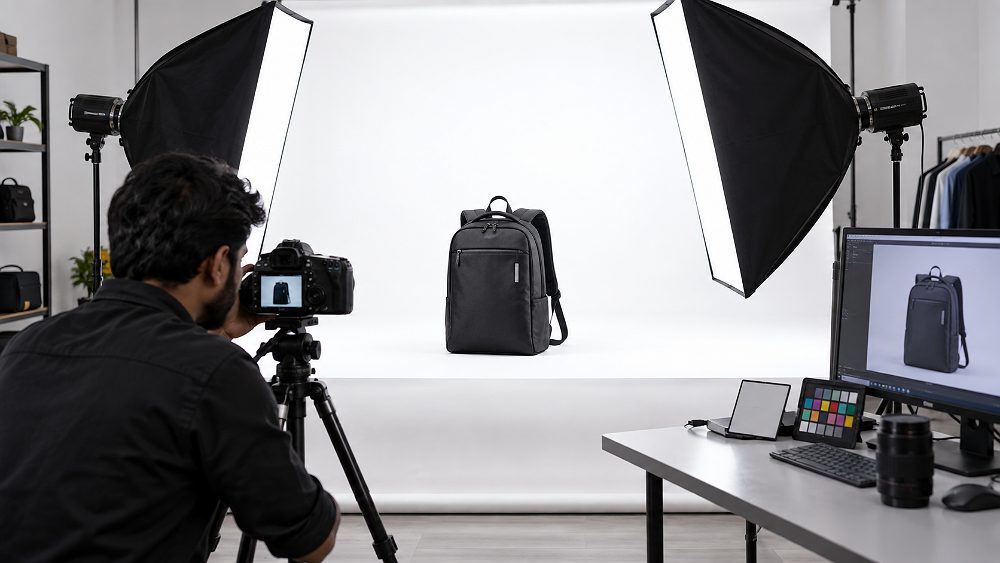
Flipkart product photography is not only about making a product look attractive. A reliable ecommerce listing also needs clean product framing, accurate colour, useful secondary images, sensible image resolution and a final listing QC step that matches the seller’s current category requirements.
For a first-time Flipkart seller, the most common problems are predictable: unclear Flipkart image guidelines, uncertainty about Flipkart product image size, inconsistent SKU photography, soft or blurry files after image compression, missing product angles, and copying an Amazon export directly into a Flipkart marketplace listing. This guide turns those problems into a practical production system for apparel, footwear, jewellery, cosmetics, home products and electronics.
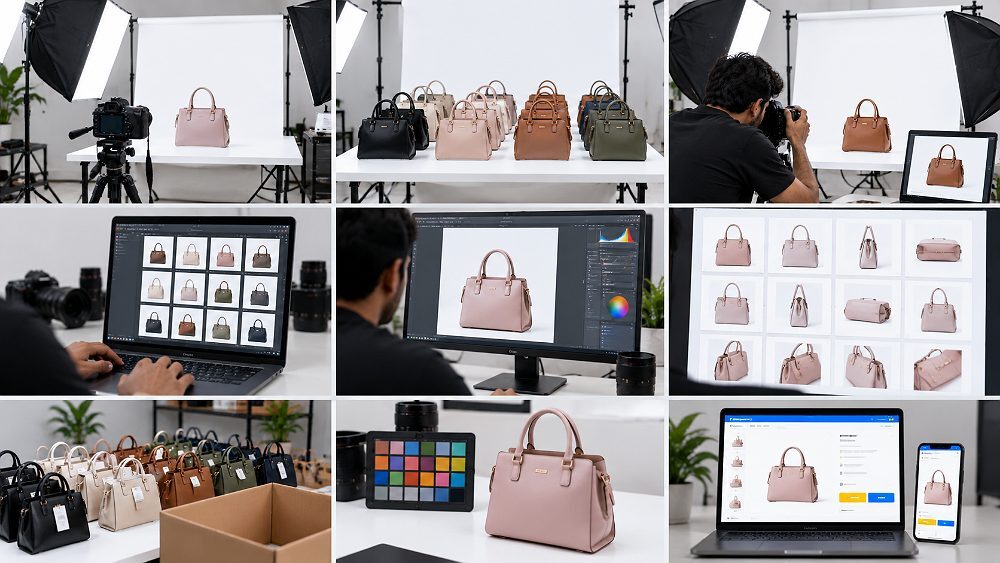
Prince has structured this guide around how marketplace catalogues are actually produced: plan the shot list, photograph a controlled high-resolution master, protect colour accuracy, retouch carefully, create marketplace-specific derivatives, then confirm the current Flipkart Seller Hub requirements before upload. Ckstudio’s role appears later as a commercial option for sellers who need professional Flipkart product photography in Delhi, not as a substitute for the official live category rules.
Prepare sharp, accurately coloured product images with a clean primary presentation, useful supporting views, appropriate digital resolution, controlled product cropping and a final export that matches the current category requirement in Seller Hub. Keep production recommendations separate from platform rules because Flipkart image requirements can vary by category and change over time.
Seller Hub and the exact product category remain the final technical reference before bulk export.
Keep a large high-resolution source file rather than repeatedly editing compressed marketplace derivatives.
Hero, front view, side view, rear view, three-quarter angle, close-up and scale/context frames each answer a different question.
Lock studio lighting, camera height, product styling, aspect ratio logic and colour correction rules before scaling across SKUs.
Flipkart product photography requirements should be treated as category-aware, not as one universal pixel rule. A production team should create technically strong source images and then confirm the current Flipkart seller image guidelines for the exact ecommerce listing before export. This approach reduces rework when marketplace specifications or category fields change.
The safest working method is to separate two ideas. The first is a recommended production standard: high-resolution capture, stable studio lighting, true product colour, controlled retouching and a repeatable product catalogue crop. The second is the live upload specification shown to the seller. Ckstudio uses this distinction because a useful studio master should outlive one marketplace derivative.
| Requirement | Recommended Production Approach | Final Seller Hub Check |
|---|---|---|
| Image resolution | Capture and retouch from a high-resolution master with enough real detail for product zoom. | Confirm current category dimensions. |
| Aspect ratio | Use a consistent crop system across the product catalogue. | Match the listing field/category requirement. |
| Background | Use a clean white background or light neutral background where appropriate for catalogue work. | Verify primary-image background policy. |
| Product framing | Centre logically, preserve product edges and avoid excessive empty space. | Check upload preview. |
| Sharpness | Focus on the product and preserve fine surface detail. | Inspect thumbnail and zoom. |
| Colour accuracy | Use a product reference and controlled colour correction. | Compare final file with the actual SKU. |
| File format | Prepare clean JPEG or PNG derivatives only where the category/platform accepts them. | Use the accepted upload format shown in Seller Hub. |
| Compression | Compress for web delivery without visible artefacts. | Inspect the uploaded preview. |
| Graphics/text | Keep the hero image clean unless category rules explicitly allow additional information. | Confirm the current rule before adding graphics. |
| Cropping | Use repeatable product cropping and alignment between variants. | Check all edges after upload. |
| Secondary images | Add angles, macro detail, product dimensions, packaging, scale or lifestyle image content as useful. | Confirm allowed supporting content. |
| Category-specific rules | Create a shot list before production. | Reconfirm immediately before bulk export. |
A strong primary image gives fast product recognition. Keep the hero image distraction-free, show the correct SKU, use controlled studio lighting, protect sharp edges and avoid accidental cropping. For many catalogue categories, a clean white or neutral treatment is practical, but the exact background requirement should be checked rather than assumed.
Product styling should also be functional. A garment needs neat shape and visible construction; jewellery requires controlled reflections and macro detail; a cosmetic pack needs readable front-facing packaging; electronics need clean surfaces and visible form. Avoid decorative props in a primary image unless the current category specifically permits them.
The primary image and secondary images do different jobs. The primary product image should make the item instantly recognisable in search and category views, while supporting Flipkart listing images should reduce uncertainty by showing form, material, function and scale.
Sellers deciding how many views to produce can also use the planning logic in how many ecommerce product photos per listing. For larger catalogues, the more important question is not a fixed number but whether the image set consistently answers the buyer’s major visual questions.
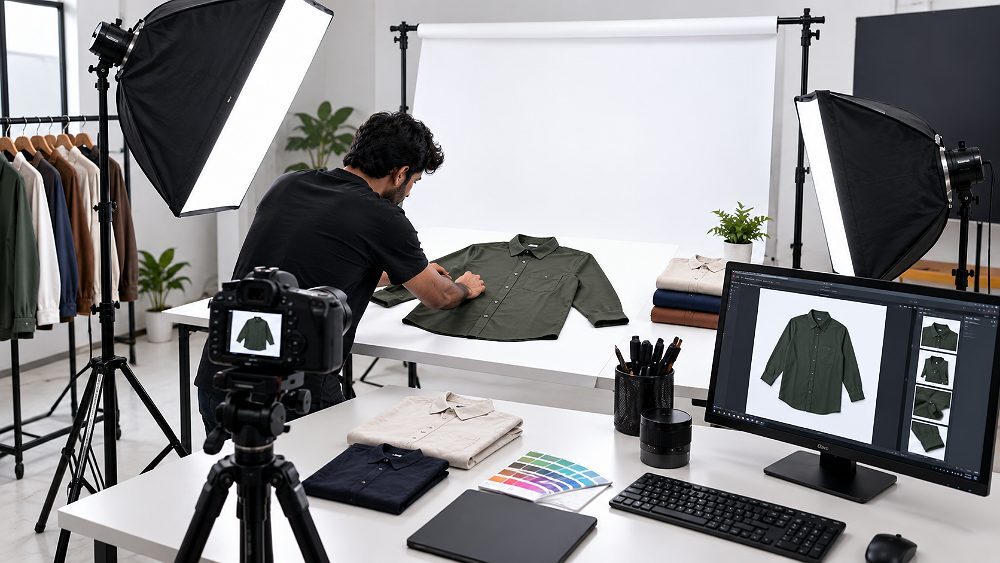
For digital marketplace work, think in pixels and actual captured detail rather than print DPI. A strong Flipkart product image size workflow starts with a large, clean master file, preserves real image resolution through retouching, and creates a fresh marketplace export after the current category specification is checked.
Ckstudio commonly keeps a 2000 × 2000 px square master working file for suitable square catalogue workflows, but this is a studio production recommendation, not a claim that Flipkart universally requires 2000 × 2000 px. Some categories, templates or future Seller Hub fields may require different dimensions or aspect ratio handling.
Never upscale a weak original merely to reach a larger number. Product zoom depends on genuine captured detail, focus quality, lens performance and sensible sharpening. Fine patterns, printed labels, jewellery surfaces and electronics texture can all break down after aggressive image compression, so inspect the final ecommerce image at both thumbnail and zoom size.
This approach is compatible with a broader ecommerce photography workflow and helps brands maintain one source of truth when distributing the same product catalogue to different marketplaces.
JPEG is practical for normal photographic images when the current upload field accepts it. PNG can be useful when transparency or graphic content genuinely requires it and the platform/category supports that use. In either case, keep the original source master separately and convert web derivatives consistently.
For sRGB product photography, compare subtle colour and printed details after export. Do not let compression destroy fine jewellery texture, cosmetic label text or fabric weave. A file can be technically large yet visually poor, which is why image quality should be evaluated by real detail, not only by nominal dimensions.
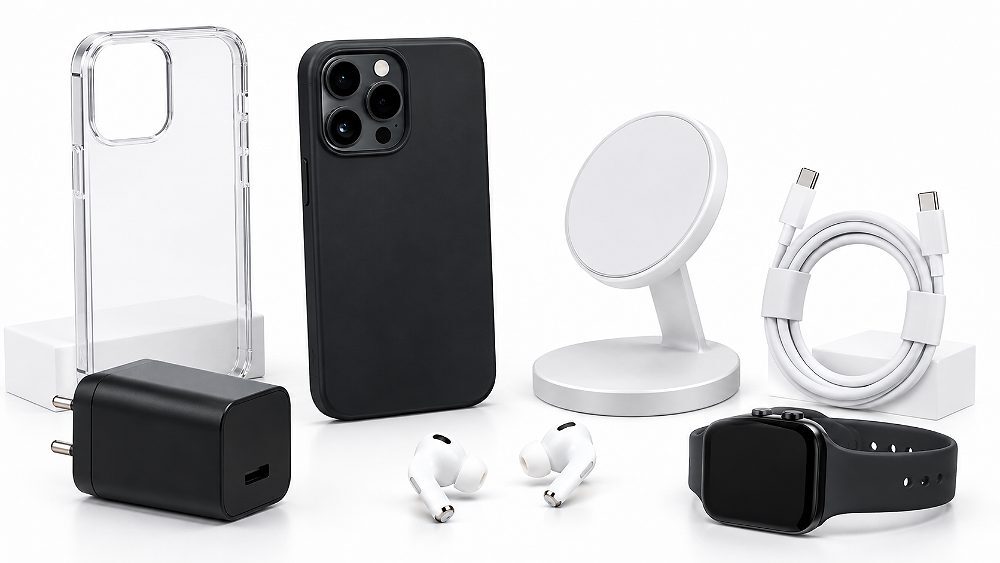
A clean, distraction-free primary image is the safest catalogue mindset. White background photography or a light neutral background often works well for marketplace product photography because it isolates shape and colour, but sellers should verify the exact Flipkart image background rule for their current category.
Do not copy Amazon, Myntra or Flipkart product image guidelines blindly between platforms. The same high-resolution master photography can be reused, but background compliance, product cropping, dimensions and graphics can differ. If you manage multiple channels, the ecommerce product photography standards guide provides a broader cross-marketplace framework.
Watch for dirty grey casts, rough cut-outs, inconsistent edge masking, clipped shadows and colour spill. A neutral studio setup should not make a white product disappear into the background; use lighting and edge separation to preserve form. For reflective products, background control and retouching must work together rather than relying on aggressive cut-outs later.
Lifestyle product photography is most useful as supporting content when it explains scale, function or usage. Furniture can be shown in a room context, kitchen products in realistic use, bags on-model for scale, cosmetics in application context, electronics in a work or home environment, and apparel on-model to clarify fit.
The key is to distinguish primary catalogue image rules from secondary product image opportunities. A lifestyle image should add buyer information, not merely decoration. If the category supports it, contextual images can complement clean catalogue frames without replacing the hero image.

The best product photography angles are the ones that answer buyer questions without redundant frames. A practical Flipkart product photoshoot sequence begins with a clear hero/front view, then adds shape, construction, scale and feature information through supporting images.
Category-specific planning prevents a catalogue team from overshooting useless frames or missing important details. The shot list below connects product angle choices with the visual information buyers normally need from a marketplace listing.
| Category | Hero | Secondary Angles | Detail Shot | Lifestyle / Scale |
|---|---|---|---|---|
| Apparel | Front/on-model or catalogue front | Back, side, three-quarter | Fabric, neck, sleeve, stitching | Fit and size context |
| Footwear | Outer-side hero | Inner, front, heel, top, sole | Material and construction | On-foot context when useful |
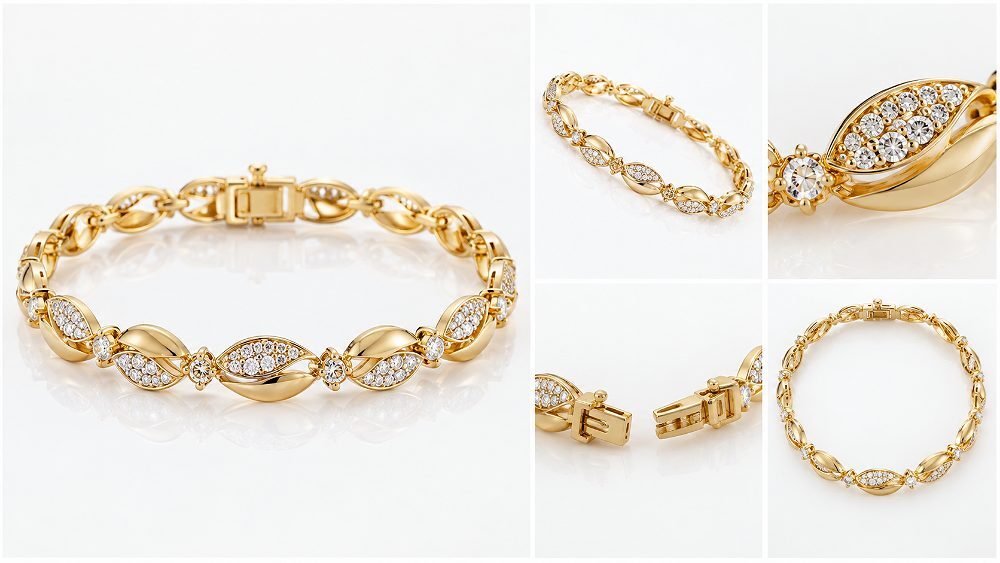
| Jewellery | Hero or 45-degree | Profile, closure | Stone, finish, macro detail | Scale/on-model where useful |
| Beauty | Hero packshot | Front, side, back | Applicator, texture, info panel | Application context |
| Home & Kitchen | Front or three-quarter | Side, rear if useful | Material, mechanism | Dimensions and realistic use |
| Furniture | Three-quarter hero | Front, side, rear | Material, joinery, finish | Room context and dimensions |
| Electronics | Front/three-quarter | Back, sides | Ports, buttons, connections | Package contents and functional use |
Flipkart fashion photography should show front and back product images, side and three-quarter shape, fabric/detail frames, neck or sleeve construction, and on-model fit where useful. Maintain consistent camera height and garment styling so the catalogue feels like one system. For specialised workflows, see fashion photography and garment photoshoot.
Flipkart footwear photography angles should cover outer and inner sides, front, back/heel, top, sole and material detail. A shoe product photography set should clearly show silhouette, sole pattern and construction. Sellers needing repeatable product detail photography can review footwear photography services.
Flipkart jewellery photography benefits from a hero view, 45-degree angle, side/profile, closure, stone/detail, scale and occasional on-model context. Macro product photography should preserve finish and gem detail without inventing sparkle or changing true colour. More category depth is available in the complete jewellery photography guide.
Cosmetic product photography normally needs a hero packshot, front label, side/back packaging, applicator, texture and ingredient or information panel where relevant. A supporting application image can explain use. For reflective bottles and controlled product styling, see beauty and cosmetic photography.
Home product photography should show front, three-quarter, side, material detail, scale, product dimensions and function. Furniture often needs a styled contextual view to communicate size. Large or reflective items benefit from specialist furniture photography and consistent perspective.
Electronics product photography should show hero form plus front/back, ports, buttons, connections, accessories, package contents, scale and functional use. Small controls and printed markings must remain sharp. For dedicated setups, use electronic product photography.
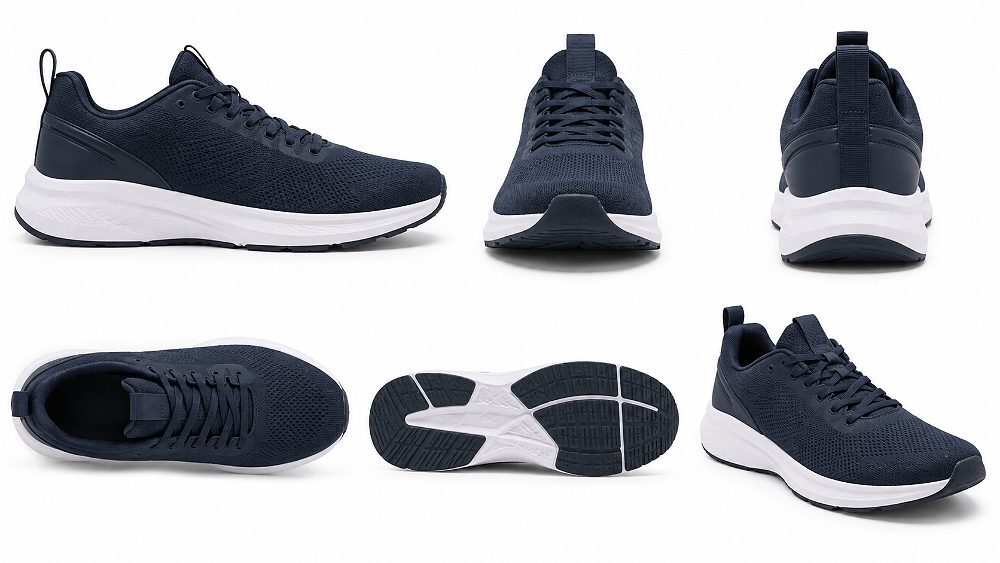
A checklist turns product photography for Flipkart from a series of individual images into a repeatable catalogue QC system. Use one checklist before the shoot and a second checklist before upload so errors are caught at the cheapest stage.
When catalogue consistency becomes difficult across dozens or hundreds of products, the workflow in scaling product photography from 50 to 500 SKUs is useful for planning batches, test shots, naming and QC gates.
Most Flipkart product image rejection or correction problems begin before upload. The seller either starts with a weak source file, uses the wrong production assumption, or skips a final listing QC step. Fixing the system is more reliable than repeatedly repairing individual images.
Problem: details look soft after resizing. Why it matters: buyers cannot inspect texture or labels. Correction: reshoot or return to a genuinely high-resolution source rather than upscaling a poor file.
Problem: product edges are clipped or framing varies by SKU. Why it matters: the catalogue looks inconsistent. Correction: use a locked crop guide and check the upload preview.
Problem: grey casts, rough masks or unnecessary props. Why it matters: the primary image loses clarity or conflicts with category expectations. Correction: rebuild a clean white/neutral treatment and verify the category rule.
Problem: variant colour does not match the physical SKU. Why it matters: the listing misrepresents the item. Correction: use controlled lighting, a product reference and consistent colour correction.
Problem: the buyer cannot see construction, scale or function. Why it matters: visual questions remain unanswered. Correction: build a category-specific shot list before the photoshoot.
Problem: artefacts, halos or texture loss appear. Why it matters: the product looks cheap or inaccurate. Correction: retouch the master first and inspect final compressed derivatives at 100% and zoom view.
Problem: a previous export preset is treated as permanently valid. Why it matters: category requirements can change. Correction: check the live Seller Hub field immediately before bulk export.
| Problem | Likely Cause | Recommended Fix |
|---|---|---|
| Blurry image | Weak source or aggressive resize | Return to high-resolution capture/master |
| Wrong crop | Inconsistent aspect ratio or template | Use a locked marketplace crop guide |
| Colour mismatch | Mixed lighting or poor colour correction | Use reference-based correction |
| Background issue | Grey cast, rough cut-out or wrong treatment | Rebuild and verify category policy |
| Missing detail | Shot list incomplete | Add close-up, macro or feature frame |
| Inconsistent variants | Camera/lighting changed between SKUs | Lock the production setup |
| Compression artefacts | Over-compressed derivative | Re-export from the master |
Good product image quality can also influence confidence and conversion behaviour; see the practical discussion on how product photography improves conversions on Amazon and Flipkart. For optimisation after production, use the ecommerce image optimization guide.
One master photoshoot can efficiently serve Amazon and Flipkart product images when the original photography is clean, high-resolution and broad enough to support multiple crops. The derivatives should then be treated independently: separate dimensions, separate crop logic, background compliance, graphics/text rules, filenames and upload previews.
Do not assume an Amazon hero image is automatically a compliant Flipkart primary image. The same applies in reverse. A brand should preserve one production master and create marketplace exports from it, rather than editing a compressed file from one marketplace to fit another. Sellers can compare workflows with the Amazon product photography complete seller guide and the Flipkart photography guidelines beginner guide.
DIY photography can work for a small, simple catalogue when the seller controls light, camera, product preparation and editing. Professional Flipkart photography services become more valuable when consistency, reflective materials, models, multiple variants, tight launch schedules or repeated marketplace exports make the workflow harder to manage.
| Factor | DIY | Professional Studio |
|---|---|---|
| Initial cost | Lower if equipment already exists | Paid production, often easier to forecast per scope |
| Consistency | Depends on operator discipline | Locked lighting, camera and QC workflow |
| Lighting control | Limited without modifiers and space | Controlled studio lighting for varied products |
| Colour accuracy | Can vary between sessions | Reference-led capture and colour correction |
| Bulk SKU handling | Time-intensive | Batch planning and SKU mapping |
| Retouching | Depends on editing skill | Structured retouching and image editing |
| Models | Requires separate coordination | Can be integrated into fashion/model workflows |
| Marketplace exports | Manual presets and checks | Repeatable export and catalogue QC |
| Turnaround | Competes with seller operations | Planned production schedule |
For simple items, DIY may be sensible. For larger catalogues, compare the operational value of outsourcing with how to choose an ecommerce photography company and the broader ecommerce photography services guide.
Send your SKU count, category and required image set. Ckstudio can scope packshots, multi-angle listings, model requirements, retouching and marketplace-ready exports.
For sellers who prefer to outsource production, Ckstudio provides professional Flipkart product photography in Delhi for D2C brands, manufacturers, marketplace sellers and catalogue teams. The workflow is designed around consistent SKU photography rather than treating each frame as an isolated creative image.
This workflow is especially useful when a seller needs white-background packshots plus detail or lifestyle frames, multiple product variants, or coordinated fashion/model imagery. Ckstudio can also integrate product image editing services and broader ecommerce photography services in Delhi when the same catalogue serves more than one channel.
In practice, the most valuable step is often the first test SKU. Prince uses it to confirm framing, colour reference, shadow style, camera height and product scale before a bulk run. That single test can prevent visual drift across a large product catalogue and reduces the amount of corrective retouching later.
Brands comparing human studio work with automated alternatives can also read AI ecommerce photography vs professional photography. For products where accurate physical detail matters, real professional photography remains the safer master source.
Pricing should follow the actual production scope rather than a fictional one-size package. Ckstudio currently uses an entry reference of photography from ₹49/image onwards where applicable; final pricing depends on product category, SKU quantity, angles, model/styling requirements, complexity and retouching.
| Package | Best For | Deliverables | Pricing | CTA |
|---|---|---|---|---|
| Basic · Marketplace Packshot | Simple catalogue products | White/clean-background catalogue photography | From ₹49/image where applicable | Request SKU Quote |
| Standard · Multi-Angle Listing Set | Listings needing visual coverage | Hero + multiple product angles + detail images | Custom INR quote | Get Listing Quote |
| Premium · Conversion Listing Set | Fashion, lifestyle or detailed products | Multi-angle + lifestyle/model/detail requirements | Custom INR quote | Plan Your Shoot |
| Enterprise · Bulk Catalogue Production | Large SKU batches | Consistent production + retouching + marketplace exports | Custom bulk INR quote | Request Bulk Pricing |
For broader budget planning, compare the variables in product photography pricing in India 2026. A meaningful quote should be based on SKU count, image count per SKU, product complexity and post-production requirements.
Marketplace photography works best as a repeatable production system. Lock the test SKU, lighting, crop logic and colour reference first; attractive individual images are not enough if the catalogue loses consistency.
Accurate product images support more than a cleaner listing. Indian ecommerce sellers also operate within consumer-protection and product-information obligations, so photography should not visually misrepresent colour, quantity, included accessories or physical features. The Consumer Protection (E-Commerce) Rules provide the wider consumer-protection context for online commerce.
For packaged goods, sellers should also understand the information context around the Legal Metrology Packaged Commodities Rules. Product photography does not replace mandatory listing data, but it should reinforce rather than contradict the physical product and its declared information.
These answers summarise the most common questions about Flipkart image guidelines, listing images and marketplace-ready production. For live category specifications, Seller Hub remains the final source immediately before export.
Use a high-resolution master image and export it to the current Flipkart Seller Hub specification for your exact category. Ckstudio commonly keeps a 2000 × 2000 px square master for suitable catalogue workflows, but this is not presented as Flipkart’s universal official minimum.
A clean white or neutral catalogue background is a safe production approach for many primary product images. Always confirm the current background requirement for the exact category in Seller Hub before bulk production.
Use enough views to answer major buyer questions. A practical sequence includes front, three-quarter, side, rear, close-up and a scale, feature or lifestyle image, then adjust the shot list for the product category.
You can reuse the same high-resolution source photography, but create separate marketplace exports. Dimensions, backgrounds, product cropping and category requirements should be checked independently for Amazon and Flipkart.
Ckstudio provides Flipkart product photography in Delhi for sellers, manufacturers and D2C brands, including white-background packshots, multi-angle catalogue images, model photography, editing and marketplace-ready exports. Call +91-8700258773 or email [email protected].
Save this checklist before preparing your next Flipkart catalogue. If you want additional practical production ideas, the posts on product photography tips that increase ecommerce sales and ecommerce catalogue photography consistency at scale extend the same system-based approach.
For packshots, multi-angle listing photography, fashion/model imagery, retouching or bulk catalogue production in Delhi, send your product category, SKU quantity and required marketplace. The team can scope a repeatable workflow and separate marketplace-ready exports.
Call Prince at +91-8700258773 or email [email protected].