





Fashion Photography Services





E-commerce Photography




2026 Buyer’s Guide for Sellers, Brands & Manufacturers
A practical, no-fluff guide to Amazon product photography services — image requirements, photography types, Delhi NCR pricing, workflow, categories and studio selection.
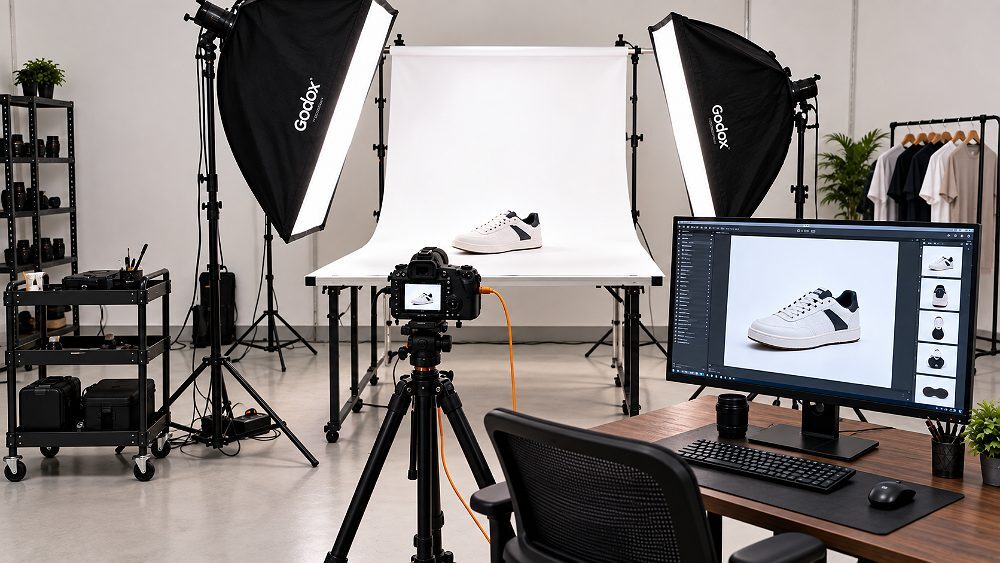
Amazon photography services cover every image a product listing needs to look professional, meet marketplace rules and answer a buyer’s questions before they tap “Add to Cart”. Selling on Amazon is not the same as a generic catalogue shoot — the platform enforces its own main-image standards, zoom expectations and category rules, and your photos compete inside a crowded search grid where the thumbnail alone often decides the click.
This 2026 guide distils eleven proven strategies that Ckstudio applies for Amazon sellers, manufacturers, D2C brands, wholesalers and private-label businesses across Delhi NCR. Having built the studio around marketplace catalogues, Prince has watched the same avoidable mistakes quietly cost sellers clicks and conversions. Inside you will find plain-English coverage of image requirements, the photography types that matter, realistic pricing, a repeatable workflow, category advice, common mistakes, turnaround planning and how to shortlist the right studio for reliable Amazon seller photography across Delhi NCR.
Quick answer
Amazon photography services produce a compliant white-background main image plus supporting photos — alternate angles, close-up details, scale or dimension shots, lifestyle or in-use images and feature infographics — all retouched to marketplace standards. A strong service plans images around buyer questions, keeps colour and lighting consistent across every SKU, and delivers correctly sized, listing-ready files.
What this guide covers
The 11 proven strategies at a glance
Good Amazon photography services are less about one hero shot and more about a complete set of images that work together on the detail page. Each photo has a job — prove the product is real, show angles, reveal detail, communicate scale and place the item in context. Before booking anything, it helps to know the core photography types and what each one contributes to Amazon listing photography. Sellers who understand the categories brief better, spend smarter and avoid paying for images their listing does not actually need.
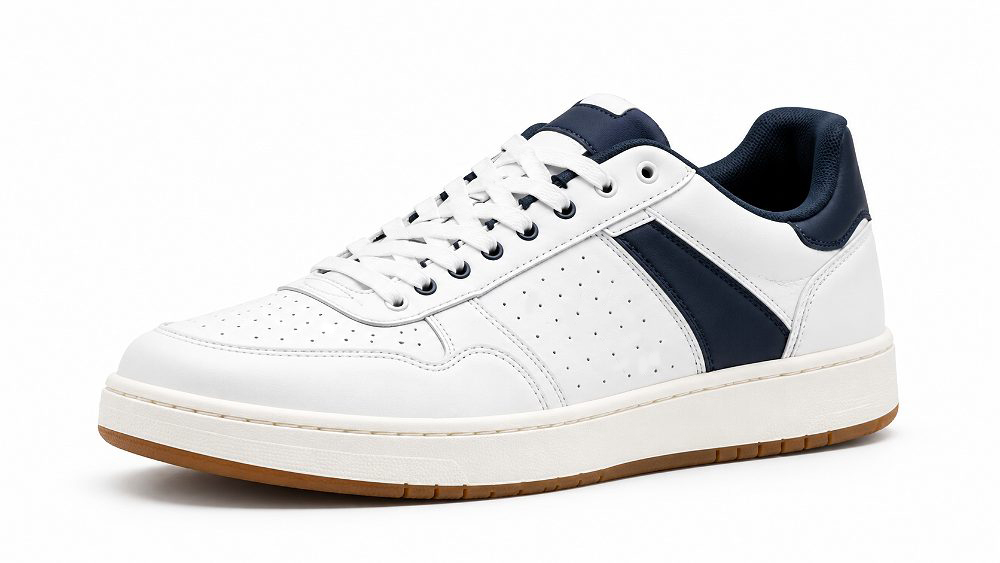
White-background product photography is the backbone of any listing. It produces the clean packshot Amazon expects for the main image — the product isolated on pure white so nothing distracts from the item itself. These shots are also the most reused assets across a catalogue, appearing in search results, category grids and comparison widgets. Because they set the visual tone for the whole page, packshots demand precise lighting, true colour and crisp edges. Studios that handle high-volume ecommerce photography services build repeatable white-background setups so every SKU looks like it belongs to the same brand.
Lifestyle photography shows the product being used by a person or styled inside a real scene, which the plain packshot can never do. These supporting images communicate scale, context and the feeling of ownership — a diffuser glowing on a bedside table tells a buyer more than a floating bottle ever will. On Amazon they usually sit in the secondary image slots and quietly answer “will this fit my life?”. For many categories, thoughtful lifestyle product photography is what separates a listing that looks like a datasheet from one that looks like a brand worth trusting.
Infographic and feature images layer short callouts, icons and measurements over a clean product photo to explain specifications at a glance. They are ideal for the third or fourth slot, where a buyer is scanning for dimensions, materials, compatibility or key benefits. Done well, they read in two seconds; done badly, they clutter the frame with tiny text nobody reads on a phone. Purpose-built Amazon infographic design keeps the layout clean and the claims honest, which matters because Amazon can flag misleading or over-designed images during review.
Wearable and worn products convert far better with model or on-body context. Clothing needs fit, drape and movement; jewellery needs scale against skin; beauty needs swatches and application; bags and accessories need to be seen in the hand or on the shoulder. This is where model photoshoot production earns its place in an Amazon plan. For apparel specifically, some SKUs are stronger on a live model while others read cleaner as a ghost mannequin shot — and mixing both across a range keeps the catalogue varied without losing consistency.
For higher-consideration products, richer assets pull their weight. Spin sets from 360-degree product photography let buyers rotate the item, while short clips built during a video production session demonstrate function, texture and real size. These same photos and clips also feed A+ Content and brand-store modules, so planning them alongside the core shoot avoids a second, costlier production later. If you are still deciding how many assets a listing truly needs, our note on how many product photos each listing should carry is a useful starting point.
| Service Type | Best For | Typical Listing Role | Studio Complexity | Best Product Categories |
|---|---|---|---|---|
| White-background photography | Every seller | Main image | Low–Medium | All categories |
| Multi-angle photography | Detail-rich items | Secondary slots | Low–Medium | Electronics, home, tools |
| Lifestyle photography | Brand building | Context slots | Medium–High | Home, beauty, decor |
| Model photography | Worn products | Context & fit | High | Fashion, jewellery, accessories |
| Infographic images | Spec-heavy items | Feature slots | Medium | Electronics, appliances, FMCG |
| Macro / detail | Fine finishes | Close-up slots | Medium–High | Jewellery, watches, cosmetics |
| 360-degree photography | Considered buys | Interactive slot | High | Footwear, gadgets, decor |
| Product video | Function demos | Video slot / A+ | High | Appliances, gadgets, tools |
Strong Amazon photography services begin with compliance, because a beautiful image that breaks a platform rule still gets suppressed. Amazon separates its main image from secondary images, applies different rules to each, and layers category-specific requirements on top. Understanding these Amazon product image requirements before the shoot saves painful reshoots after upload. The guidance below reflects the widely used 2026 standards, but marketplace rules change quietly, so always confirm the current specifications in your own account before you publish a listing.
The main image is the strictest asset on the page. Amazon expects a professional, realistic photo of the actual product on a pure-white background — technically RGB 255, 255, 255 — with the item filling roughly 85% of the frame and no text, logos, watermarks or props that are not part of the product. Sharp focus, correct colour and clean edges are non-negotiable, because this single image is what buyers judge in the search grid. Resolution matters too: images around 1,000 pixels or larger on the longest side unlock zoom, and Amazon’s own guidance references a broad 500–10,000 pixel range. Category rules can add further conditions, so verify the exact requirements for your product type in Amazon Seller Central right before publishing.
Amazon main-image shoot-day checklist
Secondary images are where a listing does its real selling. Once the main image earns the click, these slots answer the follow-up questions a buyer would ask if they were holding the product in a shop — what does the back look like, how big is it, what is included and how is it used. This is where Amazon lifestyle photography, detail close-ups and clear Amazon infographic images combine to build confidence. Unlike the main image, secondary slots allow supporting graphics, styled scenes and text callouts, so they carry most of the persuasion. A well-planned sequence mirrors the buyer’s decision journey rather than simply filling every available slot with more of the same angle.
A practical Amazon listing shot framework
Treat this as a planning framework, not a fixed rule — the ideal count varies by category and by how much a buyer needs to know before purchase.
Technical quality decides whether zoom works and whether the image survives Amazon’s compression. Shoot and export large — a longer edge of 1,600–3,000 pixels gives clean zoom without ballooning file size — and keep the product centred with consistent breathing room so every packshot crops the same way. Colour accuracy is part of quality too: greys should be neutral and whites should stay white, not drift blue or cream. These standards are shared across marketplaces, and our overview of ecommerce product photography standards is a handy cross-platform reference when you sell on more than one channel alongside your Amazon seller guide.
An Amazon product listing should include a compliant main image plus a sequence of secondary photos that show angles, detail, scale, usage and key features. There is no single magic number — the right set depends on the product and how much a buyer needs to understand before they commit. The most reliable way to plan Amazon product listing images is to stop thinking in slots and start thinking in questions, then create the exact photo that answers each one.
Every strong sequence quietly answers the questions a shopper would ask in a physical store. What does it look like from the front? What is actually included in the box? How large is it in real life? How is it used, and by whom? Which feature matters most, and what fine detail earns trust? When you map one image to each question, the listing stops feeling like a gallery and starts feeling like a helpful salesperson. That buyer-first logic is also why better images tend to reduce returns — shoppers know what they are getting before it ships, so fewer parcels come back.
A simple, inexpensive item rarely needs seven images; a high-consideration product often needs more than the default set. A phone cable might convert on a main image, one detail and a compatibility infographic, while a kitchen appliance benefits from angles, controls, dimensions, in-use context and an included-parts shot. Matching effort to complexity keeps budgets sensible and listings uncluttered. It also feeds directly into conversion, and the way thoughtful product photography improves conversions is usually about clarity, not quantity — the right images in the right order beat a long reel of similar shots.
| Image Role | Buyer Question Answered | Recommended Content | Products That Benefit Most |
|---|---|---|---|
| Main hero | What is it? | Clean white-background packshot | Every product |
| Alternate angle | What does the rest look like? | Back, side or top view | Fashion, footwear, decor |
| Detail close-up | Is the quality good? | Macro of finish or texture | Jewellery, watches, apparel |
| Scale / dimension | How big is it? | Measurements or size reference | Furniture, appliances, bags |
| Lifestyle / in-use | How does it fit my life? | Styled or worn context | Home, beauty, fashion |
| Feature infographic | Why choose this one? | Icons and short callouts | Electronics, FMCG, tools |
| Packaging / components | What arrives? | Box contents laid out | Gadgets, kits, gifting |
For sellers based in and around the capital, a local studio removes a lot of friction. An Amazon product photoshoot in Delhi NCR means samples reach the studio quickly, approvals happen the same week, and fragile or bulky stock does not travel across the country and back. A professional studio serving Delhi, New Delhi, Noida, Gurgaon, Gurugram, Faridabad and Ghaziabad can turn a rolling catalogue into a predictable monthly rhythm rather than a logistics headache. Proximity also makes reshoots painless — if one variant needs a fresh angle, it is a short trip, not a fresh courier cycle. That practicality is why so many Amazon seller photography projects across Delhi NCR stay local.
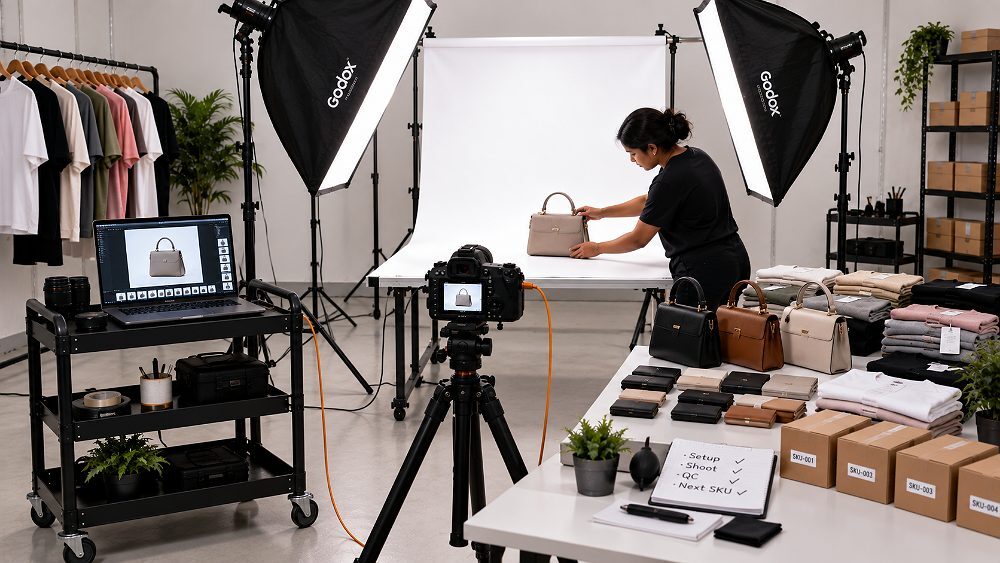
Shipping products to a distant studio can work for a handful of items, but it stops making sense once volume, value or fragility climbs. Large quantities, delicate stock, glassware, furniture and full clothing collections all argue for a nearby Amazon photography studio. Jewellery and high-value goods benefit from staying close so you keep custody and can approve results fast. Model shoots and product styling need in-person coordination that couriers cannot replace. And if you launch catalogues often, the round trips add up — a local product photography partner in Delhi quietly saves both time and money over a year.
Most Amazon assets are shot in a controlled studio, where lighting is repeatable and white backgrounds are effortless — exactly what marketplace compliance rewards. On-location photography earns its place for large machinery, installed products or lifestyle scenes that need a real environment. Manufacturers with oversized items sometimes prefer an on-site Amazon product photoshoot to avoid moving heavy stock, then finish detail and packshot work in-studio. The decision is rarely all-or-nothing: a hybrid plan keeps compliant packshots studio-clean while capturing context where it genuinely adds value, which is often the smartest route for a mixed catalogue.
Manufacturers and wholesalers live and die by consistency, so bulk work is a discipline, not just a bigger shoot. It relies on SKU tracking, a locked shot list, sample approval before the run, colour matching across variants, tidy file naming, batch capture and controlled revisions. Miss any one of these and a 300-SKU catalogue drifts — whites wander, crops shift and the brand looks careless. Our deep dive on scaling product photography from 50 to 500 SKUs covers the systems that keep large runs consistent, and the same principles power reliable catalogue consistency at scale for growing brands.
Pricing is the question every seller asks first, and the honest answer is that Amazon photography services are quoted by project, not by a fixed menu. Amazon photoshoot charges depend on the product, the number of SKUs, images per SKU, styling, models and the depth of retouching. A simple white-background run is inexpensive per image; a styled lifestyle or model production is a different exercise entirely. The realistic way to budget is to understand the variables, look at an indicative range, then request a specific quote based on your actual catalogue rather than a headline rate seen on an ad.
Several factors move the final number. Product type and size affect handling and setups; SKU count and images per SKU drive the volume; and the choice between plain white-background packshots and creative setups changes everything downstream. Styling, models, makeup, props and location add production cost, while retouching complexity, infographic design, video and delivery urgency shape the post-production bill. Because these levers vary so much between projects, a transparent studio prices by scope, not by a one-size rate. If you want a broader national picture before you brief, our product photography pricing guide for India and the city-level breakdown of costs in Mumbai show how ranges shift by market.
The indicative table below is a starting point for planning. The entry rate reflects the current from-₹75-per-image position on the Ckstudio Amazon service page, while creative, model and bulk work is always quoted to scope.
| Package | Best For | Photography Included | Pricing Position | Editing | CTA |
|---|---|---|---|---|---|
| Basic | High-volume marketplace sellers | White-background packshots | From ₹75/image | Standard editing | Get quote |
| Standard | Growing Amazon sellers | Multiple angles + detail shots | Quote by SKU / image volume | Enhanced editing | Get quote |
| Premium | D2C / private-label brands | Packshots + lifestyle + infographics | Custom ₹ package | Advanced retouching | Discuss project |
| Enterprise | Manufacturers / large catalogues | High-volume multi-SKU production | Custom volume pricing | Workflow-based post-production | Request bulk quote |
Final Amazon photoshoot charges depend on product type, quantity, styling, images per SKU and production complexity. Use the figures above for planning and confirm exact pricing with a scoped quote.
A dependable Amazon product photography workflow is what separates a smooth catalogue shoot from a chaotic one. The best studios follow the same repeatable path every time, so a five-SKU test and a five-hundred-SKU catalogue feel equally controlled. The six steps below are the backbone of how Ckstudio approaches marketplace work, and understanding them helps sellers prepare their products, references and expectations before the first frame is captured.
Everything starts with a clear brief. The studio collects the SKU list, product categories, reference links, brand notes and the marketplace goal — whether the priority is compliance, conversion or a full brand refresh. A tight brief prevents scope creep and makes sure the photography serves the listing, not the other way round. This is also the moment to flag category quirks so the shot plan is right from day one.
Next, each SKU gets a shot list — main image, angles, details, dimensions, lifestyle and any creative frames. Writing this down before the shoot removes guesswork on set and guarantees nothing is missed when products are packed away. For big ranges, the shot list becomes the master checklist that tracks progress SKU by SKU, so Amazon listing photography stays complete and consistent across the whole catalogue rather than strong for the first items and thin by the end.
Before a bulk run, one representative product is photographed and approved. This locks the lighting, angle and styling language for the entire catalogue, so every later SKU matches the signed-off look. Approving a single reference first is the cheapest insurance in the whole process — it catches colour, background and framing issues while a fix costs minutes, not a full reshoot. Skipping this step is the most common reason large catalogues drift out of consistency.
With the reference approved, the studio moves into production. Controlled lighting, fixed camera settings and disciplined styling keep every frame on-brand, while SKU tracking makes sure each product is captured against its shot list. This is where volume happens without losing quality — the systems built earlier let solid Amazon ecommerce photography run at pace. Consistent setups also make the later editing far faster, because every image starts from the same predictable baseline.
Raw captures then move to post-production: background cleanup to true white, colour correction, dust and blemish removal, straightening and consistent cropping. Crucially, every image is checked against current marketplace rules before it leaves the studio, so nothing gets suppressed on upload. Careful image editing is where compliance and polish meet — it is the difference between images that merely look nice and images that are genuinely listing-ready.
Finally, the images are delivered in an organised structure — sensible folders, SKU-based file names and correctly sized, marketplace-ready exports. Clean naming saves hours during upload and prevents the wrong image landing on the wrong ASIN. For teams managing many listings, this organisation is not a nicety; it is what keeps a growing catalogue manageable month after month, and it is the quiet reason experienced Amazon seller photography partners feel so much easier to work with.
Studio note
Seeing the process helps more than reading about it — our behind-the-scenes look at a product shoot shows how lighting, styling and tethered review come together on set.
No single recipe fits every product. The best Amazon photography services adapt their setup, lighting and shot plan to the category, because what sells a saree is not what sells a power bank. Below is a practical map of how the approach shifts across the categories most Indian sellers list, so you can brief accurately and avoid paying for the wrong kind of shoot.
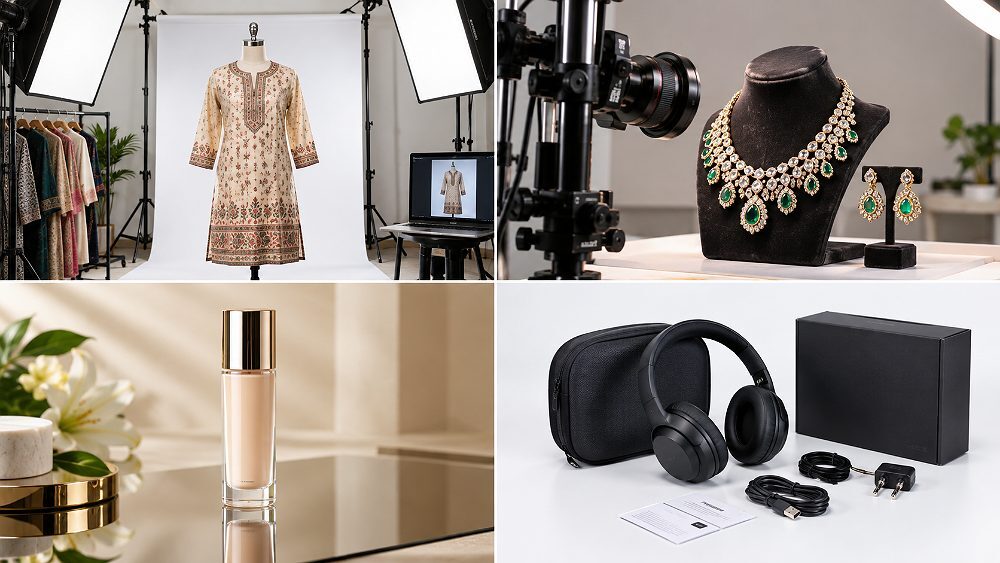
Apparel lives or dies on fit, drape, colour accuracy and texture. A strong plan mixes flat-lay or ghost-mannequin packshots with on-model context, plus clear front and back views and fabric close-ups. Colour has to be exact, because a mismatch between photo and delivery is a guaranteed return. For sellers preparing a clothing range, professional garment photoshoot services keep sizing and styling consistent across dozens of SKUs, so a size-M kurti and a size-XXL kurti still look like the same product family on the listing grid.
Jewellery is one of the most technical categories on Amazon. Macro detail, controlled reflections, true metal colour and accurate stone rendering all demand specialist lighting, and scale against skin or a model adds vital context that a plain packshot misses. Getting this wrong makes gold look brassy and diamonds look dull. Dedicated jewellery photography is built for exactly these challenges, capturing sparkle and finish while keeping every piece in a range colour-matched, which matters enormously when buyers are spending on trust as much as on looks.
Beauty products combine glossy packaging, reflective surfaces and fine label detail, so control over reflections and highlights is everything. Texture shots, swatches, ingredient callouts and lifestyle groupings help a buyer imagine the product on their shelf and their skin. Clean, aspirational styling lifts a cosmetics listing above the crowd, and considered beauty and cosmetic photography balances that polish with honest colour, because an over-retouched shade that does not match reality only fuels disappointed reviews and avoidable returns.
Footwear and bags are about shape, construction and material. Buyers want to see the silhouette, the sole or interior, the hardware, the stitching and a sense of real-world scale, ideally with a lifestyle frame that shows the piece in use. Structured lighting reveals form without harsh shadows. Specialist footwear photography handles the tricky angles a shoe demands, while purpose-built handbag photography shows capacity, compartments and finish so shoppers know exactly what they are buying.
Electronics and appliances are specification-driven, so the imagery has to be too. Ports, controls, connectors, dimensions, included components and clear in-use context all belong in the sequence, usually anchored by an informative infographic. Buyers here are comparing features across listings, so clarity beats glamour. Sharp, well-lit electronic product photography paired with a clean feature graphic answers the practical questions that drive a confident purchase, and it reduces the pre-sales queries that otherwise pile up in seller messages.
For manufactured goods and large ranges, repeatability is the whole game. Identical lighting, a disciplined SKU system, batch consistency and tidy handling of multiple variants let a catalogue scale without visual drift. The priority shifts from a single hero image to a system that produces hundreds of matching frames. This is the domain of true Amazon catalogue photography, where the studio’s process — not just its camera — is what protects the brand across every listing a manufacturer or wholesaler publishes.
| Product Category | Main Photography Style | Recommended Supporting Images | Model Needed? | Special Challenge |
|---|---|---|---|---|
| Fashion | Ghost mannequin / on-model | Front, back, fabric detail, fit | Often | Colour & fit accuracy |
| Jewellery | Macro packshot | Detail, scale, on-model | Sometimes | Reflections & metal colour |
| Beauty | Reflective-surface packshot | Texture, swatch, lifestyle | Sometimes | Highlights & true shade |
| Footwear | Angled packshot | Sole, side, lifestyle | Optional | Shape & material |
| Bags | Structured packshot | Interior, hardware, scale | Optional | Form without shadow |
| Electronics | Clean packshot | Ports, dimensions, infographic | No | Feature clarity |
| Home products | Packshot + lifestyle | Scale, in-use, components | No | Context & size |
| Manufactured goods | Repeatable packshot | Variants, angles, batch set | No | Consistency at scale |
Most listing image problems are not exotic — they are the same handful of avoidable errors, repeated. Some break Amazon’s rules outright; others simply fail to persuade the buyer. Fixing them is often the fastest visual win a seller can make, and none of them requires a bigger budget, just better planning. Here are the nine Amazon product photography mistakes that quietly cost sellers the most.
It helps to split these into two buckets. Compliance mistakes — a non-white main background, banned text on the hero, misleading accessories — can get an image suppressed, and the rules differ slightly across marketplaces, which is why cross-checking against Flipkart’s guidelines or the Meesho beginners guide matters if you sell on more than one channel. Conversion mistakes — weak angles, poor lighting, no scale — keep a compliant listing from selling. A separate but growing error is leaning on AI-generated visuals; our comparison of real photography versus AI-generated images explains why authentic product photos still win trust, and the wider look at AI ecommerce photography versus professional shoots shows where synthetic images fall short on real listings.
Turnaround is a fair question, and the honest answer is that it scales with scope. A small white-background set can move in days; a large catalogue with models, lifestyle sets and infographic production needs planning time and post-production runway. What sellers should look for is not the fastest possible promise but a realistic, well-communicated timeline that protects quality. Rushing a big Amazon catalogue photography project is how consistency slips, so the smartest studios build turnaround around the shot count and the approval steps rather than a flat “next-day” pitch.
Several things move the timeline: total SKU volume, how prepared the products arrive, whether models and styling are involved, the number of distinct setups, the depth of retouching and infographic work, and how quickly the client approves samples and revisions. Approvals are often the hidden bottleneck — a shoot can be finished while sign-off waits. Building clear approval windows into the schedule keeps an Amazon product photoshoot moving and prevents a fast production from stalling at the last, entirely avoidable step.
Large projects reward planning. Batch the products sensibly, approve reference images before the full run, lock the lighting, and agree file-naming rules up front so nothing is renamed later. Track missing angles against the master shot list, schedule editing in batches rather than all at the end, and always keep a small reshoot buffer for the inevitable variant that needs a second look. Handled this way, a 100-SKU or 500-SKU catalogue becomes a steady production line rather than a scramble, and bulk Amazon product photography stays consistent from the first frame to the last.
Choosing a studio is where many sellers overpay or under-deliver. The cheapest quote is rarely the best value, and a beautiful portfolio of fashion editorials tells you little about marketplace discipline. What you actually want from Amazon photography services is proof they can shoot your category, meet current rules, hold colour across a full catalogue and deliver on time — every time. A little diligence before you send products protects both your budget and your launch schedule, especially if you plan to reshoot the same range as it grows.
Compare on substance, not on gloss. Look for a relevant portfolio in your category, genuine Amazon experience, a clear grasp of main-image compliance, and evidence of colour consistency across a range rather than one lucky hero shot. Check retouching quality, high-volume capability, the delivery process and the revision policy, and confirm whether models, styling, infographics and video are handled in-house. A transparent quote that explains what drives the price is a strong signal. If you want a structured framework, our guides on choosing a product photography studio in Delhi NCR and picking the right ecommerce photography company walk through the same checks in detail.
Amazon photography studio selection checklist
Before anything ships, get the practical details in writing. Ask exactly how Amazon photoshoot charges are calculated for your SKU count and image mix, what the turnaround looks like once samples arrive, and how reshoots or revisions are handled if a variant needs another pass. Confirm delivery formats and file-naming so uploads are painless, and ask how they protect fragile or high-value stock while it is with them. A studio that answers these clearly is one you can trust with a rolling catalogue — and browsing a real product photography portfolio before you commit tells you more than any pitch.
Not every seller needs a studio on day one, and pretending otherwise would be dishonest. Early on, DIY photography can be a reasonable way to test a product before investing. The real question is when professional Amazon photography services stop being a cost and start being the more efficient choice. The comparison below lays out the honest trade-offs so you can decide where your catalogue sits today — and where it will sit once it grows.
| Factor | DIY Photography | Professional Studio | Recommended For |
|---|---|---|---|
| Equipment | Limited / variable | Controlled studio setup | Pro for consistency |
| Lighting consistency | Hard across many SKUs | Repeatable | Pro for catalogues |
| Main-image compliance | Seller must manage | Built into workflow | Pro for peace of mind |
| Retouching | Self-managed | Professional workflow | Pro for polish |
| Bulk-SKU efficiency | Time intensive | Designed for batches | Pro for volume |
| Lifestyle / model content | Difficult | Production-planned | Pro for brand feel |
| Best suited for | Testing / tiny catalogues | Growing sellers & brands | — |
DIY has a real place. If you are validating a single product, listing a tiny range, or working with a bootstrapped budget, a careful home setup with good daylight and a clean white surface can get you live. It is also a decent way to learn what your product needs before commissioning a full shoot. The honest caveat is that DIY struggles to stay consistent once the SKU count rises, and a few of our product photography tips for better ecommerce sales can meaningfully lift the quality of self-shot images in the meantime.
The tipping point is usually volume, consistency and time. Once you are managing many SKUs, launching catalogues regularly, or presenting a brand rather than a single product, the hours spent wrestling with DIY lighting outweigh the studio fee — and the visual gap becomes obvious next to polished competitors. Professional production also frees you to run the business instead of the camera. This is where investing in professional Amazon photography and broader professional ecommerce photography shifts from expense to leverage, because consistent, compliant imagery scales with the catalogue instead of fighting it.
It would be easy to promise that great photos guarantee higher rankings or a fixed sales lift, but that is not how marketplaces work — and any studio claiming otherwise is overselling. What strong Amazon listing photography genuinely does is answer buyer questions visually, which builds the confidence that precedes a purchase. Close-ups communicate quality; scale images remove uncertainty about size; lifestyle frames show the product in a real context the buyer can picture. Consistent imagery across a catalogue reinforces that a brand is careful and legitimate, which matters when a shopper is deciding between near-identical listings.
Photography does not work alone, though. Your images should complement the title, the bullet points, the A+ Content and the reviews, together forming a coherent story about the product. When all of these agree, a buyer feels informed rather than sold to, and informed buyers return fewer parcels and leave better feedback. That is the realistic, defensible case for investing in quality Amazon product images — not a promise of magic numbers, but a compounding advantage in clarity, trust and fewer costly returns over the life of a listing.
After years of shooting marketplace catalogues, a few lessons repeat often enough at Ckstudio to be worth passing on. First, approve one reference SKU before photographing a large batch — it is the single cheapest way to prevent an expensive drift in consistency. Second, lock the same lighting across every colour variant, because buyers notice when the “red” and the “blue” of the same product look like they were shot on different days. Third, prepare a shot list before products reach the studio; the shoots that go sideways are almost always the ones that arrived without a plan.
Two more save real money. Keep marketplace-compliance shots separate from creative campaign images, so a clean packshot never gets accidentally over-styled for the main slot. And send measurements, packaging and every included accessory with the products — missing components are the most common reason a “finished” catalogue needs a second visit. Fragile and reflective items, from glassware to jewellery, deserve a clear handling and lighting plan agreed in advance rather than improvised on set.
“On a large Amazon catalogue, the camera is the easy part. What actually protects the brand is a signed-off reference, one locked lighting setup and disciplined file naming — get those right and 500 SKUs look like one confident brand instead of 500 separate experiments.”
— Prince, Founder, Ckstudio
A recent Delhi NCR manufacturer project shows the principle in action: a large multi-variant catalogue that needed a uniform look across every listing. The approach was simple and repeatable — approve a reference SKU, lock the lighting, shoot in batches, then run organised post-production with strict file naming. The verifiable outcome was a fully consistent image set delivered in planned batches, ready to upload without the variant-to-variant mismatch that had slowed earlier launches.
If you already know your requirements, you can skip the theory and go straight to booking — explore Ckstudio’s dedicated Amazon product photography services, or talk through a project with Prince directly on +91-8700258773 or by email at [email protected].
Short, direct answers to the questions Amazon sellers ask most before booking a shoot — covering Amazon photoshoot pricing, requirements, location and planning. For anything specific to your catalogue, a quick conversation is always the fastest route.
Amazon photography pricing in Delhi depends on product type, SKU quantity, number of images, styling and retouching. Basic white-background photography can start from around ₹75 per image at Ckstudio, while creative, model and bulk projects are quoted to scope so the price matches the actual work involved.
Amazon main images should professionally show the real product on a pure-white background, keep it clearly visible and appropriately sized in the frame, and meet current resolution and quality standards for zoom. Always verify category-specific rules in Amazon Seller Central before uploading, as requirements can change.
Sellers can use a professional ecommerce studio serving Delhi NCR — including Delhi, Noida, Gurgaon, Faridabad and Ghaziabad. Choose one with an Amazon-specific portfolio, marketplace-compliance knowledge and proven experience in your product category, so your Amazon seller photography is both compliant and consistent.
Plan enough images to show the main product clearly, important angles, key details, size or scale, usage and standout features. Amazon lets you use several product images, but the ideal sequence depends on the category and how much a buyer needs to understand before purchase.
Turnaround varies with quantity, styling, editing and approvals. Small white-background shoots can move quickly, while large catalogues, model photography, lifestyle sets and infographic production need extra planning and post-production time. A clear timeline agreed up front keeps an Amazon product photoshoot on schedule.
Before you brief a studio or ship a single sample, run through this short checklist. It captures the whole guide in one place and keeps your Amazon photography services project on budget and on time. Sellers who confirm these points up front almost always get cleaner results, fewer reshoots and a smoother upload — whether it is a first listing or a large Amazon product photoshoot for a full catalogue.
Ready for marketplace-ready images?
Whether you are launching a new listing or planning a large catalogue, review Ckstudio’s Amazon product photography services, share your SKU count and required image types, and request a project quote. Prince and the Ckstudio team will map the right shot plan for your products.
Next step: read the complete Amazon seller guide 2026.

