





Fashion Photography Services





E-commerce Photography




A practical seller-side guide to inspecting returns, preserving evidence, checking Seller Protection Fund eligibility, understanding return costs and handling disputes without relying on outdated deadlines or generic fee numbers.
Return problem → evidence → claim → SPF → cost → dispute → prevention.
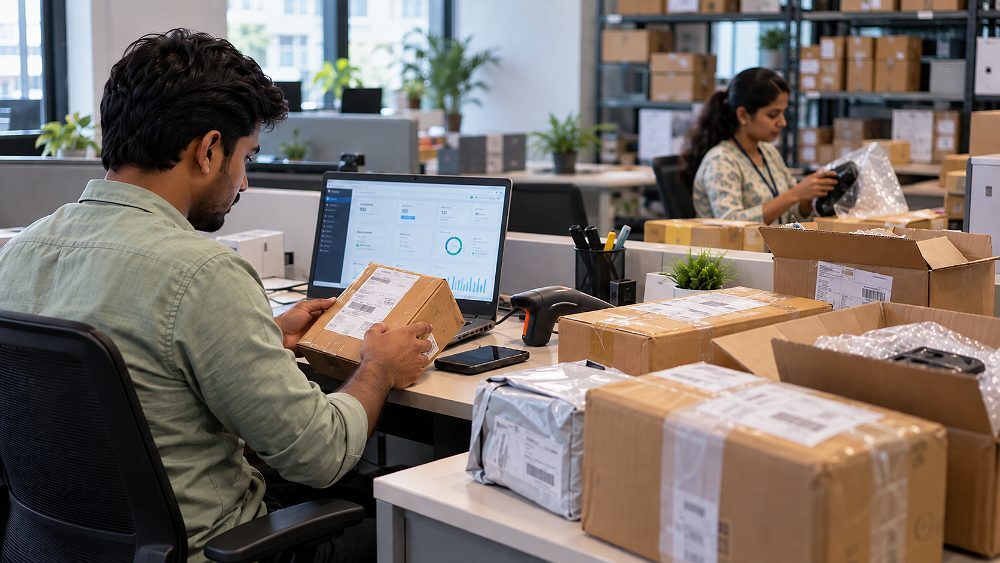
Flipkart seller returns can turn a routine reverse shipment into a margin problem when a product comes back damaged, incomplete, swapped or difficult to resell. This guide focuses on the seller’s immediate decision: inspect the parcel, preserve claim evidence, identify whether a Flipkart SPF claim or seller-support workflow may apply, and document the financial outcome.
Return rules, claim eligibility, reimbursement logic and seller return charges can vary by category, fulfilment model and account. For that reason, Ckstudio’s 2026-27 guide avoids hard-coded historical deadlines and fixed fees. Sellers should confirm the current claim window, eligible return reason, required proof and transaction-level charges inside Flipkart Seller Hub before submitting a case.
Check the return reason and return ID, photograph the unopened package, preserve the shipping label, record the opening where practical, verify the SKU or unique product identifier, inspect condition and accessories, then compare the returned item with proof of dispatch. If there is damage, a wrong item, a missing component or another eligible discrepancy, open the current Flipkart seller claim or SPF workflow shown for that case and submit evidence before the live applicable window closes.
Delay makes product condition and packaging evidence harder to prove.
Return ID, order item ID, SKU, FSN, serial number or IMEI can be decisive.
Claim windows, evidence requirements and return charges may change.
Record reverse shipping, product damage, claim recovery and final margin impact.
The seller-side return lifecycle normally begins with a return request or another reverse movement recorded against an order. The seller sees a return reason, the shipment enters reverse logistics, and the package eventually reaches the seller or the relevant fulfilment route. The critical moment comes at receipt: the returned shipment should be matched to the order item ID and return ID before product condition is disturbed.
A strong Flipkart seller return process separates the marketplace return event from the later claim decision. A customer return may be legitimate and the product may be perfectly resellable; another return may show a damaged item, wrong item, missing accessory or tampered package. The seller’s job is to run a consistent quality check, preserve records and decide whether a seller protection claim or support ticket is appropriate.
This distinction matters because a Flipkart seller return policy question is not the same as a buyer-facing return question. Sellers should focus on their seller dashboard, current Seller Hub instructions, reverse pickup records, fees and case-specific claim eligibility. The broader regulatory background for Indian ecommerce can also be reviewed through the Department of Consumer Affairs.
A customer return follows a buyer-initiated return flow, while a courier return or other reverse shipment may arise from logistics circumstances. Sellers should not assume both events have identical liability, evidence or settlement treatment. Read the return source and reason shown for the order, then use that information when checking the current Flipkart seller claim policy.
A replacement exchanges one item for another, cancellation can stop the sale before completion, and RTO usually refers to a shipment returning without successful delivery. Each event can affect stock and settlement differently. Treat the actual dashboard status as the source of truth rather than using “return” as a label for every reverse shipment.
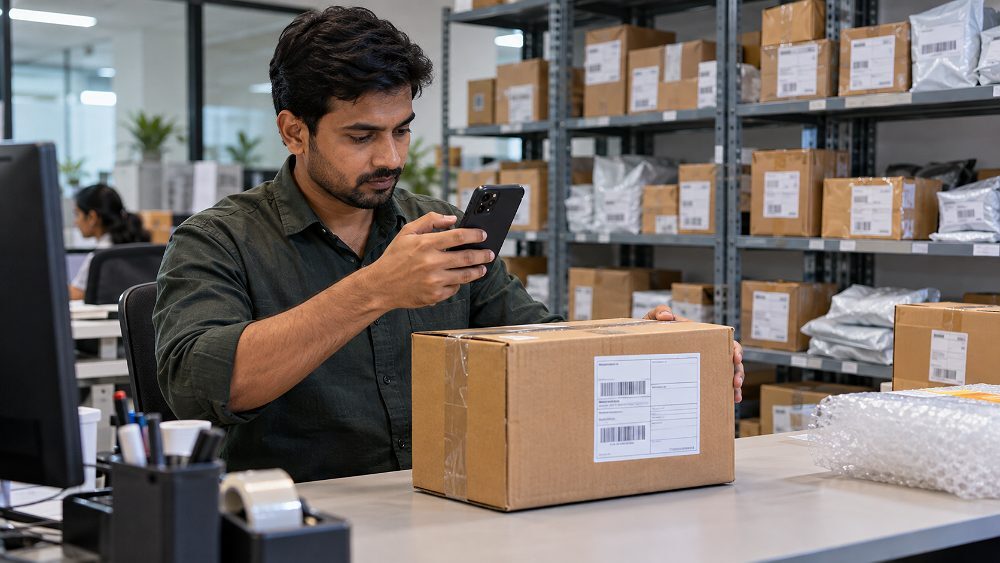
Return reasons matter because they shape the seller’s inspection priorities. A size or buyer-preference return should be assessed differently from a parcel that appears tampered, a device with a serial-number mismatch, or a shipment with missing pieces. The first goal is not to accuse a buyer or courier; it is to document the condition objectively.
Compare visible damage, functional condition and packaging with outbound proof. If the Flipkart returned product is damaged, capture both full-product views and close-ups before repacking.
Check SKU, model, colour, size, serial number and identifying details. A Flipkart wrong product return becomes stronger evidence when the returned item can be objectively compared with the item originally dispatched.
Photograph all contents together and separately. Missing accessories, empty compartments or quantity differences should be visible without requiring the reviewer to infer what is missing.
These returns often highlight catalogue accuracy. Clothing sellers should review sizing, colour accuracy and product presentation rather than assuming every fit-related return is a claim case.
The best time to preserve Flipkart seller claim evidence is before the package is opened or moved through normal warehouse handling. Assign one inspection point, use consistent lighting, and make sure the return label and outer package condition are visible. If a dispute develops later, the inspection sequence helps connect the parcel received to the product shown in the evidence.
The Flipkart Seller Protection Fund, commonly shortened to SPF, is relevant when a seller believes a return has caused an eligible loss under Flipkart’s current seller-side rules. It should not be treated as automatic reimbursement for every damaged or wrong return. The case still needs to fit the applicable claim eligibility, evidence requirements and platform review process.
For 2026-27, the safest workflow is to open the exact order or return and check which seller protection claim option is currently available. Flipkart maintains official seller resources explaining what the Seller Protection Fund is and how to file an SPF claim; the account-specific workflow shown in Seller Hub should still be checked at the time of filing.
Examples worth checking include a damaged returned product, a wrong product returned, a product-condition discrepancy, a missing component where current rules allow, or another loss specifically shown as eligible in the dashboard. The wording “may be relevant” is important: platform review can approve or reject a claim depending on the case and proof.
Do not rely on an old blog post, saved screenshot or historical deadline. Record the return-received date, open the current Seller Hub case, identify the displayed filing window, and submit the required evidence before that live window closes. This is especially important when a seller manages high return volumes across categories.
A strong Flipkart seller claim tells a reviewer exactly what was shipped, what came back and how the two differ. Evidence should be sharp, chronological and tied to identifiers. Avoid submitting ten nearly identical photos when six well-planned frames explain the case better.
| Evidence | Why it matters | When to capture | Priority |
|---|---|---|---|
| Shipping label | Connects the parcel to the return flow | Before opening | High |
| Outer packaging | Shows dents, tears or tampering | Before opening | High |
| Unboxing evidence | Preserves sequence from parcel to product | During opening | High |
| Full product photos | Shows overall returned condition | Immediately after opening | High |
| Damage close-ups | Shows exact defect or physical loss | After full view | High |
| SKU / model / FSN | Helps prove item identity | During inspection | High |
| Serial number / IMEI | Supports unique-item comparison | Where applicable | High |
| Accessories | Shows missing or returned components | During inspection | Medium-High |
| Proof of dispatch | Shows outbound product and condition | From dispatch archive | High |
| Return ID | Links evidence to the correct case | At receipt | High |
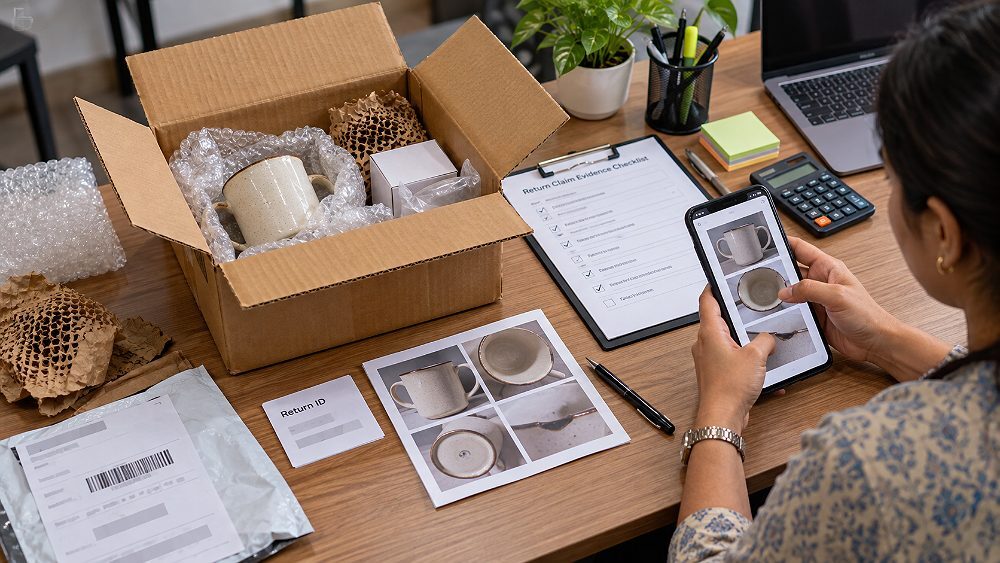
Capture the whole product first, then front and back views, identifiers, accessories and damage close-ups. If the claim involves a defective item, show the condition that can be visually documented and explain any functional issue concisely rather than trying to make a photo prove what it cannot.
Keep the shipping label legible in at least one frame and photograph all sides of a visibly damaged package. If the return packaging has been cut, resealed or crushed, include wide context and close-up details. Packaging evidence becomes more useful when the product condition is shown immediately afterwards.
Electronics and other serialized products can benefit from identifier matching. Photograph the serial number or IMEI where appropriate and compare it with the dispatch record. For non-serialized goods, SKU, model, variant, colour or distinctive product details can support the same identity check.
A consistent outbound SOP gives the return inspection something to compare against. High-risk SKUs may justify packing photos or a short packing video that shows the correct product, accessories and package before dispatch. Store the files by order or shipment reference so the team can retrieve them without searching across random phone galleries.
The exact menu labels inside Seller Hub can change, so the process below stays deliberately workflow-based. The goal is to identify the loss, prepare claim evidence, use the current case option and preserve a clear claim reference.
Match the return ID, order item ID, SKU and return reason. Confirm that the case you are about to open belongs to the correct returned shipment.
Group packaging, shipping label, unboxing evidence, product photos, serial or SKU proof, and dispatch evidence in a logical sequence.
Open the relevant return or order in Flipkart Seller Hub and use the claim, SPF or seller-support option currently available for that case.
State what was shipped, what was returned, the exact discrepancy, the product or financial loss, and the evidence attached. Keep the tone factual.
Submit within the current applicable window. Save the claim reference or seller ticket so the case can be tracked without creating duplicate or contradictory tickets.
Monitor claim status in the seller dashboard and respond quickly if seller support asks for additional proof. Keep the returned product and packaging until the case closes.
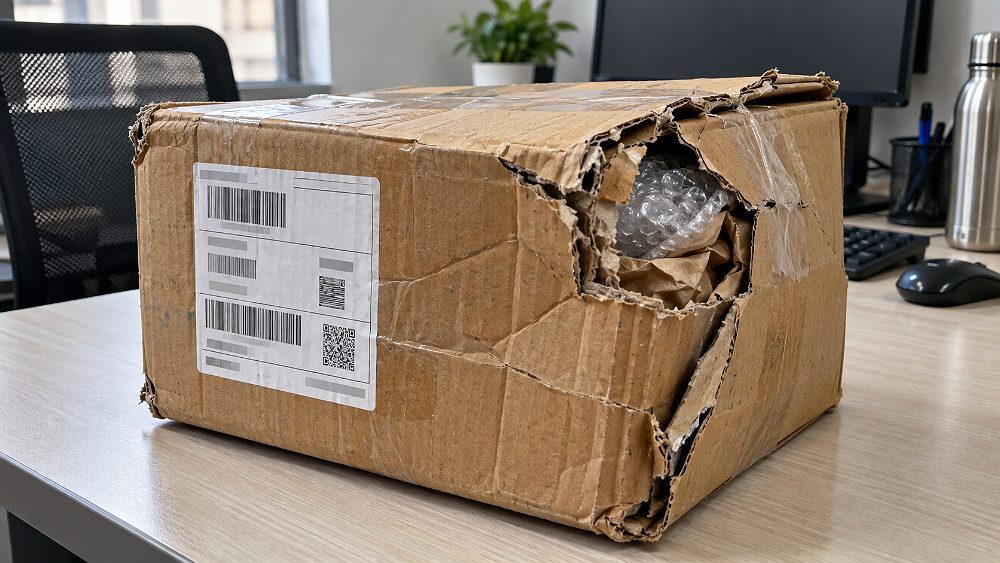
When a package arrives damaged, begin with the parcel rather than the product. Photograph the shipping label, package corners, punctures, crushing or resealing, then record the opening. Once the item is visible, capture the full returned product before close-ups. This preserves a clean chain from reverse shipment to damaged item.
Next, verify SKU, model and unique identifiers, compare the item with outbound documentation, and assess whether the product can be resold. If the case appears eligible, check the current Flipkart SPF claim or seller-support path. A Flipkart damaged return reimbursement is not guaranteed simply because damage exists; reimbursement depends on current rules, evidence and platform review.
If a Flipkart seller received a different product in return, the evidence should make the mismatch obvious without emotional language. Photograph the returned item beside the return label, then capture its model, colour, size, markings, SKU or serial number. Compare those identifiers with the original dispatch proof.
For a Flipkart wrong product return, preserve the item while the case is open and describe the discrepancy objectively: “Original product: model A, serial 123. Returned product: model B, serial 987.” This format is stronger than broad statements such as “customer fraud” because it gives seller support measurable facts to review. Then check the live seller protection claim eligibility for that order.
There is no responsible single number for every Flipkart return shipping fee. Seller return charges can depend on product category, selling price, fulfilment type, weight or volumetric weight, shipping zone, GST treatment, the current seller rate card and transaction circumstances. Sellers should open the relevant fee details in the dashboard rather than copying an old fixed amount from the web.
| Cost component | Possible seller impact | Where to verify | Can a claim potentially offset loss? |
|---|---|---|---|
| Forward marketplace costs | May reduce realized margin | Order settlement / current rate card | Depends on current policy |
| Reverse shipping | Can add return logistics cost | Seller Hub transaction details | Case-specific |
| Product damage | Can reduce resale value to zero or near zero | Inspection record | Check SPF/claim eligibility |
| Missing item/accessory | Can make returned stock incomplete | Return inspection | Check current claim rules |
| Packaging loss | May require repacking or relabelling | Internal cost record | Usually case-specific |
| Approved claim recovery | May reduce net loss | Claim outcome / settlement | Yes, when approved |
This is an internal profitability formula, not a Flipkart formula. It helps sellers see why a low-value return can still matter at scale. Track how Flipkart returns affect seller payments, then compare the operational loss with any approved return reimbursement or seller compensation.
If a Flipkart seller protection claim is rejected, begin with the rejection reason rather than immediately opening a second ticket. Compare the stated issue with the evidence submitted. Was the product identifier visible? Was the wrong order selected? Did the claim description match the photos? Was the case outside the current applicable deadline?
Common reasons a claim can fail may include insufficient evidence, unclear photos, identifiers not visible, a case that is not eligible under current policy, a missed applicable window, evidence submitted too late or the wrong return selected. These are practical risk areas, not an exhaustive official rejection list.
Use this table as an internal triage aid, then verify the live Flipkart seller claim policy for the actual case. “Check claim eligibility” does not mean the situation is automatically covered.
| Return situation | First seller action | Evidence priority | Check claim eligibility? | Escalation priority |
|---|---|---|---|---|
| Product returned in good condition | Inspect, restock if suitable | Basic condition record | Usually only if another issue exists | Low |
| Damaged product returned | Document before repacking | Package + damage + identifiers | Yes | High |
| Wrong product returned | Compare identity | SKU/model/serial + dispatch proof | Yes | High |
| Missing accessories | Lay out all contents | Package contents + outbound list | Check current rules | Medium-High |
| Empty or incomplete package | Preserve full unboxing sequence | Label + package + unboxing | Yes | High |
| SKU mismatch | Photograph labels and item | SKU / FSN comparison | Yes | High |
| Serial number mismatch | Record both identifiers | Serial / IMEI comparison | Yes | High |
| Package visibly tampered | Stop routine handling | Outer package + seal details | Check | High |
| Return not yet received | Check reverse logistics status | Tracking records | Case-specific | Medium |
| Claim rejected | Review reason and proof | Original case + missing evidence | Appeal/escalation if available | High |
The best return-loss strategy combines better listings, stronger dispatch documentation and SKU-level analysis. Not every return can be prevented, and professional photography alone will not eliminate returns. However, accurate product presentation can reduce expectation mismatch while operational evidence can make genuine claim cases easier to explain.
Check dimensions, colour, specifications, variants, package contents and images. For fashion, size charts and realistic garment presentation matter; for hard goods, detail views and accurate colour matter. Ckstudio’s Flipkart product photography services and broader ecommerce photography services focus on consistent catalogue presentation rather than exaggerated visuals.
Sellers can also review the Flipkart photography guidelines guide and the ecommerce product photography standards article when auditing listing images. For image quality and file preparation, the ecommerce image optimization guide is a useful companion.

Create a simple dispatch evidence SOP for expensive, serialized or frequently disputed products. Keep a packing photo or packing video where justified, show the correct SKU and accessories, and store the record against the order. The goal is not to film every low-value package forever; it is to strengthen seller protection where the expected risk justifies the operational cost.
A monthly SKU return analysis often reveals patterns that individual cases hide. Track SKU, orders, returns, return rate, primary return reason, financial loss, claims filed, claims approved and corrective action. If one variant produces repeated size or colour complaints, improve the listing. If one category produces frequent wrong-return disputes, improve identifiers and dispatch proof.
For sellers scaling large catalogues, Ckstudio’s guide to catalogue photography consistency at scale explains why repeatable visual systems matter. The article on reducing returns with better product images covers the expectation-mismatch side in more depth.

Before a seller files a claim, verify the current SPF availability, applicable claim window, eligible return reasons, required claim evidence, submission path, reimbursement calculation, seller-specific rate card, reverse shipping charges and any appeal or escalation mechanism. Category-specific conditions can change, so this article intentionally avoids presenting a historical deadline as guaranteed current policy.
Flipkart seller returns are handled according to the return reason, product or category rules, and the current seller-side policies shown for the order. Sellers should inspect the returned shipment, preserve evidence, and confirm live eligibility, fees and claim windows in Seller Hub before acting.
Open the relevant return or order in Flipkart Seller Hub and use the claim, SPF or seller-support workflow currently available for that case. Attach clear evidence, explain the discrepancy factually, submit within the live applicable window, and save the claim reference for follow-up.
Useful evidence commonly includes the return label, outer packaging, unboxing evidence, full product photos, damage close-ups, SKU or model details, serial number or IMEI where applicable, accessories, return ID, and original proof of dispatch. The exact required evidence can vary by case.
Return and reverse shipping charges can depend on the category, fulfilment model, order circumstances, current seller rate card and platform rules. Sellers should check the transaction-level fee details in Seller Hub rather than relying on one universal amount.
Photograph the returned item and label, verify SKU, model and serial identifiers, compare them with dispatch evidence, preserve the product and packaging, and check whether the case is eligible for the current seller claim or SPF workflow. Keep the dispute description factual and specific.
Flipkart seller returns are easiest to manage when the team follows one repeatable path: identify the return, inspect the package, preserve claim evidence, check current SPF or seller-support eligibility, record the cost and close the case with an outcome. The operational goal is not to dispute every return; it is to distinguish normal returns from preventable listing problems and genuine seller-loss cases.
For the catalogue side, sellers can explore Ckstudio’s product photography guide for Indian brands, ecommerce photography workflow and conversion-focused marketplace photography guide. Better visual accuracy supports expectation management, while disciplined return documentation protects the seller when a genuine discrepancy occurs.
Ckstudio helps sellers in Delhi build consistent ecommerce catalogues with product, fashion and model photography designed around clear product representation. For a shoot brief or catalogue plan, contact Prince.

