





Fashion Photography Services





E-commerce Photography




A practical technical reference for image dimensions, square ratio, background, framing, file quality, export settings and seller QC—without presenting working recommendations as universal marketplace rules.
Every specification is labelled as official public guidance, seller-reported practice, Ckstudio production recommendation, or category-dependent guidance that should be verified in Seller Hub.

Flipkart product photography is not only about making an item look clean on a white background. A seller can have attractive ecommerce product images and still create listing problems if the pixel dimensions, aspect ratio, product framing, safe margin, image resolution or file export is inconsistent. The technical choices need to work together from the original capture through catalogue approval.
This guide is intentionally narrower than a broad complete Flipkart product photography guide. It focuses on the questions sellers repeatedly face before upload: what Flipkart product image size to prepare, whether a square image is safest, how much of the frame a product should occupy, which Flipkart image background is practical, and how to protect zoom quality after image compression.
The main problem is that search results often mix official rules, seller-reported working specifications and studio recommendations as if they carry equal authority. Ckstudio therefore uses a four-level confidence system throughout this article. When a category template or live Seller Hub instruction differs from a working target here, the live category requirement takes priority.
For a repeatable production workflow, build from a high-resolution master, keep a clean square-ready crop where the category permits, use a controlled neutral background, export in sRGB and inspect the final file at 100% before upload. The numeric targets below are working references—not blanket official rules for every Flipkart seller category.
| Specification | Practical working target | Confidence level | Seller action |
|---|---|---|---|
| Resolution | High-resolution master; around 1500 × 1500 px for a standard square export where suitable | Ckstudio production recommendation | Verify category before batch export |
| Reported minimum | 500 × 500 px appears frequently in seller guidance and third-party references | Seller-reported working specification | Do not treat as a universal official rule |
| Aspect ratio | 1:1 square is a safe general starting format | Production recommendation | Confirm the active category |
| Main image background | Clean neutral white for standard catalogue images | Production recommendation | Verify vertical or category |
| Product fill | Roughly 80–90% where product shape allows, without clipping | Production recommendation | Adjust by item geometry |
| Colour space | sRGB | Production recommendation | Use a web-safe export workflow |
| Format | High-quality JPEG as default; PNG where appropriate and supported | Working practice | Check uploader/category |
| Text / watermarks | Avoid unnecessary promotional overlays on the primary image | Safe practice | Confirm category rules |
Public Flipkart seller resources support the broader goal of creating complete product listings and managing catalogue information through seller tools, but exact technical image specifications may be surfaced at category or workflow level rather than as one universal public rule. That is why a seller should avoid copying a single number from a blog and applying it across every catalogue.
The safest way to interpret Flipkart image guidelines is to separate the source of each instruction. This is especially important when sellers search for Flipkart product photo requirements and find conflicting claims around minimum image resolution, background, product fill or file format.
Information confirmed on Flipkart-owned public seller or support resources.
Commonly reported operational values that may work for sellers but should not be labelled universal official requirements.
Studio working targets chosen for image quality, consistency, cropping flexibility and efficient marketplace delivery.
Requirements that may change by product vertical, seller workflow or current catalogue template.
This structure is useful beyond Flipkart. A brand preparing one master asset library for Amazon, Myntra and Flipkart should retain high-resolution originals and create marketplace-specific derivatives rather than assuming one export is ideal everywhere. Sellers building a broader fashion operation can also use the future Myntra marketplace seller resource hub alongside the platform-specific Myntra photography guidelines.
The phrase Flipkart product image size can refer to more than one thing: pixel dimensions, file weight, aspect ratio or the apparent size of the product inside the canvas. For production, those decisions should be separated. A 1500 × 1500 px file can still fail visually if the product occupies too little of the frame or if a low-resolution source has simply been upscaled.
Ckstudio’s practical working target is to retain a higher-resolution master and create approximately 1500 × 1500 px square derivatives where the category permits. This gives enough pixel dimensions for clean edges, zoom quality, retouching and future resizing. It should be labelled exactly as it is: Ckstudio production recommendation—verify your Flipkart category before batch export.
When a seller sees 500 × 500 px referenced as a minimum, the useful question is not “Can this file upload?” but “Will this source hold texture, crop flexibility and catalogue consistency?” A low-resolution original leaves little room for product crop changes, background removal or later reuse. The Flipkart product photography guide 2026–27 covers the broader capture workflow; this article stays focused on technical output.
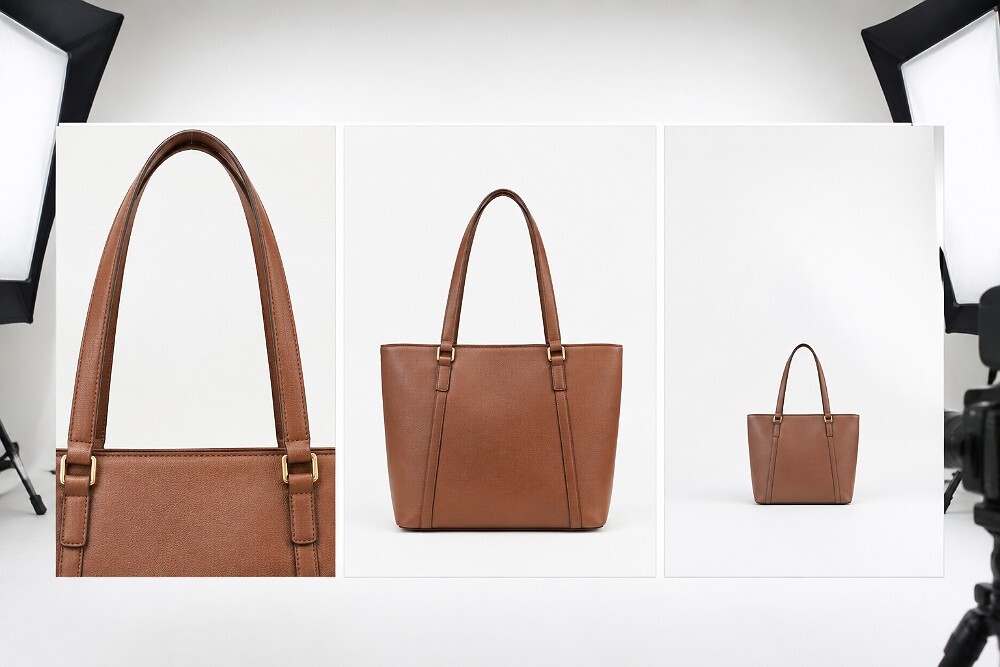
| Use case | Working dimensions | Ratio | Recommended approach |
|---|---|---|---|
| Main catalogue image | 1500 × 1500 px working target | 1:1 | Use high-resolution master; verify category |
| Large product | High-resolution master first | Square-ready | Prioritise full-product visibility over arbitrary fill percentage |
| Small jewellery item | High-resolution macro master | Square-ready | Protect edge detail and scale cues |
| Apparel/model image | High-resolution portrait master | Category dependent | Do not force crop before checking the live template |
| Secondary detail image | High-resolution derivative | Consistent with listing | Use detail crop without sacrificing clarity |
| Multi-marketplace master | Largest clean production file | Uncropped master | Create separate Flipkart, Amazon and Myntra exports |
A 1:1 aspect ratio gives catalogue teams a predictable square image workflow for many marketplace use cases. It simplifies batch framing and makes the product thumbnail easier to compare across SKUs. The important distinction is that “safest starting point” is a production choice, not a claim that every current Flipkart category must use the same ratio.
To crop a Flipkart product image to 1:1, start from the high-resolution master, centre the visual weight of the product, protect protruding parts such as bag handles or footwear soles, and keep a consistent safe margin. Do not stretch the file to force a square. Distortion damages product proportions and can make the listing look unreliable even if the pixel dimensions are technically correct.
For tall garments, models or elongated products, a rigid square crop can make the subject look too small if the team chases a fixed 80–90% fill target. The correct approach is to evaluate how the item reads at mobile thumbnail size. When the live category image specifications specify a different canvas or image ratio, follow that category instruction rather than the general square workflow.
A clean white background is the safest production default for standard primary catalogue imagery because it keeps attention on the product and improves consistency across a product listing. In practical Flipkart white background photography, the studio should control both the background tone and the product edge. A white product on a bright set often needs flags, edge separation or careful retouching so it does not disappear into the canvas.
Light grey can help create edge separation during capture, but the final Flipkart image background should be chosen according to the category requirement and intended catalogue presentation. The goal is not to “make it white at any cost.” Aggressive background removal can create grey halos, clipped soft edges, jagged paths or unnatural reflections.

| Product type | Recommended background approach | Risk | Seller check |
|---|---|---|---|
| Dark product | Clean white with soft grounding shadow | Harsh cut-out edge | Check main-image rule |
| White product | Neutral light setup with controlled edge contrast | Product disappearing into background | Confirm final background requirement |
| Reflective cosmetic | White/light controlled set with flags | Uneven reflections | Check label readability |
| Jewellery | Clean minimal background with macro edge control | Halo or loss of fine chain detail | Verify category presentation |
| Apparel/model | Category-led background | Wrong crop or inconsistent series | Follow active template |
Common background mistakes include off-colour whites, mismatched backdrop tone across SKUs, dirty floor sweeps, inconsistent shadow density, harsh clipping paths and decorative props on a primary hero image. Where post-production is required, professional image editing and background removal should preserve realistic edges and material detail rather than produce an artificial cut-out.
Good product framing makes the item easy to identify at both full size and product thumbnail scale. A practical working target of roughly 80–90% product presence can be useful where the item shape allows, but it should not be described as an official universal Flipkart rule. Product shape should decide the crop, not a percentage by itself.
For a tall handbag, the handles may define the true outer boundary. For footwear, the toe and heel need breathing space. Jewellery needs enough canvas to show shape without making the item look tiny. Electronics may require a slightly wider composition so ports and included accessories are not clipped. The safe margin should be consistent enough to create catalogue consistency while remaining responsive to the geometry of each SKU.
When checking the final product crop, evaluate desktop size and mobile thumbnail size. Excessive empty space can make a strong image look weak in search results, while an aggressive crop can hide distinguishing details. This is one reason sellers should not export every SKU with a single automated crop box without visual listing QC.
Flipkart image quality depends on what happens before and during export. The strongest workflow is to capture clean data, perform controlled image retouching, convert or export consistently in sRGB, and inspect the delivered file after image compression. A high pixel count cannot compensate for motion blur, missed focus, clipped highlights or inaccurate colour balance.
Use high-quality JPEG as the normal ecommerce delivery format unless a supported workflow or category instruction requires PNG. JPEG is efficient for photographic content, while PNG can preserve certain edges or transparency in workflows that allow it. The seller should confirm the uploader requirements rather than assume both formats behave identically in every category.
sRGB is the practical colour space for web-oriented catalogue delivery because it reduces unexpected colour shifts across common browsers and devices. Colour accuracy still begins with calibrated capture, neutral white balance and consistent lighting. Apparel colour, beauty packaging and metal finishes should be reviewed against the physical item before a large batch is exported.
Export once from the high-resolution master rather than repeatedly saving the same JPEG. Inspect fine fabric weave, jewellery edges, cosmetic labels and reflective surfaces at 100% zoom. If image compression creates blockiness, ringing or mushy texture, increase quality or revisit the source instead of sharpening aggressively. For broader optimisation principles, the ecommerce image optimization guide is the better place to handle page-weight and web-performance strategy.
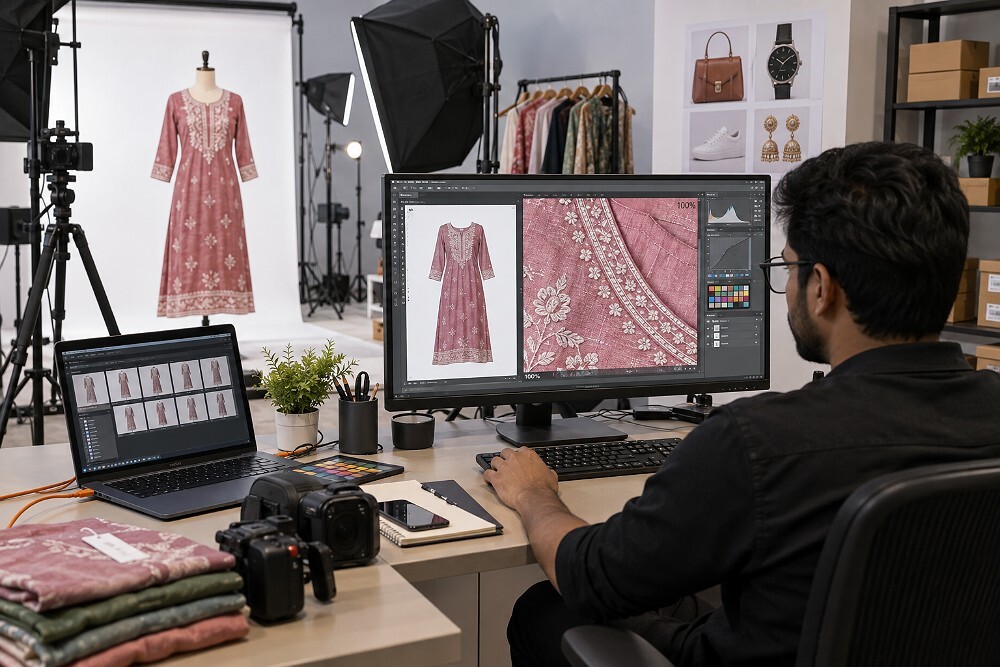
The most reliable Flipkart product photography workflow keeps the technical foundation consistent while allowing category-specific presentation. SKU photography for a T-shirt, a necklace, a serum bottle and a power adapter cannot use exactly the same lighting, crop and retouching decisions. Marketplace compliance starts with the category template, then the studio adapts capture and export around it.
| Category | Main photography priority | Common problem | Recommended QC |
|---|---|---|---|
| Apparel | Garment shape, fabric texture, accurate colour | Wrinkles, weak silhouette, category crop mismatch | Check front/back consistency and model or mannequin requirement |
| Jewellery | Macro detail, controlled reflections, clean edges | Dust, clipped highlights, scale ambiguity | Inspect focus, metal tone and chain/stone edges at 100% |
| Beauty | Label readability, pack colour, surface control | Specular glare, colour shift, inconsistent cap alignment | Check label, reflection and series consistency |
| Footwear | Shape, stitching, sole detail | Toe clipping, distorted perspective | Review side profile and safe margin |
| Home | Accurate proportion and usable scale communication | Product too small in square canvas | Check full-product visibility and details |
| Electronics | Ports, buttons, materials and accessories | Reflections, hidden features | Inspect front/rear/side details and accessory mapping |
For apparel and fashion, sellers may also need model or ghost mannequin imagery depending on the product and listing strategy. Ckstudio’s Flipkart model photography guide covers the wider workflow, while ghost mannequin photography is useful when the garment must show form without a visible model.
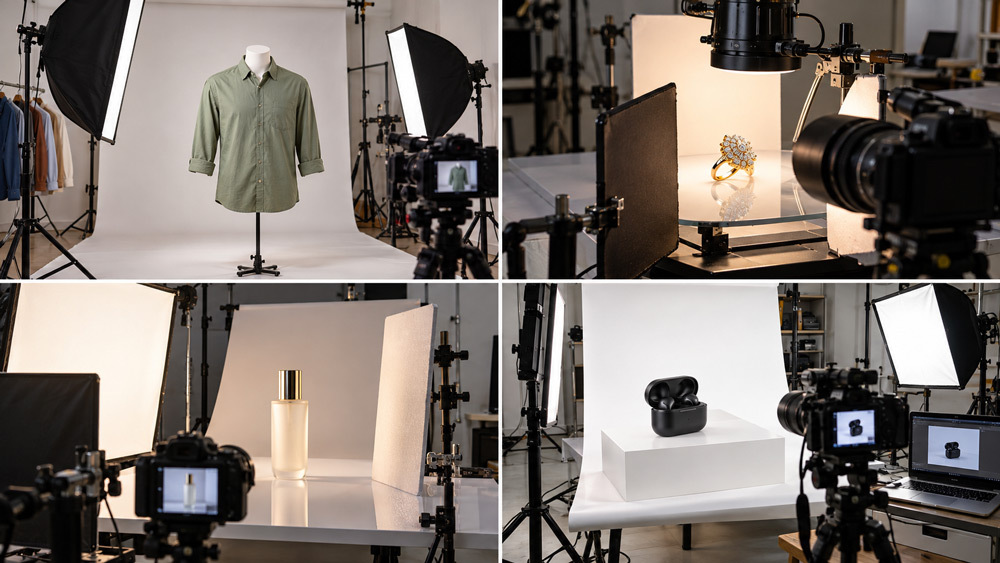
The primary Flipkart main image should solve identification first: clear product, clean framing, accurate colour and an appropriate main-image background. It is the listing’s hero image, not the place to force every feature into one composition. Extra information belongs in secondary product images where alternate angles, scale, usage, details and feature communication can be shown more naturally.
Secondary images can include texture close-ups, rear or side views, package contents, product details, controlled lifestyle scenes and relevant infographics where the platform and category allow them. The detailed sequencing strategy is covered in the Flipkart listing image sequence guide, so this technical article does not duplicate the eight-image planning discussion.
Brands that sell across marketplaces should also avoid directly cloning one platform’s image stack onto another. For example, the technical export may be similar while the visual sequence or category expectations differ. The Amazon photography services guide and current Myntra resources help keep each platform’s catalogue logic separate.
For a practical look at marketplace photography under controlled studio lighting, this behind-the-scenes sunglasses production example shows how product position, reflections, camera stability and repeatable setup work together before final marketplace export.
What causes Flipkart product images to be rejected? Image rejection can result from technical file issues, weak source photography, incorrect crop, background problems or category-level mismatches. Not every rejection is caused by one universal specification, so the seller should identify the actual QC reason before reshooting an entire catalogue.
For a wider operational view of catalogue issues, the Flipkart listing rejection reasons and fixes article should be used alongside the photography-specific Flipkart photography mistakes guide.
A short listing QC pass should happen after the final export—not only during capture. This is where the team confirms file quality, product mapping and marketplace compliance before the images enter Seller Hub.
DIY photography can be suitable for a small seller with simple products and enough time to learn lighting, colour and editing. A freelancer can add skill and flexibility, while an ecommerce studio is typically better suited to repeatable bulk production, catalogue consistency and controlled marketplace export. The right choice depends on SKU volume, complexity, turnaround and internal quality-control capacity.
| Factor | DIY | Freelancer | Ecommerce studio |
|---|---|---|---|
| Initial cost | Lowest cash outlay | Moderate | Higher production setup |
| Lighting consistency | Depends on operator | Varies by freelancer | Usually locked across batches |
| Background consistency | Manual | Project dependent | Standardised workflow |
| Colour management | Often basic | Skill dependent | Controlled capture and review |
| Bulk SKU workflow | Slow for large batches | Moderate | Designed for scale |
| Editing | Self-managed | May be bundled | Integrated retouching/QC |
| Marketplace export presets | Manual | May vary | Repeatable delivery presets |
| Best suited for | Small/simple catalogue | Flexible small-to-mid projects | Brands, manufacturers and bulk catalogues |
Sellers comparing providers can use the broader ecommerce photography company selection guide. For cost planning, product photography cost in Delhi explains the factors that usually change per-image pricing.
When a seller sends a batch of Flipkart SKUs, Ckstudio starts with the product condition and catalogue map rather than immediately shooting every item. The team checks SKU naming, intended category, required views, surface condition, packaging, colour references and any known marketplace requirements. That prevents photography from moving faster than the product data.

Ckstudio provides product photography for Flipkart from its studio in Delhi and works with catalogue teams serving Noida, Gurgaon, Ghaziabad, Faridabad and brands across India. For mixed marketplace programmes, the studio’s ecommerce photography services in Delhi can keep capture consistent while export requirements remain platform specific.
Prince can review the brief and recommend a production structure before the shoot.
Flipkart product photography price depends on product handling, number of angles, styling, retouching complexity, model requirements and batch size. A simple white-background product can be priced very differently from jewellery, reflective beauty packaging or fashion model photography. Exact rates should always be confirmed against the live Ckstudio pricing before publication or quotation.
| Plan | Best for | Deliverables | Starting price | CTA |
|---|---|---|---|---|
| Basic Marketplace Pack | Small sellers, simple products | White-background catalogue images | From ₹49/image | Confirm current rate |
| Standard Multi-Angle Pack | D2C and marketplace sellers | Multiple listing angles + editing | Confirm current per-image rate | Request quote |
| Premium Lifestyle / Model Pack | Fashion, beauty, premium brands | Model or lifestyle requirements | Custom category quote | Share brief |
| Enterprise Bulk Catalogue | Manufacturers and large SKU catalogues | Test SKU + standardised bulk workflow + QC | Custom volume quote | Email SKU list |
A high-resolution square image is a practical general workflow. Ckstudio recommends preparing around 1500 × 1500 px for standard catalogue production where suitable, then checking the current Flipkart category requirement in Seller Hub before upload. Treat that number as a production recommendation, not a universal official rule.
A 1:1 square aspect ratio is a practical default for many Flipkart catalogue images because it gives predictable product framing and thumbnail presentation. If the live category template specifies another ratio, the category requirement should override the square workflow.
A clean white background is the safest working choice for standard primary catalogue photography, especially when clarity and catalogue consistency matter. Background rules can vary by category, so sellers should verify the active instructions inside Flipkart Seller Hub before a bulk upload.
High-quality JPEG is a practical default because it balances visual quality and file size. PNG can be useful where supported or where a specific workflow needs it, but the uploader and category instructions should be checked before final delivery.
Common image rejection triggers include weak image resolution, incorrect product crop, clipped edges, inconsistent backgrounds, heavy image compression, inaccurate colours, unnecessary overlays, file problems and failure to follow category-specific image requirements. A pre-upload listing QC pass reduces avoidable rework.
Do not reduce Flipkart product photography guidelines to one pixel number. A better workflow is: high-resolution master → category check → square or category-appropriate crop → clean background → accurate colour → controlled compression → listing QC → upload. This keeps technical production flexible while respecting the fact that live requirements can vary.
For new sellers, the Flipkart photography guide for new sellers provides broader context. Brands trying to connect photography quality with performance can also review how better imagery may reduce returns on Flipkart and Amazon by improving product clarity and expectation setting.

