
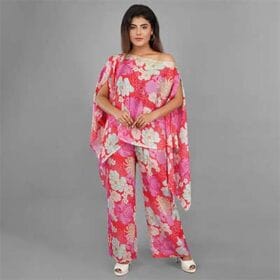
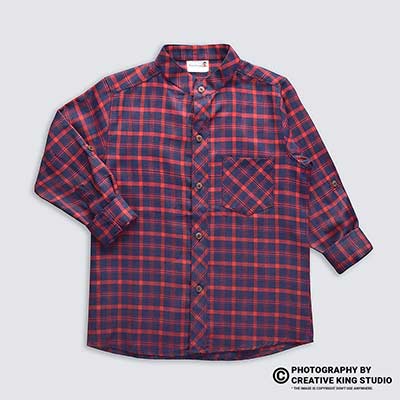
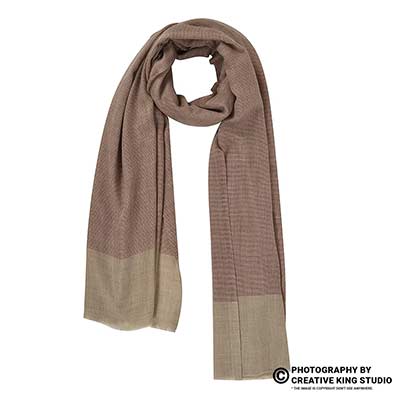
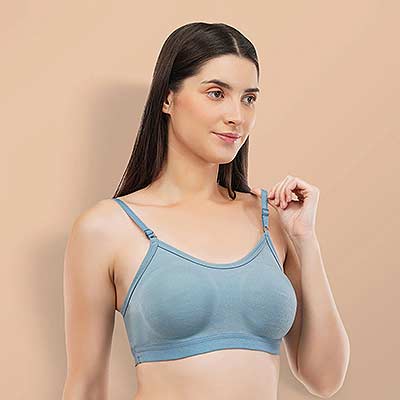
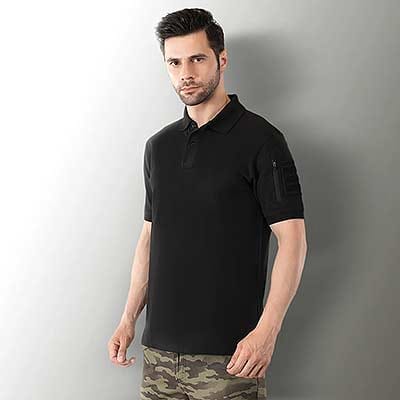

If you are selling apparel on Myntra, your product images are not just pictures — they are your storefront, your salesperson, and your first impression rolled into one. Myntra apparel photography follows some of the most stringent visual standards in Indian e-commerce, and sellers who fail to meet them face repeated listing rejections, delayed go-live dates, and wasted production budgets. Whether you are a first-time seller or an established brand looking to refine your Myntra product photography workflow, this guide covers everything you need to know about model shoot standards, image specifications, and the practical details that separate approved listings from rejected ones.
Ckstudio has been helping fashion brands and e-commerce sellers produce Myntra-compliant apparel photography for years, and in this comprehensive guide, we are sharing the exact standards, techniques, and insider knowledge that our team applies on every shoot. By the time you finish reading, you will have a clear understanding of what Myntra expects in 2026, how to prepare for a model photoshoot, and how to avoid the most common mistakes that lead to image rejection.
- Mandatory model shots — Myntra requires gender-matched professional models for most fashion apparel categories; flat lays are rejected for clothing.
- 3:4 portrait ratio — All images must be at least 1500 × 2000 pixels in a vertical 3:4 aspect ratio, exported as JPEG at 85–95% quality.
- White or neutral backgrounds — Primary listing images must use clean white or soft-neutral (light grey) backgrounds.
- 4–6 images minimum, 8–10 recommended — Each SKU needs multiple distinct angles including front, back, side, and close-up detail shots.
- Garment preparation is non-negotiable — Every piece must be steamed, wrinkle-free, and properly fitted on the model before the shutter clicks.
Understanding Myntra Photography Fundamentals
Myntra is not just another marketplace — it operates as a fashion-first, premium-oriented platform where visual aesthetics directly determine listing visibility and conversion rates. Unlike Amazon’s square-format preference, Myntra uses vertical portrait-style imagery to mirror the way shoppers naturally browse fashion on mobile devices. This means your entire photography workflow, from camera settings to final export, needs to be built around Myntra’s specific visual ecosystem.
The platform caters to a style-conscious demographic that expects editorial-quality imagery. Brands like Biba, W, Roadster, and The Souled Store have set a high benchmark, and Myntra’s QC team evaluates every seller’s images against these standards. For sellers also listing on platforms like Flipkart or Amazon, it is important to recognise that Myntra photography guidelines differ significantly — cross-posting the same images without resizing and reformatting is one of the most common reasons for rejection.

Myntra Image Specifications: The Numbers That Matter
| Specification | Requirement | Notes |
|---|---|---|
| Minimum Resolution | 1500 × 2000 px | 1080 × 1440 px accepted but 1500 × 2000 recommended for EORS campaigns |
| Aspect Ratio | 3:4 (portrait) | Not 1:1 like Amazon/Flipkart — most common rejection trigger for cross-posted images |
| File Format | JPEG | PNG accepted but produces larger files; JPEG at 85–95% quality is ideal |
| Colour Profile | sRGB | Non-sRGB profiles cause colour shift on the platform |
| File Size | 500 KB – 1 MB | Optimised for mobile-first loading |
| Background | White or soft-neutral | Light grey is acceptable; textured or coloured backgrounds are rejected |
| Product Fill | 80–90% | Garment + model should fill most of the frame without excessive padding |
| Images Per SKU | 4–6 minimum | 8–10 images recommended for maximum conversion |
Why Myntra Apparel Photography Matters More Than Ever
In 2026, Myntra’s marketplace competition is fiercer than ever. With thousands of brands launching new collections during EORS (End of Reason Sale) windows — typically in late January and late June — your images need to stop thumbs in a crowded feed. Data consistently shows that listings with professional apparel photography with model shots see significantly higher click-through rates and lower return rates compared to flat-lay or ghost mannequin alternatives.
The reason is simple: buyers cannot touch or try on the garment, so your photographs must do that job. A model wearing the product shows fit, drape, movement, and real-life proportions — information that a flat image on a white surface simply cannot communicate, which is exactly why better product images reduce returns on Flipkart and Amazon too. This is precisely why Myntra mandates model photography for most apparel categories, and why working with a professional model photoshoot team is not a luxury but a business necessity.
There is also a direct financial impact. Every rejected image means a delayed go-live date. Every delayed listing means missed sales during peak traffic periods. And every reshooting cycle means doubled photographer fees, model fees, and studio time. Getting it right on the first attempt is not just a quality goal — it is a cost-saving strategy that serious sellers on Ajio and Meesho understand equally well.
Real Professional Photography vs. AI-Generated Images
With the rise of AI image generation tools, many sellers are tempted to skip the studio entirely and use digitally rendered model photos for their Myntra listings. However, this approach carries significant risks that can hurt your brand in the long run.
| Factor | Real Professional Photography | AI-Generated Images |
|---|---|---|
| Garment Accuracy | Exact colour, texture, and fabric drape as the actual product | Colours and textures may deviate from the real product |
| Fit Representation | Shows real fit on a human body with natural creases and movement | Simulated fit that often looks unnatural or overly smooth |
| Return Rates | Lower returns because the product matches the image | Higher returns due to expectation mismatch |
| Myntra Compliance | Fully compliant and accepted without issues | No formal Myntra acceptance policy — risk of rejection |
| Brand Trust | Builds authentic buyer confidence through real imagery | Savvy buyers recognise AI images, reducing trust |
As of 2026, Myntra has not published any formal policy accepting AI-generated model imagery for apparel listings. While some industry sources have reported tolerance in certain workflow contexts, the safest and most reliable approach remains real fashion photography with actual models, proper lighting, and physical garments. We break this debate down in detail in our guide on real e-commerce photography vs AI product images. At Ckstudio, we always recommend investing in real photography — the difference in conversion performance alone justifies the cost.
Step-by-Step Guide: How to Shoot Myntra-Compliant Apparel Photos
Step 1: Understand Category-Specific Requirements
Before booking a model or setting up your studio, review the specific Myntra photography guidelines for your product category. Requirements vary significantly between sub-categories, and ignoring these nuances is a guaranteed path to rejection. Here are the key category rules:
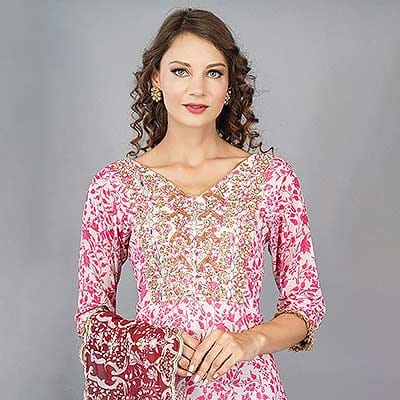
- Kurtas & Kurtis: Front and back model shots are mandatory. If a dupatta is included, it must be visible in at least one image.
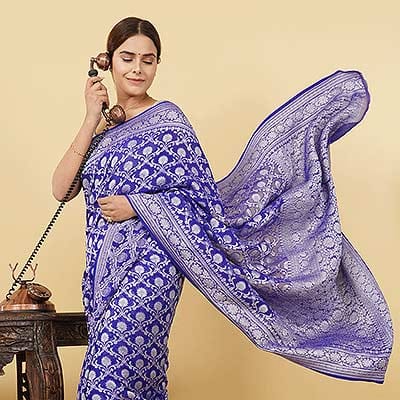
- Sarees: The full six-yard drape must be visible in at least one frame. If a blouse is included, it must be shown.
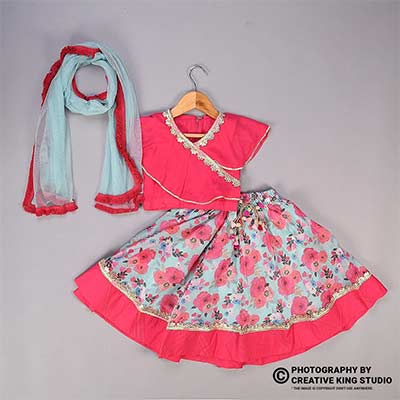
- Lehengas: All three pieces — skirt, blouse, and dupatta — must appear in at least one image.
- Jeans & Trousers: Belt loops must be visible and waistband styling matters for the primary shot.
- Western Wear (shirts, dresses, tops): Gender-matched model shots are mandatory with at least one full-length frame.
For sellers working with a professional garment photoshoot studio, sharing these category requirements before the shoot date saves significant time and prevents costly reshoots. Your studio should already be familiar with Myntra’s platform-specific expectations.
Step 2: Select Gender-Matched Professional Models
This is non-negotiable on Myntra. Women’s apparel must be shot on a female model, men’s wear on a male model, and kids’ wear on age-appropriate child models. The model should be professionally presented — well-groomed, with neutral makeup (dewy look with light lip colour as per Myntra’s preferred aesthetic), and clean hairstyles. Acceptable hairstyles include blow-dried open hair, soft curls, or a simple ponytail.
If you are based in Delhi and need reliable model booking for your Myntra shoots, working with an experienced model photoshoot provider ensures you get professionals who understand e-commerce posing requirements. For male model photography, ensure the model’s build matches the garment size being shot — an ill-fitting sample on the wrong body type will lead to rejection.
Step 3: Prepare Your Garments
Myntra rejects images with wrinkled, stained, or poorly-fitted garments more aggressively than any other Indian marketplace. Every single piece must be professionally steamed and pressed before it goes on the model. Check for loose threads, missing buttons, and any visible defects. Our complete pre-shoot garment preparation checklist walks through every step in detail. Accessories included in the listing (belts, scarves, dupattas) should be styled exactly as they will appear in the product description.
Step 4: Set Up the Right Background
Myntra accepts white and soft-neutral backgrounds for primary images. The most reliable setup is a white seamless paper roll or a painted cyclorama wall. The Myntra photography background must be perfectly even — any visible creases, seams, or shadow gradients on the backdrop will trigger a rejection. Light grey is also accepted and can reduce the “blown out” look that sometimes occurs with pure white backgrounds under strong lighting.
Your background lighting should be separate from your subject lighting. Two background lights positioned at 45-degree angles ensure even illumination without spillover onto the model. This two-zone approach is standard at any e-commerce photography studio that regularly shoots for marketplace compliance.
Step 5: Professional Lighting Setup
Lighting is where amateur Myntra shoots most commonly fail. The goal is soft, even illumination that accurately represents garment colour without harsh shadows or colour casts. A recommended setup includes strip softboxes on either side of the model for wrap-around fill, an octabox overhead or slightly in front as the key light, and a beauty dish for shoots where the model’s face is visible.
Colour temperature consistency is critical. Mixed lighting (daylight from a window plus tungsten studio lights) creates colour casts that misrepresent garment colours — and colour inaccuracy is one of the top reasons for Myntra image rejection. Maintain consistent white balance across every frame by shooting a grey card reference at the start of each batch.

Step 6: Shoot the Required Angles
Each image in your Myntra listing must show a distinct angle or detail — duplicate or near-identical frames are rejected. The essential shot list for any apparel SKU includes:
- Front full-length: The primary hero image showing the complete garment on the model.
- Back full-length: Shows back design, prints, or construction details.
- Side profile: Demonstrates silhouette, fit, and garment flow.
- Close-up details: Fabric texture, embroidery, buttons, stitching, prints, or hardware.
- Styling/alternate angle: Three-quarter turn or action pose showing movement and drape.
- Size chart image: Mandatory for every apparel SKU on Myntra — this is a hard gate.
For categories like ethnic wear, you may also need a separate shot of the included dupatta or the blouse if sold as a set. When shooting lookbook photography for your Myntra collection, plan your shot list in advance to maximise studio efficiency.
Step 7: Post-Production and Export
Post-production for Myntra images should be precise but restrained. Colour-correct every frame against the physical garment sample (hold the garment next to your calibrated monitor). Remove minor skin blemishes on the model, clean up any background imperfections, and ensure consistent cropping across all SKUs in the batch. The final export should be JPEG at 85–95% quality, 1500 × 2000 pixels, in the sRGB colour profile.
Ckstudio uses professional colour-calibrated monitors and standardised export presets for every Myntra batch, which is why our clients consistently achieve first-submission approvals. If you handle post-production in-house, invest in proper image editing services or calibrated hardware — a miscalibrated screen is invisible to you but painfully obvious to Myntra’s QC reviewers.
Ghost Mannequin Photography for Myntra: When and How
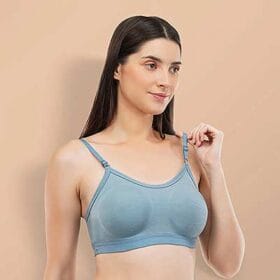
While model photography is the preferred standard for Myntra apparel, ghost mannequin photography for Myntra is accepted in certain sub-categories — particularly for innerwear, basic tees, and some accessory-heavy garments where the focus is on the product structure rather than the fit on a body. The technique involves photographing the garment on a mannequin and then digitally removing the mannequin in post-production, creating a hollow, three-dimensional look.
That said, Myntra has been deprecating ghost mannequin acceptance in favour of live model shots. If your budget allows, always prioritise model photography over mannequin alternatives. For sellers who need ghost mannequin photography for specific SKUs, ensure your invisible mannequin shots are professionally composited — visible mannequin edges or neck inserts are immediate rejection triggers on both Myntra and Flipkart.

Practical Examples: What Myntra Approves vs. Rejects
Example 1: Women’s Kurti Listing
Approved: Professional female model wearing the kurti with natural posture, front and back full-length shots, close-up of embroidery detail, dupatta styled as described in the listing, clean white background, 1500 × 2000 px, wrinkle-free garment with neutral makeup and simple hairstyle.
Rejected: Flat-lay shot of the kurti on a table, selfie-style mirror photo, garment with visible wrinkles, 1:1 square crop repurposed from an Amazon listing, model wearing accessories not included in the product, watermarks or brand logos overlaid on the image.
Example 2: Men’s Casual Shirt Listing
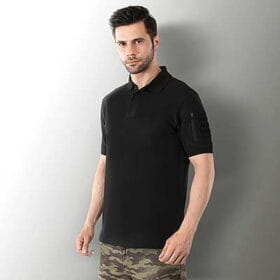
Approved: Male model in a well-fitted shirt, front half-body and full-body shots, collar and cuff close-ups, fabric texture detail, back view, and one styled lifestyle-adjacent shot — all on a consistent neutral background with even studio lighting.
Rejected: Shirt draped over a chair, ghost mannequin with visible edges, mixed lighting with colour cast, pixelated images from smartphone zoom, images with text overlays or pricing information, model wearing sunglasses or heavy accessories that distract from the garment.
Common Mistakes That Lead to Myntra Image Rejection
- Wrong aspect ratio: Uploading 1:1 square images (from Amazon or Flipkart exports) instead of Myntra’s required 3:4 portrait format. This is the single most common rejection trigger.
- Wrinkled garments: Myntra’s QC team rejects images where the product looks unsteamed or poorly maintained — even if the lighting and composition are perfect.
- Colour inaccuracy: When the garment colour in the photo does not match the product title and description. Usually caused by miscalibrated monitors or mixed lighting.
- Blurry or pixelated shots: Often caused by smartphone zoom, insufficient resolution, or camera shake. Always use a tripod with a remote trigger.
- Duplicate angles: Submitting multiple nearly identical shots instead of unique perspectives. Every image must communicate something new.
- Text, logos, or watermarks on images: Myntra strictly rejects any images with overlaid branding, text, pricing, or promotional content.
- Ill-fitting garments on models: The sample size must match the model’s measurements. An oversized shirt hanging off a slender model looks unprofessional and misrepresents fit.
- Missing size chart: A size chart is a hard gate on Myntra — no size chart means the listing cannot go live, regardless of image quality.
Advanced Tips & Pro Insights for Myntra Photography
Batch Workflow for EORS Campaigns
Myntra’s biggest traffic events — the EORS sales in January-February and June-July — require sellers to refresh their catalogues aggressively in the two weeks before each sale. Professional studios like Ckstudio recommend a “3:4 master crop” workflow: shoot all garments at a resolution that allows cropping to Myntra’s 3:4 format as well as the 1:1 format required by Amazon and Flipkart. This single-shoot, multi-platform approach saves enormous time during EORS crunch periods.
Cropping Consistency Across SKUs
Myntra expects consistent cropping within a brand’s catalogue. If your hero image for one kurti shows the model from head to mid-calf, every other kurti in the collection should follow the same framing. Inconsistent cropping makes your brand page look unprofessional and can trigger additional QC scrutiny.
Model Anonymisation Guidelines
Some brands choose to crop the image below the model’s nose to anonymise the face while still showing the collar and neckline. This is accepted on Myntra and can be cost-effective if you work with non-agency models. However, ensure the crop is consistent across all products in the range.
Video Content for Myntra Listings
Myntra accepts three types of video content: brand videos (placed in the product description section), product videos (showing the garment in motion), and styling videos. Video content is not mandatory but significantly boosts conversion rates, especially for ethnic wear and premium collections. If you are already working with a video production team for your brand, adding Myntra-spec video to your shoot schedule is a worthwhile investment.
Tools & Equipment Recommendations
The right equipment makes a measurable difference in output quality and shoot efficiency. Here is what professional studios use for Myntra apparel photography:
- Camera bodies: Full-frame mirrorless systems such as the Canon R-series or Sony A7R-series provide the resolution headroom needed for Myntra’s high-resolution requirements and offer excellent colour science for accurate garment reproduction.
- Lenses: An 85mm or 50mm prime lens for full-body model shots, and a 100mm macro for fabric detail close-ups. Avoid wide-angle lenses for model work — they distort body proportions.
- Lighting: A combination of strip softboxes for side fill, an octabox for overhead key light, and a beauty dish for the model’s face produces the clean, even illumination that Myntra demands. Strobes with consistent colour temperature (like the Godox SK-series or Elinchrom FRX-series) are preferred over continuous LED panels for garment accuracy.
- Background: White seamless paper (Savage or equivalent) on a crossbar system, or a painted cyclorama wall for higher-volume studios.
- Garment prep: A professional-grade garment steamer (not a travel iron), lint rollers, fashion clips for temporary fitting adjustments, and an ironing station for stubborn fabrics.
- Post-production: Adobe Lightroom Classic for batch colour correction and export, Photoshop for retouching and ghost mannequin compositing, and a colour-calibrated monitor (Datacolor SpyderX or X-Rite i1 calibrated).
If you are starting out and cannot invest in a full studio setup, partnering with an established e-commerce photography studio like Ckstudio gives you access to professional equipment, experienced models, and trained stylists — all calibrated for marketplace compliance — without the overhead of building your own facility.
Myntra Apparel Photography Checklist
Use this interactive checklist before submitting your next batch to ensure every detail is covered:
Future Trends in Myntra Photography (2026 and Beyond)
The Myntra visual ecosystem is evolving rapidly. Here are the trends that sellers should watch:
- Higher resolution for EORS campaigns: Myntra is pushing towards 2000 × 2000+ pixel images for flagship EORS hero images. Shooting at higher resolution now future-proofs your catalogue.
- Video-first listings: Product video integration is expanding. Sellers who invest in video alongside photography will have a competitive edge, especially for ethnic wear and premium fashion categories.
- Myntra A+ content: Enhanced brand content with richer visual storytelling is gaining traction. This parallels the Amazon A+ content model and rewards brands that invest in comprehensive visual assets. Sellers who also list on Amazon can streamline this with dedicated Amazon product photography services.
- Stricter QC on AI imagery: While AI tools are becoming more sophisticated, Myntra is likely to tighten moderation around synthetic imagery as the technology matures. Real photography remains the safest long-term investment.
- Sustainability in visual production: Brands are increasingly consolidating shoots to cover multiple platforms in a single session, reducing waste and improving efficiency through multi-format workflows.
Frequently Asked Questions
Myntra requires a minimum resolution of 1500 × 2000 pixels in a 3:4 portrait aspect ratio. Images must be in JPEG format with 85–95% quality setting and sRGB colour profile. The recommended file size is between 500 KB and 1 MB, optimised for mobile loading. For EORS campaign hero images, resolutions of 2000 × 2000+ pixels are increasingly preferred.
Yes, for most fashion apparel categories including western wear, ethnic wear, and casual wear, Myntra mandates gender-matched model photography. Women’s wear must be on a female model, men’s wear on a male model, and children’s wear on age-appropriate child models. Ghost mannequin photography is accepted only for limited sub-categories such as innerwear and some basics, but Myntra has been deprecating this in favour of live model shots.
Myntra accepts white and soft-neutral (light grey) backgrounds for primary listing images. The background must be clean, consistent, and free from textures, patterns, shadows, or visible seams. Some industry sources suggest light grey can actually reduce the blown-out look that occurs with pure white under heavy lighting. Lifestyle or styled backgrounds may be used for secondary images in select premium categories.
Myntra recommends a minimum of 4–6 images per SKU, with 8–10 images considered ideal for maximum conversion. Each image must show a distinct angle — front, back, side, close-up of details like embroidery or buttons, and at least one full-length model shot. A mandatory size chart image is also required for every apparel listing.
As of 2026, Myntra has not published a formal policy accepting AI-generated model imagery for apparel listings. While some AI workflows are tolerated in broader catalogue production, real professional photography with actual models remains the safest approach for guaranteed listing approval. AI-generated images also carry higher return-rate risks because they may not accurately represent garment fit, colour, and fabric behaviour.
Conclusion & Next Steps
Myntra apparel photography is one of the highest-stakes visual investments an Indian fashion seller can make. The platform’s strict model shoot standards, precise image specifications, and premium aesthetic expectations mean that cutting corners on photography directly translates to lost revenue through rejections, delays, and poor conversion performance. Whether you are launching your first collection or scaling an established brand, investing in professional, Myntra-compliant photography is the single most impactful step you can take to improve your marketplace success.
The standards covered in this guide — from the 3:4 aspect ratio and 1500 × 2000 px resolution to gender-matched model requirements and category-specific shot lists — represent the baseline for approval. Going beyond the baseline with lifestyle photography elements, video content, and Myntra A+ content integration will further differentiate your brand in a competitive catalogue.
If you are looking for a Myntra approved studio that handles every aspect of the process — from model booking and garment styling to shooting, post-production, and platform-ready export — Ckstudio is here to help. Our team works with sellers across Myntra, Amazon, Flipkart, and Ajio, delivering images that are compliant from the first submission.
Talk to Prince and the Ckstudio team about your next apparel shoot. We handle everything — models, styling, lighting, post-production, and Myntra-compliant export.
WhatsApp Us Call +91-8700258773For the latest official guidelines, refer to the Myntra Partner Portal and Flipkart Seller Hub (Myntra’s parent platform) for updated catalogue requirements.