





Fashion Photography Services





E-commerce Photography




A production-first Ckstudio guide from brief and casting to marketplace-ready file delivery — built for sellers who want a repeatable Myntra catalogue system, not a one-off photoshoot.
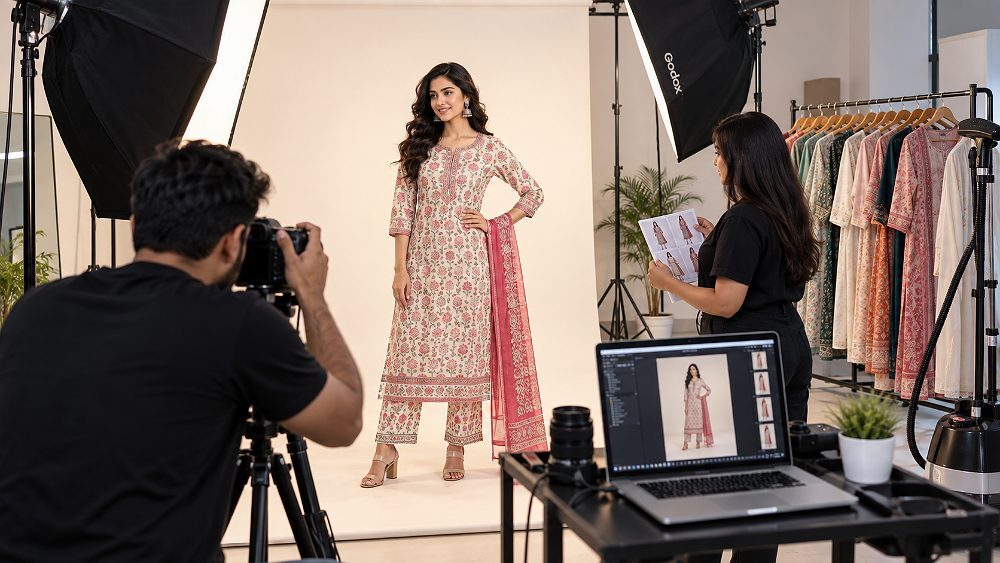
Myntra Model Photography is not a single photoshoot — it is a repeatable production system that decides whether your catalogue looks like a serious fashion brand or an inconsistent seller listing. At Ckstudio, our Delhi NCR team has produced Myntra model photography for D2C labels, boutiques and manufacturers across ethnic wear, western wear, kidswear and lifestyle categories, and one lesson stands out: the sellers who scale on Myntra are the ones who treat every shoot as a workflow, not an event.
This 2026–27 Myntra product photography guide walks fashion sellers through the complete 11-step production workflow that Prince and the Ckstudio team follow — from confirming the current category brief to delivering SKU-wise marketplace-ready files. You will learn how to plan a shoot, cast models, prepare garments, standardise studio lighting, capture the required catalogue coverage, run tethered quality checks, retouch responsibly and organise final delivery.
Important: Myntra’s exact category briefs and marketplace image specifications change from time to time. Always verify your Myntra Partner Portal category brief before locking production. This guide focuses on the workflow that stays true across those updates. For pose-level and camera-angle details, see our dedicated Myntra model poses and photography angles guide.
Myntra model photography is ecommerce-focused fashion photography in which apparel is photographed on models using a repeatable production workflow designed for consistent marketplace catalogue presentation. It sits between editorial fashion imagery and pure product-only photography — the garment must remain the visual hero, but the model brings fit, drape and lifestyle context that flat shots cannot deliver.
The most common pain points we see from Myntra sellers, D2C fashion brands, apparel manufacturers and boutique owners are not creative — they are operational. Sellers struggle with unsuitable model casting, inconsistent images between SKUs, colour accuracy problems, unstructured retouching that changes the garment, and unorganised SKU delivery that triggers marketplace QC issues. Almost every one of these problems is a workflow problem, not a camera problem.
Editorial fashion photography celebrates the model, mood and story. Myntra ecommerce model photography instead prioritises fit accuracy, texture communication, colour truthfulness and gallery consistency so a customer scrolling through 40 SKUs sees the same visual grammar every time. That is what a Ckstudio-style production system is engineered for. To go deeper into industry-wide fundamentals, our ecommerce photography services complete guide and ecommerce photography standards resource are worth a companion read.
Myntra model photography is ecommerce-focused fashion photography in which apparel is photographed on models using a repeatable production workflow designed for consistent marketplace catalogue presentation.
The framework below is the same one we run at Ckstudio for fashion sellers publishing on Myntra. Each step is written as a production stage, not a creative tip, because the reason catalogues fail is almost always a missing stage — not a missing pose. Treat this as a checklist you can hand to your team, stylist and photographer.
Before a single SKU reaches the studio, open the current Myntra Partner Portal brief for your exact category and sub-category. Confirm required output orientation, gallery coverage, background expectations and product-specific rules — for footwear, dresses, sarees and menswear these differ meaningfully. Do not build production around last season’s assumptions. If any specification is unclear, treat the seller portal as authority over generic web guides, including this one.
This is also the moment to align internally on final output checklist: how many images per SKU your team will publish, which secondary images you want beyond the required ones, and whether video is part of the brief. To align expectations across marketplaces, cross-reference our Myntra photography guidelines and Flipkart model photography guide before finalising.
A professional Myntra catalogue model shoot begins with a master sheet, not a mood board. Every SKU should carry a code, colour variant, garment category, sample size, model assignment, required views, styling notes, shoot status and retouch status. When we shoot a 100-SKU clothing catalogue at Ckstudio, the sheet is locked before day one so nothing is being decided on set.
Group SKUs by model, category and colour family so the production order minimises styling and lighting resets. Sellers running larger volumes should also read our 50-to-500 SKU scaling guide and the fashion catalogue shoot planning guide to translate this into a practical schedule.
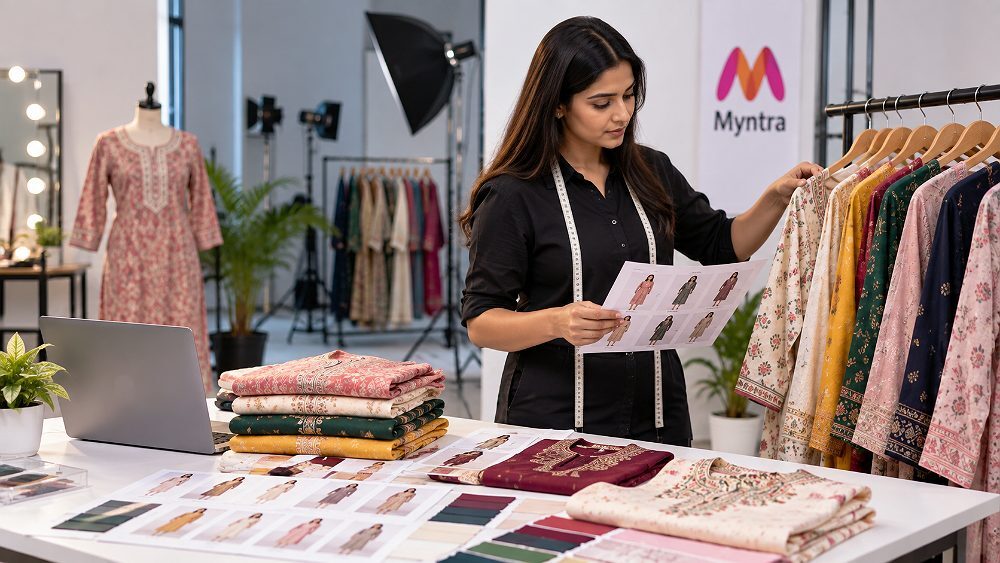
Model selection for Myntra apparel model photography is a fit decision first and an aesthetic decision second. Match the model’s measurements to the sample size you are shooting; if your sample is a size M, a size XS or XL model will misrepresent the garment. Beyond fit, the model should represent the intended customer — womenswear, menswear, kidswear and plus-size apparel each have their own casting logic — and be available for the entire batch so the catalogue does not switch faces halfway through.
Run a short model fitting a day before production if possible. This surfaces sample issues early and reduces on-set surprises. For serious fashion brands, our model photoshoot in Delhi India service and modeling agencies in Delhi resource together explain the casting side in more detail than a single article can. Detailed posing itself is covered in the Myntra pose and angle guide — this workflow article intentionally does not repeat that content.
Wrinkles are the single most expensive avoidable defect in Myntra clothing model photography. Every garment should be steamed, de-linted, inspected for loose threads, stains, missing buttons and faulty zips, then tagged with its SKU and organised on the rack in shoot order. Sets that share matching pieces — kurta with dupatta, blazer with trouser, saree with blouse — must be paired and labelled together so no accessory goes missing on set.
If your brand ships samples in from another city, budget half a day of pre-production for this stage alone. Our garment preparation guide and fashion background selection guide are worth reading before your first Myntra shoot.
Once garments are ready, lock the styling rules for the whole catalogue: tuck-or-untuck logic, jewellery and accessory consistency, hair, makeup and footwear direction. If your Myntra catalogue mixes styled and unstyled looks across SKUs, the storefront reads as inconsistent — even when each individual photo is technically good. The stylist and makeup artist should treat the model as a stable canvas so that the garment remains the visual hero across every frame.
For inspiration on styled fashion coverage that still respects catalogue rules, our lookbook photography and fashion photography services pages are useful reference points.
This is where Myntra ecommerce model photography either becomes scalable or falls apart. A repeatable lighting recipe, controlled exposure, a neutral background, a locked white balance, a consistent focal length and camera height, and clear framing marks let your studio deliver 100 SKUs that look like they belong to the same catalogue. At Ckstudio we typically build on 4× Godox SK 400II and 2× Elinchrom FRX 400 with strip softboxes and a beauty dish where fashion softness is needed — but the exact fixtures matter less than the discipline of standardisation.
Tethered shooting is non-negotiable at this scale. It lets the photographer, stylist and QC lead review each frame at real size and catch fit, colour or focus issues before the setup changes. For the deeper technical side, our studio lighting techniques reference translates well to fashion work.
Consistency matters more than reinventing the lighting for each SKU. A boring, repeatable setup is a professional catalogue’s best friend.
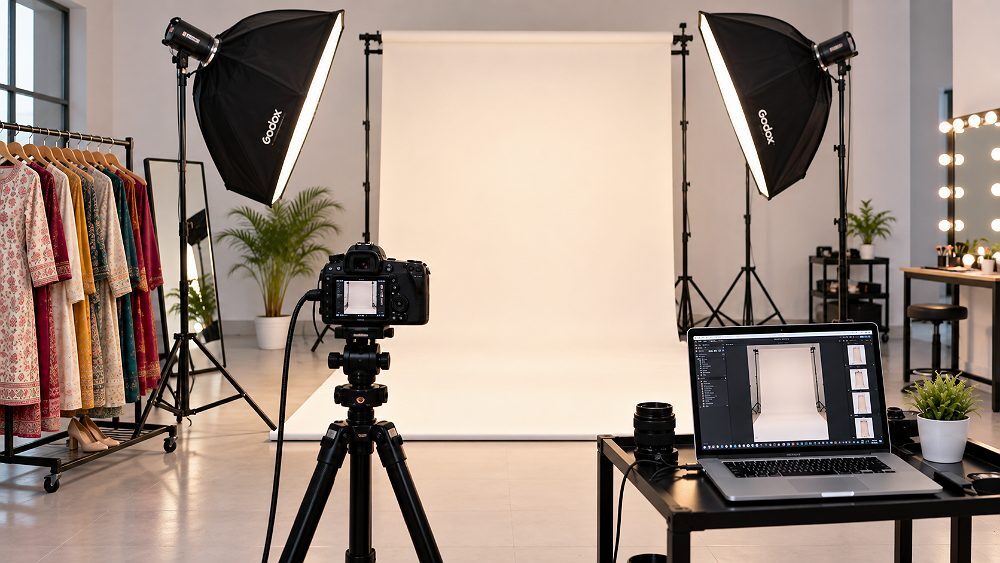
Now — and only now — does the actual Myntra model shoot photography begin. Follow the category-required gallery sequence, use a repeatable starting frame per SKU, capture alternate garment views, construction and detail shots, and where appropriate a styled secondary image. After each garment change, check drape and fit before moving further into the sequence; a frame that looks fine on the camera back can hide a twisted seam on the tethered monitor.
This article intentionally does not list dozens of poses or angles. For the shot-by-shot framework — pose direction, camera height, arm and leg placement for every gallery slot — read our dedicated Myntra model poses and photography angles guide. Keeping pose depth in that article and workflow depth here prevents keyword cannibalisation and gives readers a cleaner journey.
Live QC is where reshoot budgets are saved. On the tethered monitor, check sharpness, garment fit, wrinkles, accidental folds, product colour, exposure, crop, missing details, model expression, continuity and SKU identification. It costs a few extra minutes per SKU on set; it saves entire re-production days later. This is exactly why our Myntra QC rejection checklist exists — most rejections trace back to a QC step that was skipped during production.
Assign one person as QC lead for the day. They own the sign-off decision for each SKU before the set breaks, so responsibility never dissolves into the team.
Post-shoot selection is a technical exercise first and a creative one second. Filter for sharpness, garment clarity, consistent framing and clean model expression, then compare neighbouring SKUs so the final gallery sequence flows visually. A batch of 40 captured frames per SKU typically reduces to the required final catalogue set without heroics — the discipline is refusal to promote a weak frame just because a stronger one is missing.
Keep raw files archived for at least 90 days. When Myntra QC or a marketplace listing team asks for a re-crop or alternate view, the ability to go back to the raw is often faster than a reshoot.
Retouching for Myntra Model Photography has a hard boundary: polish the photograph, never misrepresent the product. Safe corrections include dust removal, temporary wrinkles, minor background cleanup, skin blemishes, exposure balance, white balance and crop consistency. What is never acceptable is changing garment colour, altering print, removing genuine design elements, unrealistic body reshaping or falsifying fabric appearance — those are the fastest paths to Myntra QC rejection and customer returns.
For the deeper post-production discipline behind this, our ecommerce image optimization guide and real vs AI-generated product images comparison are essential reading. We strongly recommend real professional garment photography over AI-generated fashion imagery for marketplaces — the fit, drape and fabric truth cannot be faked without introducing return-rate risk.
Polish the photograph without misrepresenting the product. If a customer receives the garment and it looks materially different from the image, you have failed the shoot regardless of how beautiful the frame is.
The final step is where a lot of good shoots quietly break. Export master files and marketplace files separately, place them into SKU folders with predictable filenames such as SKU-COLOR-VIEW-SEQUENCE.jpg, run a final colour check, verify dimensions and crop against the current brief, and perform a duplicate and missing-view sweep. Ship the client a delivery index so nothing is ambiguous when the catalogue team uploads.
To hand this over cleanly, brief your client with our catalog consistency at scale guide so their listing team knows what they are receiving and how it maps to Myntra’s upload flow.
Share your SKU count, garment category and required output with Prince at Ckstudio. We will map the production workflow, model casting and delivery timeline before your samples even leave the warehouse.
Use this as your one-page pre-flight before every Myntra catalogue model shoot. It is deliberately sequential — each item unlocks the next, and skipping any of them is where most reshoot debt starts to accumulate. Print it or paste it into your production sheet.
| Step | Production Stage | Main Responsibility | QC Check | Final Output |
|---|---|---|---|---|
| 1 | Category Brief | Brand + Producer | Latest Partner Portal spec | Locked shoot brief |
| 2 | SKU Planning | Producer | SKU master sheet complete | Production schedule |
| 3 | Casting | Producer + Brand | Fit + availability confirmed | Approved model |
| 4 | Garment Prep | Stylist + Assistant | Steamed, tagged, complete | Rack-ready garments |
| 5 | Styling | Stylist + MUA | Continuity locked | Approved look |
| 6 | Studio Setup | Photographer | Lighting + WB + framing marks | Locked studio recipe |
| 7 | Capture | Photographer | Required gallery covered | Tethered raw files |
| 8 | Live QC | QC Lead | Sharpness, fit, colour, crop | Sign-off per SKU |
| 9 | Selection | Editor + Brand | Best-of per SKU | Selects folder |
| 10 | Retouching | Retoucher | Product unchanged | Final images |
| 11 | Delivery | Producer | Naming + index verified | Marketplace-ready files |
Sellers with 50 to 500-plus SKUs are the ones for whom Myntra catalogue model photography economics change most dramatically. At this scale, consistency is not decorative — it becomes the primary quality signal on your Myntra storefront. Every re-shot SKU is a real cost, and every visual mismatch between products makes the whole brand look weaker than it is.
The recipe we run at Ckstudio is deliberately unglamorous: one production brief, one model wherever possible, one fixed lighting recipe, camera and framing marks on the floor, standard styling rules, a physical colour reference, a locked SKU production order, tethered review, retouching presets as starting points only, and a single master QC person who owns the whole day. Everything gets easier when responsibility is not diffused across the team.
Batching is the biggest lever in bulk apparel photography. Group SKUs so the same model, styling rules and colour family stay on set together, then move as a block to the next batch. This reduces reset time between products from minutes to seconds and dramatically cuts avoidable inconsistency. Our fashion catalogue vs ecommerce photography comparison explains why this batching logic is different for fashion than for generic products.
Approve one hero image as your reference at the start of production. Every subsequent SKU is compared against that image for framing, colour, model position, background tone and styling weight. This one habit — a single approved reference — solves more consistency problems than any retouching preset ever will, and it is exactly how established brands scale to 500-plus SKUs without visual drift.
Almost every Myntra reshoot we have observed traces back to a small production shortcut earlier in the workflow. The pattern is predictable, which is a good thing — it means most of these are preventable with checklist discipline rather than more expensive gear or bigger crews. Ask yourself which of the following your last shoot actually did.
SKU-COLOR-VIEW-SEQUENCE convention.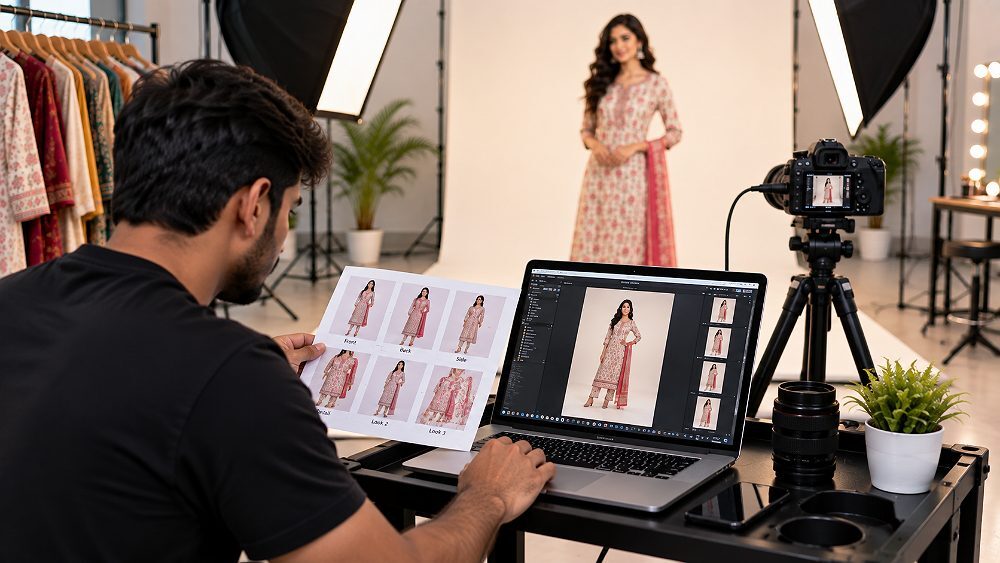
Should you build an in-house model photography setup or commission a professional studio? For sellers with a controlled 10–20 SKU catalogue, in-house can absolutely work. Beyond that, the maths shifts quickly: sourcing models, maintaining equipment, hiring a fashion stylist, prepping garments, managing colour, executing catalogue-level retouching and shipping marketplace-ready files on deadline is a full production line, not a side task.
| Factor | In-House Setup | Professional Studio (Ckstudio) | Best Choice When |
|---|---|---|---|
| Model sourcing | Ad-hoc, limited pool | Curated agency network | Scale + variety needed → Studio |
| Equipment | Limited | Full studio + backups | Consistent output → Studio |
| Styling | Founder-led | Dedicated stylist + MUA | Fashion-forward SKUs → Studio |
| Lighting consistency | Varies | Locked recipe | 50+ SKUs → Studio |
| Colour accuracy | Best-effort | Managed workflow | Print-heavy catalogues → Studio |
| Retouching | Freelance | Team + presets + QC | Batch consistency → Studio |
| Bulk workflow | Fragile | Battle-tested | 100+ SKUs → Studio |
| QC | Informal | Dedicated QC lead | Marketplace-strict → Studio |
| Turnaround | Unpredictable | Committed timeline | Launch deadlines → Studio |
| Cost predictability | Hidden costs | Per-image quote | Budget clarity → Studio |
DIY can work for small controlled catalogues; a professional workflow becomes increasingly valuable when consistency, volume and deadlines matter. For a broader decision framework, our how to choose a photography company guide is a helpful next read.
Pricing for Myntra model photography cost in India varies with number of SKUs, number of final images, model category and fee, makeup, stylist, garment complexity, studio requirements, production time, retouching complexity, turnaround and bulk volume. There is no one-size-fits-all rate card — a 30-SKU ethnic wear catalogue and a 300-SKU western wear catalogue live in different production universes.
| Package | Starting From | Best For | Core Deliverables |
|---|---|---|---|
| Basic | ₹75 / image onwards | Small seller batches | Studio capture + basic editing |
| Standard | ₹150 / image onwards | Marketplace catalogues | Model shoot + editing + catalogue consistency |
| Premium | ₹250 / image onwards | Fashion / D2C brands | Styling-led model photography + enhanced retouching |
| Enterprise | Custom bulk quote | 50–500+ SKU catalogues | Dedicated production workflow + batch QC + priority delivery |
For a deeper cost breakdown, see our Myntra photoshoot charges India 2026-27 guide, and for comparative benchmarks our product photography cost Delhi and product photography pricing India 2026 resources.
Send your SKU count, garment category and required output to [email protected] or WhatsApp Ckstudio on +91-8700258773 for a production-specific Myntra model photography quote.
Delhi NCR concentrates a large share of India’s fashion supply chain — designers, manufacturers, models, stylists and studios operate within a small radius. That density is exactly why running Myntra model photography from a specialist Delhi NCR studio is often faster and more predictable than assembling a shoot city-by-city. Model coordination, garment preparation, controlled studio setup, bulk catalogue workflow, professional retouching and marketplace-ready exports can be delivered as one workflow instead of five vendors.
Brands outside Delhi can ship samples to Ckstudio for production, and we run a short workflow consultation before booking so the shoot is scoped realistically. Explore the broader offer through our ecommerce photography services, garment photoshoot and ghost mannequin photography pages — many Myntra fashion catalogues combine ghost mannequin and model imagery in the same brief.
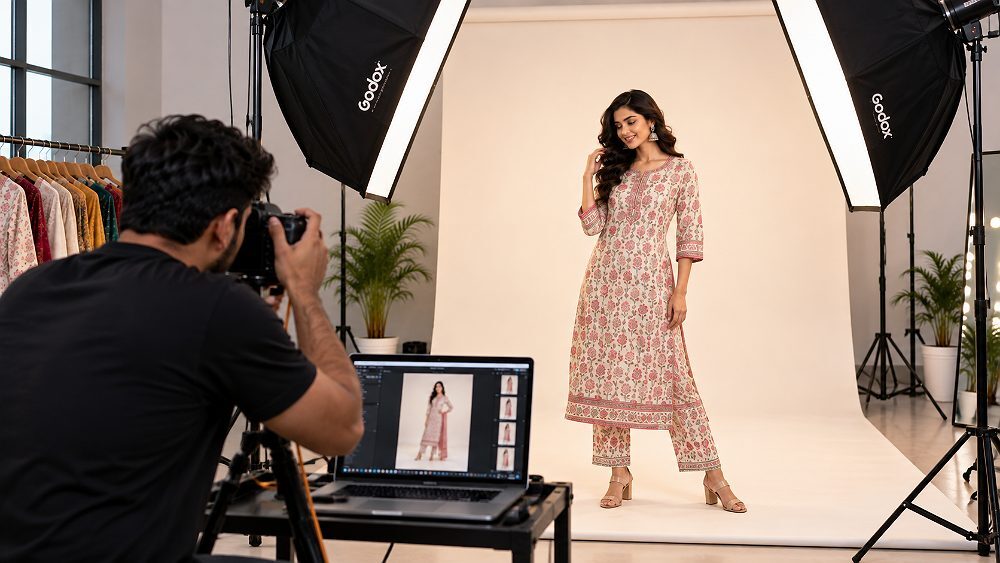
If you take one thing from this guide, take this: a repeatable production system is what turns individual good photographs into a professional ecommerce catalogue. The 11-step framework — Brief → SKU Planning → Model → Garment Prep → Styling → Studio Setup → Photography → Live QC → Selection → Retouching → Marketplace-Ready Delivery — is not glamorous, but it is what separates catalogues that scale from catalogues that reshoot.
For sellers preparing their first serious Myntra push in 2026–27, use this workflow as your production checklist before the first garment reaches the set. When you are ready to run the shoot, Prince at Ckstudio and our Delhi NCR fashion production team can build the whole pipeline for you.
Send us your product count, sample category and launch deadline. We will plan casting, samples, styling, production and delivery as one system.
Before we close any Myntra Model Photography project, our QC lead walks through a fixed close-out list: fit accuracy against the sample, colour truthfulness against a physical reference, wrinkle and lint pass, framing consistency across the batch, styling continuity, complete gallery coverage, correct garment detail shots and filename accuracy per SKU. On a recent anonymised 100-SKU ethnic wear batch, pre-production SKU grouping alone cut avoidable styling changes between products by more than half — that saving landed in the client’s launch date, not just our production sheet.
This is what we mean when we say Myntra catalogue photography is a workflow question first. Reviewed and updated by Prince, Founder of Ckstudio, on 26 September 2026.
Below are the questions we hear most often from Myntra sellers, fashion brands and apparel manufacturers evaluating a professional model shoot. Short answers first, deeper links inside where useful.
Myntra Model Photography is ecommerce-focused fashion photography that shows garments being worn while following a consistent production, styling, lighting, retouching and delivery workflow designed for marketplace catalogue presentation.
Steam every garment, remove lint and loose threads, inspect buttons and zips, organise matching pieces, label each SKU correctly and complete a model fitting before the main photography session.
Choose a model whose measurements suit the garment sample, who represents the intended customer and who can maintain consistent ecommerce posing throughout the complete catalogue production.
Myntra model photography pricing depends on SKU volume, model fees, number of images, styling, makeup, garment complexity, retouching and turnaround. Bulk catalogues normally have different production economics from small shoots. Detailed benchmarks are in our Myntra photoshoot charges guide.
A professional studio is particularly useful for sellers handling larger catalogues because controlled lighting, model coordination, colour management, retouching and batch QC make it easier to maintain consistency across many SKUs.
Related searches Myntra sellers commonly explore alongside Myntra Model Photography. Each item jumps to the most relevant part of this guide.
Deeper long-tail queries that map back to different sections of this Myntra Model Photography workflow guide.
Direct-answer questions Myntra sellers frequently ask. Each links to the section that carries the fullest answer inside this guide.
Voice-style queries typical Myntra sellers use — mapped to the relevant workflow sections.

